
How do I add a technician and set their commission rate?
A technician in the system is more than a name: the commission, the performance report and the way work is handed out all rest on it.
Steps
- Open Workshop → Technicians — Figure 1 — then Add technician.
- Enter the name, phone and specialisation — electrics, mechanics, bodywork, air conditioning.
- Set the commission rate, the share they earn of the work assigned to them on invoices.
- Set the status to active so they appear in the assignment lists, then save.
- When a technician leaves, delete them without worry; the system keeps them under deleted and they can be restored if they come back.
Notes
- The commission rate is per technician; a skilled one deserves more than a beginner, and that is the strongest incentive on a workshop floor.
- Do not leave the rate at zero if you actually pay commissions; the system will compute nothing for them.
- The specialisation is not decorative; it is what helps you hand work out in the morning.
Screenshots
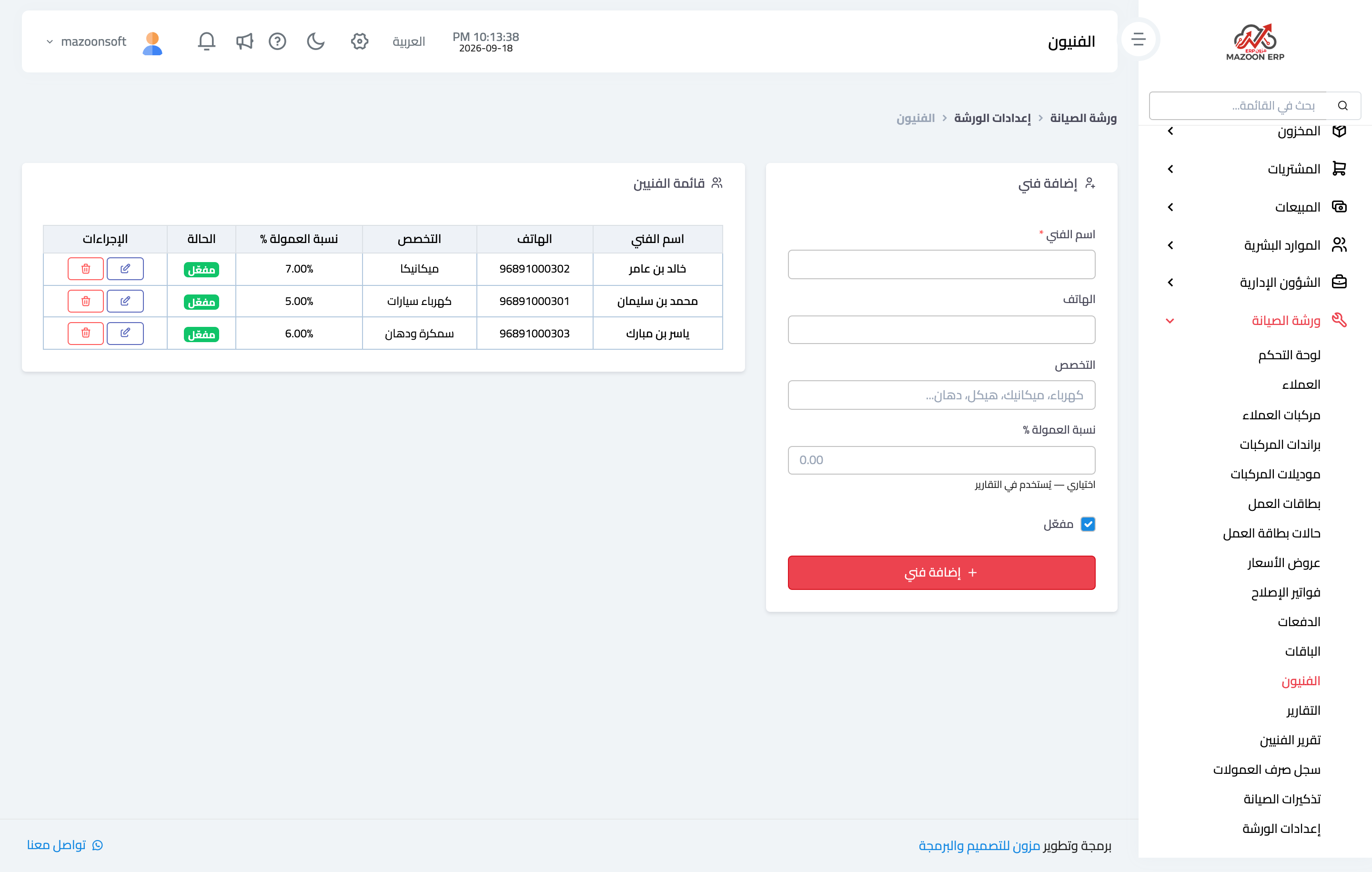
Figure 1
Try what you just read on your own data
Open a free 7-day trial — no credit card, with your own company link in minutes.