
How do I record a payment against a repair invoice?
The payment is recorded against the invoice itself, and from those payments the collections list and the customer balances are built.
Steps
- Open the approved invoice, then the Payments tab — Figure 1.
- Press the payment button and enter the amount, payment date, payment method and a reference if there is one.
- Press Save payment; the invoice’s paid and remaining figures update at once.
- Print the receipt and hand it to the customer.
- To follow all collections, open Workshop → Payments — Figure 2 — which shows the total collected with filters by customer and period.
Part payments
You can record more than one payment against the same invoice — a deposit at drop-off and the balance at delivery — and the remaining amount stays visible until it is settled in full.
Notes
- A payment cannot be recorded against an unapproved invoice, so approve it first.
- Enter the real payment date, not today’s; cash reports are built on the receipt date.
- Deleting a payment posts a reversal entry, so only delete for a genuine mistake.
- An invoice with payments on it cannot be cancelled until those payments are removed.
Screenshots
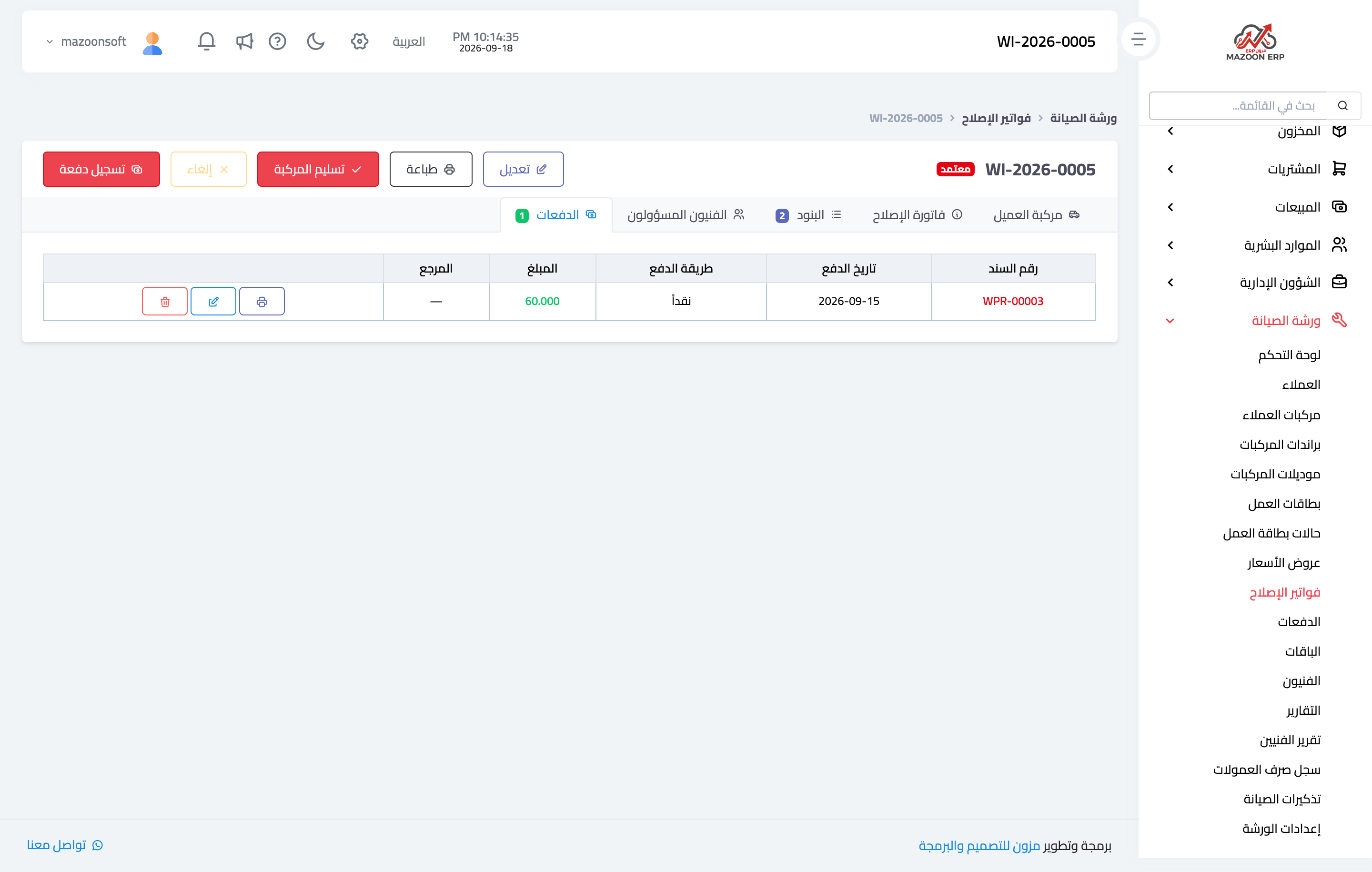
Figure 1
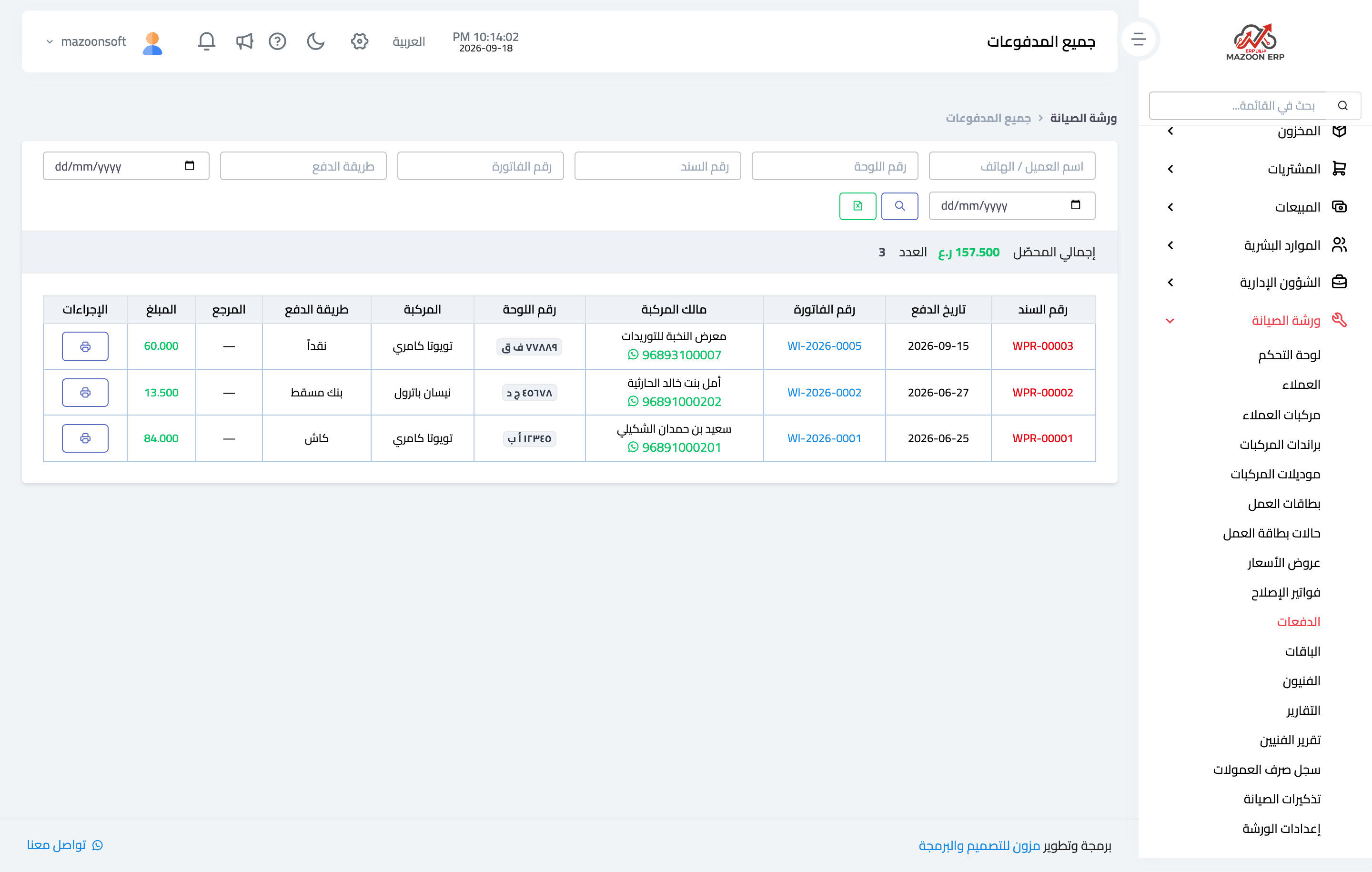
Figure 2
Try what you just read on your own data
Open a free 7-day trial — no credit card, with your own company link in minutes.