
How do I register a new customer vehicle?
Everything in the workshop hangs off the vehicle rather than the customer: the job card, the service history, the periodic reminder. So you start by registering the vehicle.
Steps
- Open Workshop → Customer vehicles — Figure 1 — then Add vehicle.
- Pick the customer — Figure 2. If they are new, press Add customer to register them without leaving the page.
- Choose the brand then the model; each has an Add button if it is missing.
- Enter the plate number, chassis number, colour, year, cylinders and engine size.
- Set the service interval in months and the next service date; the maintenance reminders screen runs off these two.
- Upload the vehicle photo and the registration if you want (up to 5MB, JPG, PNG or PDF), then save.
Notes
- Do not register the same vehicle twice by writing the plate differently; the service history splits and loses its value.
- A vehicle with no next service date never appears in the reminders, and that is repeat work you simply lose.
- The chassis number is what really identifies the vehicle; plates change when it is sold.
- When a vehicle is sold, set it inactive rather than deleting it, so its history survives.
Screenshots
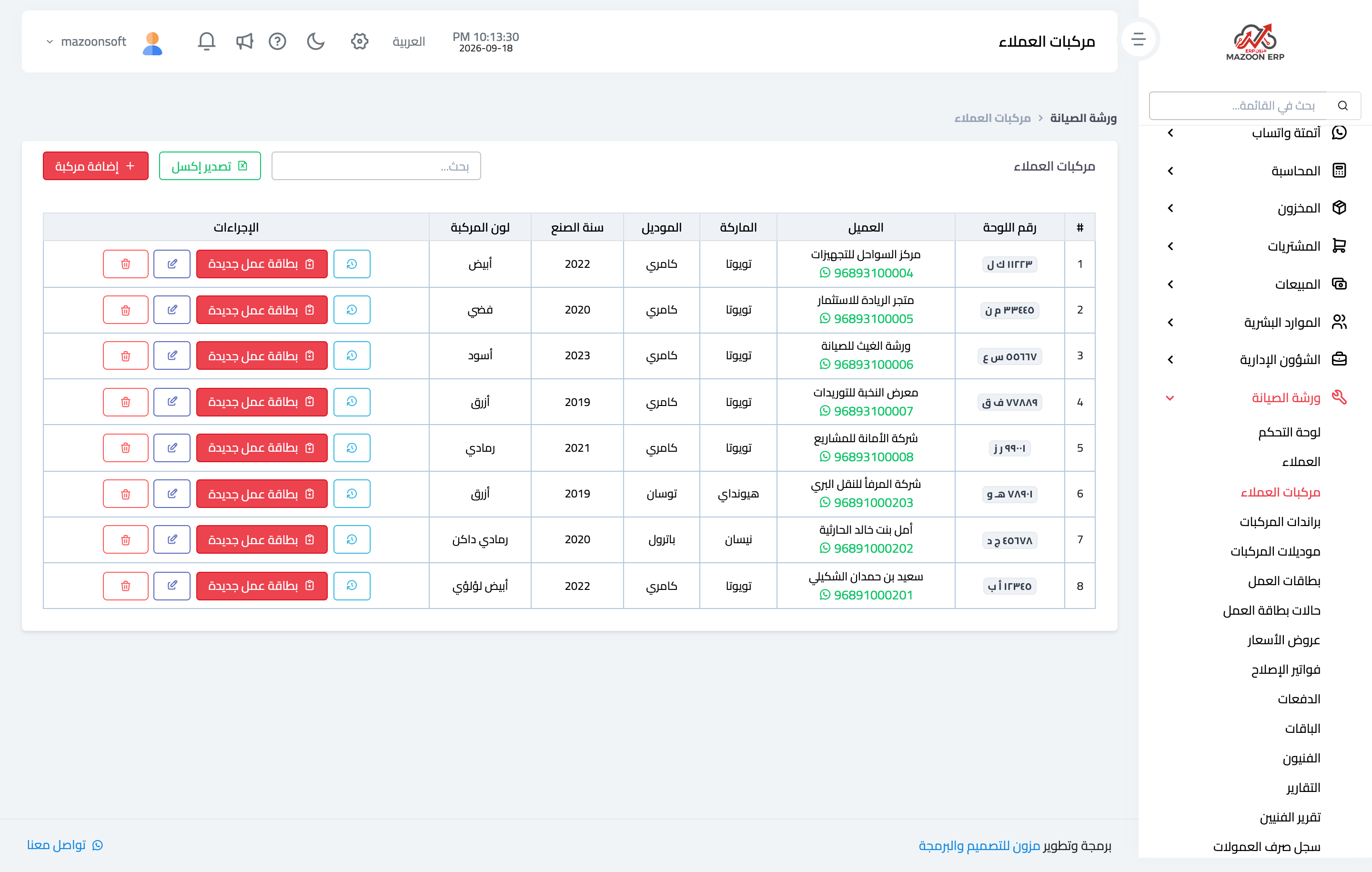
Figure 1
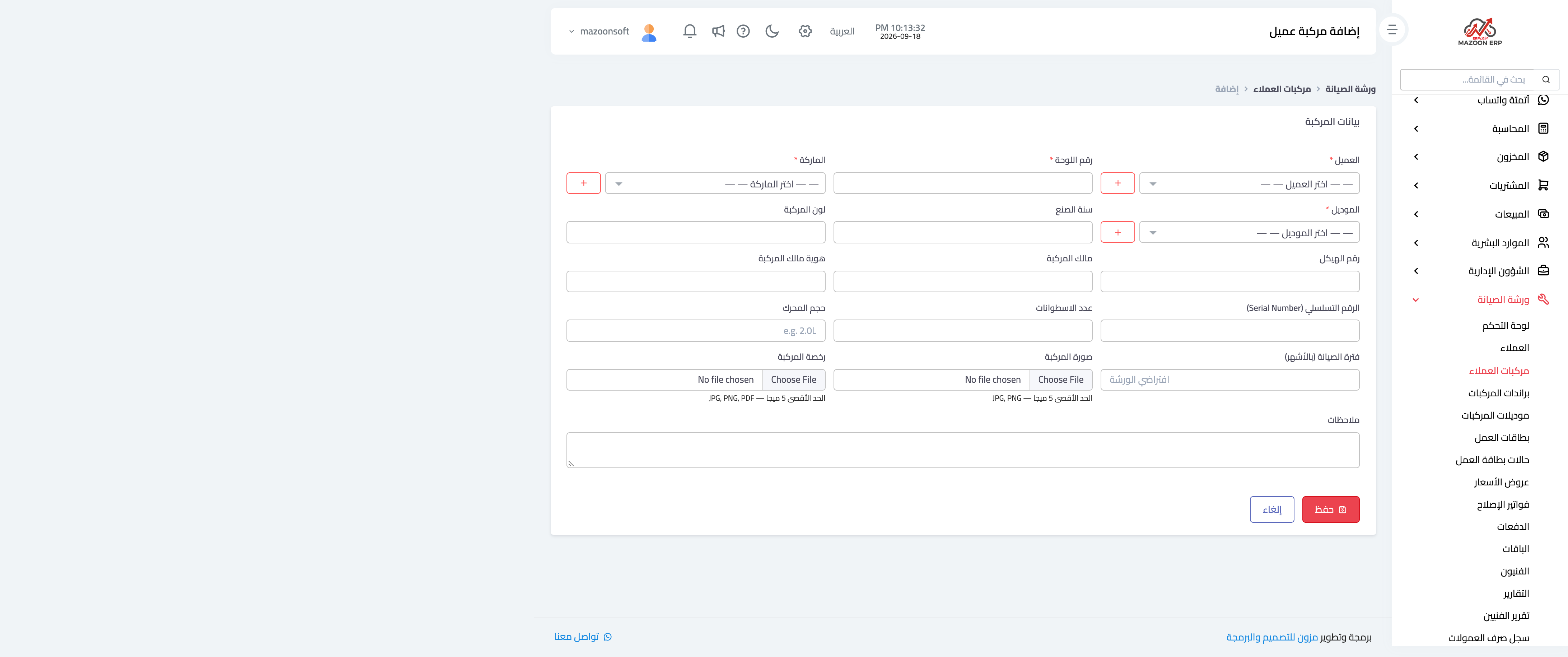
Figure 2
Try what you just read on your own data
Open a free 7-day trial — no credit card, with your own company link in minutes.