
Stock card, stock by branch, scrap report — which one do I need?
Five reports in the Inventory menu, and most people open the first and stop there. Each answers a different question — here is a short guide to picking the right one first time.
Stock card — "what happened to this item?"
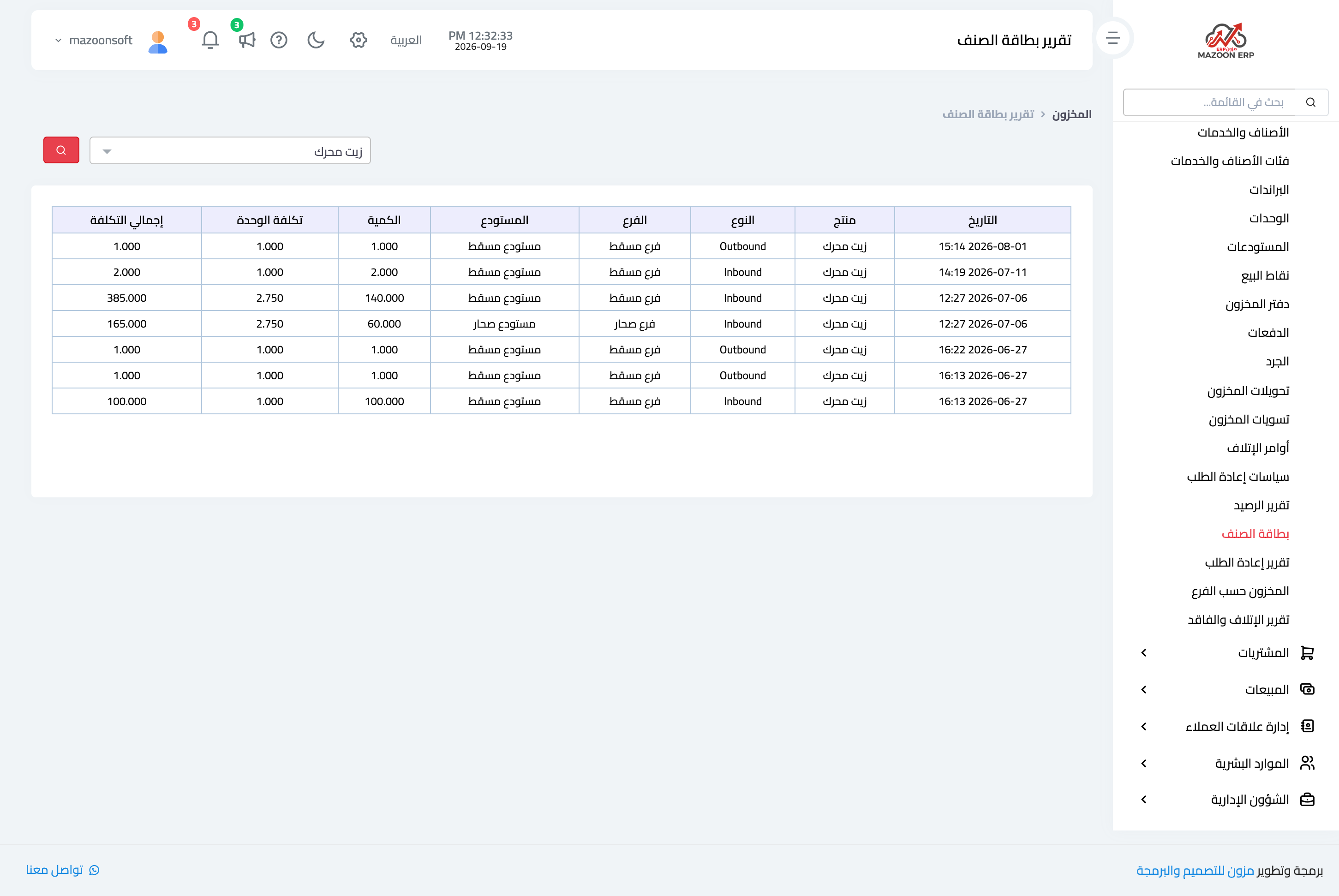
Inventory → Stock Card — image 1. Pick the item, branch and warehouse and you get every movement in date order: type, quantity, unit cost and total cost.
This is the investigation report: you open it when someone asks "why is the balance twenty short?" and follow the movements until you find the line responsible.
Stock by branch — "where is my stock sitting?"
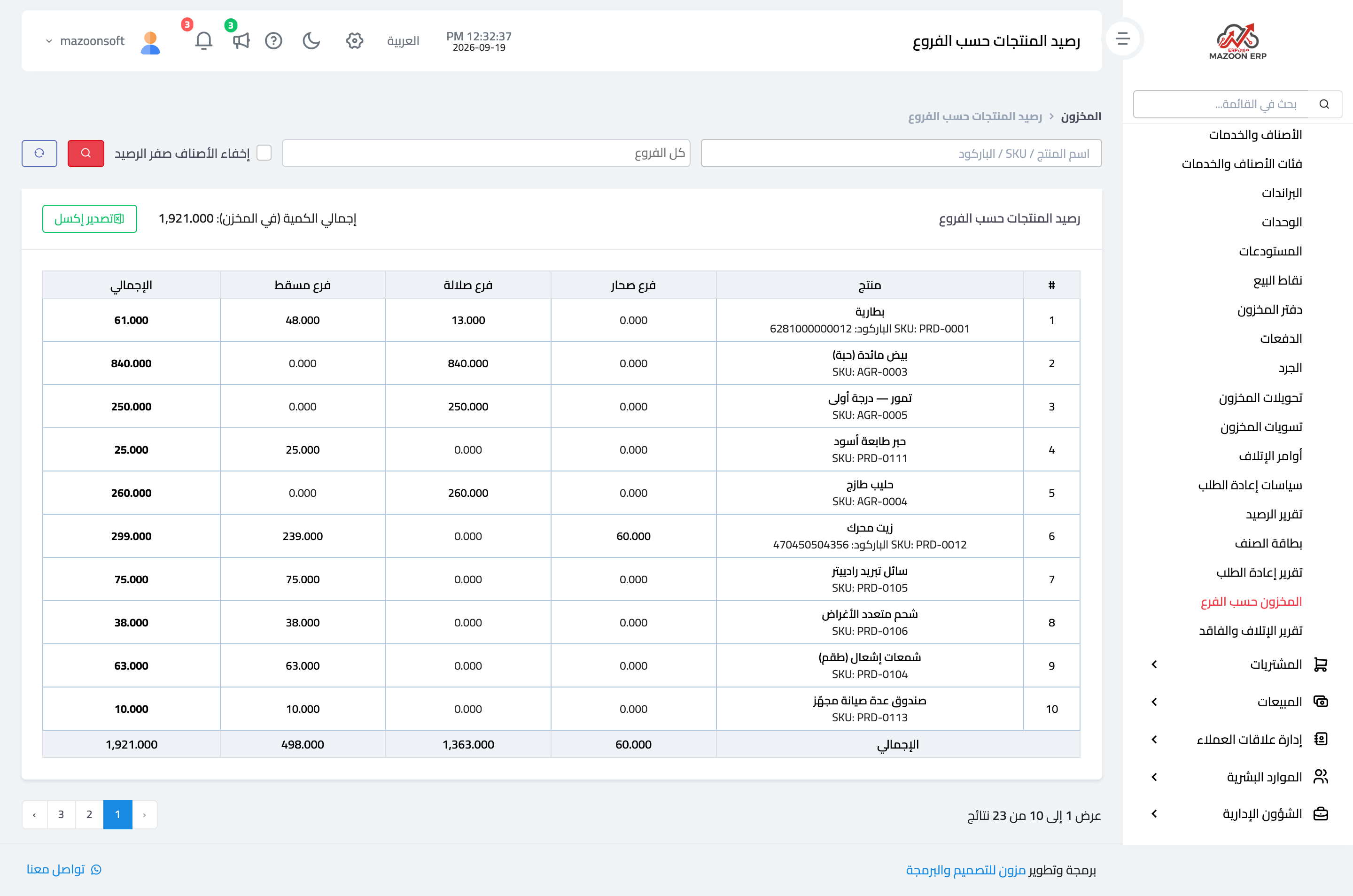
Inventory → Stock by Branch — image 2. One row per item and a column per branch, so you see the distribution at a glance, plus a total column.
This is the decision report: it tells you Muscat has two hundred and Sohar has none, so you raise a transfer instead of buying. Search accepts a name, SKU or barcode, and it offers hide zero-balance items and Export Excel.
Scrap report — "how much did I lose, and why?"
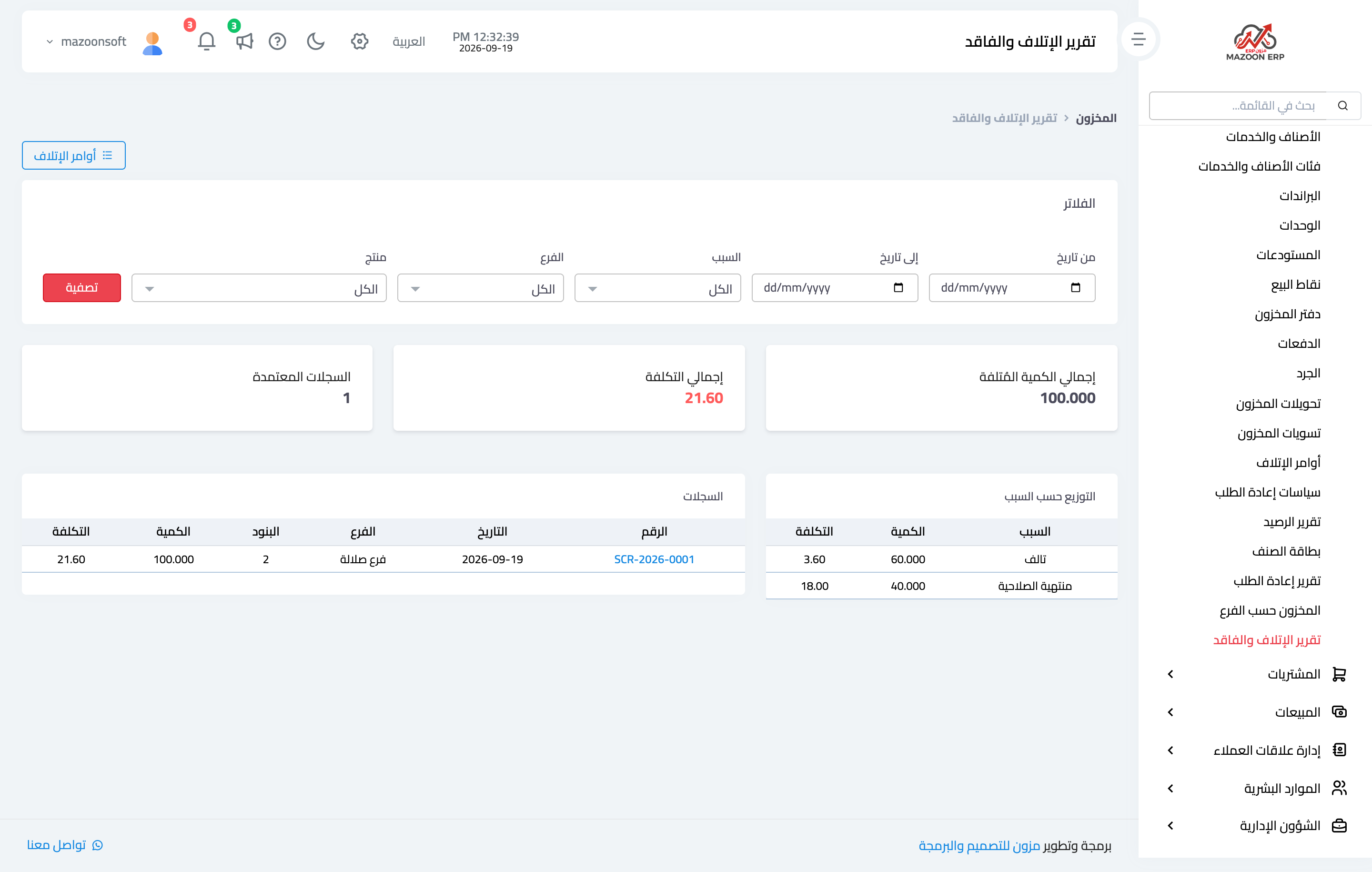
Inventory → Scrap Report — image 3. It covers approved scrap orders in a period you choose, and gives the total quantity scrapped, the total cost, and a breakdown by reason.
This is the improvement report: if "broken" accounts for two thirds of the loss, the problem is handling or packaging; if it is "expired", the problem is order sizes or stock turnover.
And the other two
- Balance report — "how much do I have and what is it worth?" The stocktake and balance-sheet report.
- Reorder report — "what do I buy today?" Your purchase list.
Notes
- Every report respects branch restriction; a user tied to one branch sees only that branch.
- Read the scrap report monthly, the reorder report weekly, and the balance report at period close.
- The scrap report ignores drafts, so an unapproved scrap order neither appears nor deducts.
- Filter first, export second; the export follows the filters applied.
Screenshots
Try what you just read on your own data
Open a free 7-day trial — no credit card, with your own company link in minutes.