
What does Track Stock mean, and when should I turn it off?
A small switch on the item form, and the single setting that causes the most confusion later: Track Stock. It decides whether the system keeps a balance for this item or ignores it entirely.
What changes when it is on
- Every purchase raises the balance, every sale lowers it, and every movement is written to the stock ledger.
- The item appears in the balance report, the stock card and stock by branch, and gets a stock value and an average cost.
- It can take opening stock, be counted, transferred between warehouses and scrapped.
- The system can stop you selling more than is available.
What changes when it is off
The item can still be bought, sold and invoiced as usual, but no stock movement is recorded at all: no balance, no ledger line, no presence in balance reports, no opening stock.
When to turn it off
- Services — off automatically, and turning it on means nothing.
- Items not worth counting: screws, tape, paper cups, cleaning supplies consumed as soon as they arrive. Counting them costs more than it is worth.
- Items ordered for one customer that never sit on your shelf — a part bought specially and fitted the same day.
When never to turn it off
Any item whose remaining quantity you want to know, that you need an alert for when it runs out, or whose value belongs in the stock figure on your balance sheet. If in doubt leave it on — on is the default for good reason.
Notes
- The Track Stock column in the items table shows yes/no for each item — image 1.
- The riskiest case: buying an item while the switch is off and turning it on later. The old purchase will not show in the balance, so the item looks like zero while it is really on the shelf. The cure for exactly this case is a manual stock adjustment, not a physical stock count.
- Change this switch at the quietest moment you can, ideally right after a count — never mid-season.
- Turning it off does not erase past movements, but it stops any new one from being recorded.
Screenshots
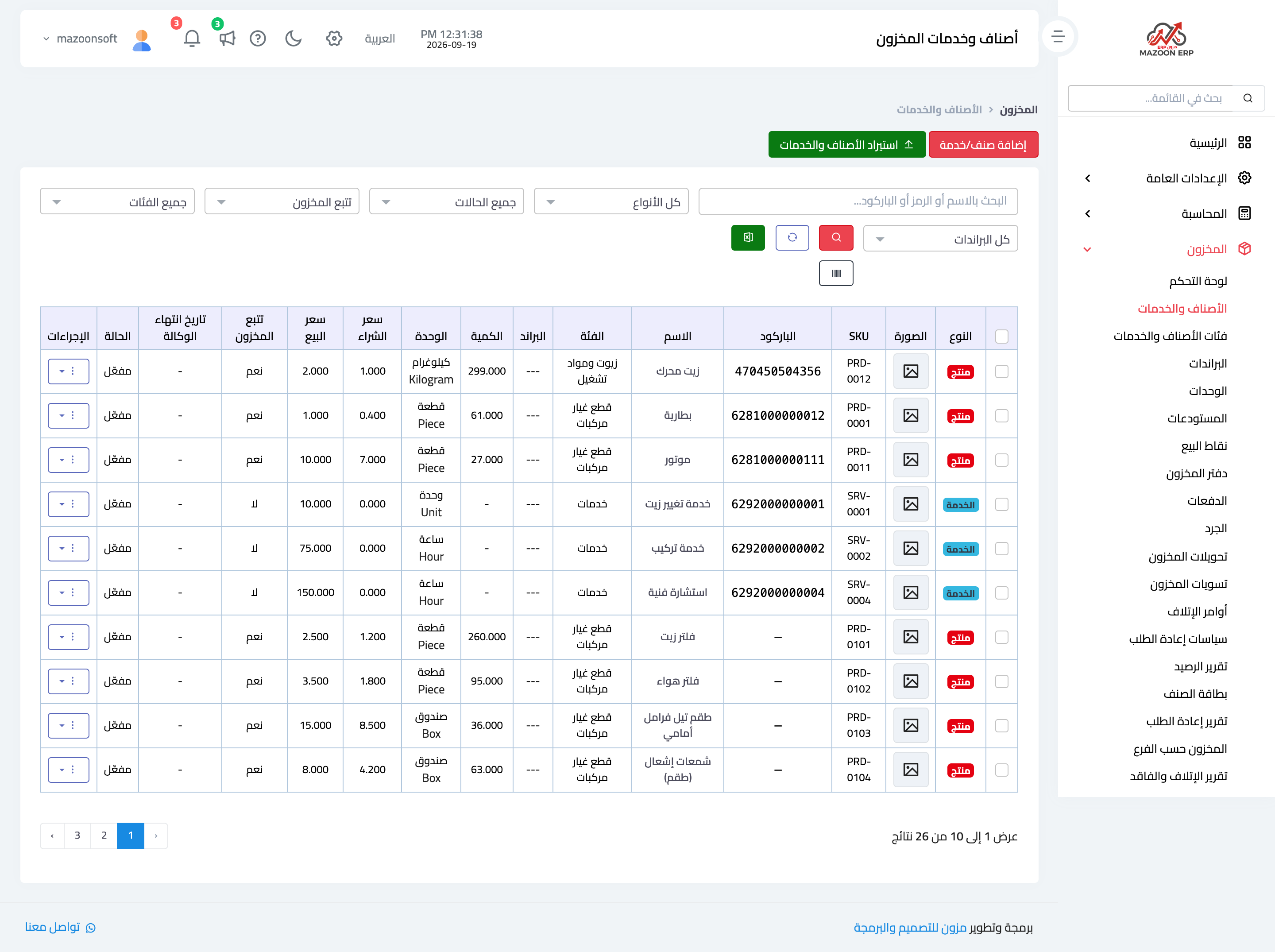
Figure 1
Try what you just read on your own data
Open a free 7-day trial — no credit card, with your own company link in minutes.