
Stock movement: the ledger, transfers and adjustments
Every increase or decrease in an item's balance is recorded as a movement. Three screens manage this: the stock ledger shows what happened, transfers move goods between warehouses, and adjustments correct differences.
The stock ledger
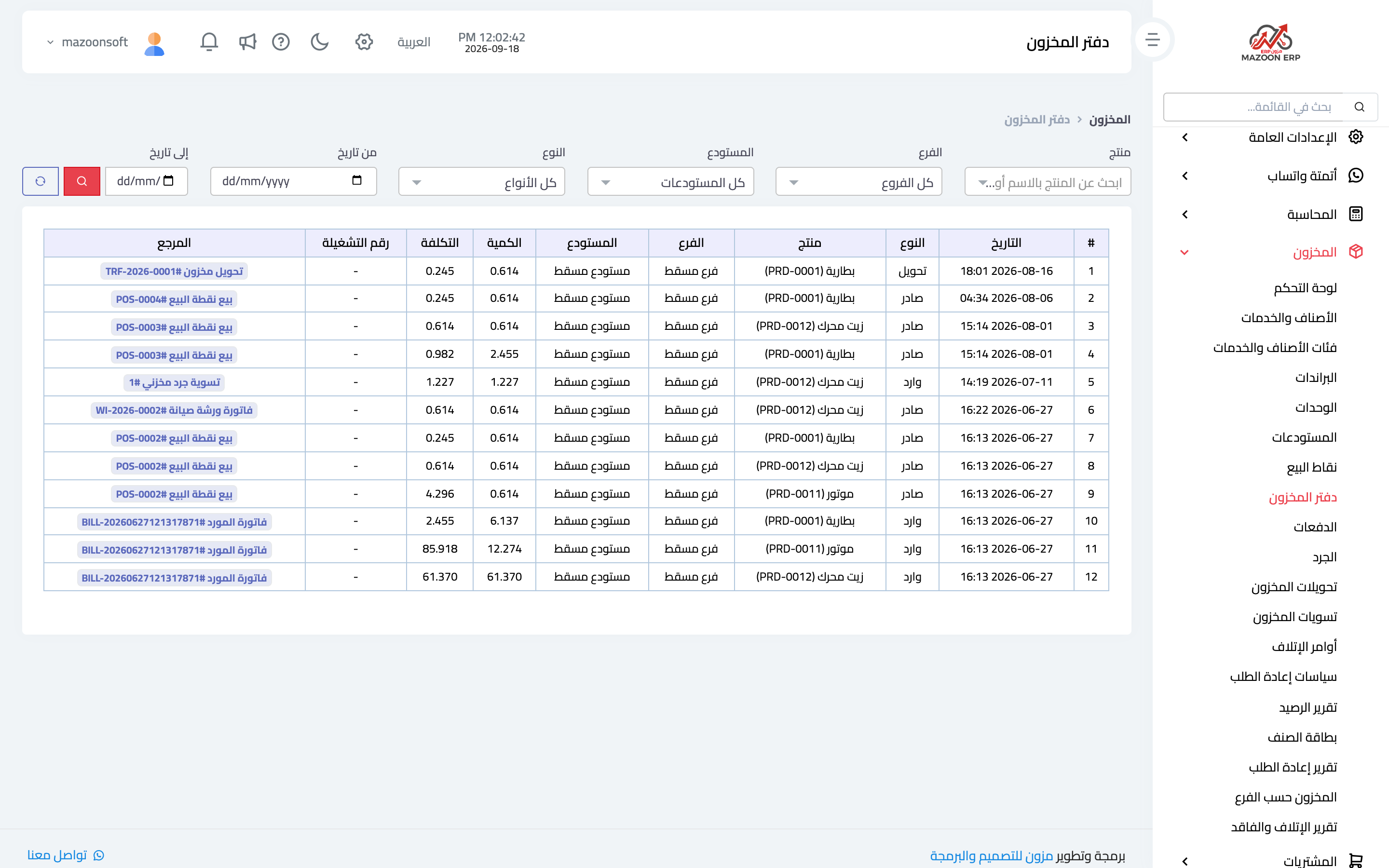
The ledger records every movement, as in image 1: item, warehouse or branch, movement type (in, out, transfer, adjustment), quantity, date and the source document.
This is the first screen to open when someone asks "why did this item's balance drop?" — filter by item and date range, read the movements in order until you find the one you did not expect, then go to its document.
Movements are never typed into this screen; they are the result of documents: a sales invoice, a goods receipt, a transfer, an adjustment.
Stock transfers
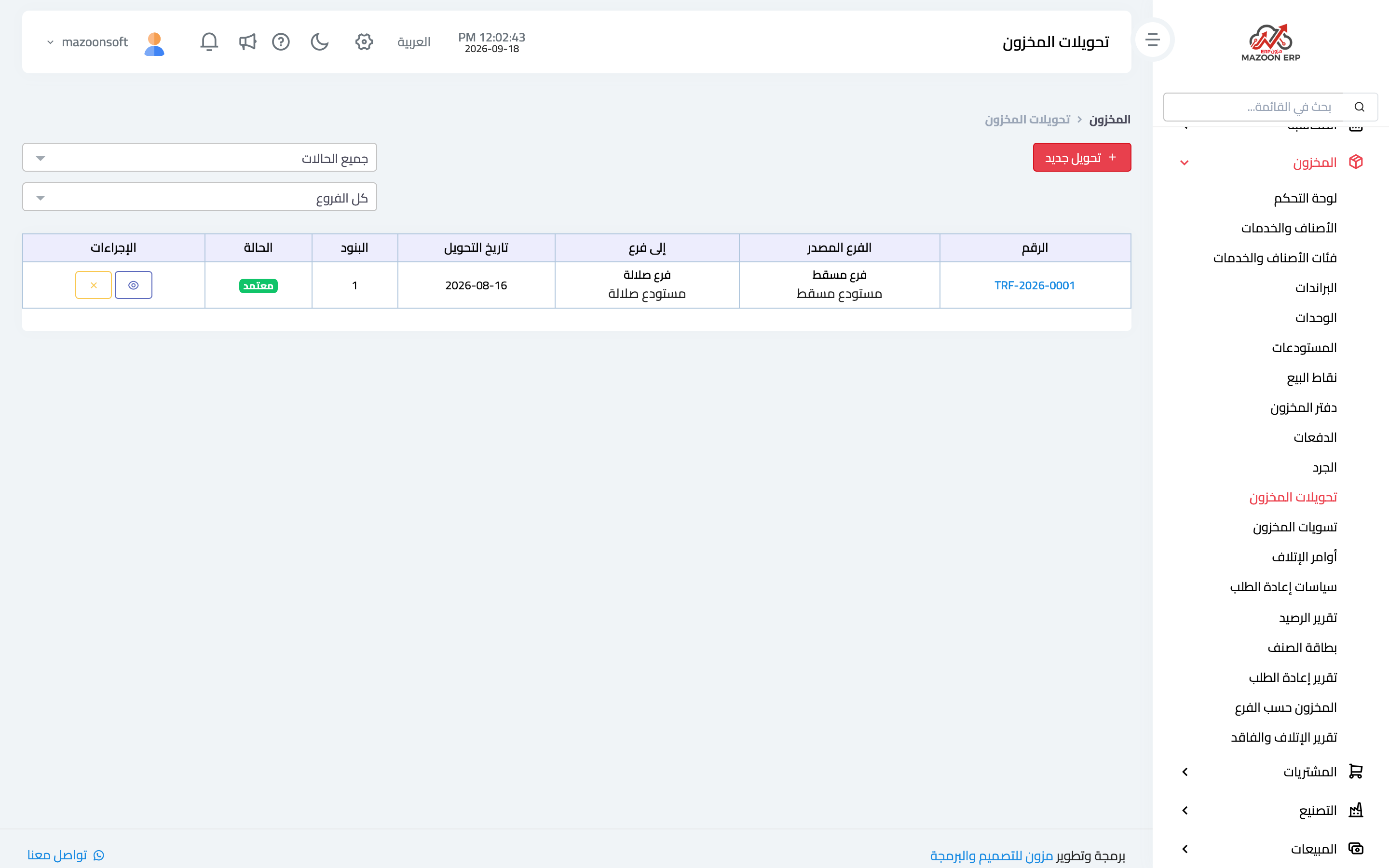
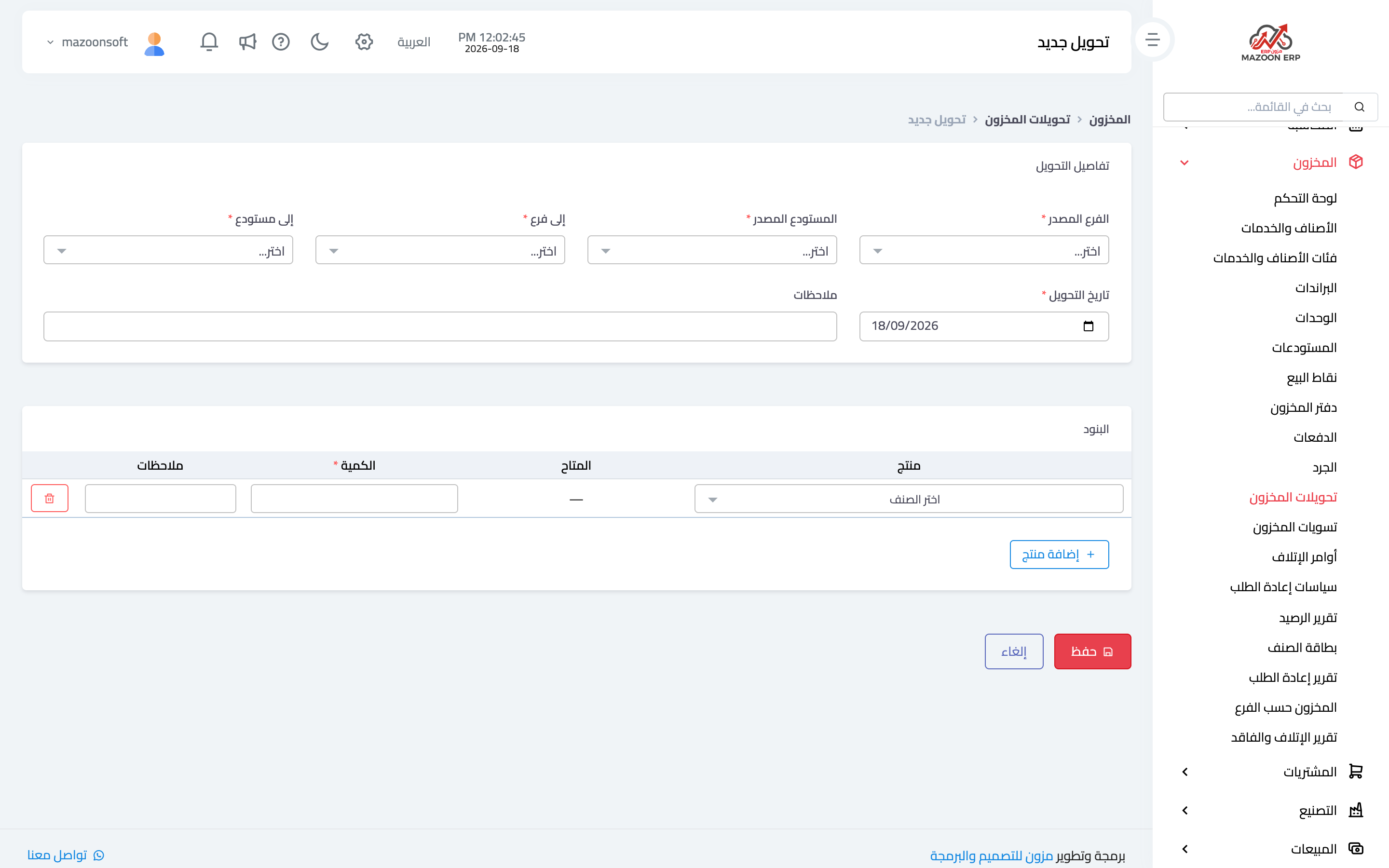
A transfer moves quantities from one warehouse to another with no sale or purchase: main store to a branch, or branch to a delivery van. From the inventory dashboard open Stock Transfers — image 2 — then Add transfer as in image 3: source warehouse, destination warehouse, date, then the items and quantities.
On approval the quantity leaves the source and enters the destination as two linked ledger movements — total inventory value stays the same, only its distribution changes.
Stock adjustments
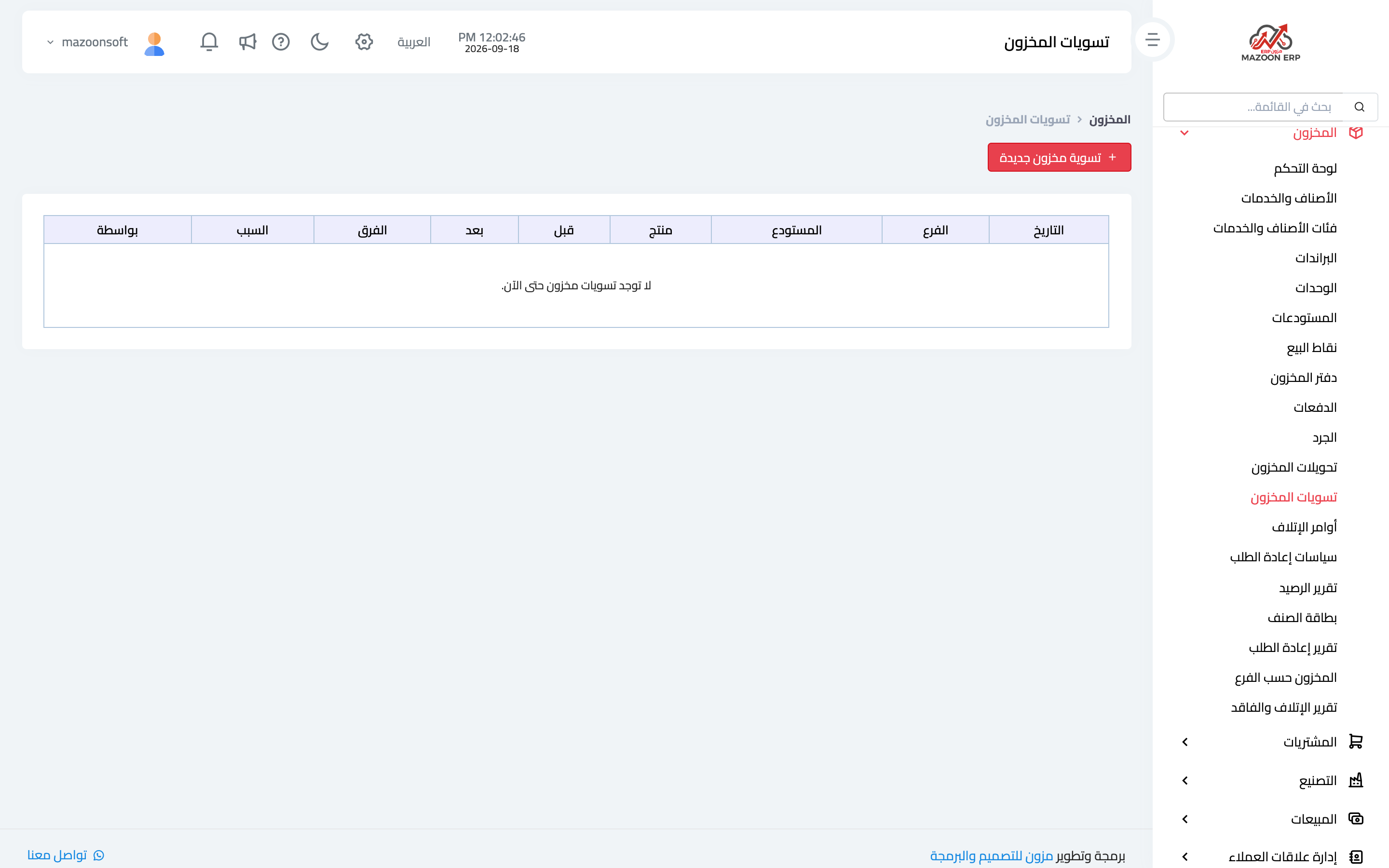
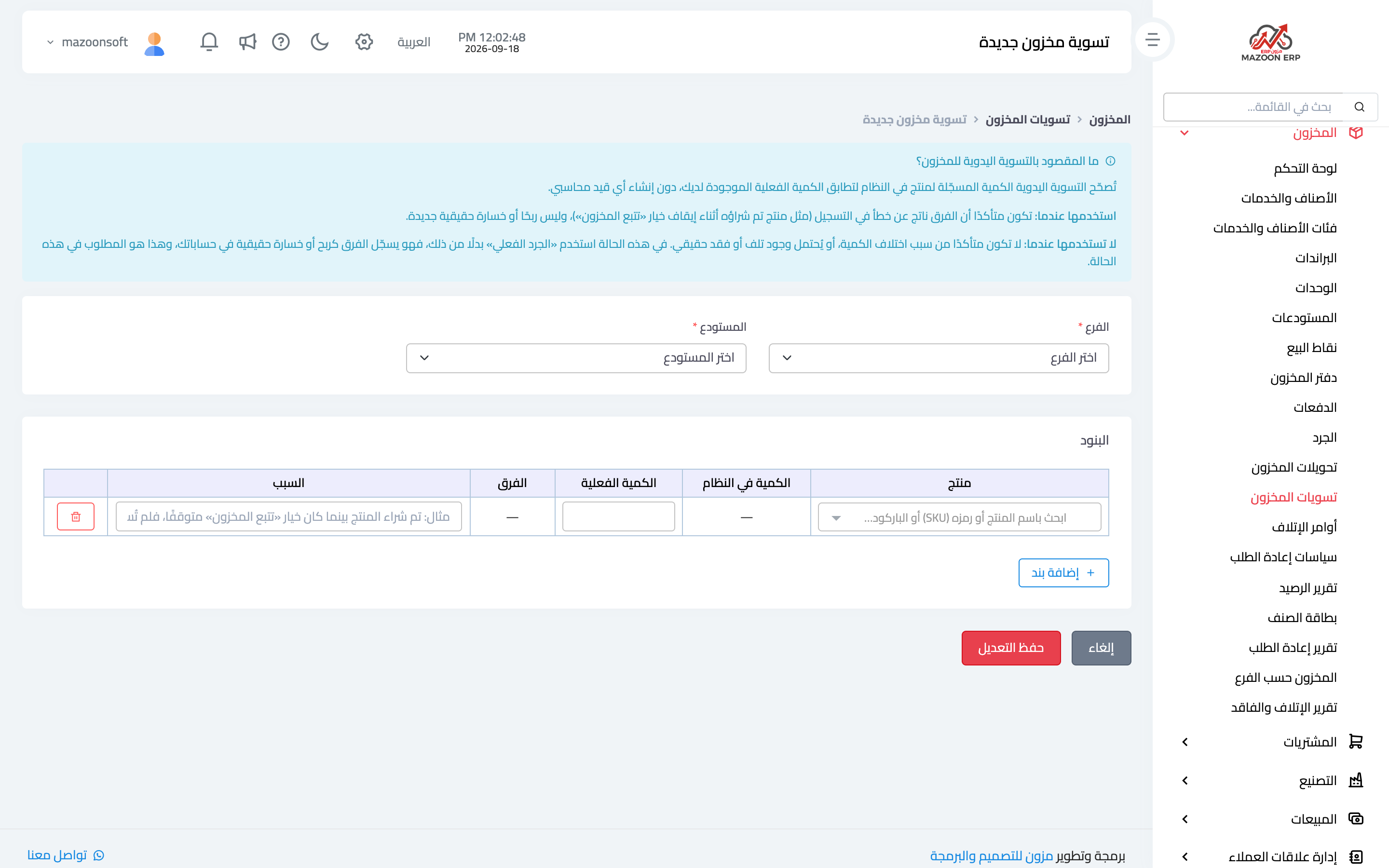
An adjustment is the correct way to fix a difference between book and reality outside the counting cycle: damage discovered, an old entry error, or a quantity found that was never recorded. From the Stock Adjustments card — image 4 — press Add as in image 5: warehouse, item, the quantity up or down, and the reason.
Always write the reason. An adjustment without one becomes, a month later, a number nobody can explain — and it is the first thing an auditor asks about.
How to handle a difference
- Open the stock ledger for the item and look for an unexpected movement.
- Check that movement's source document — it may be an invoice recorded with the wrong quantity, which should be corrected rather than adjusted around.
- Make sure pending transfers have been approved.
- If the difference still has no explanation, record an adjustment with a clear reason, or include it in the next stock count.
Screenshots
Try what you just read on your own data
Open a free 7-day trial — no credit card, with your own company link in minutes.