
How do I set a minimum stock level, and when do I get a low-stock alert?
Finding out an item ran out from a customer complaint is the worst way to run a store. A reorder policy makes the system warn you before the customer does.
Creating a policy
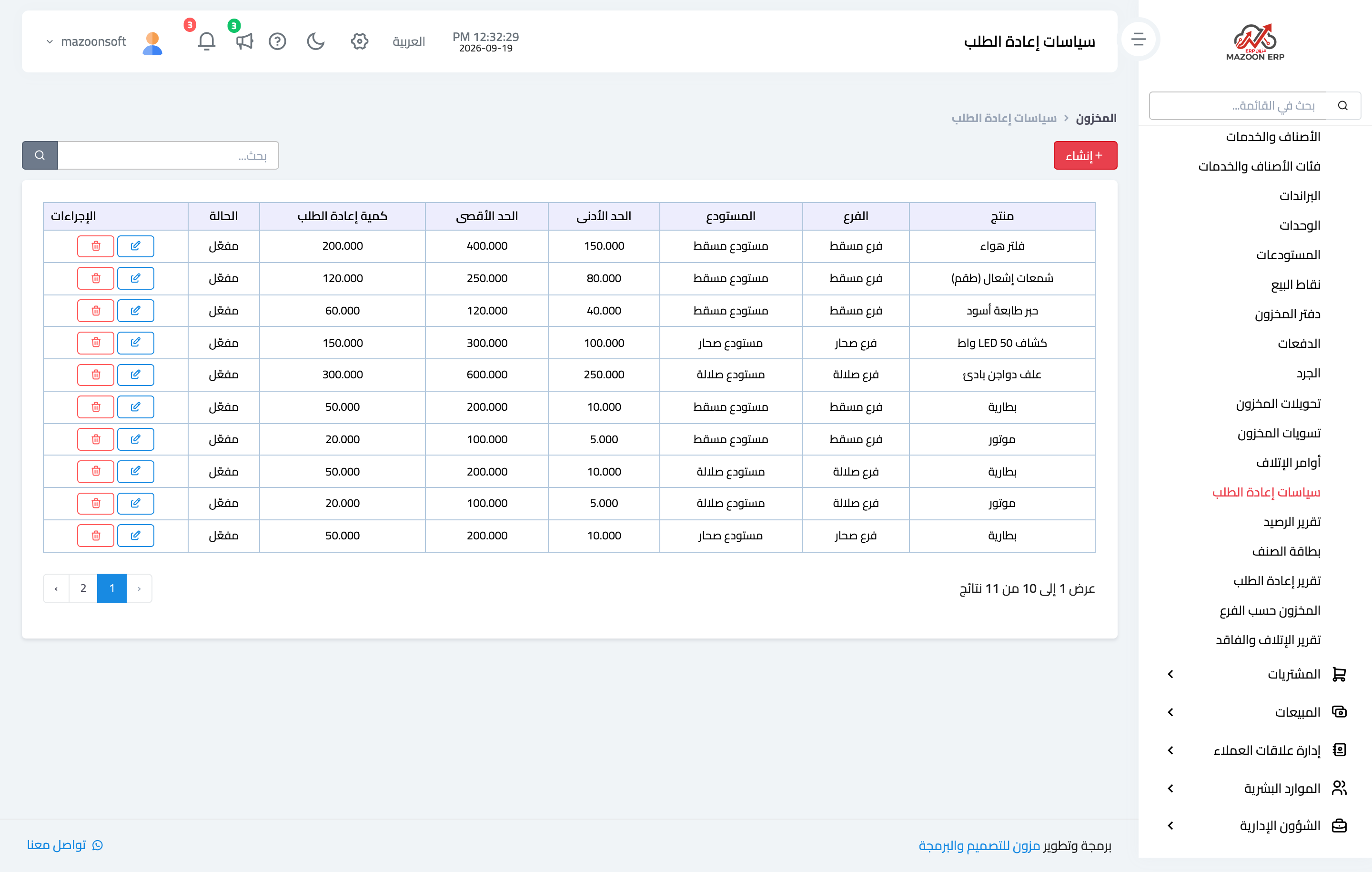
- Open Inventory → Reorder Policies and press Create — image 1.
- Pick the product, the branch and the warehouse.
- Enter the four figures:
- Minimum — the level at or below which you are at risk. This alone triggers the alert.
- Maximum — a ceiling, so you do not freeze cash on shelves.
- Reorder quantity — the amount suggested for purchase once the minimum is reached.
- Lead time (days) — how long the supplier takes. A reminder to order early.
- Set it active and save.
How do I choose the minimum?
A practical rule: average daily usage × lead time + a safety margin. Selling ten pieces a day with a seven-day supplier? Minimum seventy plus a margin — say ninety.
The alert
The system checks every active policy daily at 08:00 and notifies every user with the inventory view permission about each item whose available quantity has fallen to or below the minimum. The same alert is not repeated for the same item and user on the same day.
Note that it is the available figure that counts, not on hand; you may be alerted about an item with a full shelf that is entirely reserved for a sales order.
The report
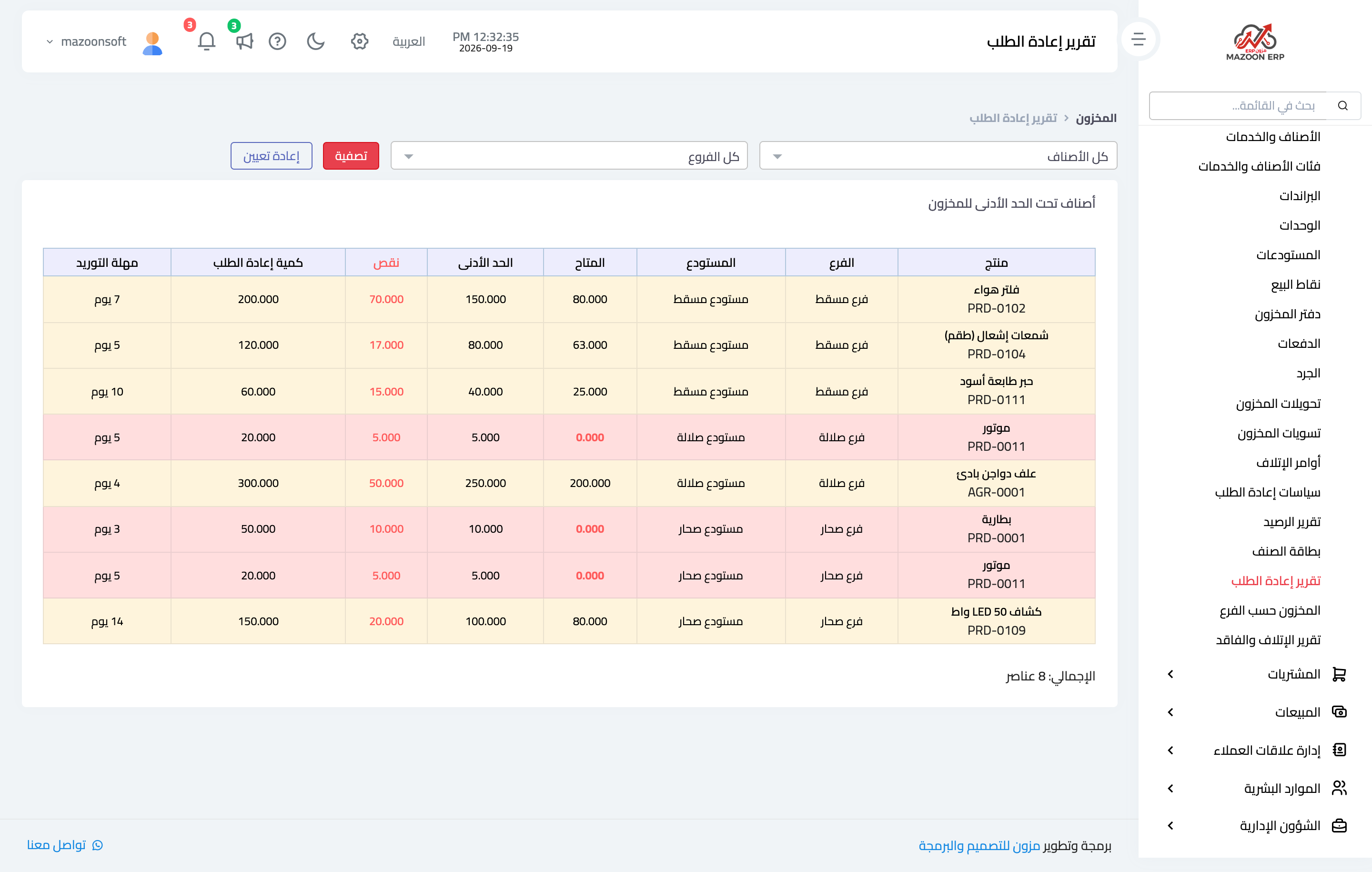
Open Inventory → Reorder Report — image 2. It lists the items below minimum with their available and minimum figures, the shortage, the reorder quantity and the lead time, plus a count of affected items. That is your purchase list, ready made.
The Inventory dashboard shows the same thing in short under Low Stock Items.
Notes
- A policy belongs to a triple: product + branch + warehouse. The same item may need a different minimum in each branch.
- Start with your twenty most important items, not the whole list; a policy on everything means alerts nobody reads.
- Revisit the levels as seasons change — the summer minimum is not the winter one.
- Deactivating a policy stops its alert and drops it from the report without losing its figures.
- A policy orders nothing by itself; it only warns. The decision and the purchase order are yours.
Screenshots
Try what you just read on your own data
Open a free 7-day trial — no credit card, with your own company link in minutes.