
How do I add units and link an alternate unit (a box = 12 pieces)?
You buy oil by the box and sell it by the litre. Enter the box by hand every time and one day you will multiply by twelve wrongly. Alternate units let the system do the multiplying for you.
First: the units list
- Open Inventory → Units — image 1.
- Press Create Unit and enter the code (lowercase letters such as box), the Arabic name and the English name.
- Save. The Linked Products column shows how many items use the unit.
The list ships with common units: unit, piece, pack, box, bag, bottle, kilogram, litre, hour, day.
Second: the alternate unit on an item
- Open Inventory → Items & Services, open the row's actions menu and choose Units — image 2.
- Pick the alternate unit, for example "box".
- Enter the factor: how many base units make one alternate unit. A box holding 12 litres → factor 12.
- Add an optional label describing the pack, such as "Box (12 L)".
- Press Add. An item can have more than one alternate unit.
Where it pays off
On the opening stock screen you pick the alternate unit and type the quantity in it; the system converts it to the base unit and converts the unit cost with it. Enter "5 boxes at 33 per box" and the balance is recorded as 60 litres at 2.750 per litre.
Notes
- The item's base unit is always the unit of storage and of reporting; an alternate unit is only a way of entering data.
- Never change a factor after it has been used in real entries — add a new unit with the right factor instead of editing the old one.
- A unit linked to items cannot be deleted; the Linked Products column shows you that before you try.
- Pick the smallest sensible base unit (the litre, not the box; the piece, not the carton) so fractions stay rare.
Screenshots
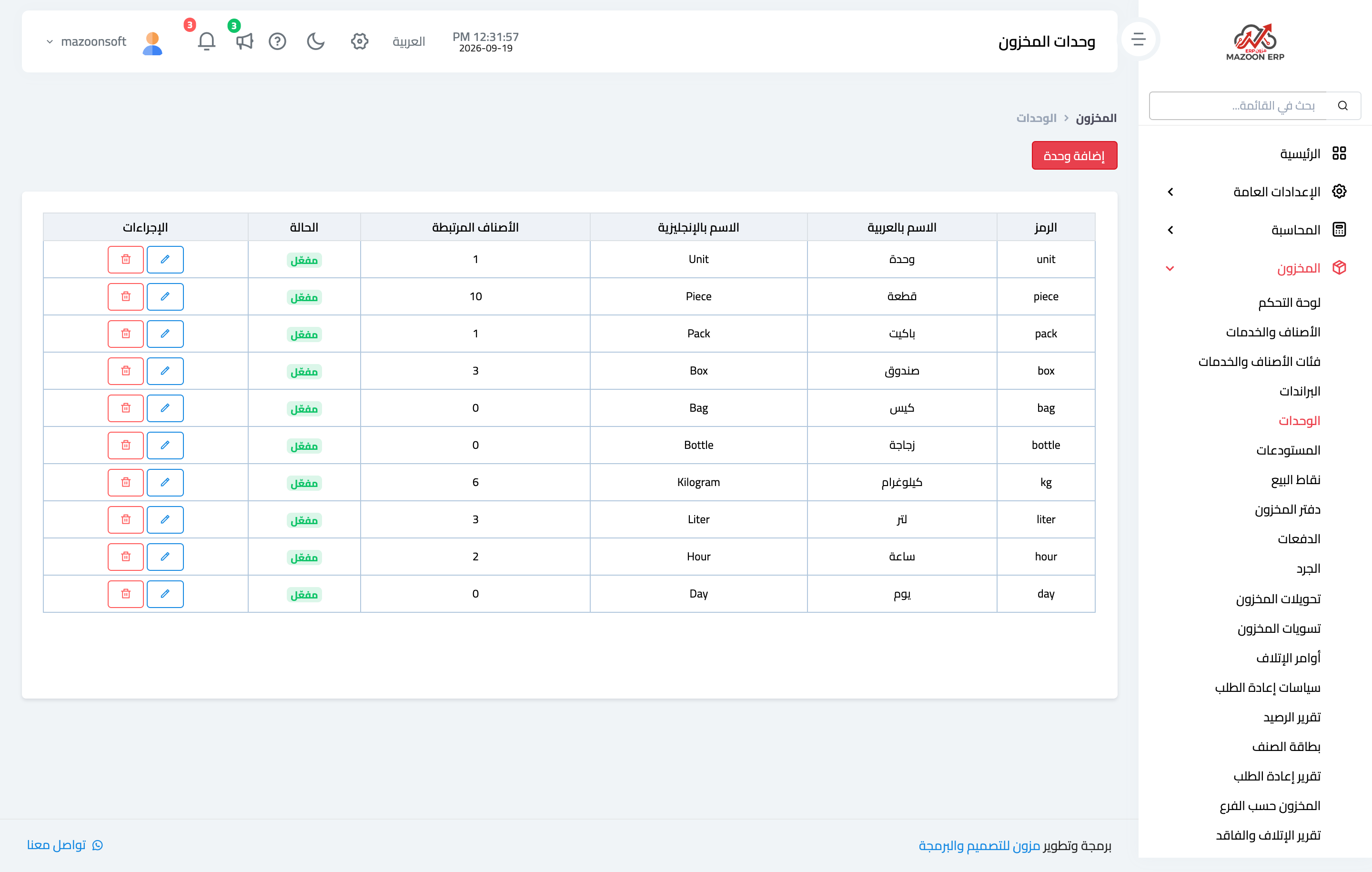
Figure 1
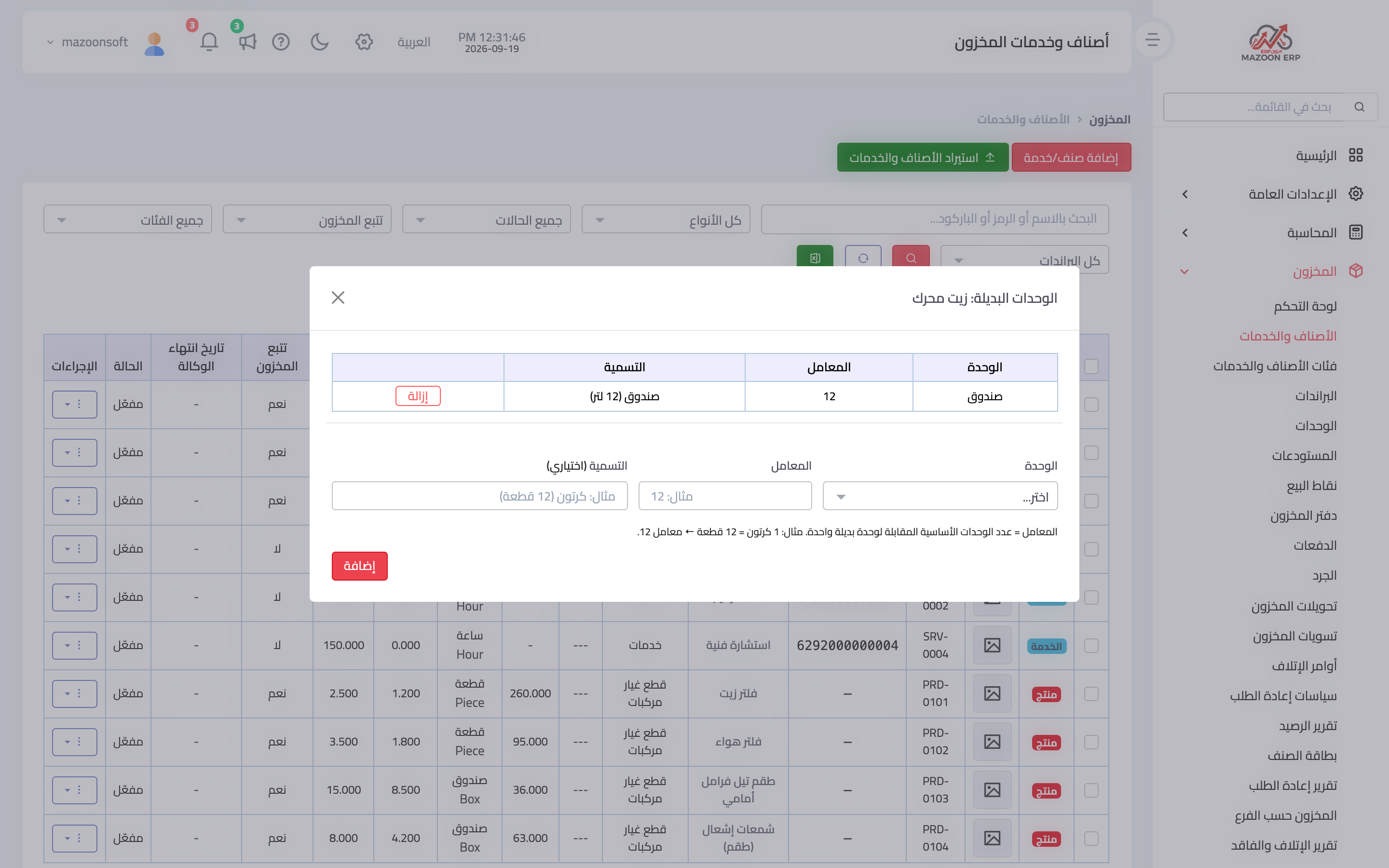
Figure 2
Try what you just read on your own data
Open a free 7-day trial — no credit card, with your own company link in minutes.