
How do I transfer stock between warehouses or branches?
Sohar has run out of oil filters and Muscat has a surplus. The answer is not to edit both balances by hand, but a stock transfer that deducts from one and adds to the other in a single documented operation.
Creating a transfer
- Open Inventory → Stock Transfers and press New Transfer — image 2.
- Pick From Branch and From Warehouse — the source.
- Pick To Branch and To Warehouse — the destination.
- Set the transfer date and write notes explaining why.
- Under Items, choose the product and enter a quantity. The system shows the available figure in the source warehouse beside each line.
- Press Add Item for each extra item, then Save.
Approval: the step that moves stock
A transfer is saved as a draft, and a draft moves nothing. Open it and press Approve — only then is a transfer movement recorded, deducting from the source and adding to the destination, and the transfer becomes approved with the approver's name and the time — image 1.
After approval
- An approved transfer cannot be deleted; deletion is for drafts only.
- It can be cancelled, and cancelling reverses the movement automatically so the stock returns where it started.
- All of this shows in the stock ledger as type "transfer" with the transfer number as its reference.
Notes
- You cannot transfer more than is available in the source warehouse.
- What can be transferred is the available figure, not the on hand one; a quantity reserved for a sales order cannot be moved.
- A transfer between branches creates no invoice and no journal entry — the goods still belong to the same business, they have only changed place.
- Always write the reason in the notes; three months later nobody will remember why forty pieces moved.
- Approve on the day the goods actually arrive, not the day the paperwork was prepared, so the balance keeps matching the shelf.
Screenshots
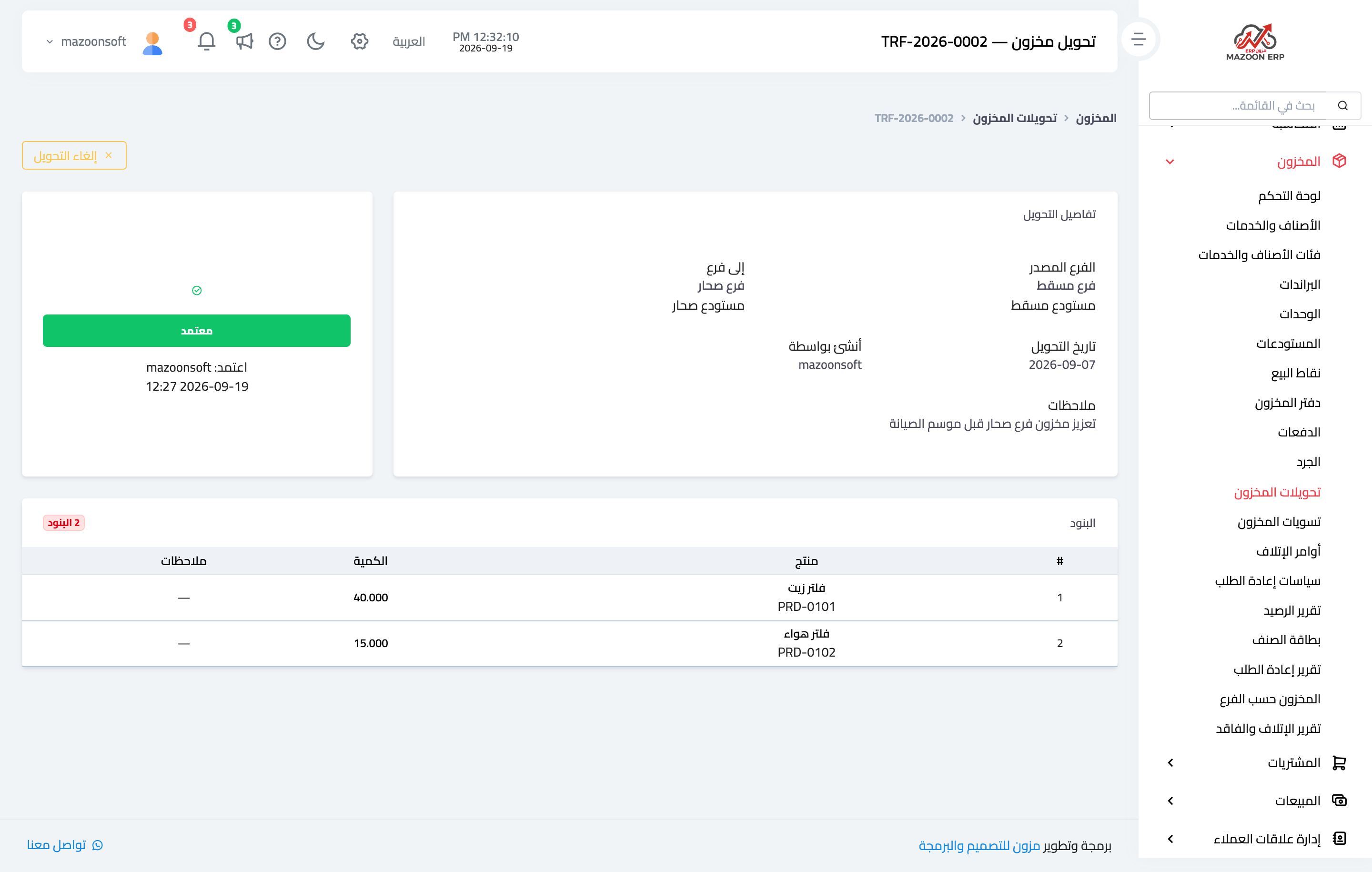
Figure 1
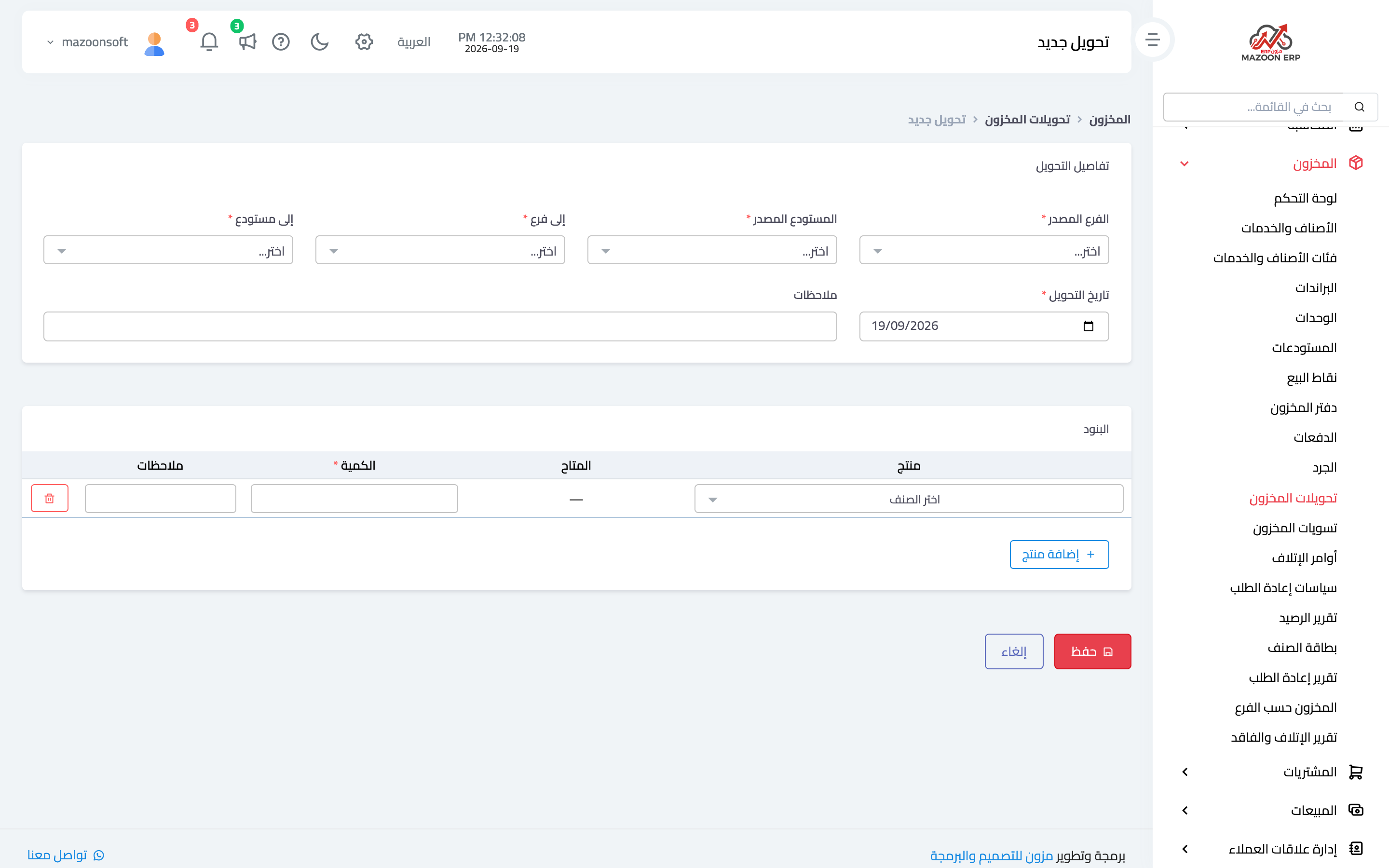
Figure 2
Try what you just read on your own data
Open a free 7-day trial — no credit card, with your own company link in minutes.