
Units, warehouses and points of sale
Three basic definitions come before any stock movement: the unit you measure in, the warehouse you store in, and the point of sale goods leave from.
Units
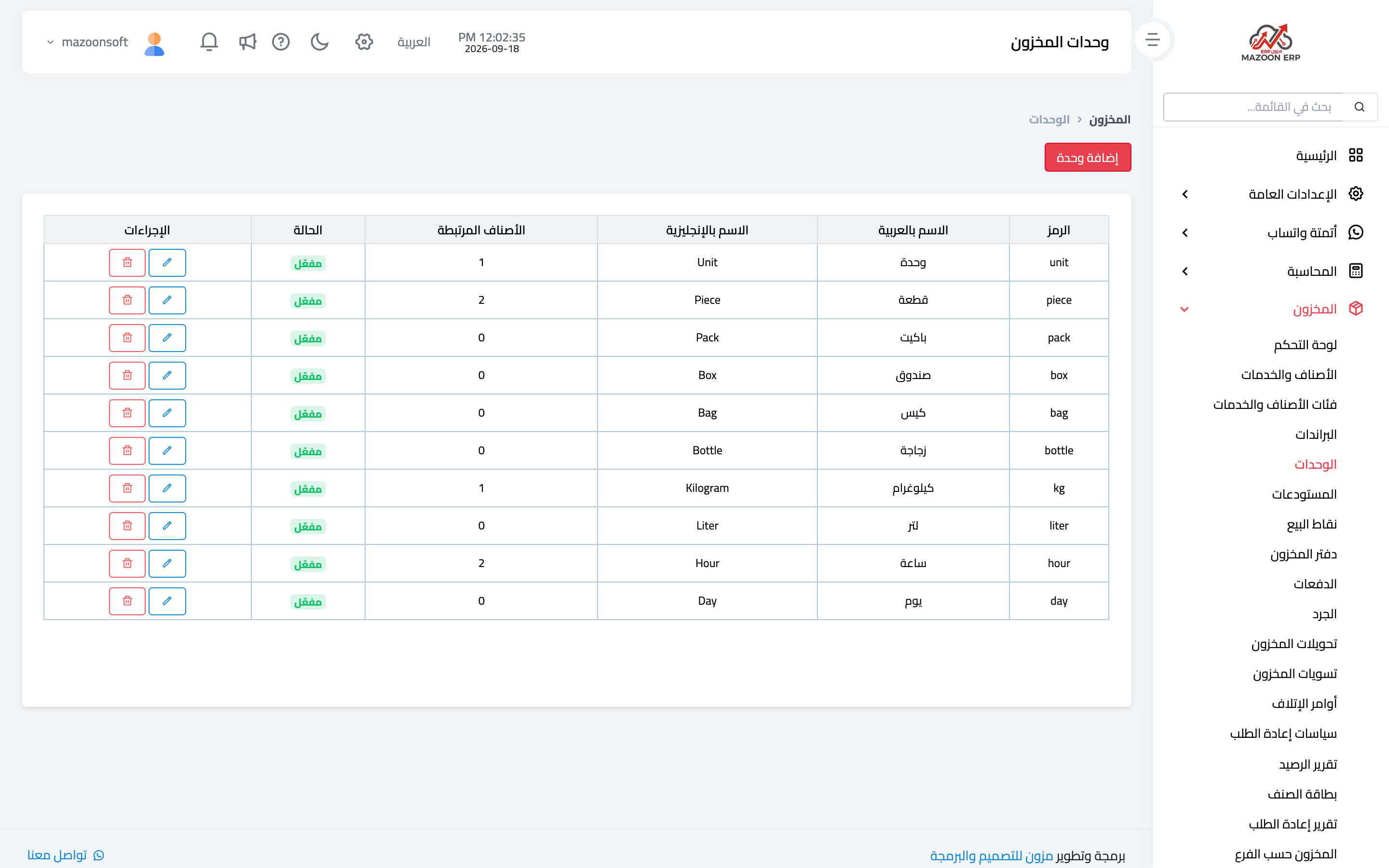
A unit is how an item is measured: piece, kilogram, litre, metre, box, hour. From the inventory dashboard open the Units card — image 1 — and you see the defined units with their Arabic and English names, code, how many items use each, and status.
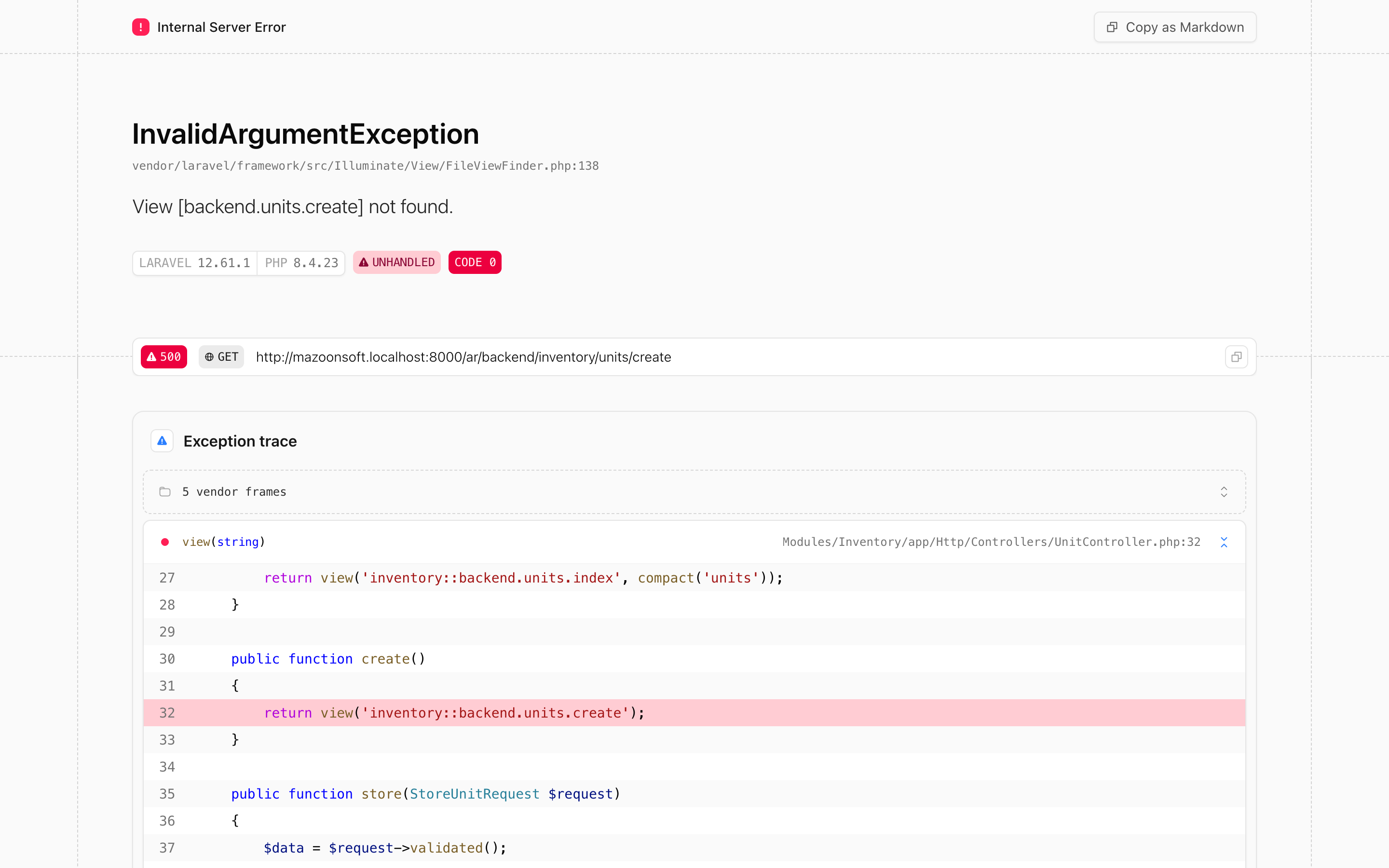
To add one press Create Unit — image 2 — and enter the Arabic name, English name and code.
Unit conversions
When you buy in one unit and sell in another — a box of 12 pieces, say — define a unit conversion from the item's actions menu on the items screen. The system then understands that receiving one box means 12 pieces in stock, so you never do that arithmetic in your head.
Warehouses
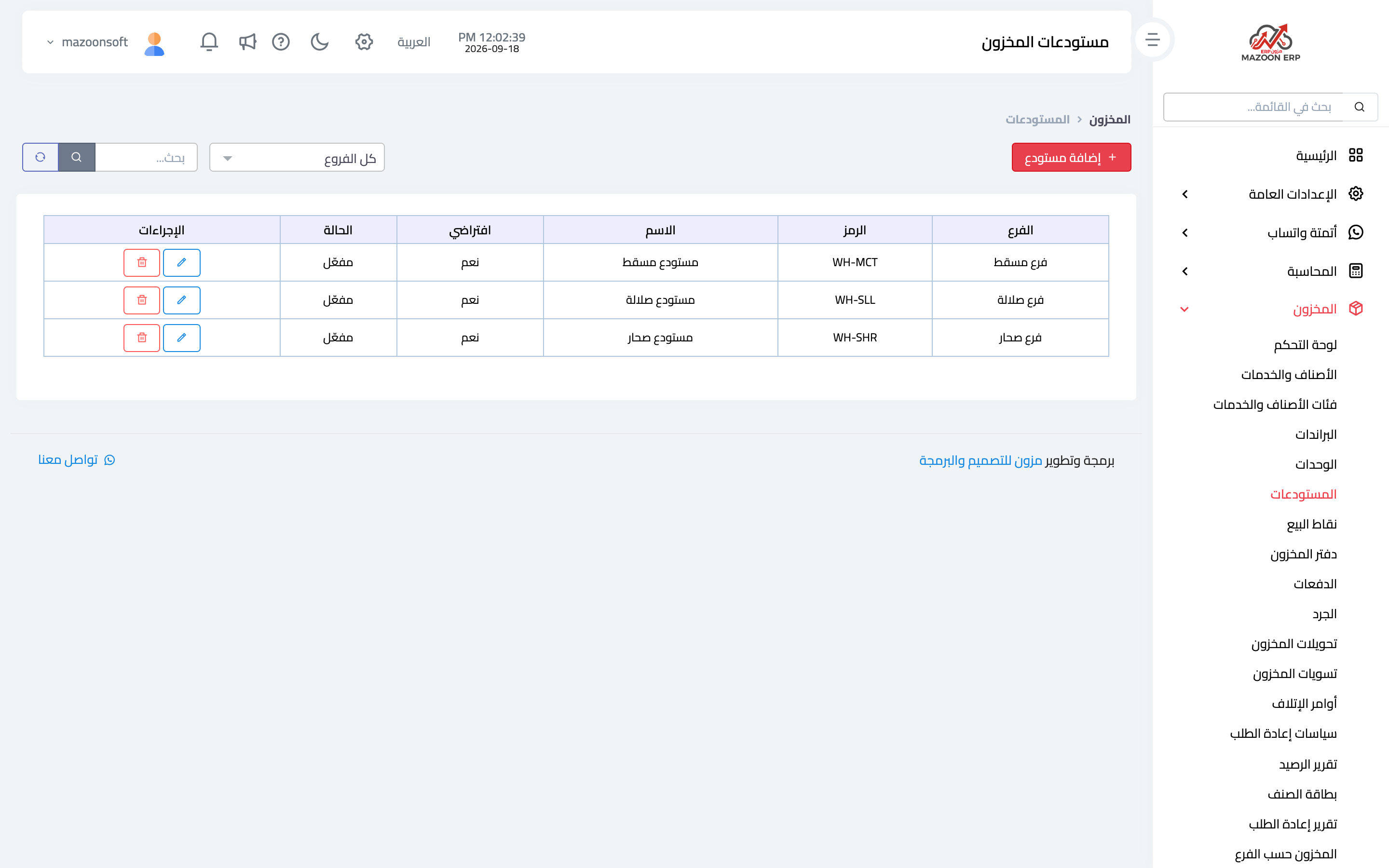
The Warehouses card — image 3 — defines where goods are kept: a main warehouse, a branch store, a showroom, a delivery van. Each has a name, code, the branch it belongs to, a default marker, an allow negative stock option, and a status.
That negative-stock option deserves a deliberate decision: leaving it off prevents selling what you do not have and exposes data-entry errors immediately; turning it on eases daily work but hides differences until the next count. We recommend leaving it off unless your operation genuinely requires otherwise.
Add warehouses before recording opening balances, because every balance is recorded in a specific warehouse.
Points of sale
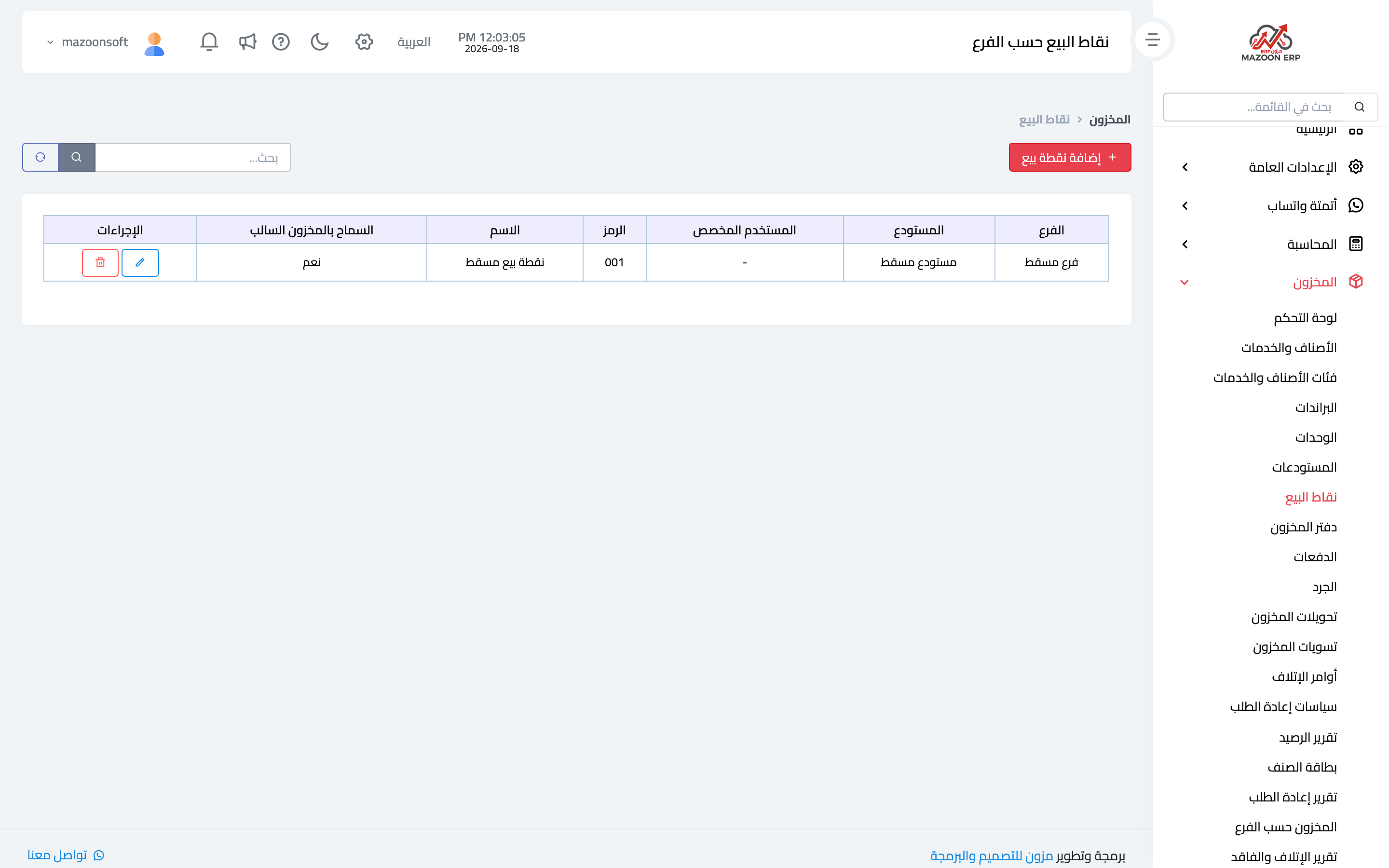
The POS Terminals card — image 4 — defines cashier stations. Each has a name, branch, the warehouse its sales are deducted from, the assigned user, and a status.
Linking a terminal to its warehouse is what makes every sale reduce the right balance. A terminal pointing at the wrong warehouse means sales deducted from the wrong place — a difference that only surfaces at the next stock count.
A suggested order
- Define only the units you actually use.
- Create the warehouses and attach each to its branch.
- Mark one warehouse as default to speed up data entry.
- Define the points of sale and link them to their branches and warehouses.
- Then start entering items and their opening balances.
Screenshots
Try what you just read on your own data
Open a free 7-day trial — no credit card, with your own company link in minutes.