
Branches and warehouses: how they relate, and why a warehouse is missing from the list
A balance in Mazoon is not stored against an item alone, but against a triple: item + branch + warehouse. Understanding that triple answers most "where did the quantity go?" questions.
The right order to set things up
- Branch first — created in General Settings → Branches, not in Inventory.
- Warehouse second — open Inventory → Warehouses and press Create Warehouse — image 1. Pick the branch and enter a code and a name.
- Tick Default if this is the warehouse most used in its branch.
Every warehouse belongs to exactly one branch and cannot exist without one.
Why can't I see my warehouse in the list?
This is the most frequent question, and the reason is usually one of three:
- You have not picked a branch yet. Warehouse dropdowns on the transfer, count and scrap screens only fill in after a branch is chosen, because they show that branch's warehouses only.
- The warehouse belongs to another branch. Stock cannot be entered into a warehouse outside the chosen branch; the system refuses to save.
- Your account is restricted to one branch. If the administrator set a branch on your user record, you will only ever see your own branch's warehouses.
How many warehouses do I need?
- One warehouse per branch is enough for most businesses.
- Add a second when you need a real separation: damaged goods awaiting a decision, consignment stock at a customer, a workshop store separate from the sales store.
- Do not create a warehouse per shelf — a warehouse is a unit of balance, not a unit of location.
Notes
- The default warehouse leads the dropdowns, and some screens — workshop invoices, for example — fall back to it when no warehouse is specified.
- Deactivating a warehouse hides it from pickers without touching the balance inside it; move the stock out first.
- Moving goods between warehouses or branches is done through stock transfers, never by editing balances by hand.
- If you operate from one location, keep one branch and one warehouse and do not turn branches on at all.
Screenshots
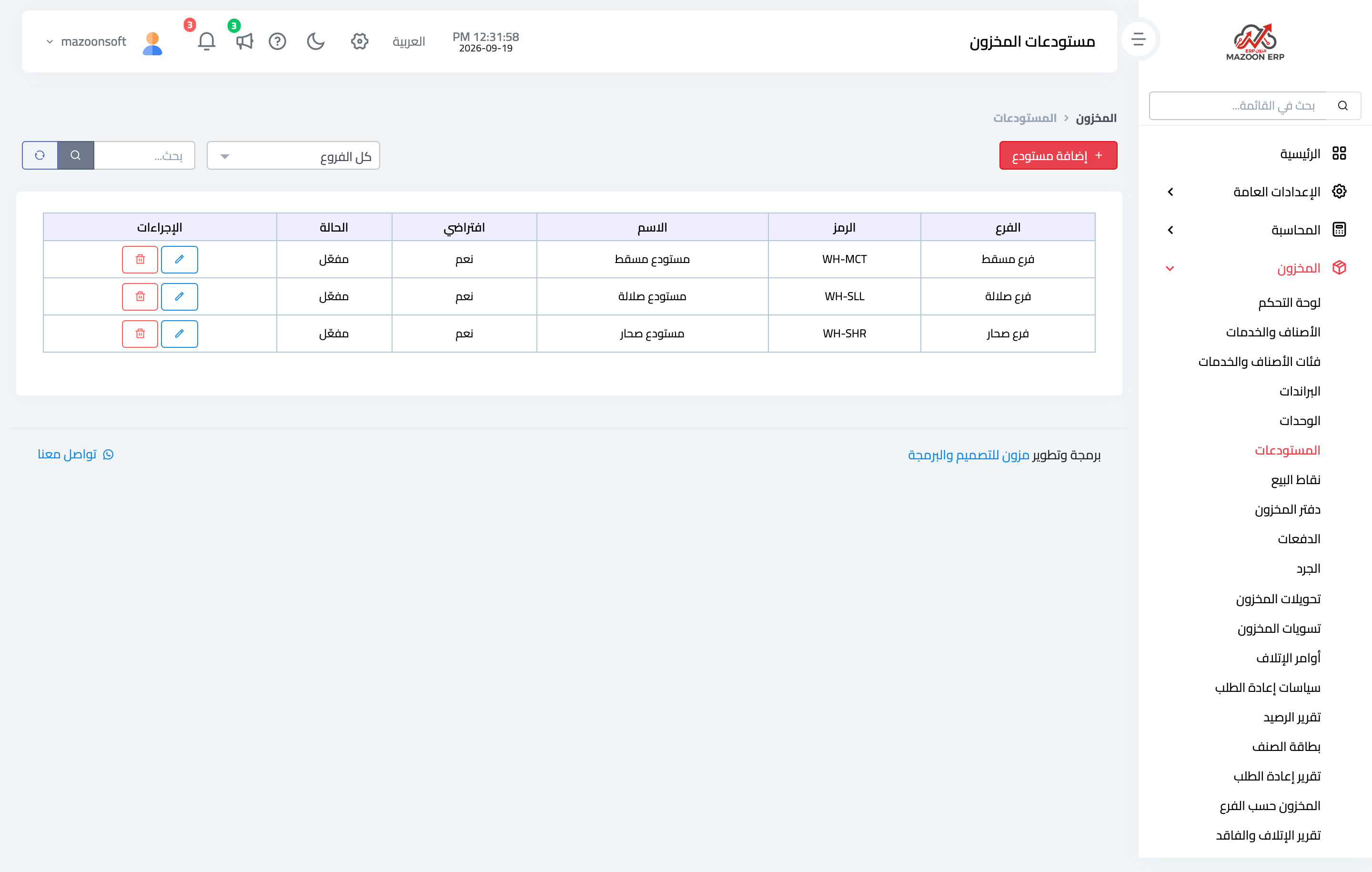
Figure 1
Try what you just read on your own data
Open a free 7-day trial — no credit card, with your own company link in minutes.