
What is the stock ledger, and how do I trace one item’s movements?
A balance is one number telling you "how much do I have now". The stock ledger tells you "how did we get to that number". It is the complete record of everything that came in or went out, and where you go whenever two figures disagree.
Steps
- Open Inventory → Stock Ledger — image 1.
- Find the item by name or SKU in the search box.
- Narrow by branch, warehouse and type.
- Set from and to dates to bound the period.
Movement types
- Inbound — opening stock, a goods receipt, or a count surplus.
- Outbound — a sale, an issue, or a count shortage.
- Transfer — a move between warehouses or branches.
- Adjustment — a manual correction of a wrongly recorded quantity.
- Scrap — a deduction from an approved scrap order.
- Reserve and release — a quantity held for a sales order and then freed on delivery or cancellation. These do not change what is physically on hand, only what is available.
The columns
Date · product · branch · warehouse · type · quantity · cost · batch number when the movement belongs to a lot · reference, the document that produced the movement: the scrap order, transfer or count number.
The stock card: a narrower, clearer view
To follow one item in date order, use Inventory → Stock Card. Pick the item, the branch and the warehouse and you get its stock statement — image 2.
Notes
- The ledger is read-only; no line can be edited or deleted. Every correction is added as a new movement rather than erasing an old one.
- Only items with Track Stock on appear here; an untracked item has no line at all.
- When a balance makes no sense, sort the item's ledger by date and follow the movements one by one — the answer is always in one of those lines.
- Reserve movements confuse newcomers: the item is on the shelf but "available" is lower because it is held for a sales order that has not been delivered yet.
Screenshots
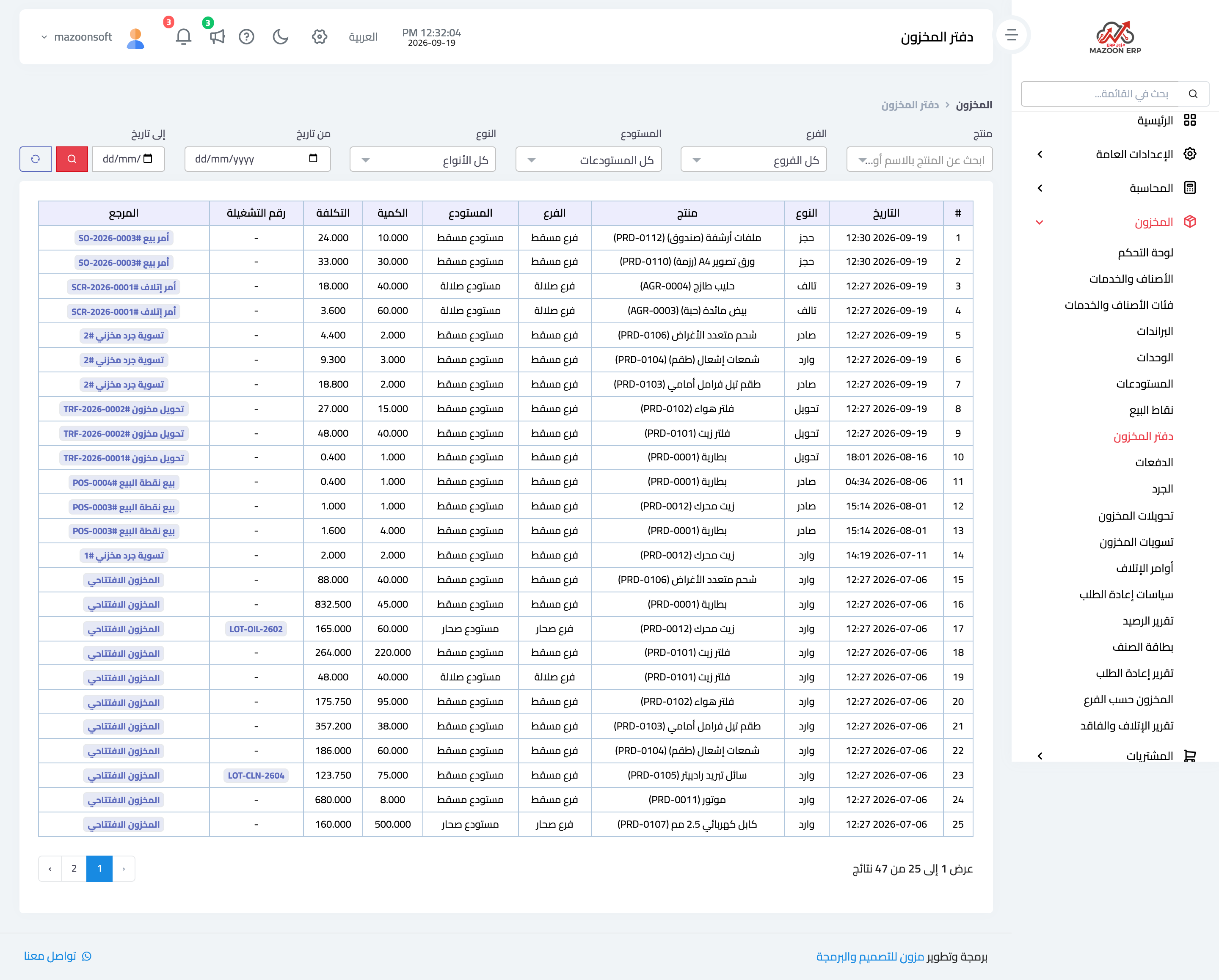
Figure 1
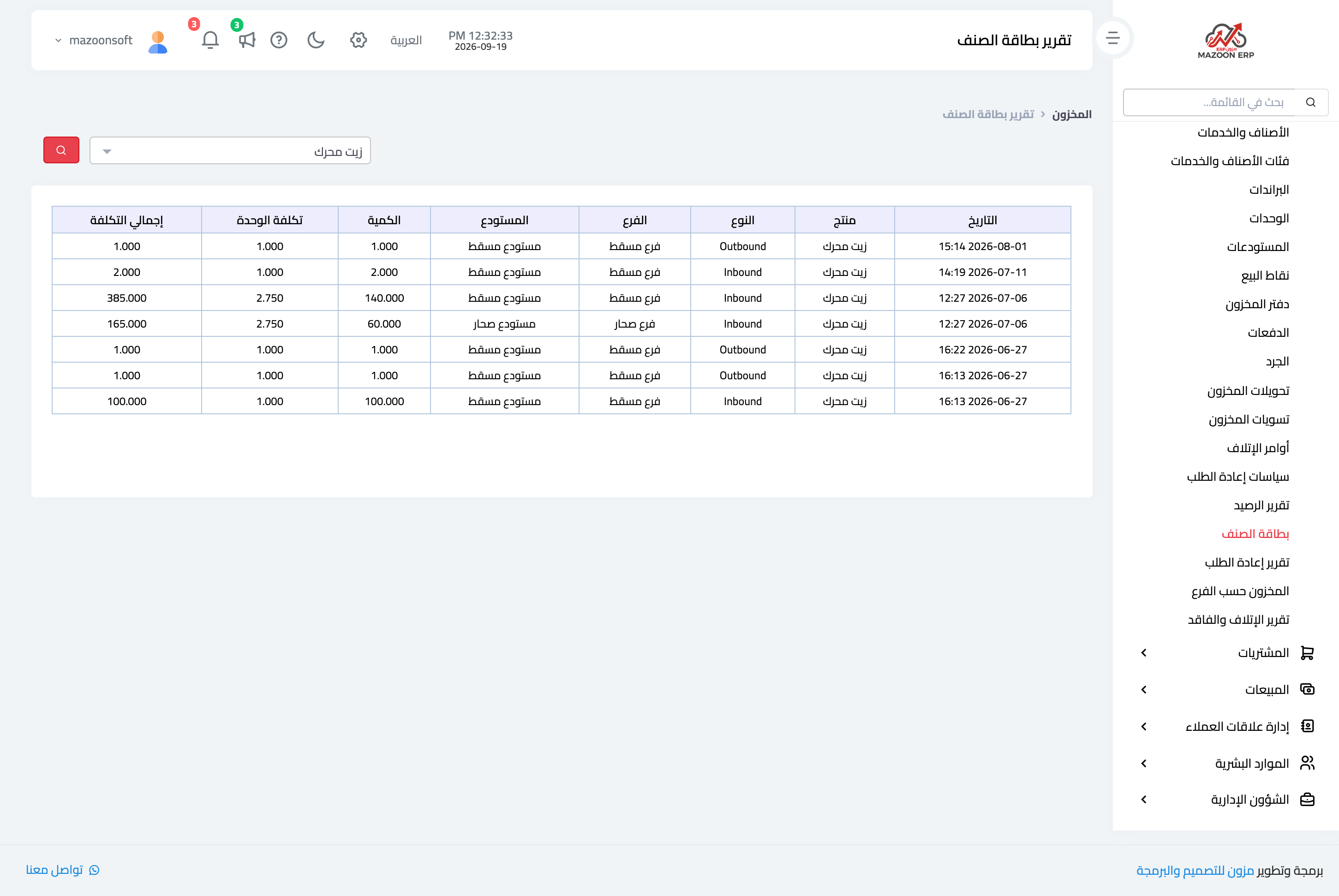
Figure 2
Try what you just read on your own data
Open a free 7-day trial — no credit card, with your own company link in minutes.