
How do I organise items with categories and brands?
Three hundred items with no structure is a nightmare to search and a nightmare to report on. Categories answer "what kind of item is this?", brands answer "who made it?" — and both become ready-made filters on almost every screen.
Categories
- Open Inventory → Item Categories and press Create Category — image 1.
- Enter the Arabic name and the English name.
- Pick a parent category if this is a sub-category, or leave it empty for a top-level one.
- Add a description, an image and a sort order if you want, then Save.
The Linked Products column tells you how many items use the category — the quickest way to spot one that has outlived its purpose.
Brands
Almost the same screen, under Inventory → Brands: an Arabic and English name, an image and a status — image 2. There is no hierarchy here; a brand is a single level.
Import and export
- Export (CSV) downloads the current list.
- Import uploads a whole file at once. Category columns: name_ar, name_en, parent_name, description, sort_order, is_active.
- parent_name must match a category that already exists, otherwise it is ignored and the category becomes top-level.
Notes
- Category and brand are optional on an item, but leaving them empty makes filters and reports much less useful.
- Do not over-nest: two levels is usually enough. "Vehicle Parts → Filters" is clearer than five levels nobody remembers.
- The balance report can be filtered by category, so shape your categories the way you want to read your numbers.
- Deactivating a category hides it from pickers without touching the items already linked to it.
- The online store has its own categories and brands, separate from these — do not mix the two up.
Screenshots
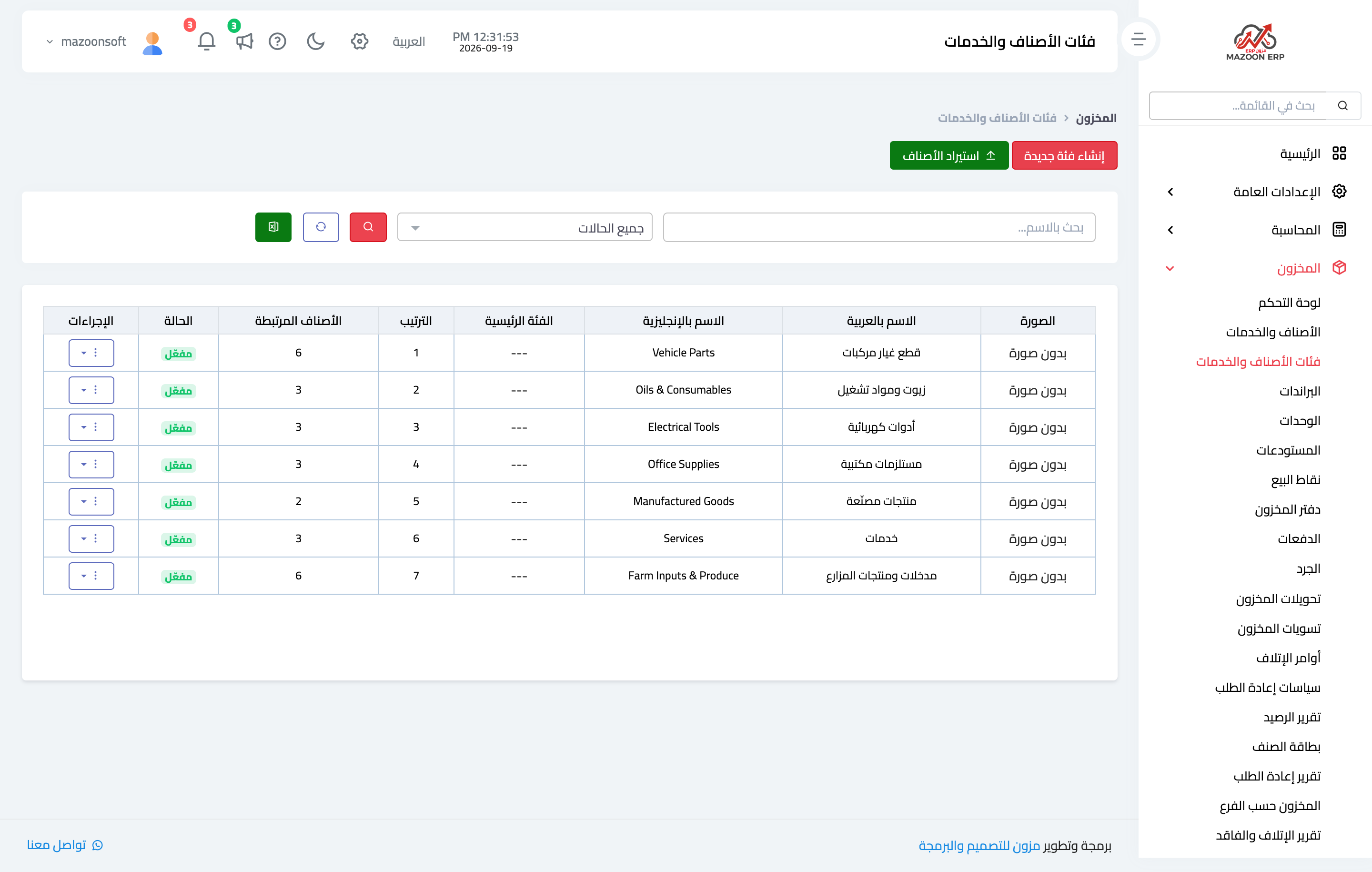
Figure 1
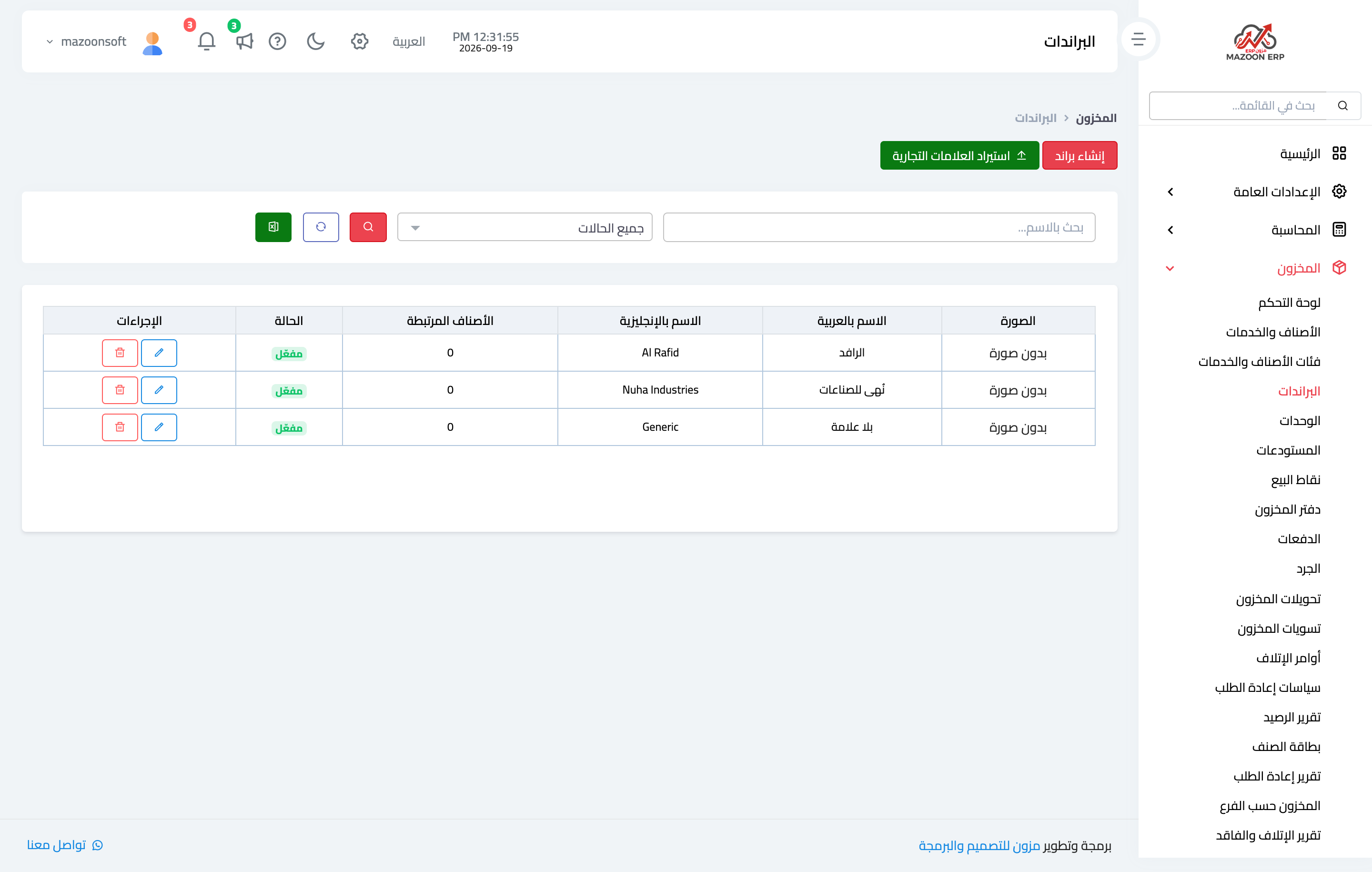
Figure 2
Try what you just read on your own data
Open a free 7-day trial — no credit card, with your own company link in minutes.