
How do I run a physical stock count, from draft to approval?
A physical count is where the system meets reality: you count what is on the shelf, enter what you counted, and the system settles the difference and books it as a gain or a loss in your accounts.
Steps
- Open Inventory → Stock Counts and press New Stock Count — image 2.
- Pick the branch, then the warehouse.
- Choose the type:
- Full count — every item in the warehouse, usually at year end.
- Partial count — one section or category.
- Spot check — a handful of items, unannounced.
- Set the date and write notes.
- On the lines: pick the product, the system quantity fills in automatically, and enter the counted quantity.
- Choose a variance reason: shortage, surplus, recording mistake, damaged, expired, other.
- Press Save.
The four statuses
- Draft — editable and deletable, with no effect on stock.
- Completed — counting is finished and entry is closed. Still no effect on stock.
- Approved — only here are the variances applied: a surplus posts an inbound movement, a shortage an outbound one — image 1.
- Cancelled — reverses the movements if it was approved, restoring the earlier balance.
The order is enforced: no approval before completion, no editing once it leaves draft, and no deleting an approved count.
The accounting effect
On approval the system creates an entry for each variance:
- Surplus — debit Inventory, credit Stock count gains.
- Shortage — debit Stock count losses, credit Inventory.
The value uses the unit cost, which is filled from the item's average cost and can be edited on the line.
Notes
- Approving a count is a separate permission from creating one, so the storekeeper can count and the manager approve.
- Count on paper first, then enter; do not look at the system quantity while counting or it will bias you.
- Freeze movement on the warehouse during a full count — one sale mid-count ruins the result.
- A monthly spot check on ten items is worth more than one full count a year.
- The variance reason is not a formality — it is what separates theft from damage from data entry when you review the pattern later.
- If no journal entry appears after approval, see the next article.
Screenshots
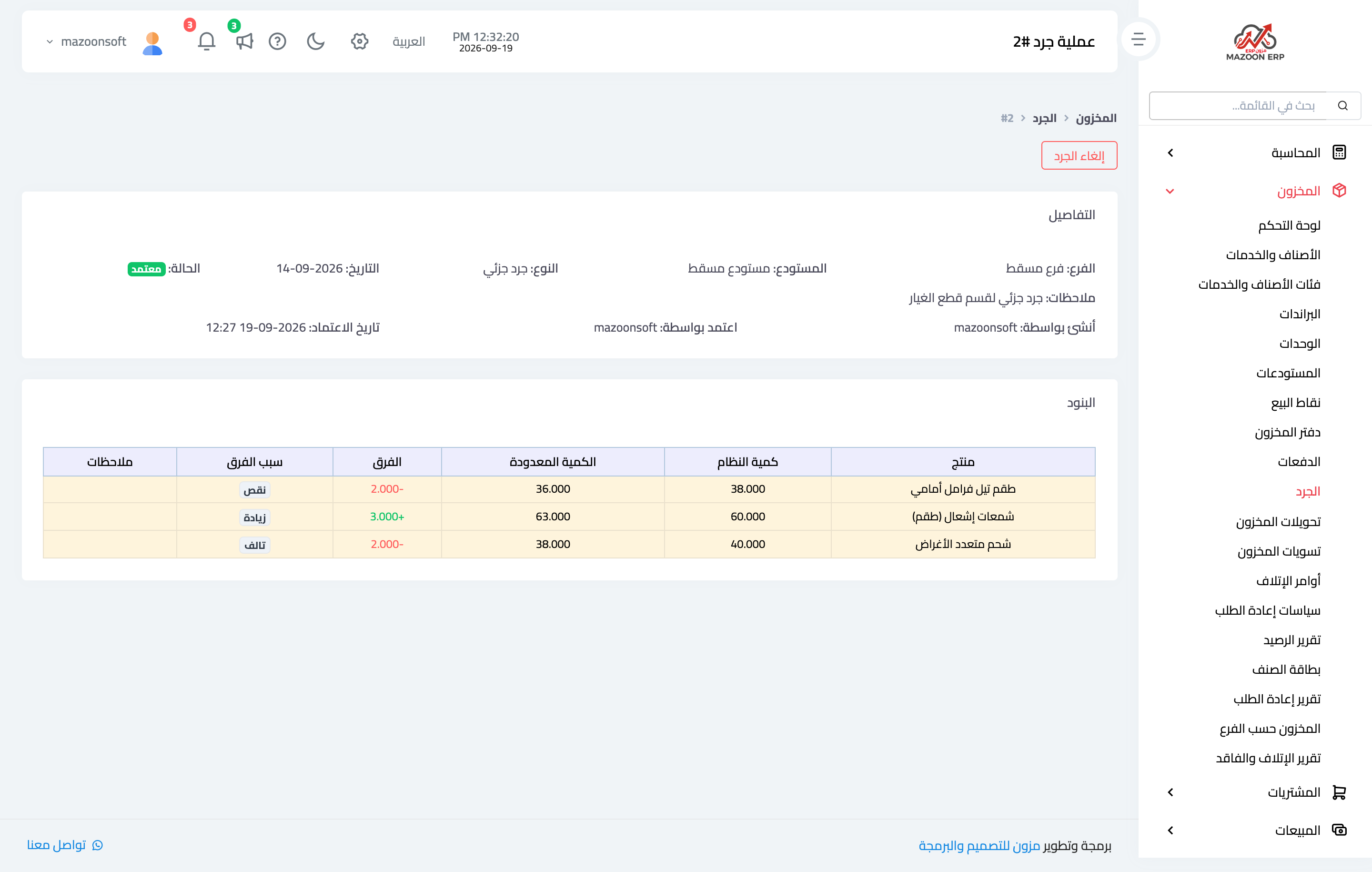
Figure 1
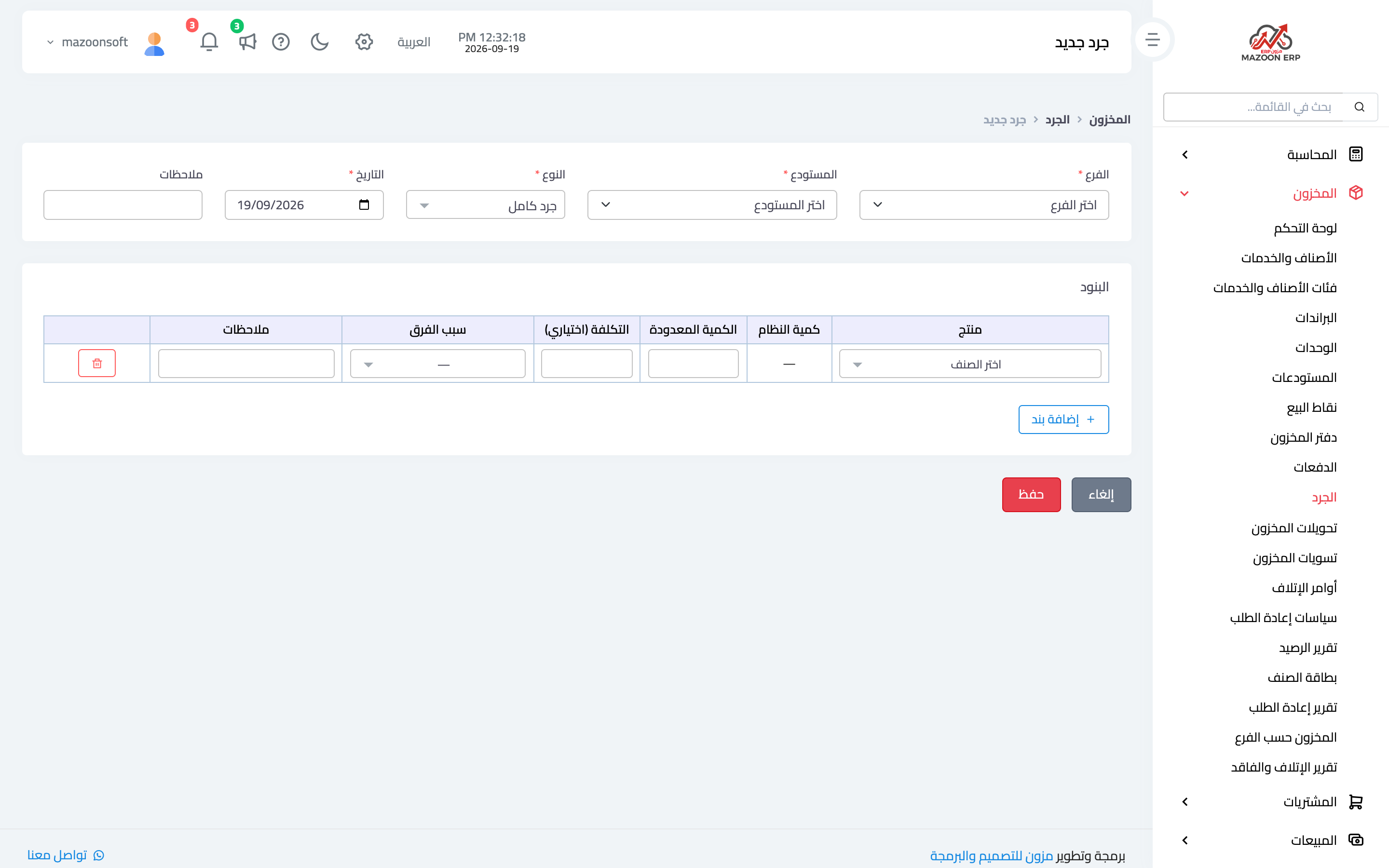
Figure 2
Try what you just read on your own data
Open a free 7-day trial — no credit card, with your own company link in minutes.