
Quotations, credit notes and instalments
Three screens surround the invoice cycle: a quotation comes before it, a credit note corrects it after issue, and instalments follow its collection.
Service quotations
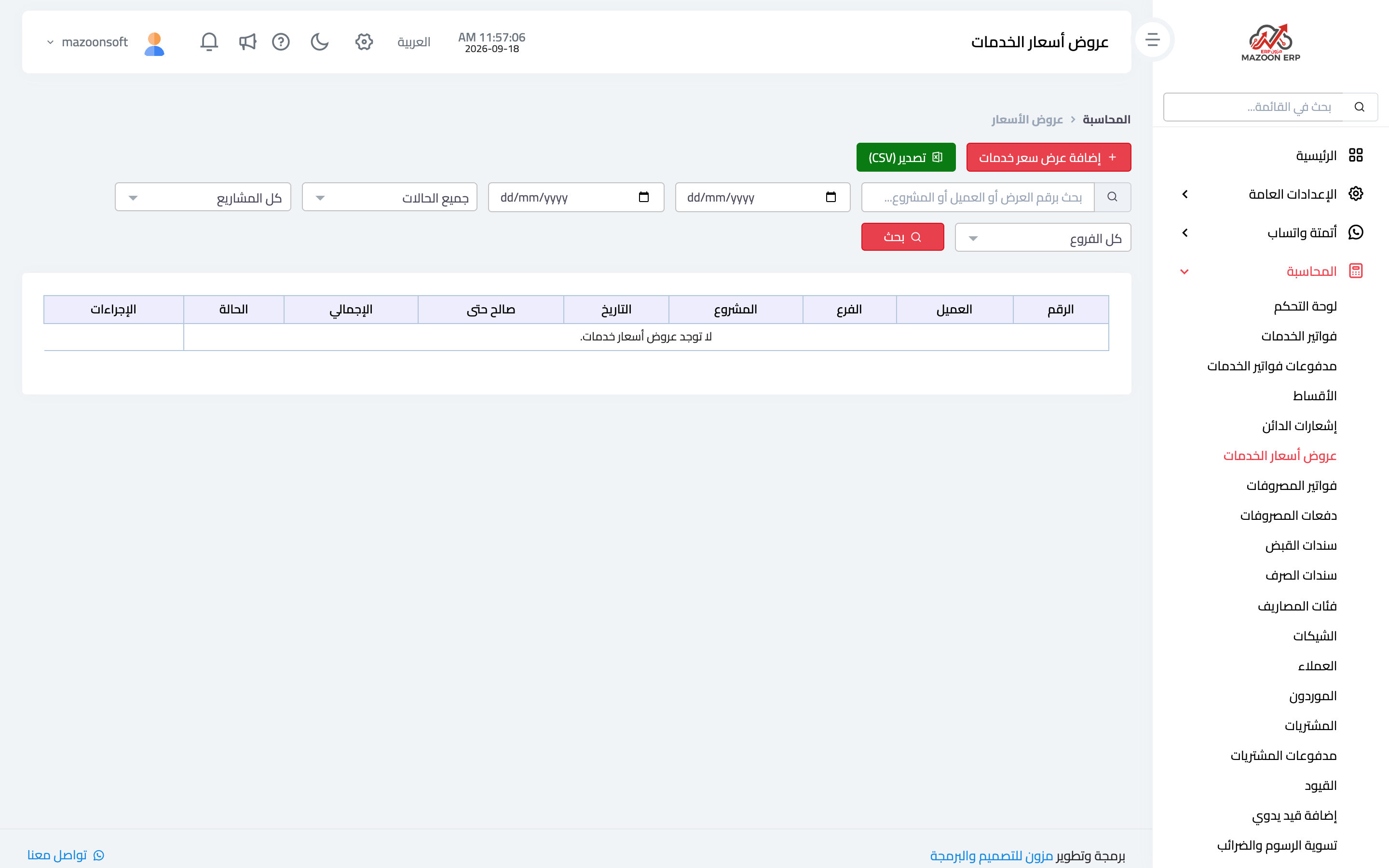
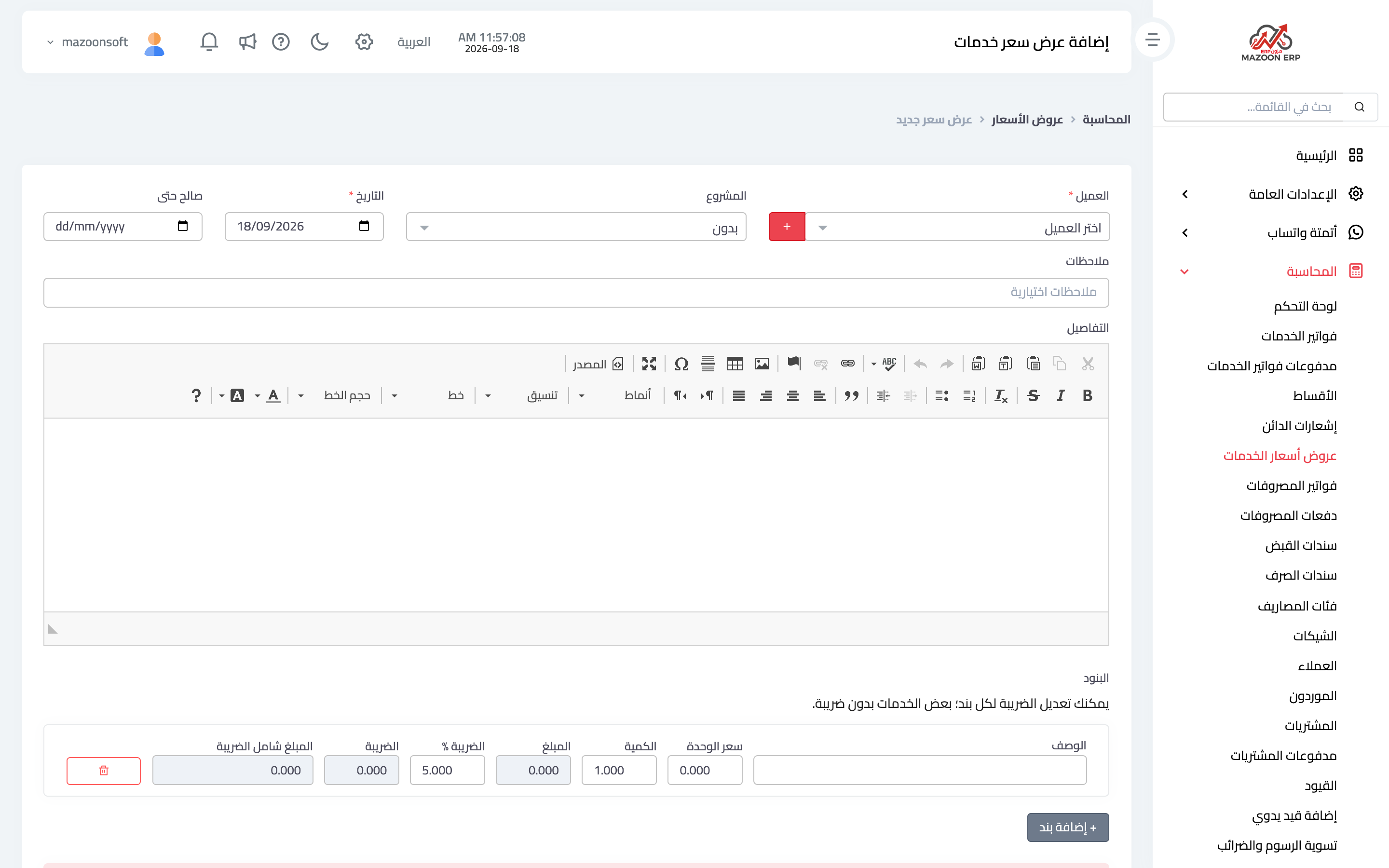
A quotation carries no accounting obligation: it creates no entry and charges the customer nothing; it states what you will deliver and for how much. From the Accounting panel open the Service Quotations card — image 1 — then Add to record a new one as in image 2: customer, date, validity period and the priced lines.
When the customer accepts, convert the quotation into an invoice rather than retyping the lines — the lines carry over, errors drop, and the quotation stays linked to the invoice it produced.
Credit notes
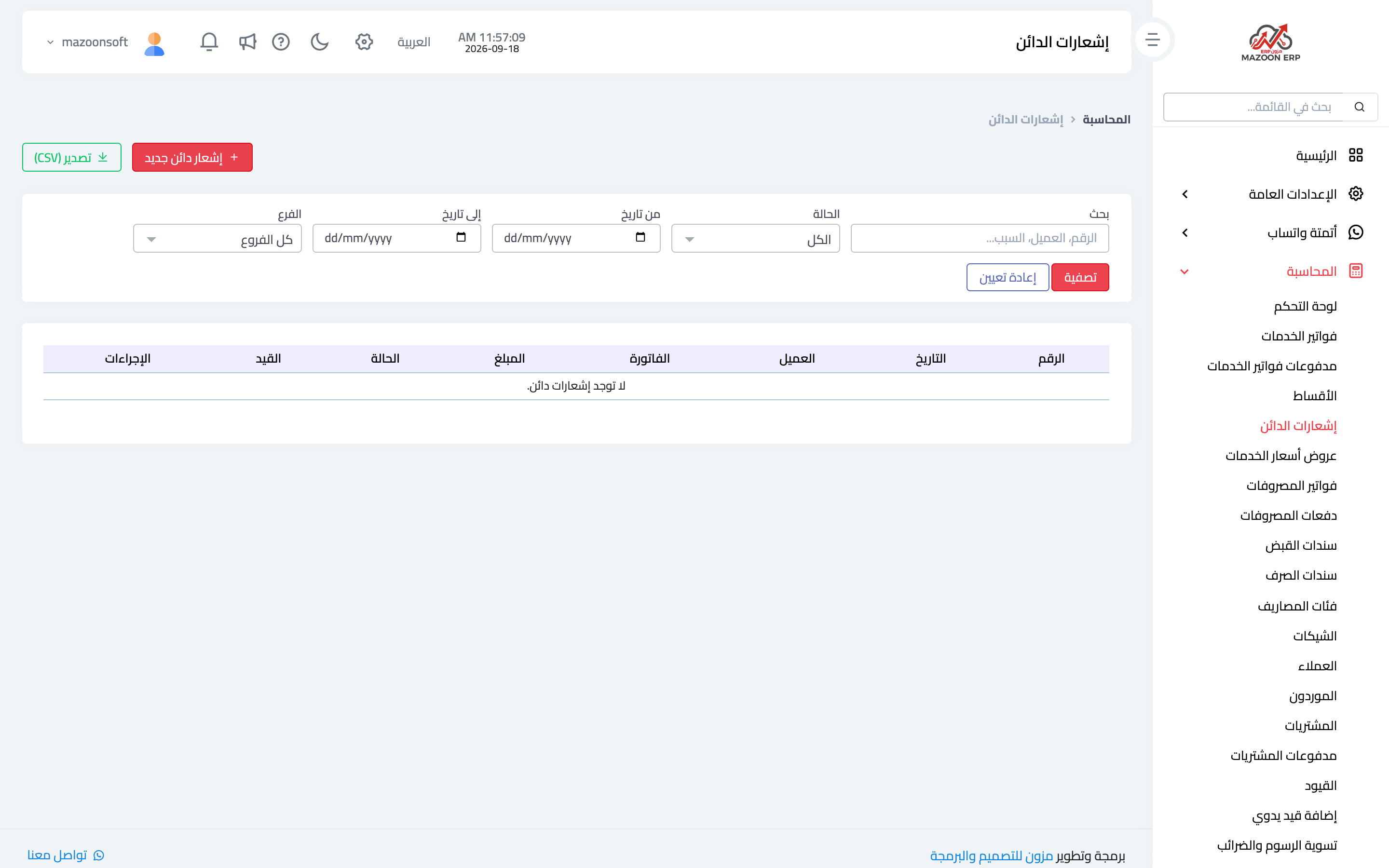
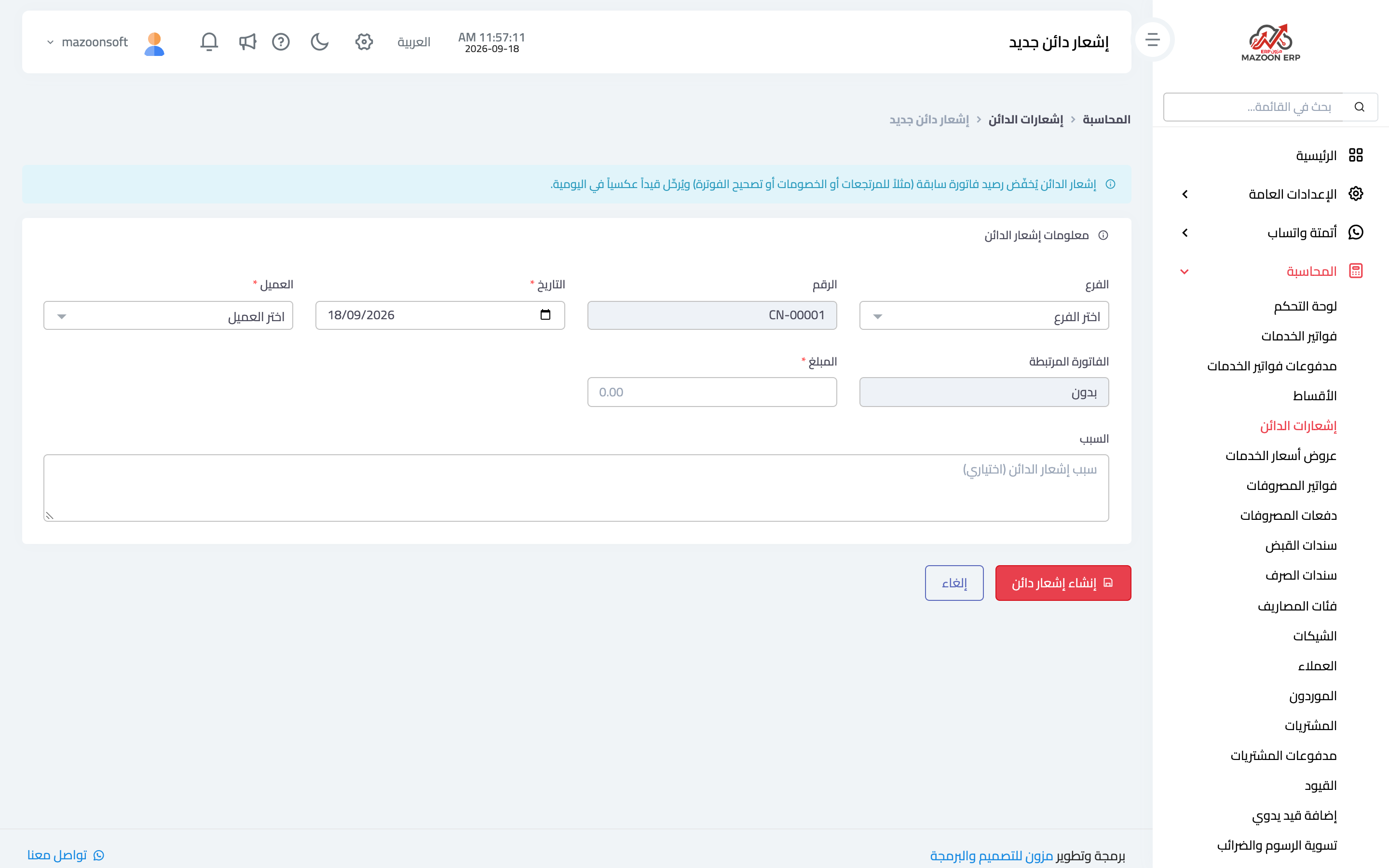
A credit note is the correct way to cancel an issued invoice, fully or partly: a service not delivered, a later discount, or an error found after issue. Open the invoice and press Cancel the invoice or part of it (credit note): its lines appear with their prices and VAT rates. Leave the quantities as they are to cancel the whole invoice, or enter a smaller quantity to cancel part of it, then write the reason and save. All notes are listed in the Credit Notes card — image 3.
On save a partial reversing entry reduces the customer's balance and the revenue by the note's value, while the original invoice stays exactly as issued — which is precisely what an auditor wants: a clear trace of the correction rather than an invoice edited after the fact.
Instalments
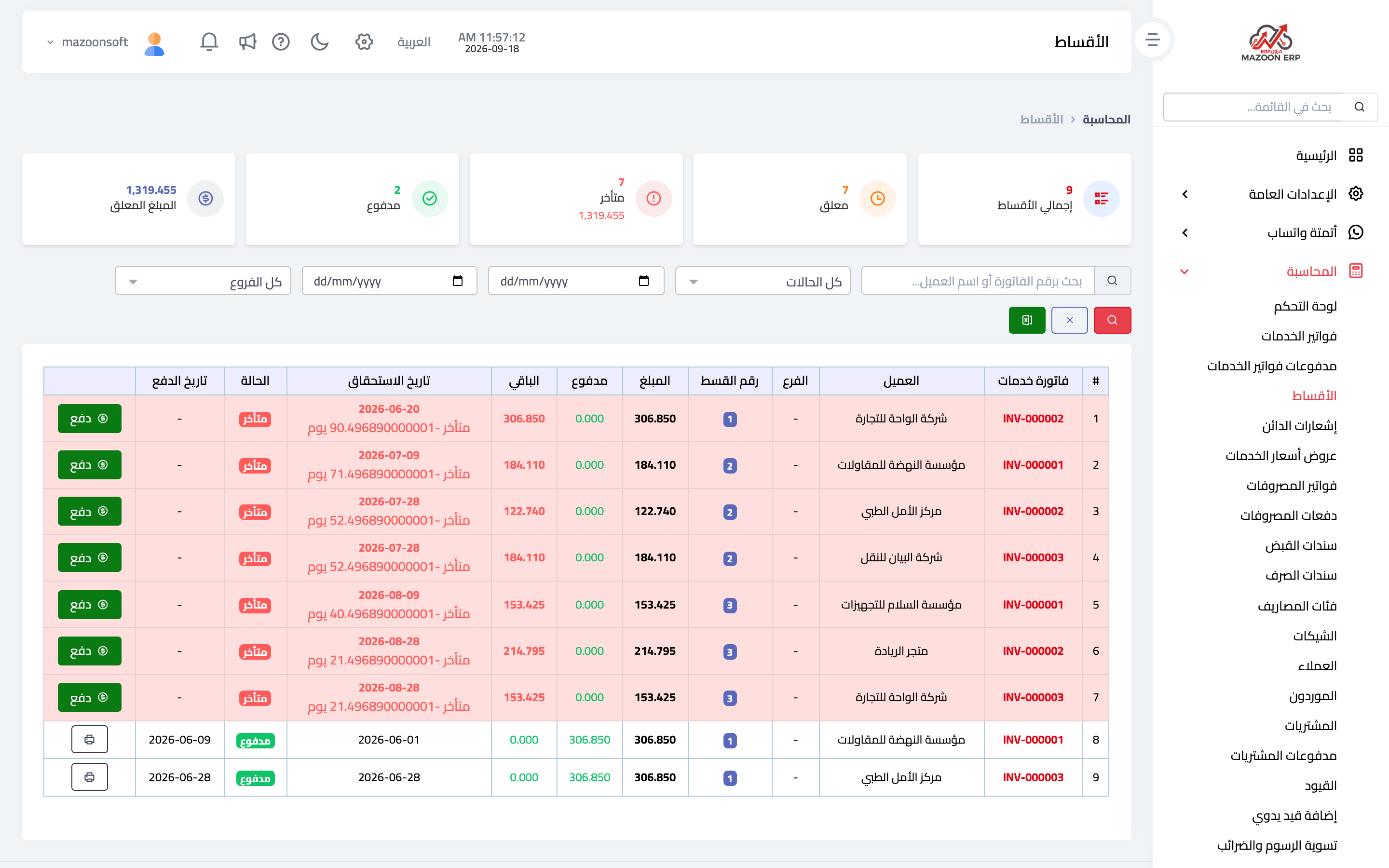
The Instalments card — image 5 — gathers the instalments of every instalment invoice in one place: invoice, customer, instalment amount, due date and status (paid, unpaid, overdue).
Filter by date to see next week's instalments, and by status to see only what is overdue. This screen is a collector's daily worklist, not a review report.
Which to use when
- The customer asks "how much?" ⟵ a quotation.
- The customer accepts ⟵ convert it into an invoice.
- An issued invoice needs reducing ⟵ a credit note, not an edit.
- The invoice is paid in stages ⟵ follow it from Instalments and record each collection when it happens.
Screenshots
Try what you just read on your own data
Open a free 7-day trial — no credit card, with your own company link in minutes.