
The chart of accounts
The chart of accounts is the list of accounts every financial movement posts to. Your business starts with a ready-made tree built on the five standard classes, so you never start from scratch — your job is to review it and add only what your own activity needs.
Where to find it
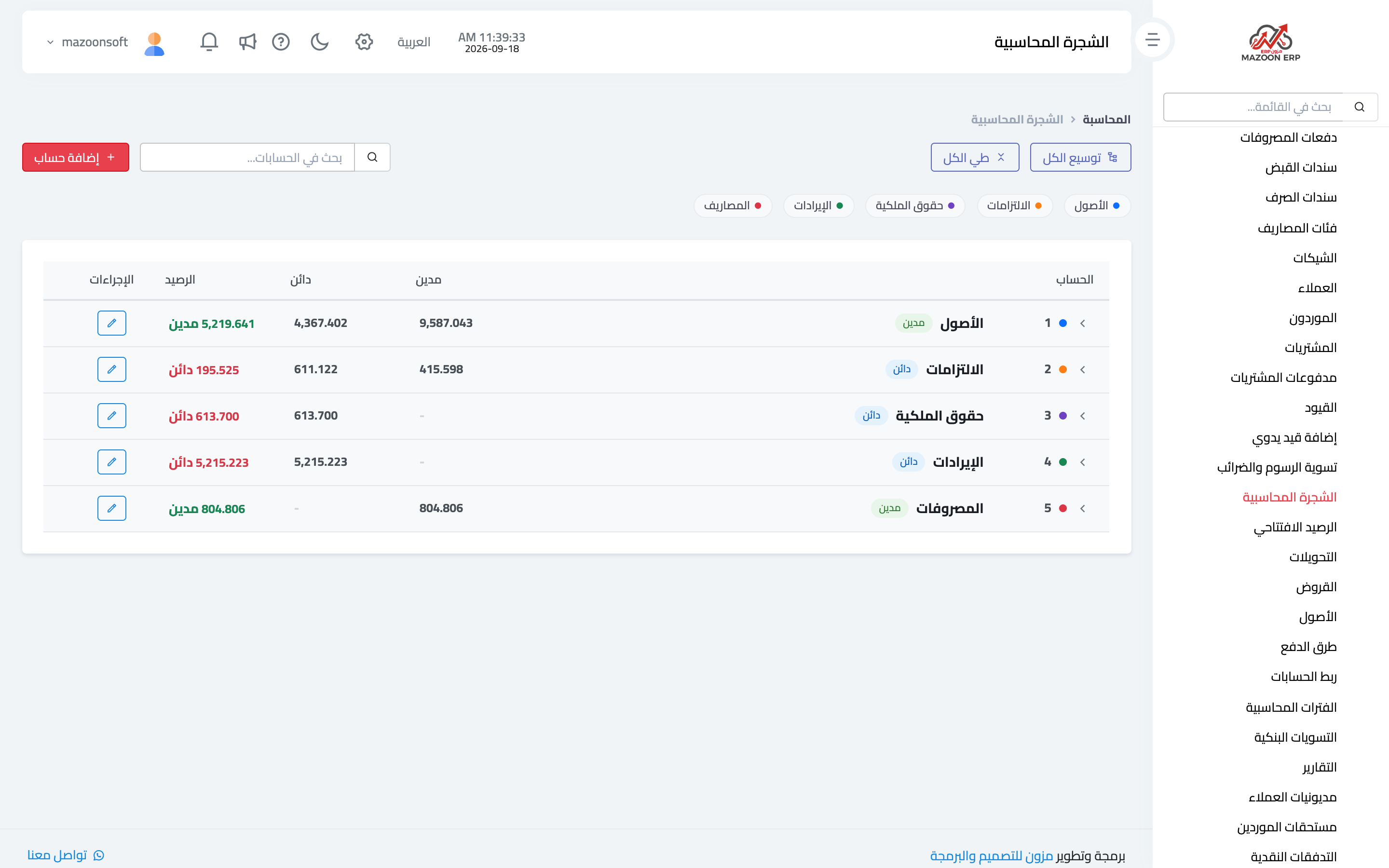
From the Accounting panel open the Chart of Accounts card. The top-level accounts appear as in image 1: assets, liabilities, equity, revenue and expenses. Each row shows total debits, total credits, and the balance with its nature (debit or credit).
Moving around the tree
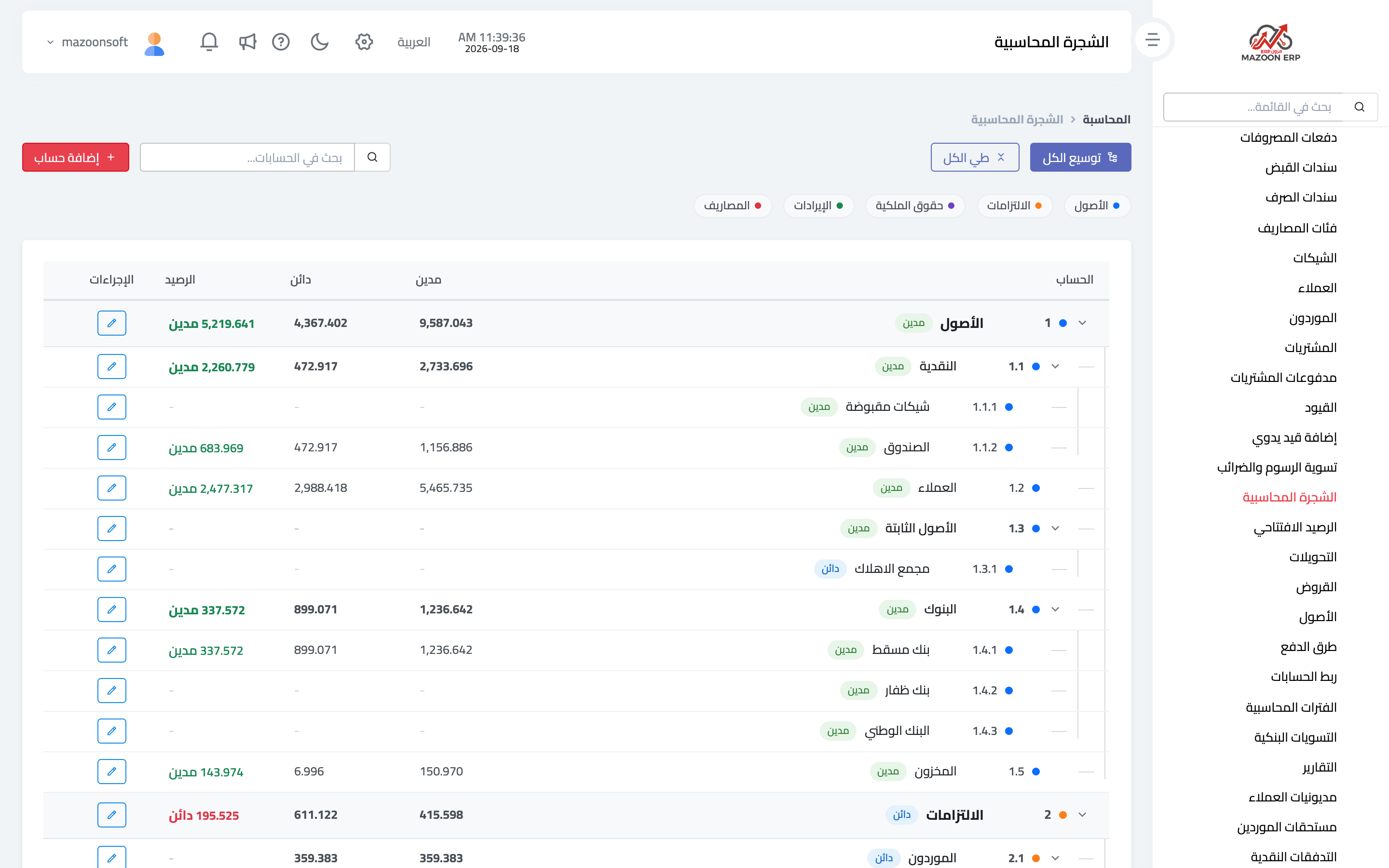
- The arrow next to an account opens its children; Expand all opens the whole tree as in image 2, and Collapse all closes it again.
- Search accounts filters the tree by name or code as you type.
- The coloured buttons above the table show one class at a time: assets, liabilities, equity, revenue or expenses.
How to read the numbers
The code tells you where the account sits: 1 for assets, 1.1 for cash under it, 1.1.2 for the cash box under cash. Movements never post to a parent account directly — only to leaf accounts with no children — and a parent's balance is the sum of its children.
Adding an account
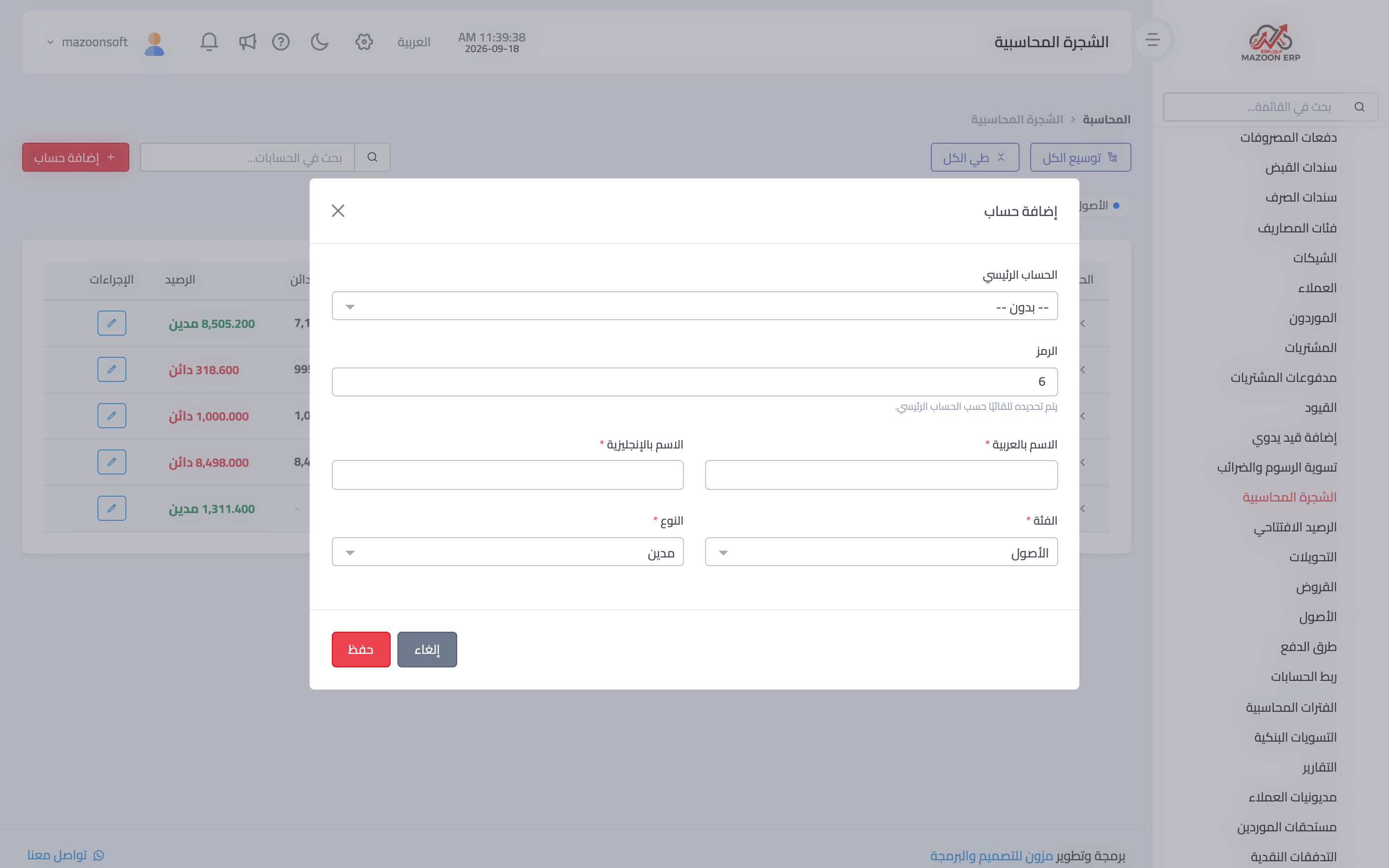
Press Add Account to open the dialog in image 3:
- Parent account — the account it belongs under. This single choice decides its place in the tree.
- Code — calculated automatically from the parent; it is not typed by hand. That is deliberate: manual numbering produces clashing codes that break the tree's order.
- Arabic name and English name — the account name in each language.
- Category — the accounting class the account belongs to.
- Type — the account's nature: debit or credit. Assets and expenses are debit by nature; liabilities, equity and revenue are credit.
Tips that save rework
- Create the account at the right level from the start; moving an account that already carries movements is far harder than creating it correctly.
- Do not multiply leaf accounts. One "operating expenses" account detailed through expense categories is clearer than twenty near-identical accounts.
- Review the tree before entering opening balances: balances are recorded against accounts, and a missing account means a missing opening balance.
- Accounts used by payment methods (cash box and banks) must exist before you define those methods.
Screenshots
Try what you just read on your own data
Open a free 7-day trial — no credit card, with your own company link in minutes.