
Financial reports
Reports are the return you get on disciplined daily recording. All of them are built from journal entries, so any figure in any report can be traced to its entry and then to the original document.
The reports page
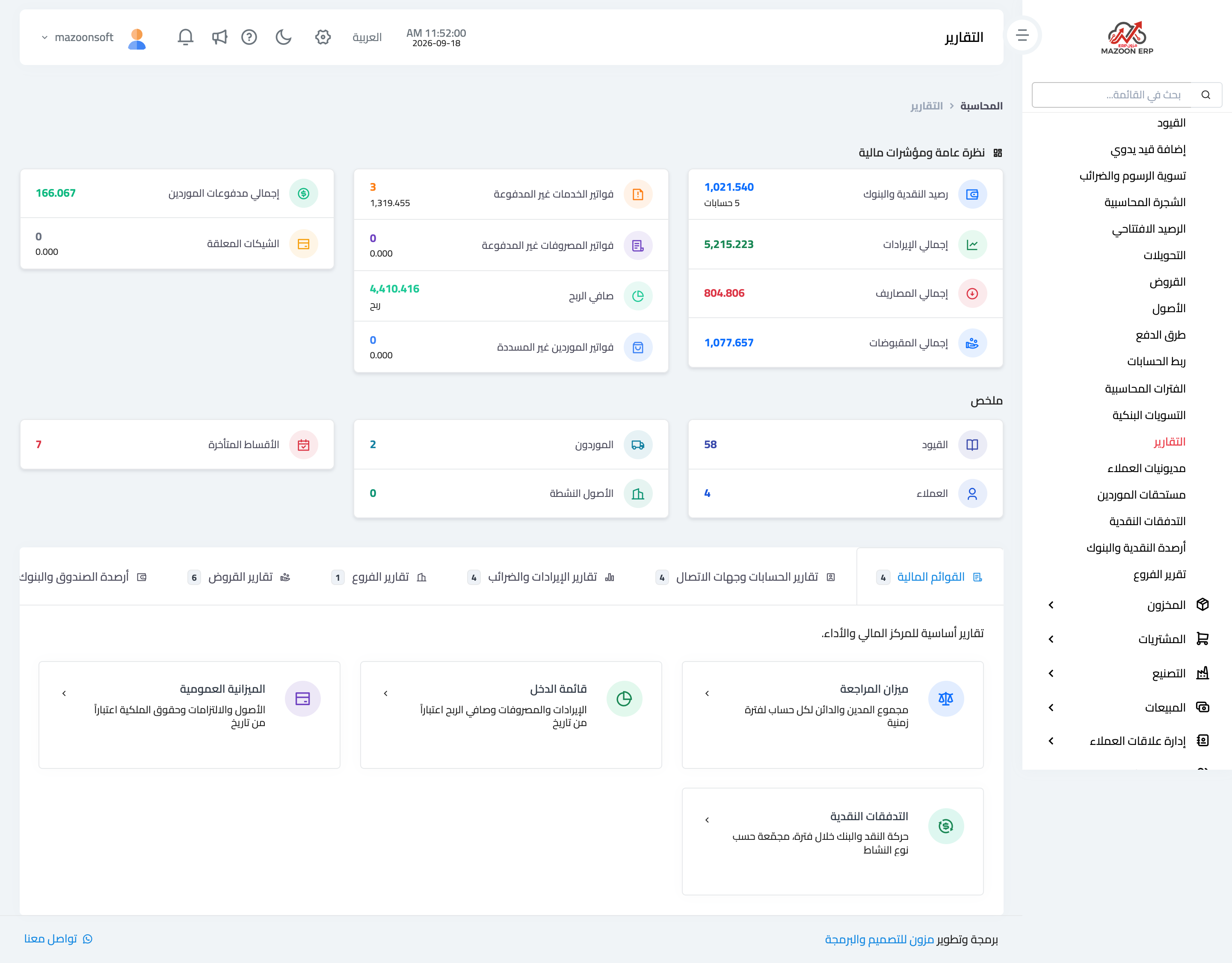
From the Accounting panel open the Reports card. The page appears as in image 1. At the top is a quick indicator panel: cash and bank balance, total revenue and expenses, total collections and supplier payments, unpaid invoices, pending cheques and overdue instalments — a fast read on where things stand before you go into detail.
Below it, tabs group the reports by subject: financial statements, account and contact reports, revenue and tax reports, branch reports, loan reports, and cash and bank balances.
The three financial statements
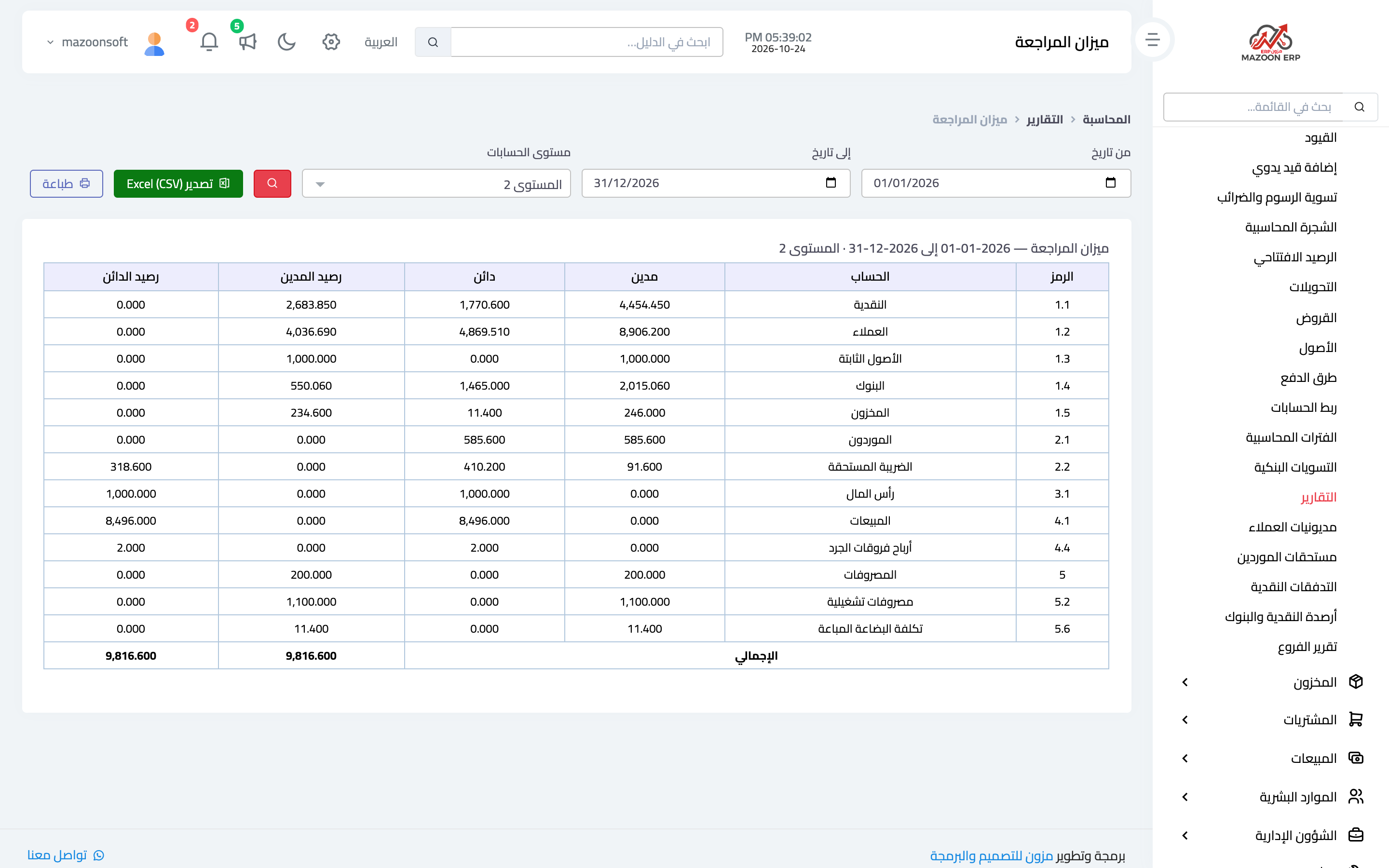
Trial balance — image 2
Total debits and credits per account over a period you choose. It is the first verification report: total debits must equal total credits. Open it before closing any month; it shows which accounts moved unexpectedly.
The Account level box sets the level of detail. Detailed (all accounts) is the default, one account per line. Level 1 rolls every account up into the main accounts (assets, liabilities, revenue, expenses), Level 2 goes one step down (cash, customers, banks…), and so on, depending on how deep your chart of accounts is. Printing and exporting follow the chosen level.
The Debit and Credit movements do not change with the level; they are only added up into the parent account. The Total row under the table (the sum of Balance Debit and Balance Credit) gets smaller at higher levels, because a debit balance and a credit balance under the same parent net off inside it. The trial balance still balances at every level.
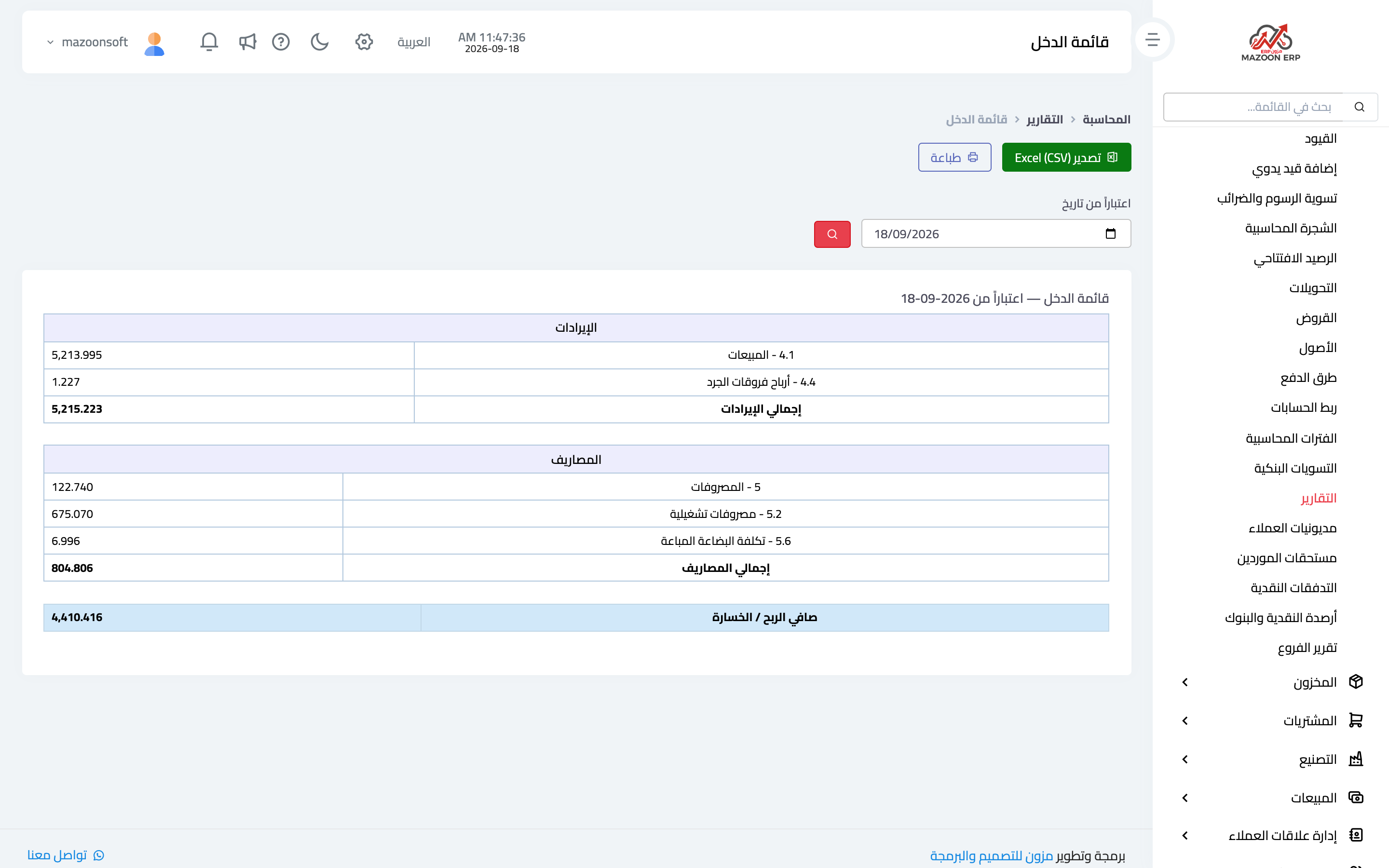
Income statement (profit and loss) — image 3
Revenue minus expenses over the period, giving net profit or loss. This answers "was the month profitable?", and its breakdown by expense account shows where the money went.
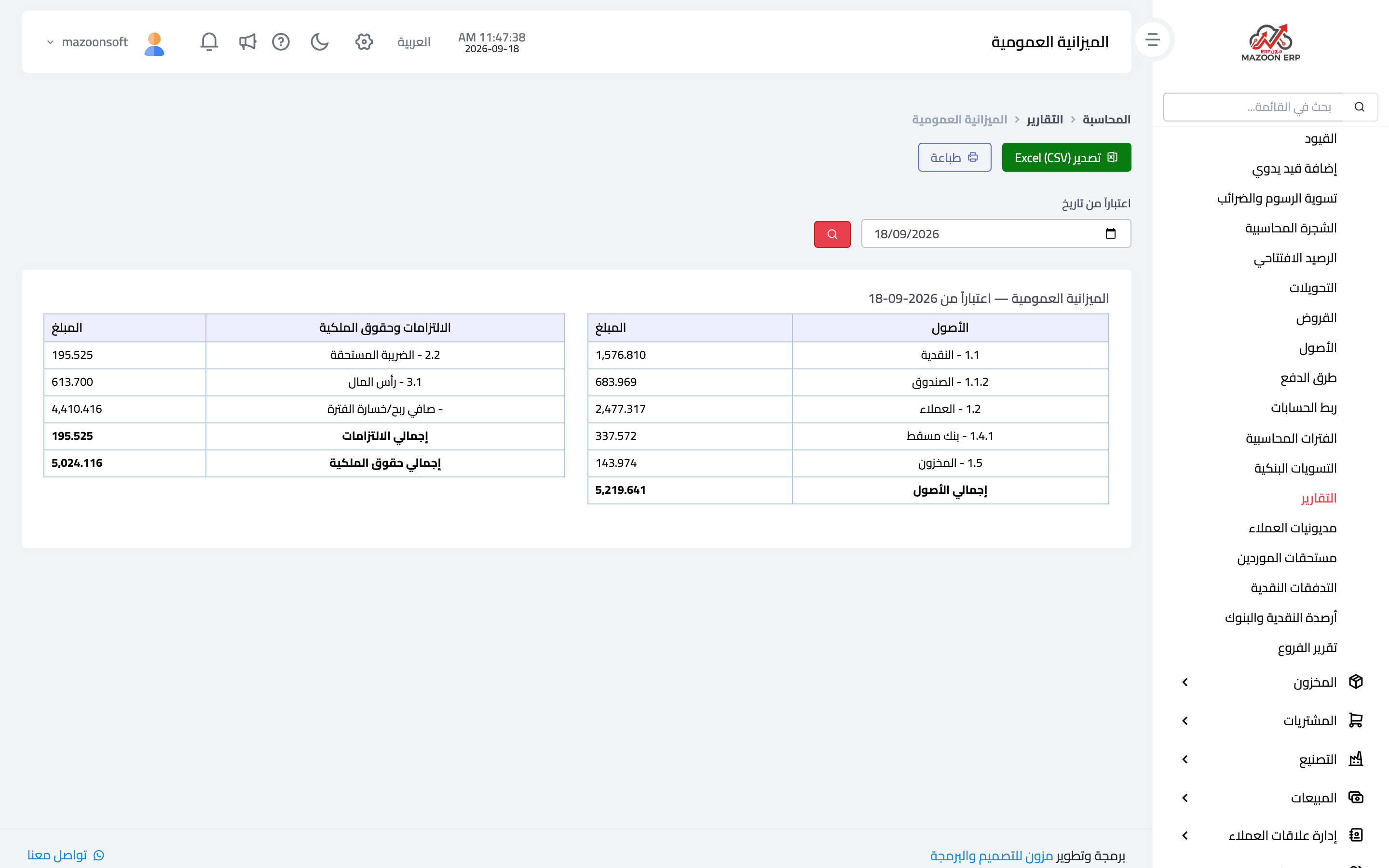
Balance sheet — image 4
Assets, liabilities and equity at one point in time. It is the picture of your financial position: what you own, what you owe, and the difference between them.
Operational reports used daily
- Receivables aging — who owes you and for how long, split into age buckets. This is your collections report.
- Payables aging — what you owe and when, so a due date never surprises you.
- Cash flow — cash in and out over the period.
- Cash and bank balances — the balance of each cash box and bank separately.
- Account statement — one account or one contact line by line; this is what you send a customer when a balance is disputed. The account statement has a Reference column showing the document behind each line (invoice, receipt voucher, contract…), which opens it when clicked. Rental contract payments show the contract number next to their voucher, so a cash or bank statement tells you which contract each amount came from.
- Branch report — each branch's performance, separating approved invoices (accrual) from actual payments (cash) — two figures that are different by nature, so never compare one against the other.
- Tax summary and tax declaration — tax due over the period, ready for filing.
Printing and exporting
Every report has print and export buttons, so you can send it as it is or continue the analysis in an external file.
A practical rule
If a figure looks wrong, do not start by doubting the report: start from the trial balance, open the suspect account in the account statement, then move from the entry to its document. A report never invents a number — it reflects what was recorded.
The Cost Center Report shows revenue, expenses, profit and collected for each center; see its article.
Screenshots
Try what you just read on your own data
Open a free 7-day trial — no credit card, with your own company link in minutes.