
How do I sell or scrap a fixed asset?
When you sell an asset or it breaks down, don't delete it — dispose of it. Disposal takes the asset out of your books with a proper entry, closes its accumulated depreciation, and records the gain or loss between the sale price and its book value.
Steps
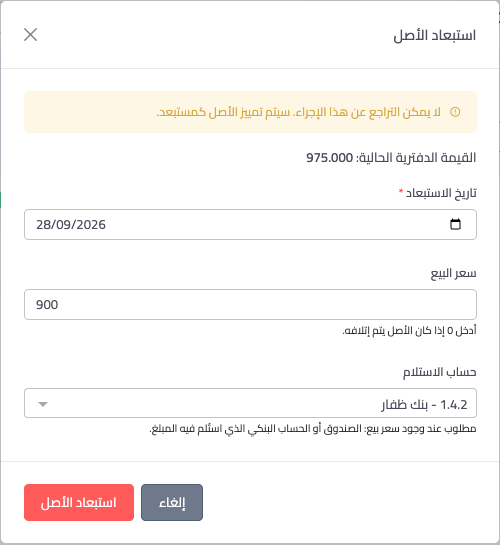
- Open the asset from Accounting → Assets and press Dispose — Figure 1.
- Enter the disposal date: the actual day of the sale or scrapping.
- Enter the sale price, or zero if the asset is being scrapped.
- If there is a sale price, choose the received in account: the cash box or bank account the money went into.
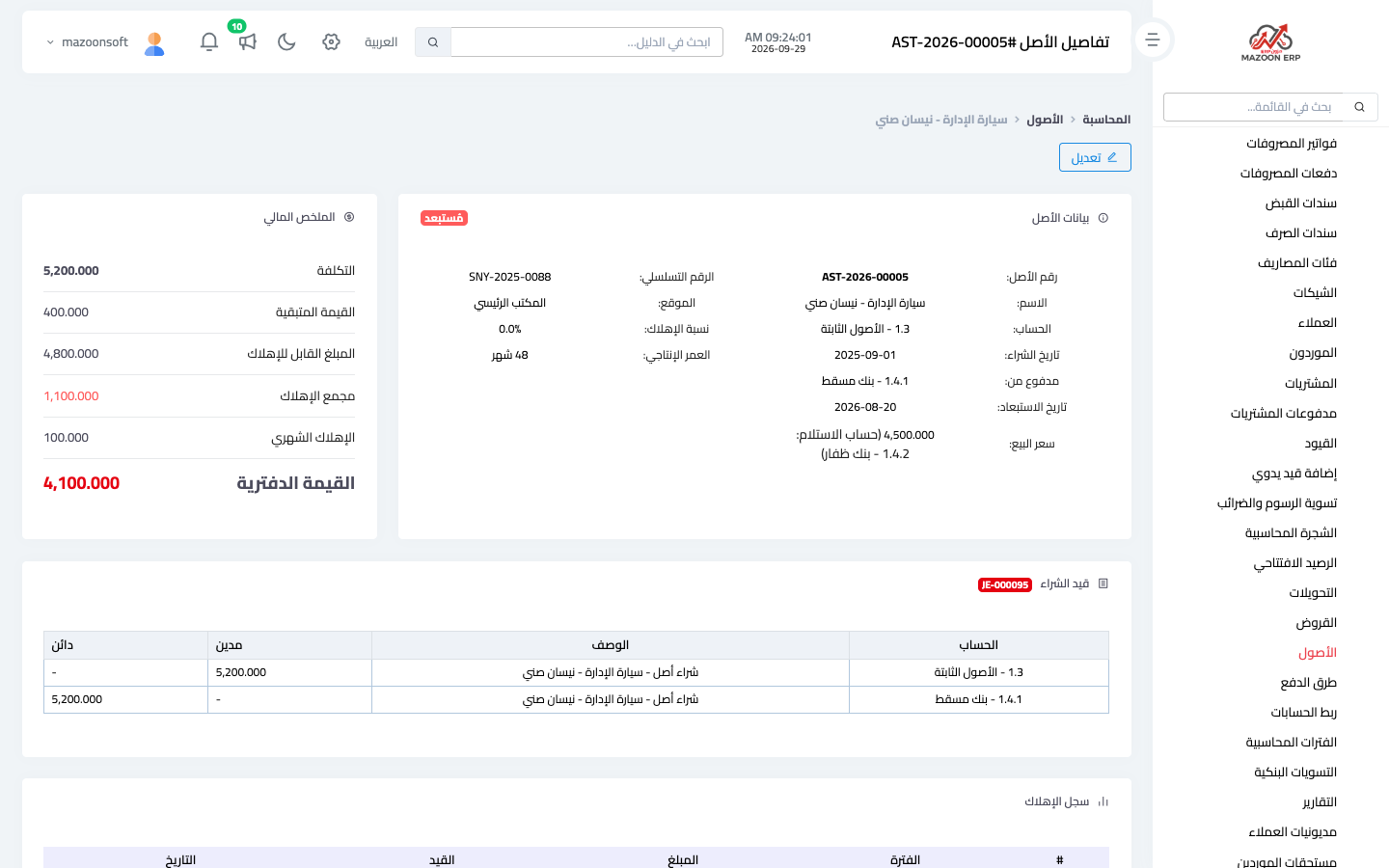
- Press Dispose asset. Its status becomes Disposed and its page shows the sale details — Figure 2.
The entry that is posted
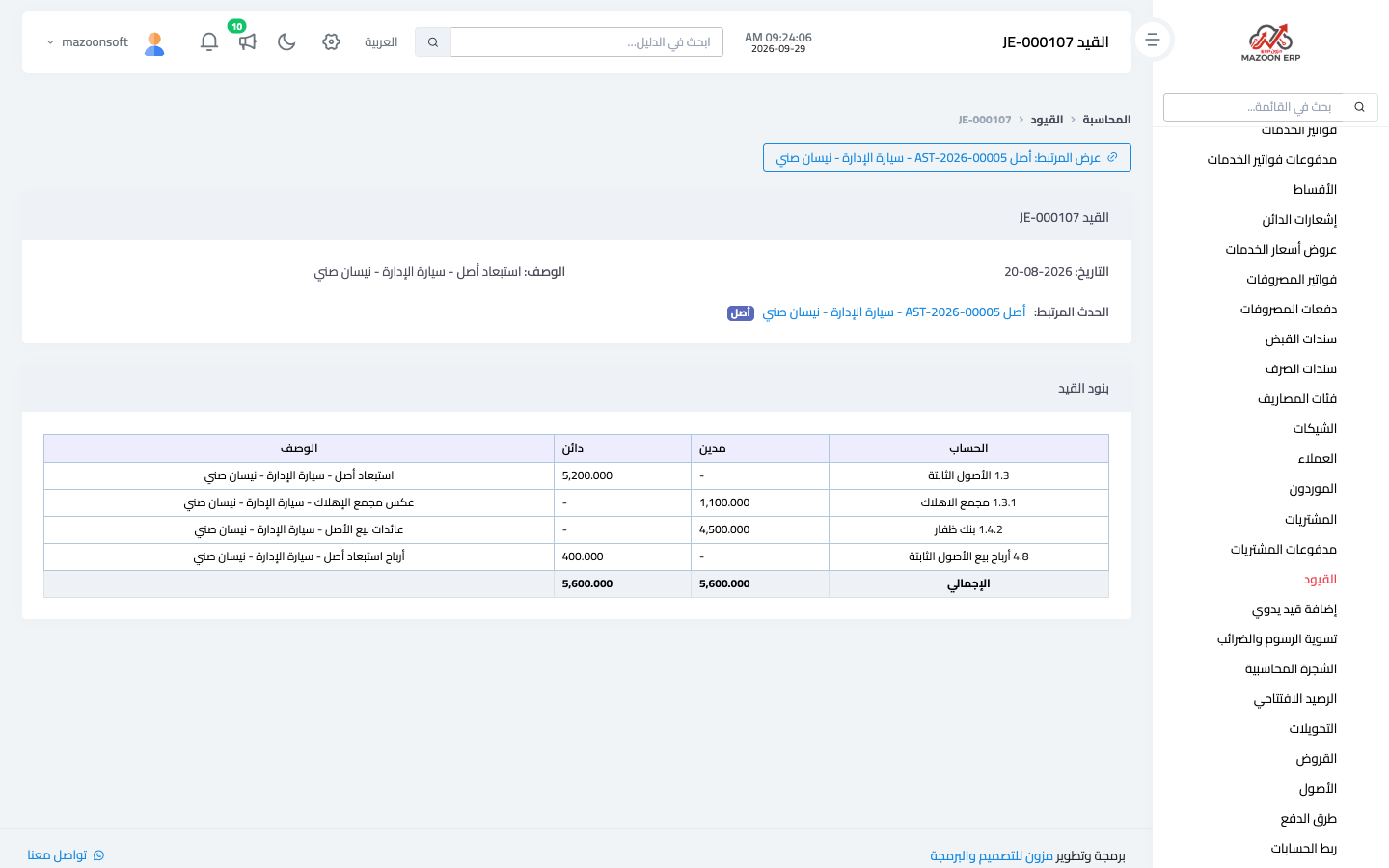
Example: a car costing 5,200 with 1,100 of accumulated depreciation has a book value of 4,100, and is sold for 4,500 into Bank Dhofar — Figure 3:
- Debit Bank Dhofar 4,500 (the money received).
- Debit accumulated depreciation 1,100 (closing what built up for the asset).
- Credit fixed assets 5,200 (taking out the full cost).
- Credit gain on disposal of fixed assets 400 (sale price minus book value).
Had it been sold below book value, the difference would be a debit to loss on disposal of fixed assets. When scrapped with no price, the whole book value is a loss. Sold at exactly book value, there is neither gain nor loss. The gain shows under income and the loss under expenses in the income statement, and the money received under investing activities in the cash flow statement.
Where the gain and loss accounts are set
In Accounting → Account linking, under the event Fixed asset disposal — Figure 4. They are usually 4.8 Gain on disposal of fixed assets and 5.15 Loss on disposal of fixed assets; the number can differ if your chart of accounts already used it for something else. Your accountant can change either account from that screen.
Notes
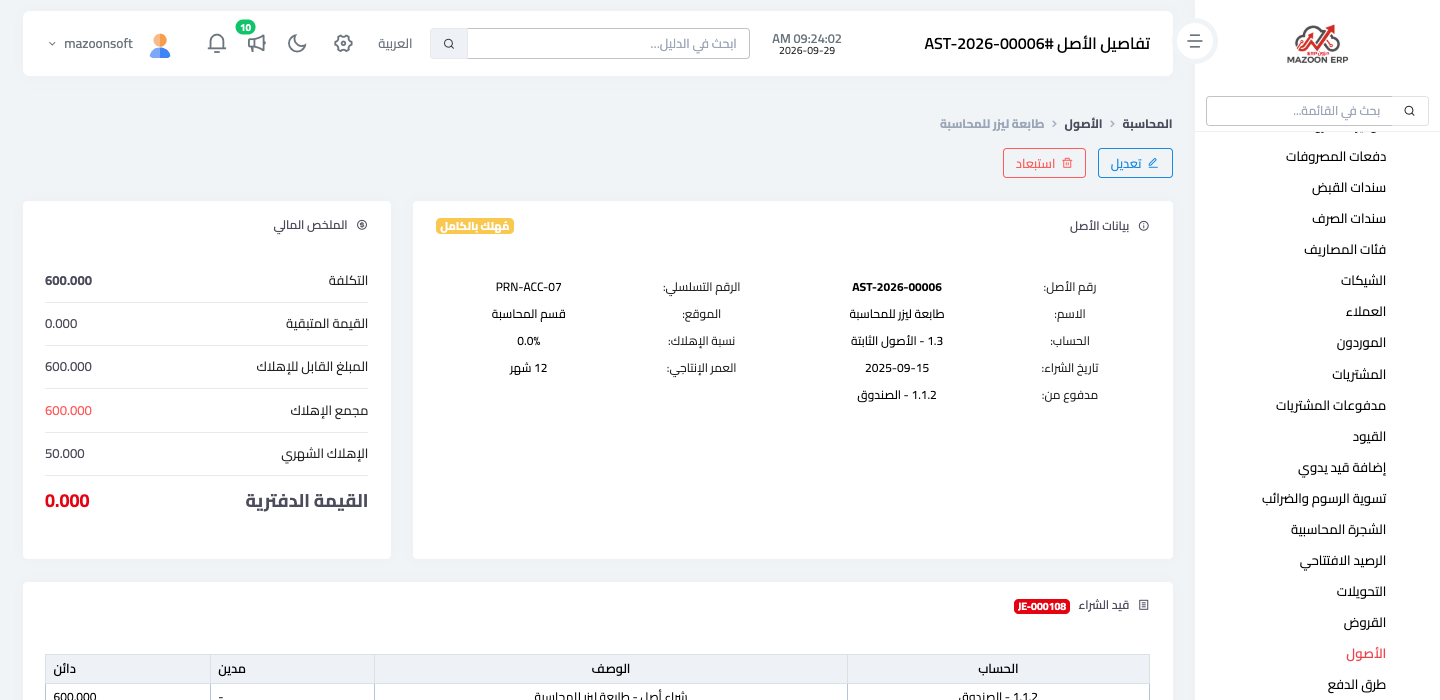
- A fully depreciated asset still belongs to you, so it can be sold or scrapped with the Dispose button on its page — Figure 5.
- The system won't accept a disposal date in the future, before the purchase date, or before the last month depreciation was recorded for.
- Record depreciation for the months before the sale first, then dispose, so the gain or loss is right.
- Disposal can't be undone, and a disposed asset can no longer be deleted or depreciated; check the price, date and account before confirming.
Screenshots

Try what you just read on your own data
Open a free 7-day trial — no credit card, with your own company link in minutes.