
Payment methods
A payment method is how money comes in or goes out: cash from the till, a transfer to a bank account, or a cheque. Each method is linked to an account in the chart of accounts — and that link is what makes a receipt voucher increase the right cash balance without you writing a single entry.
The list
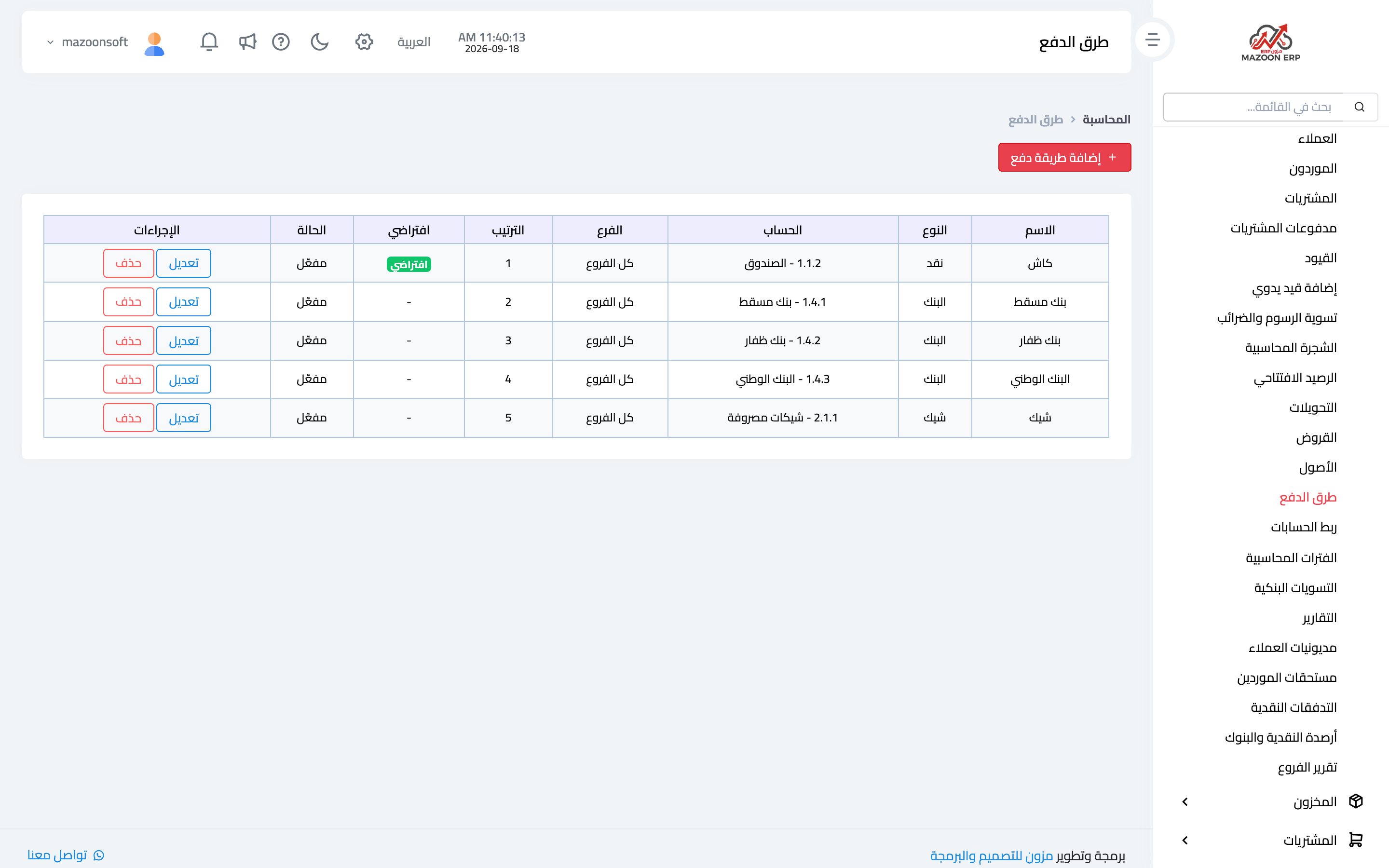
From the Accounting panel open the Payment Methods card. The defined methods appear as in image 1, each with its name, type (cash, bank or cheque), the linked account and its code, the branches allowed, the sort order, a default marker and its status.
Adding a payment method
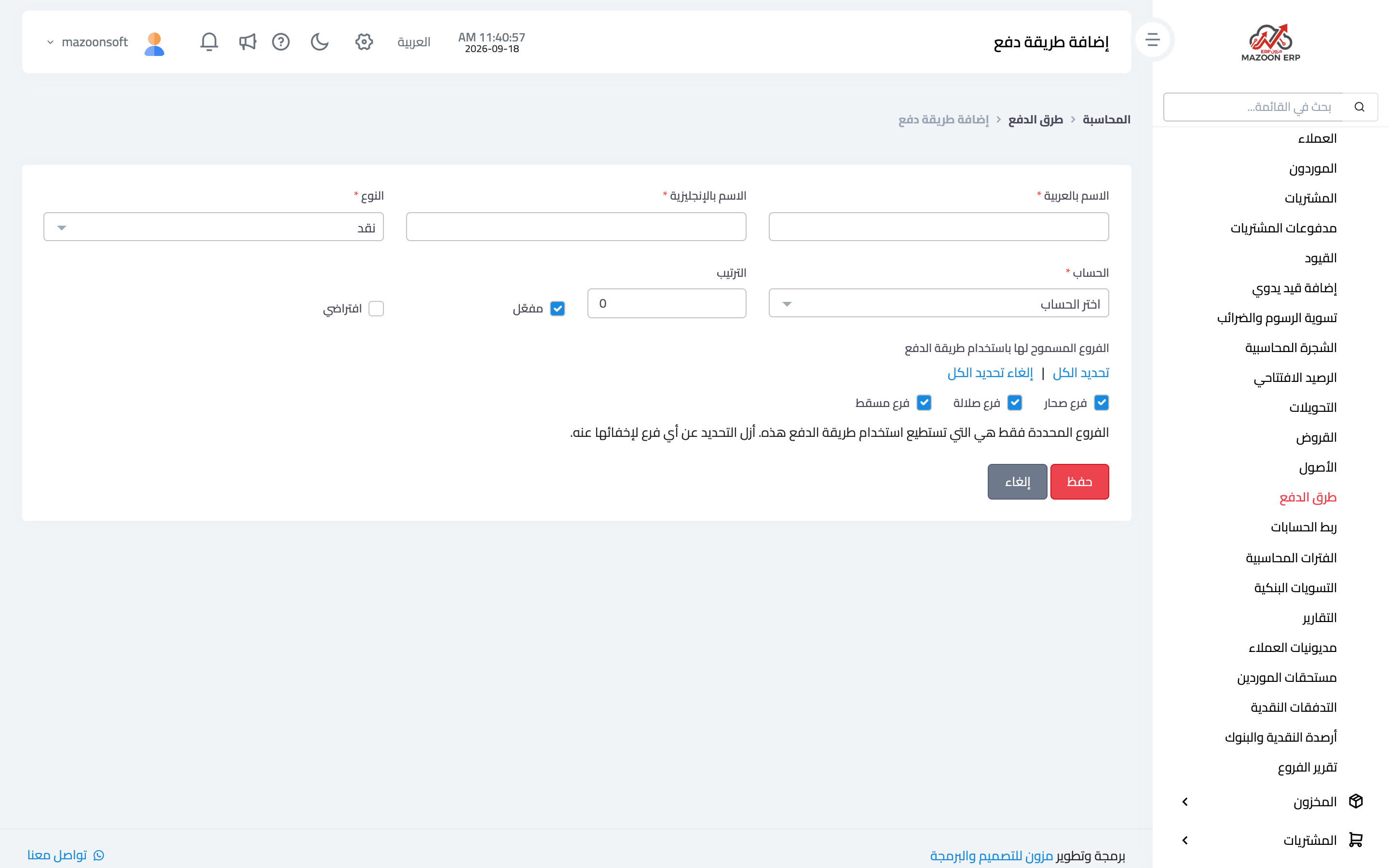
Press Add Payment Method to open the page in image 2:
- Arabic name and English name — what users see in payment lists.
- Type — cash, bank or cheque.
- Account — the account amounts post to: the cash box account for cash, the relevant bank account for transfers, the cheques account for cheques. Create the account in the chart first if it does not exist.
- Sort order — its position in the lists; put the most used first.
- Active — a deactivated method disappears from new payment lists while its past transactions stay intact.
- Default — the method pre-selected when a payment screen opens.
- Allowed branches — which branches may use this method. Unchecking a branch hides it there.
Why do I only see one payment method?
This is the most frequent question, and it is usually configuration rather than a fault. Check in order:
- Are the other methods defined on this page at all?
- Are they active?
- Is the branch you are working in among their allowed branches?
Most often only one method was ever created, or the rest are restricted to another branch.
One method per bank
Define a separate payment method for each bank account rather than lumping banks together. That separation is what makes the cash and bank balances screen and bank reconciliation meaningful: each bank's balance stands against its own statement.
When a method falls out of use
Deactivate it rather than delete it. Deleting cuts past transactions off from their method; deactivating achieves the same purpose without touching history.
Screenshots
Try what you just read on your own data
Open a free 7-day trial — no credit card, with your own company link in minutes.