
Choosing a cost center on documents, and changing it later
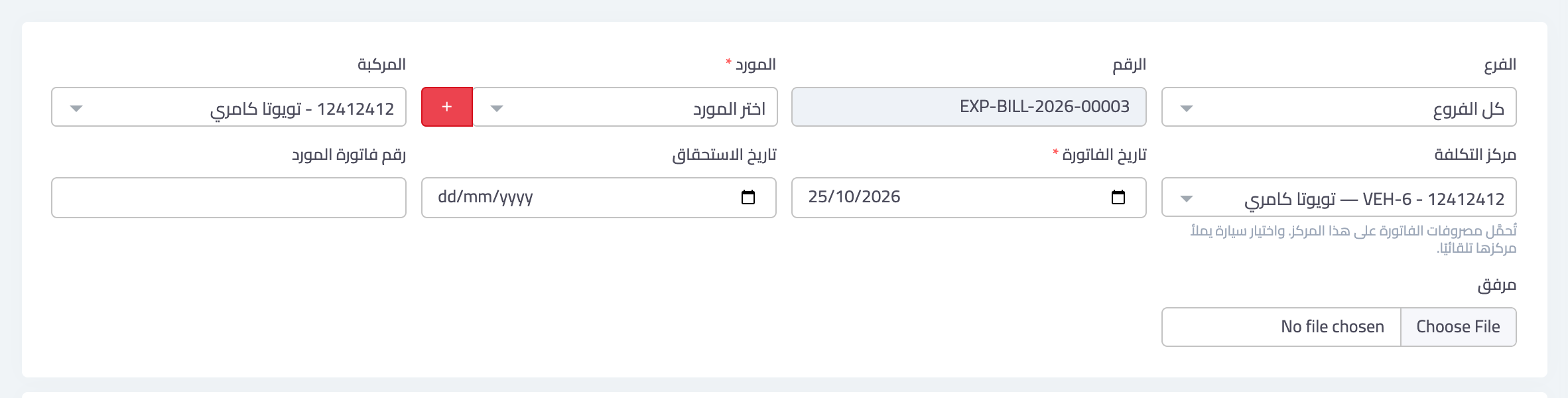
Once switched on, a Cost center field appears on the forms of documents that carry revenue or expenses. The field is always optional, with a line underneath saying what is charged to it.
Where does the field appear?
- Service invoices — filled in automatically with the project's center when you choose a project.
- Expense bills — filled in automatically with the vehicle's center when you choose a vehicle.
- Expense vouchers, purchases and transfers (when one side is a revenue or expense account).
- Fixed assets — the asset's depreciation and any gain or loss on its sale are charged to it.
- Loans — the installments' interest is charged to it.
- Sales invoices and supplier bills.
- The employee file — the employee's salaries are charged to it instead of the department's center.
- Manual journal entries — each line has its own center in the Cost center column, searchable by the center's name or code, kept on revenue and expense lines only.
If you leave the field on None, the document lands on its branch's default cost center if there is one; otherwise it appears in the report under Unallocated. The exceptions: a service invoice linked to a project and an expense bill linked to a vehicle take the project's or vehicle's center; an employee with no center chosen has their salaries charged to their department's center; and purchases, transfers, assets and loans have no branch, so they stay unallocated. A manual journal entry line left on None, however, always stays unallocated, because manual entries do not take the branch default.
What follows automatically
- Sales returns and credit notes land on their invoice's center, so they reduce its revenue.
- Reversals (on cancelling or deleting) land on the original entry's center.
- A bounced expense-voucher cheque reverses the expense on the voucher's center.
Changing the center after saving or approving
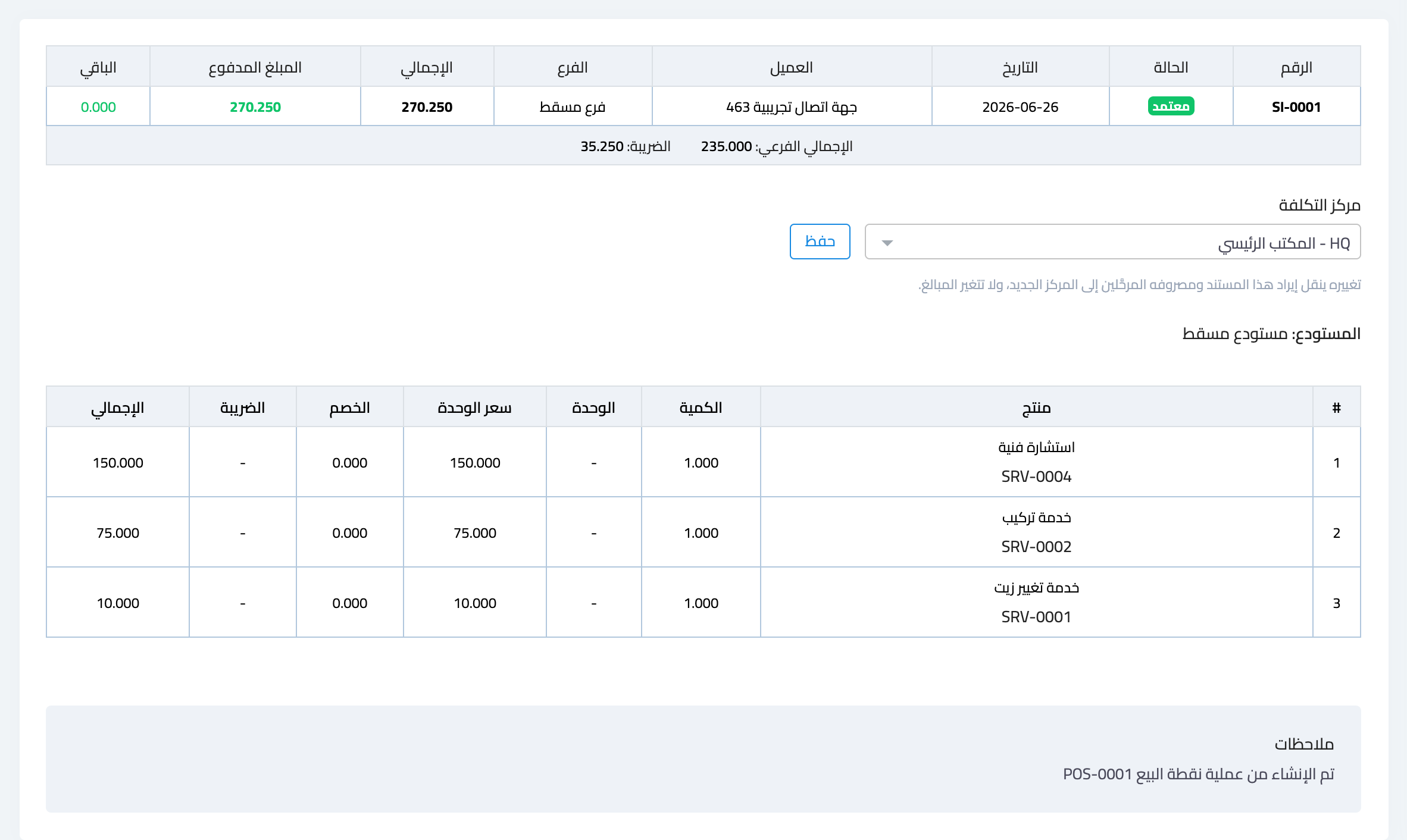
Many documents can no longer be edited once approved or paid, but their center can be changed at any time from the document's own page: choose the new center in the Cost center box and press Save. The document's posted revenue and expenses move to the new center, and no amount changes. This is available on:
- The page of a service invoice, expense bill, expense voucher, sales invoice or supplier bill — for users who may edit that document (for sales invoices: permission to create invoices).
- The loan page — the interest of installments already paid moves with it.
- The manual journal entry page — a box per revenue or expense line, then Save cost centers. It is allowed even in a closed period, because it changes no amount and no account, and the change is recorded in the Edit history on the entry page.
- A fixed asset — from its edit form; its past depreciation moves with it.
Notes
- An inactive center does not appear in the choice lists. If someone deactivates it while your form is open, the system refuses to save with a clear message and keeps the saved center.
- A user restricted to a branch sees only that branch's centers and the shared ones.
Screenshots
Try what you just read on your own data
Open a free 7-day trial — no credit card, with your own company link in minutes.