
Customers and settling taxes and fees
Two screens close the accounting cycle: one follows what customers owe you, the other settles what you owe government bodies.
Customers
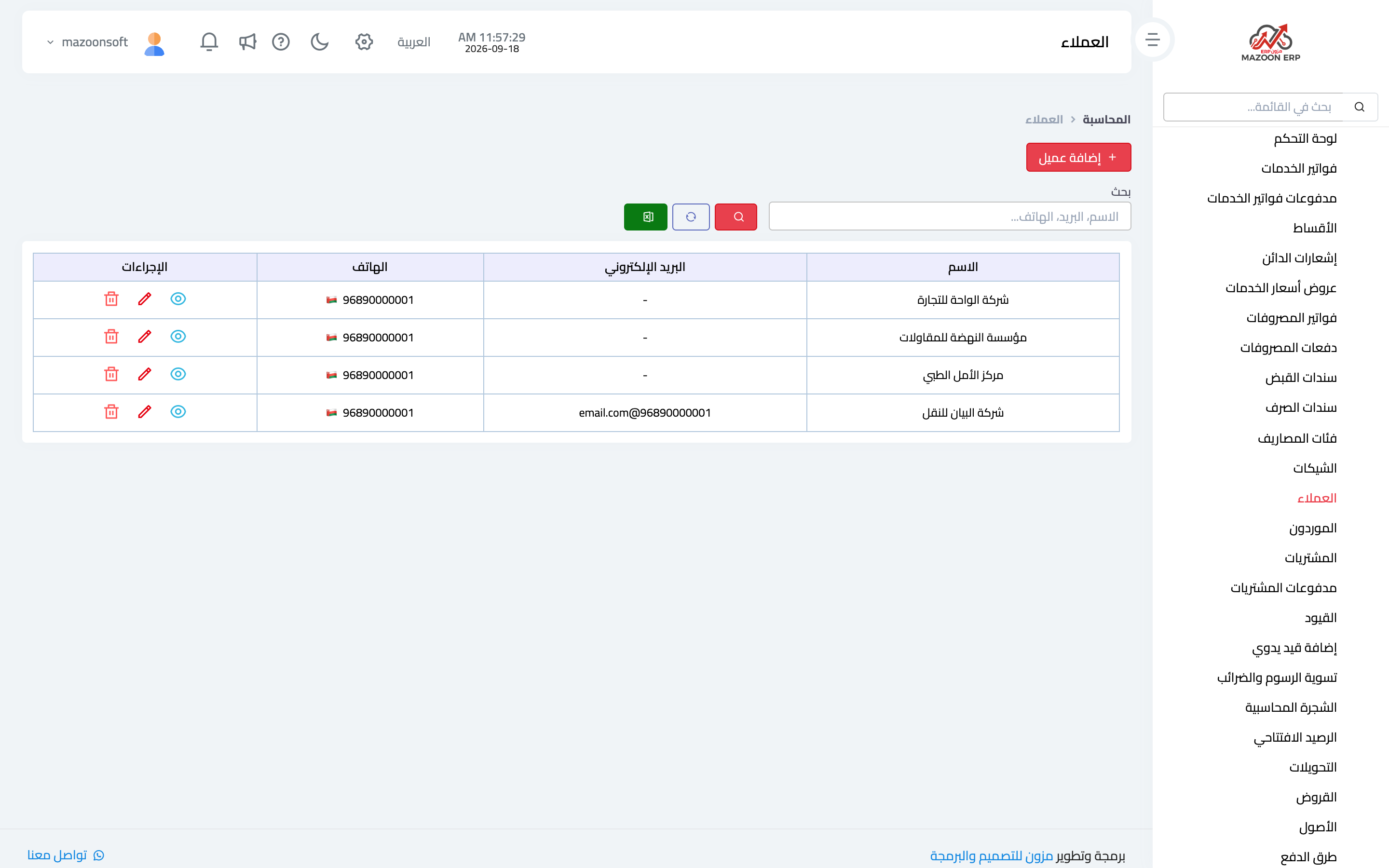
The Customers card — image 1 — shows your customers from the financial angle: name, contact details and the balance each one owes.
A customer here is a contact holding the customer role — the same database the other modules use, so customer details are never entered twice.
From this screen you reach a customer's detail: their invoices, payments and current balance. The itemised statement you send a customer when a balance is disputed lives in Reports → contact statement.
Settling taxes and fees
Through the month, government obligations accumulate in their own accounts: VAT payable, municipality fees, tourism fees — each a liability recorded in your books but not yet paid.
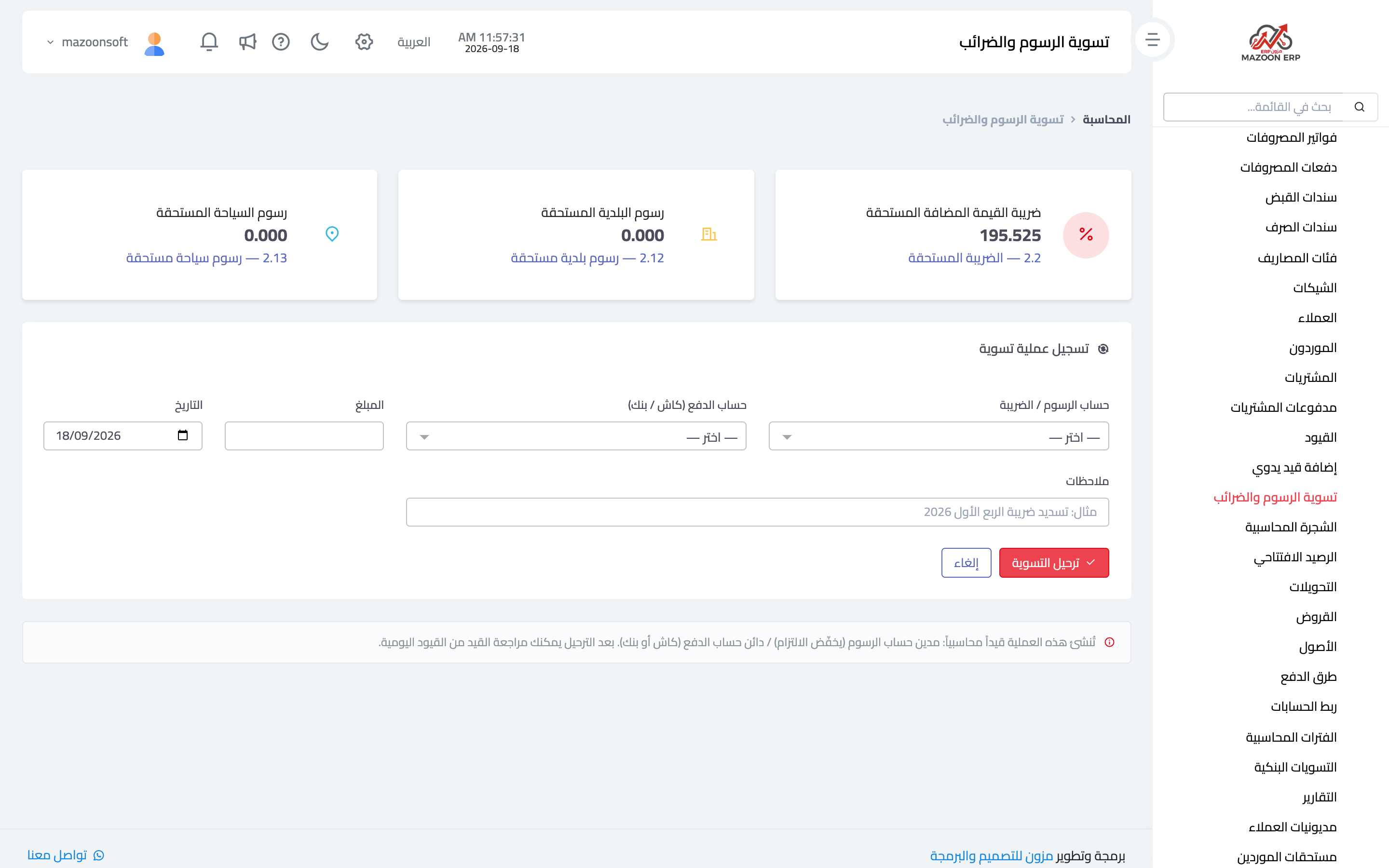
When you actually pay the authority, use the Fee & Tax Settlement card — image 2:
- Fee / tax account — the liability you are settling: VAT payable, municipality fees or tourism fees.
- Payment account — the cash box or bank the money left from.
- Amount, date and notes such as "Q1 2026 tax payment".
- Press Post settlement.
The system creates the entry: debit the fee account (reducing the liability) / credit the payment account (reducing cash). Afterwards you can review the entry from the journal screen.
The full tax cycle
- You issue invoices with tax, and the tax payable balance builds up.
- At period end open the VAT declaration in the reports: it shows output tax (sales), input tax (purchases) and the net payable.
- Pay the tax authority.
- Record the payment through fee and tax settlement so the liability balance reflects reality again.
Skipping that last step is the common mistake: the tax is genuinely paid while the liability still sits in your books, so you appear to owe an amount you settled months ago.
Screenshots
Try what you just read on your own data
Open a free 7-day trial — no credit card, with your own company link in minutes.