
Transfers, cheques and bank reconciliation
Three tools keep your cash balances honest: a transfer moves money between your own accounts, cheques track what has not cleared yet, and bank reconciliation matches your books against the bank statement.
Transfers
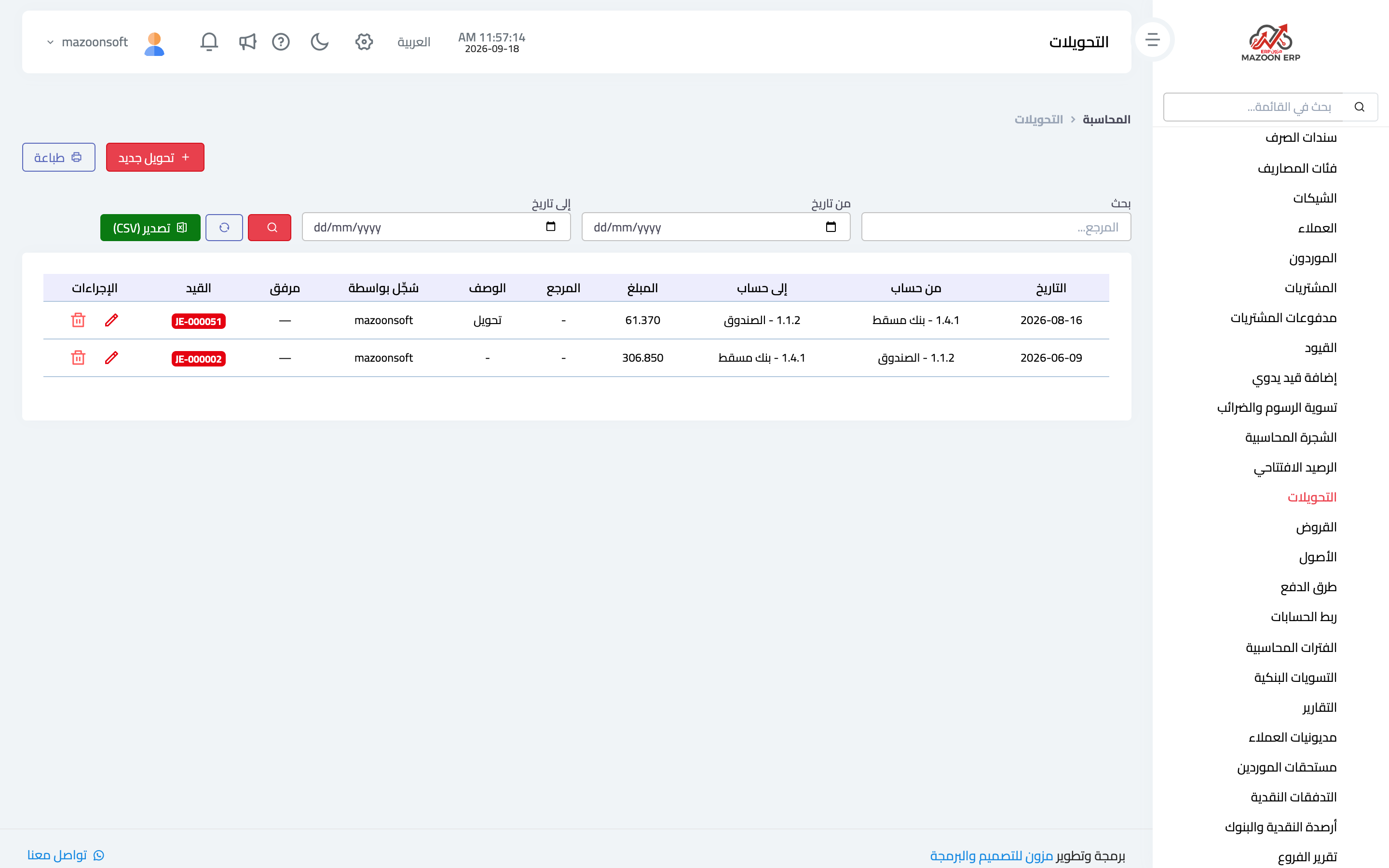
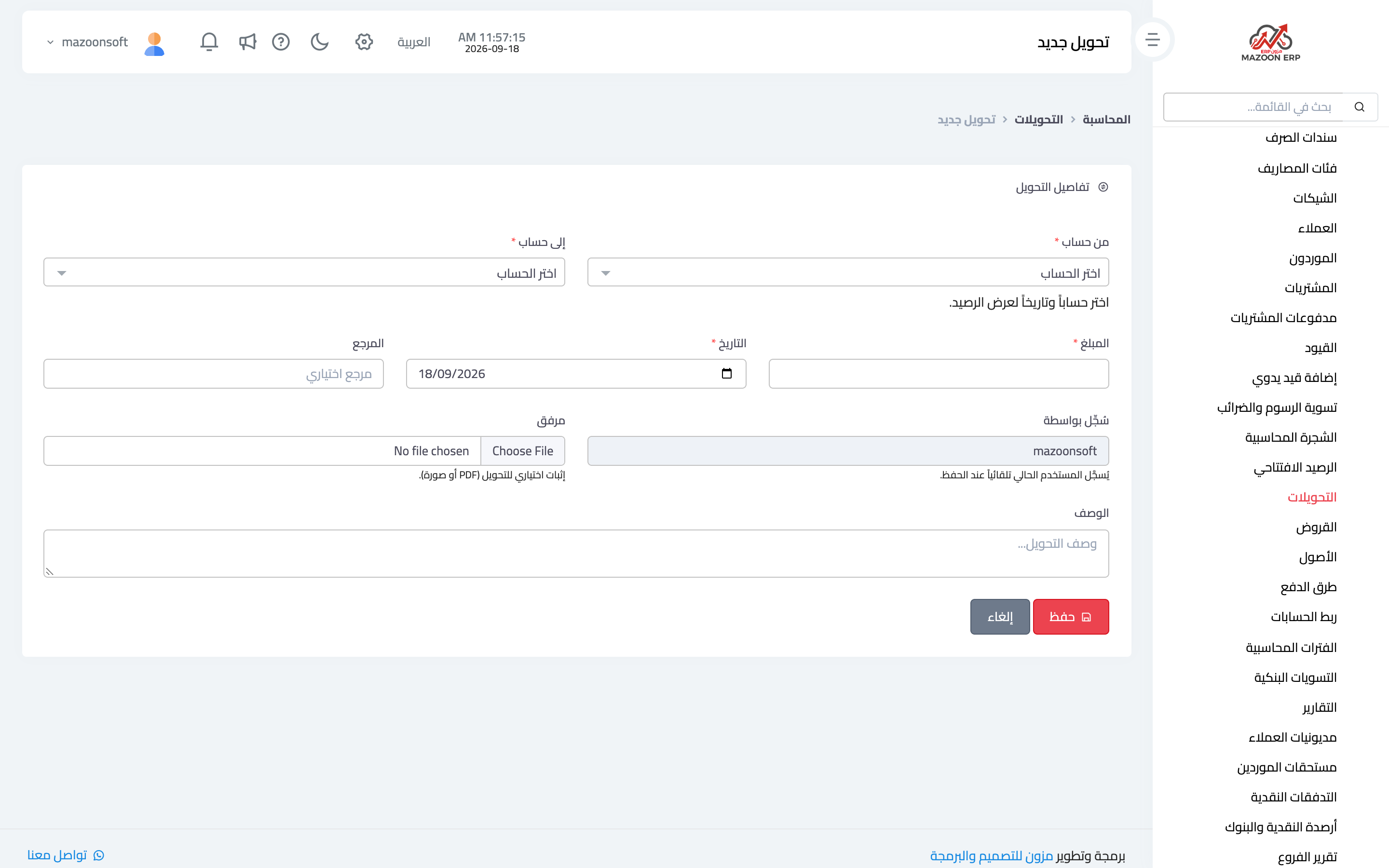
A transfer is an internal movement: cash box to bank, bank to bank, or into a float. From the Accounting panel open the Transfers card — image 1 — then New Transfer as in image 2:
- From account and to account — once an account and date are chosen, the system shows the source account's approximate balance on that date.
- Amount — for asset and expense accounts it cannot exceed the available balance while that balance is positive.
- Date, description and an optional reference.
- Attachment — proof of the transfer (PDF or image).
Who made the transfer is recorded automatically, so there is no need to type your name into the description.
Cheques
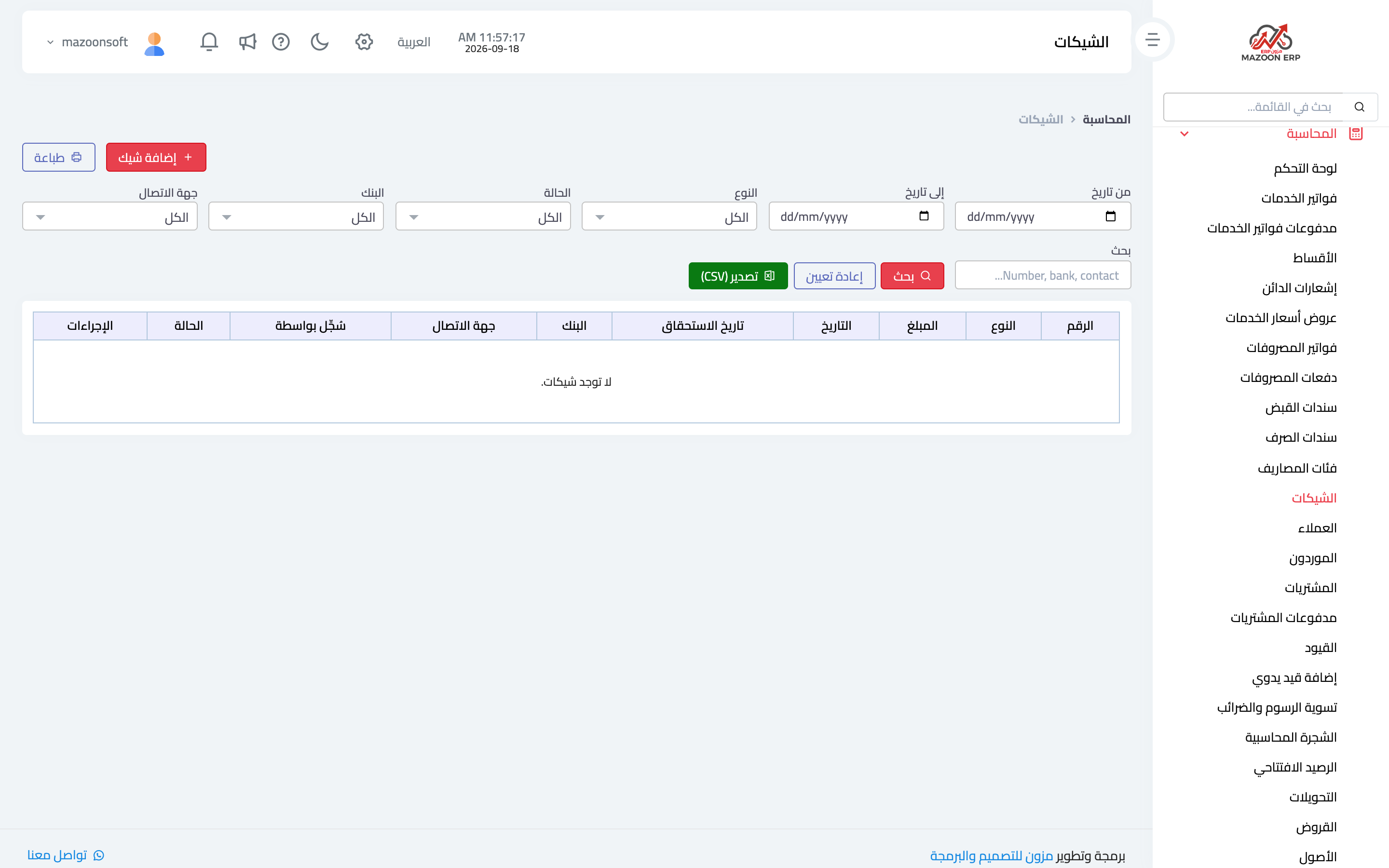
The Cheques card — image 3 — tracks cheques in both directions: received cheques from customers and issued cheques written to suppliers.
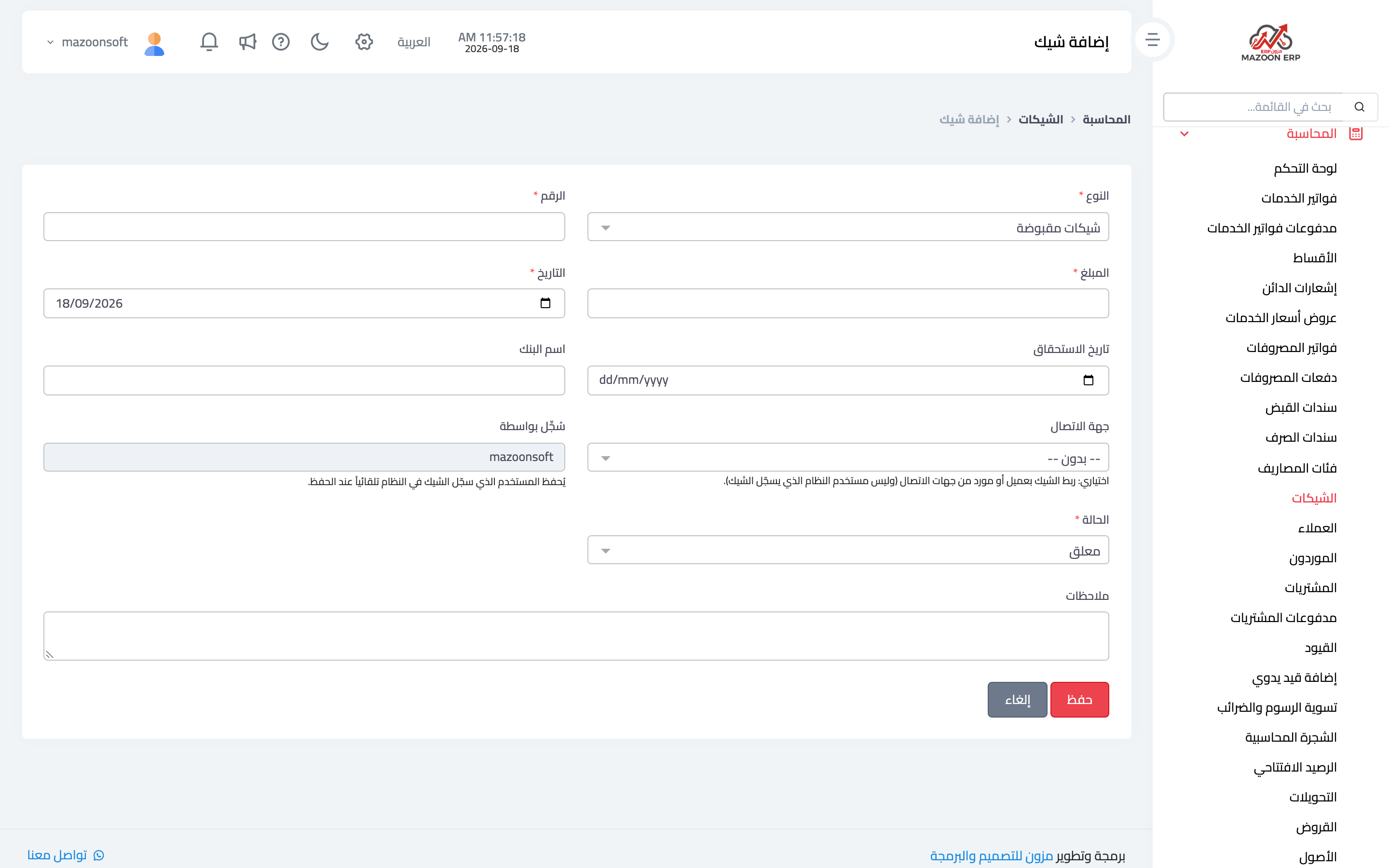
To add one — image 4 — you enter the number, the party, the bank, the amount, the cheque date and due date, and the status: pending, cleared, or bounced.
Keeping the status current is the whole point: a pending cheque is money that has not arrived, and a bounced one puts the debt back where it was. This is why the reports panel shows "pending cheques" among its indicators.
Bank reconciliation
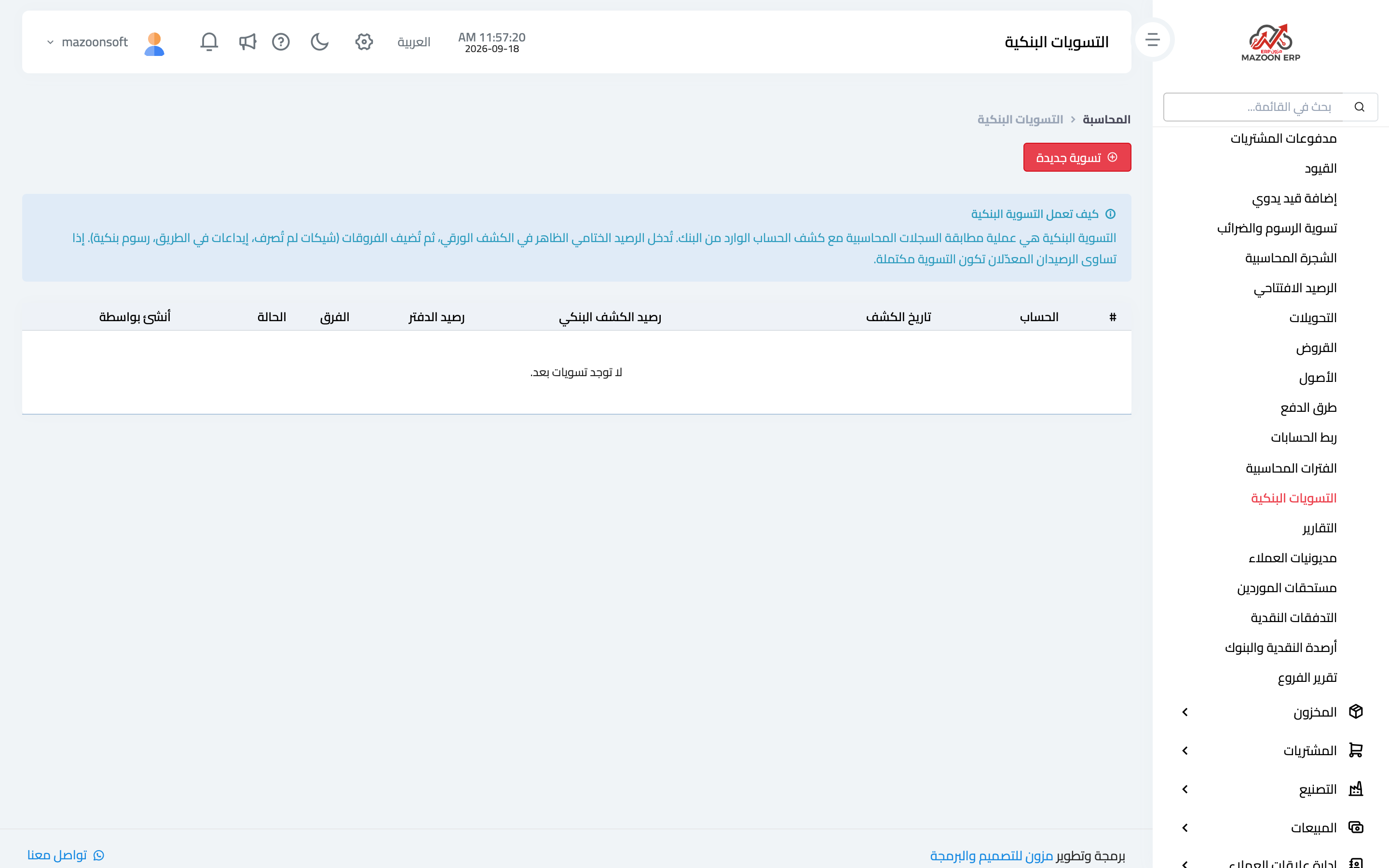
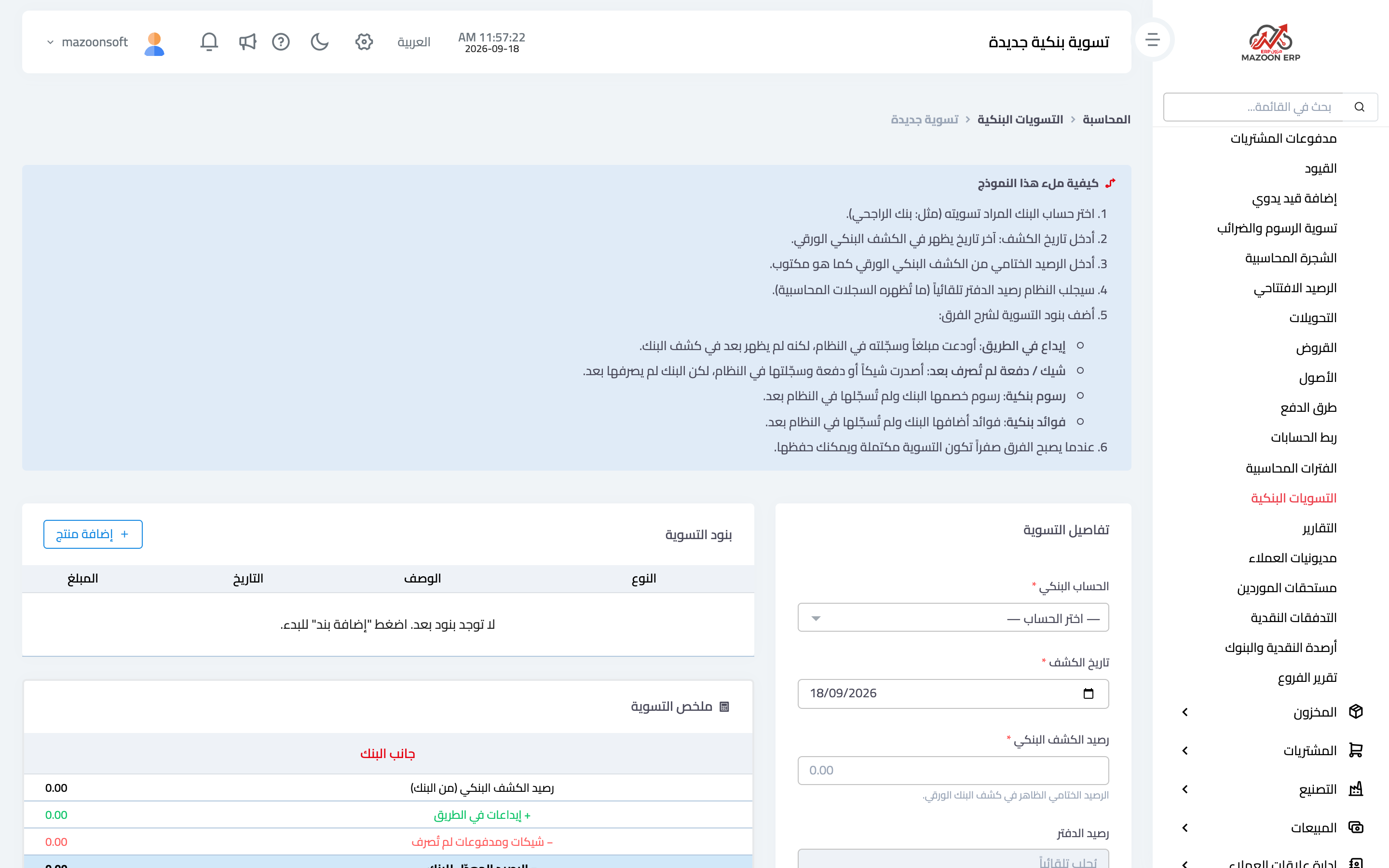
Reconciliation answers one question: why does the bank balance in your books differ from the one on the statement? From the Bank Reconciliations card — image 5 — press Add to open the reconciliation screen — image 6 — which has two sides:
- Book side — the account balance in your records at the statement date, fetched automatically.
- Bank side — the balance as shown on the statement, entered by you.
You then add adjustment items that explain the difference: bank charges not yet recorded, bank interest, uncleared cheques, deposits in transit, or a bank error correction. With each item the adjusted balances on both sides converge until the difference is zero — at which point the reconciliation is complete.
A suggested monthly routine
- Update the status of pending cheques from the bank statement.
- Create a reconciliation for each bank account at month end.
- Record the charges and interest the reconciliation revealed as an expense or income.
- Then close the fiscal period.
Screenshots
Try what you just read on your own data
Open a free 7-day trial — no credit card, with your own company link in minutes.