
Loans and fixed assets
Two cards for what outlives the monthly cycle: a loan you repay over years, and an asset whose value is written down over its useful life. Both generate their periodic entries automatically once defined.
Loans
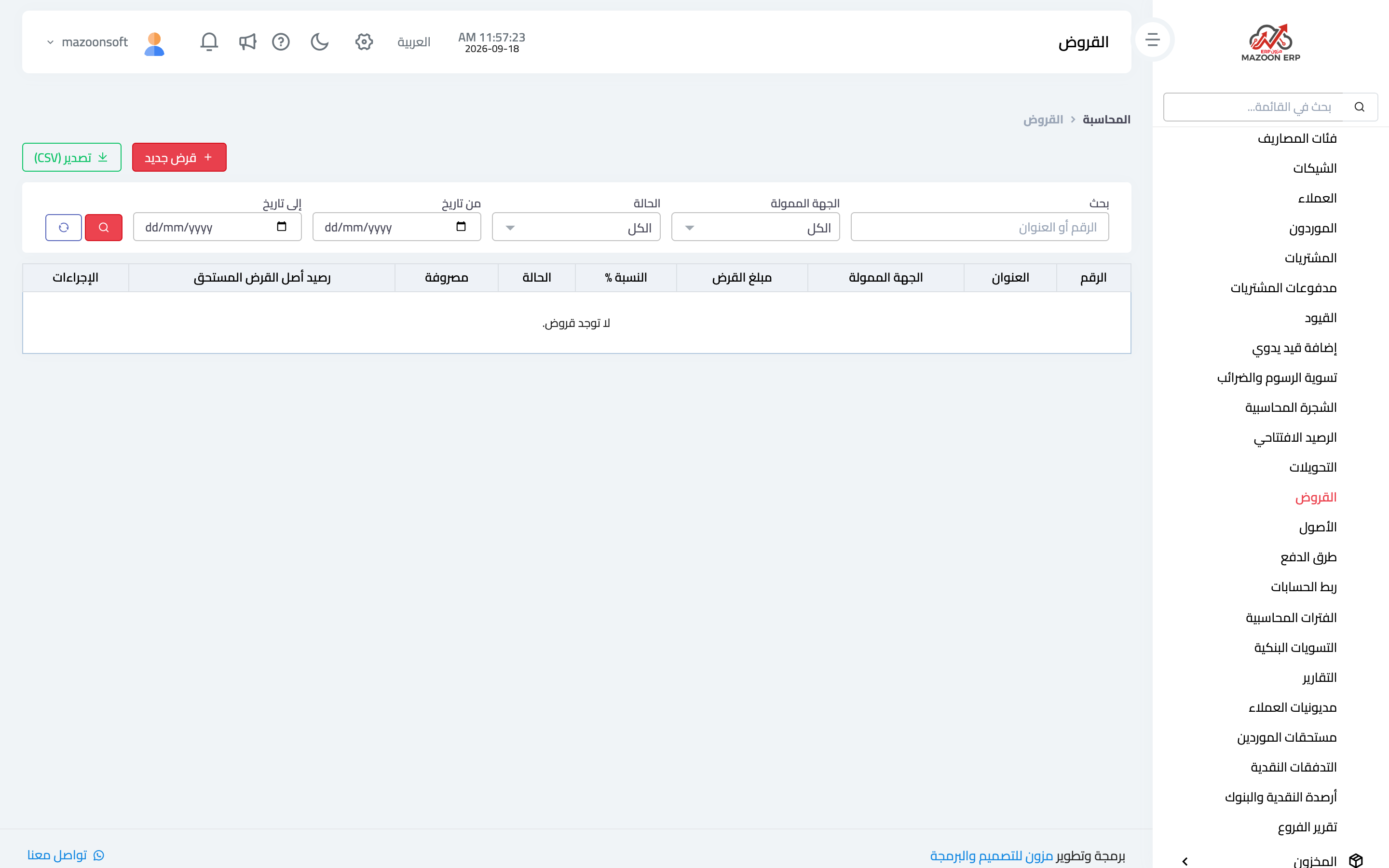
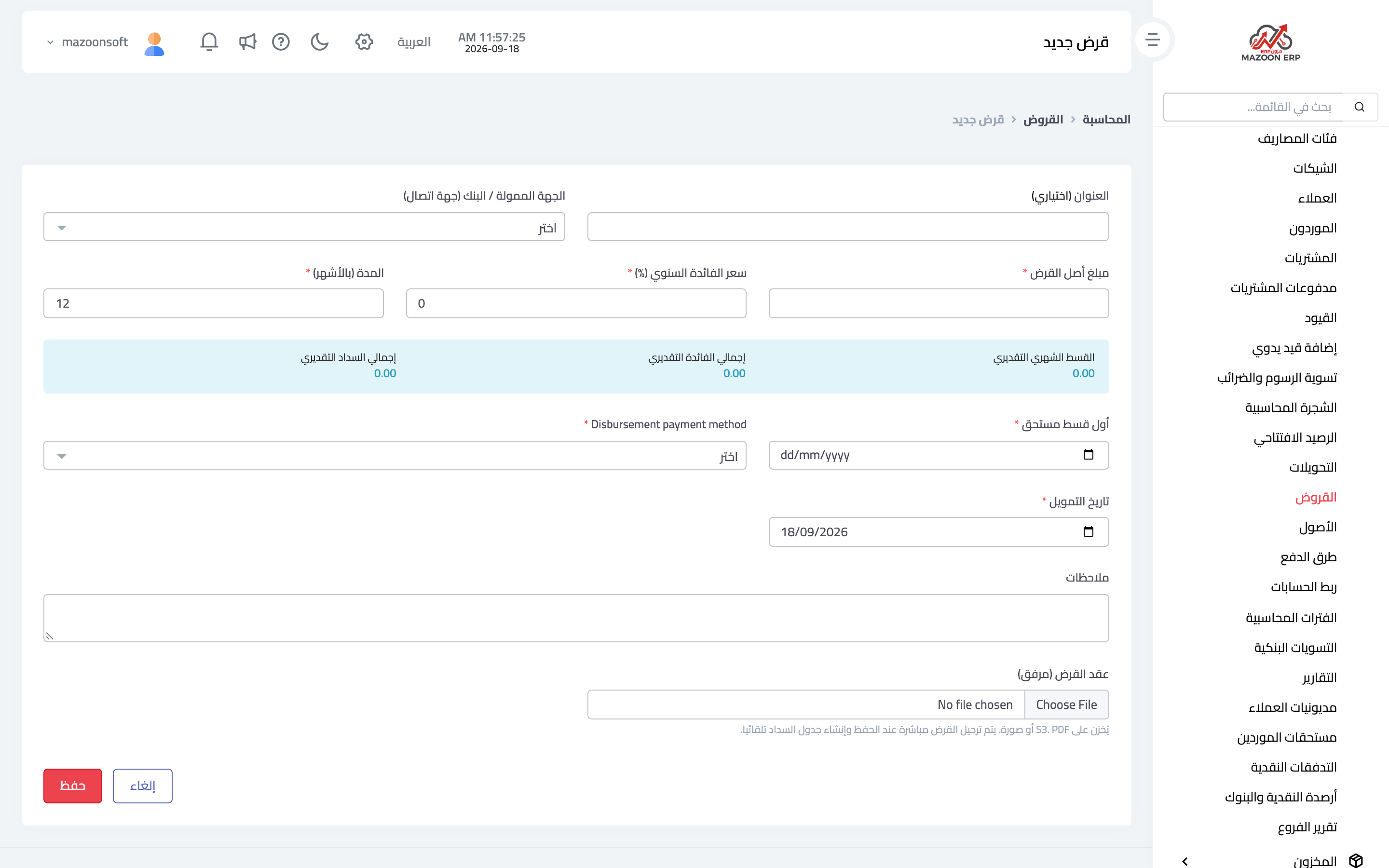
The Loans card — image 1 — lists your loans and outstanding balances. To record a new one — image 2 — you enter:
- Lender — the bank or party, chosen from your contacts.
- Principal amount and annual interest rate.
- Disbursement date and the method it was received by — the account the money landed in.
- First instalment due date and the number of instalments.
- The loan contract as an attachment, and notes.
As you type, the system shows an instant estimate: the expected monthly instalment, total interest and total repayment — so you can check the figures before saving.
On save the loan is posted immediately and the instalment schedule is generated automatically, so you follow repayment from the schedule instead of calculating each instalment by hand. The reports page has a loan reports group: loan statement, upcoming instalments, interest analysis, loan portfolio and loan-to-ledger reconciliation.
Fixed assets
A fixed asset is something you own and use for years: a vehicle, a machine, furniture, equipment. It is not treated as an expense in the month you buy it; its value is spread over its useful life through depreciation.
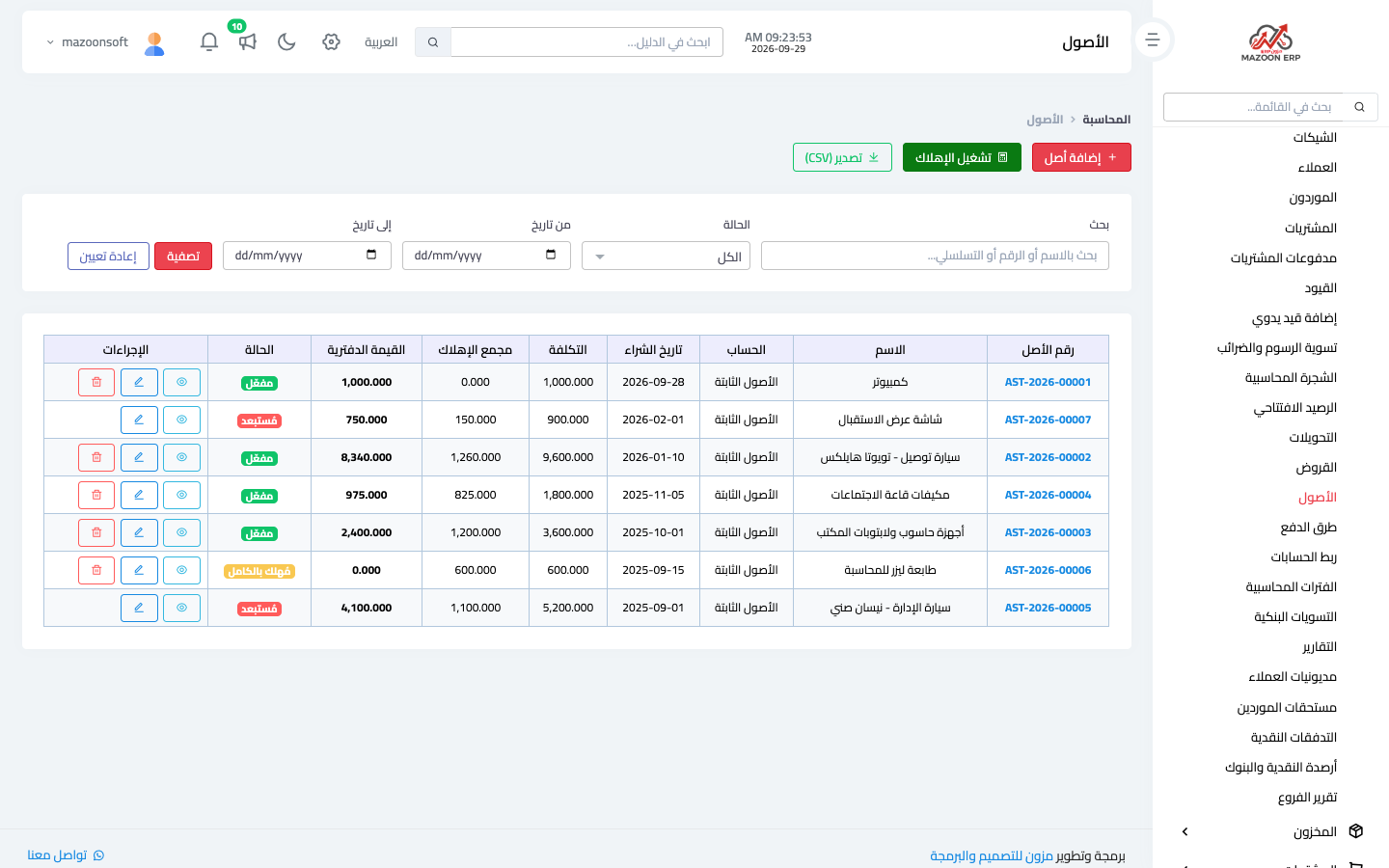
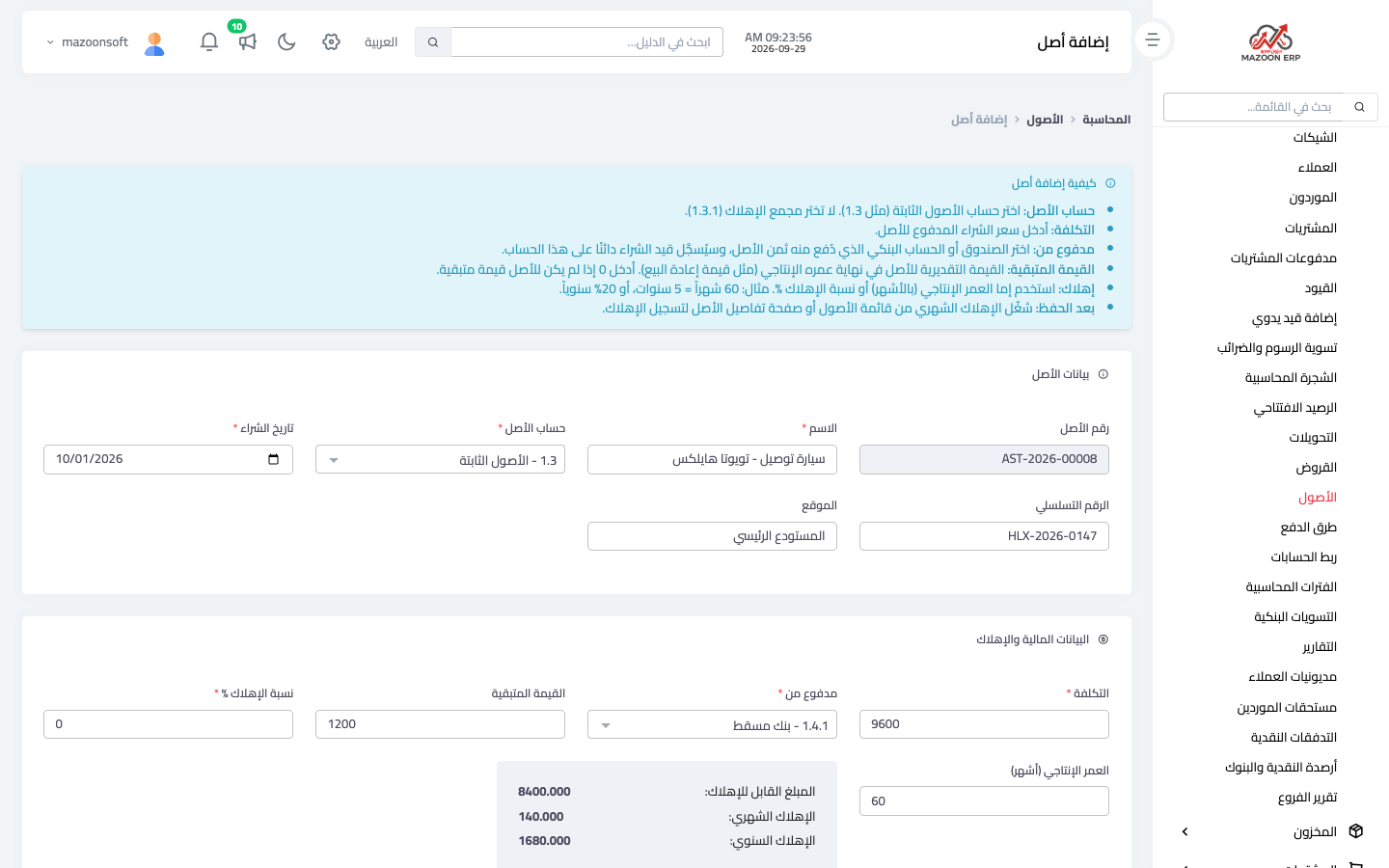
The Accounting → Assets screen — Figure 3 — lists every asset with its cost, accumulated depreciation, book value and status: Active is still being depreciated, Fully depreciated has finished, and Disposed was sold or scrapped. To add an asset — Figure 4 — you enter:
- The name, and the serial number and location if you wish. The asset number is generated automatically.
- The asset account — the fixed assets account (e.g. 1.3), not accumulated depreciation (1.3.1).
- The purchase date and the cost — the price actually paid.
- Paid from — the cash box or bank account the price came out of. The purchase entry debits the asset account and credits this account.
- The residual value — what you expect to sell it for at the end of its life, or zero.
- The useful life in months or an annual depreciation rate — the system immediately shows the depreciable amount and the monthly and annual depreciation.
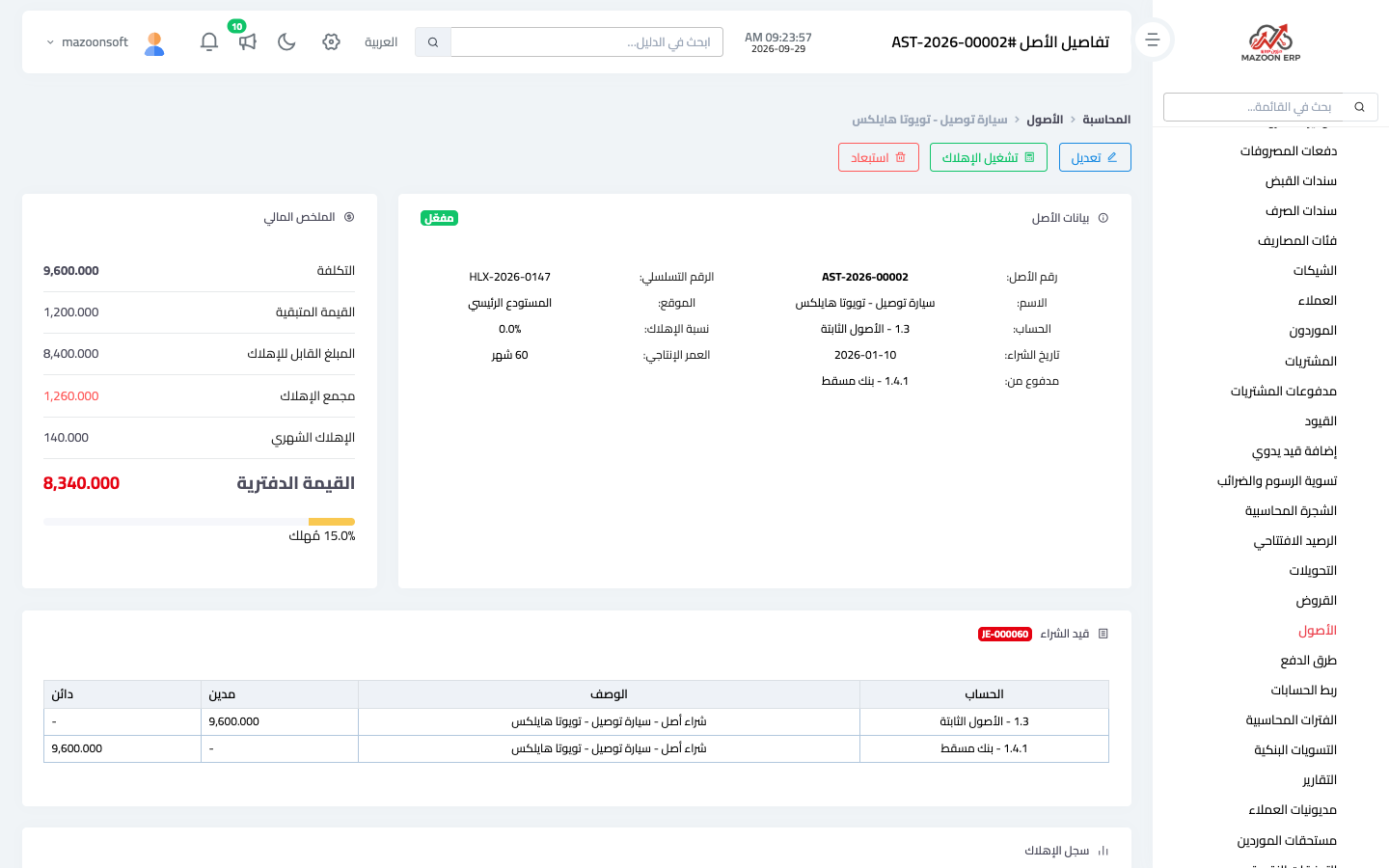
After saving, the asset page opens — Figure 5 — with its financial summary, the purchase entry and the depreciation history.
Depreciation is not recorded on its own
The monthly depreciation entry is not created automatically: you run it each month with the Run depreciation button on the asset page, or for all assets at once from the assets list. See “How do I record monthly depreciation for my assets?”. Selling or scrapping an asset is recorded with the Dispose button, not by deleting it — see “How do I sell or scrap a fixed asset?”.
Mistakes worth avoiding
- Recording an asset purchase as an operating expense — it inflates that month's expenses and understates your assets.
- Choosing the accumulated depreciation account instead of the asset account.
- Forgetting to run depreciation month after month — profits then look higher than they are.
- The cost, asset account and purchase date cannot be changed after saving, because the purchase entry was posted with them; check them before you save.
Both the loan and the asset have a Cost center field: the loan's interest, and the asset's depreciation and any gain or loss on its sale, are charged to it.
Screenshots
Try what you just read on your own data
Open a free 7-day trial — no credit card, with your own company link in minutes.