
Opening balances
The opening balance is the starting point that tells the system what your account balances were on the day you began using it. Without it every account starts at zero, and your reports come out incomplete however correct the daily work is.
When you need it
- A new company — record capital only: debit the cash box or bank, credit capital, plus any initial assets.
- An existing company moving to Mazoon — record every account balance as it appeared in the trial balance or balance sheet of your previous system.
- The start of a new fiscal period — after year-end closing, the previous period's closing balance becomes the new period's opening balance.
The page
From the Accounting panel open the Opening Balance card. Recorded balances appear as in image 1, each with its date, description and the journal entry it produced. Above them are a search box, date filters and an Export (CSV) button.
Recording an opening balance
Press Add Opening Balance to open the page in image 2:
- Date — the day you start using the system, or the first day of the fiscal period.
- Description — text that identifies the record, such as "Opening balance 2026".
- Entry lines — at least two: a debit account with its amount and a credit account with its amount. Use Add line for each further account.
- Watch the totals row under the table: the entry will not save until it reads balanced, meaning total debits equal total credits.
- Press Save, and the system creates the journal entry behind the opening balance.
The page itself shows a worked example: debit cash box 1,000 / credit capital 1,000.
Common mistakes
- Entering balances before the chart of accounts is complete. Create the missing accounts first — a balance is recorded against an existing account.
- Entering customer and supplier balances as one lump sum. If you need a statement per customer, record the balances per party rather than as a single combined figure.
- A date inside a period that already has movements. Date the opening balance before your first operational transaction, or it will mix with daily activity in the reports.
Screenshots
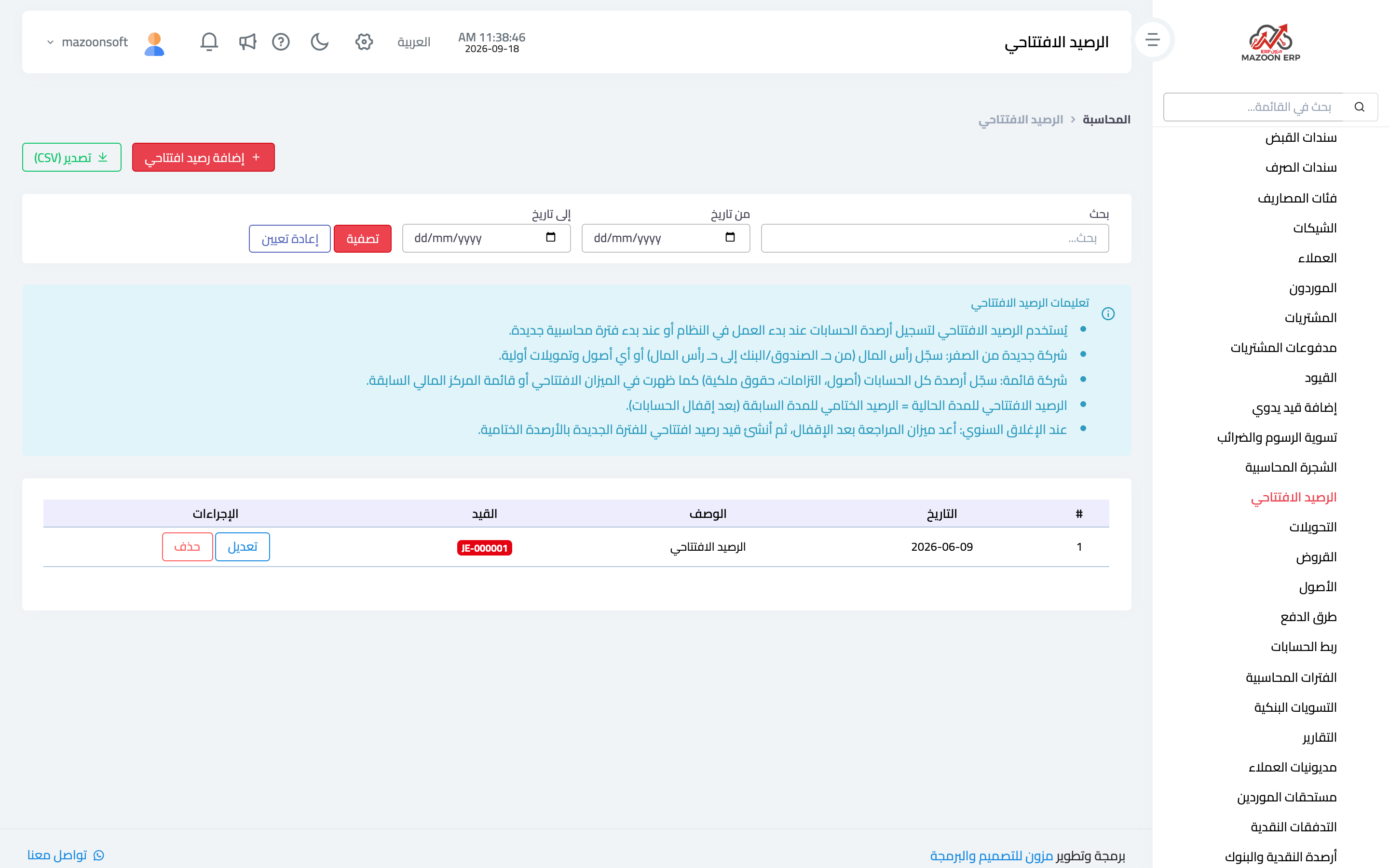
Figure 1
— The opening balance list with the entry behind each record
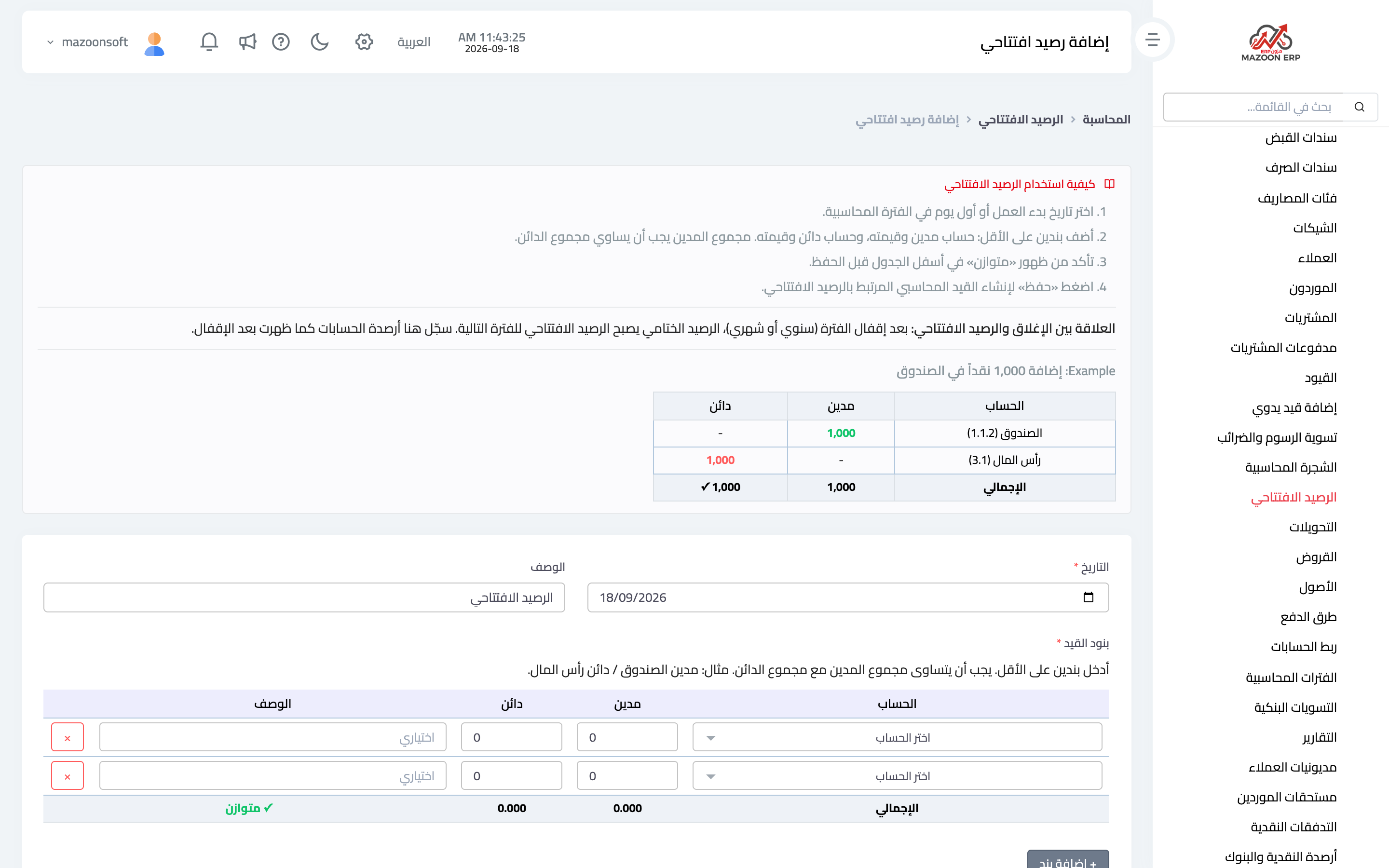
Figure 2
— The add-opening-balance page and the balanced indicator
Try what you just read on your own data
Open a free 7-day trial — no credit card, with your own company link in minutes.