
Expense bills and expense categories
An expense bill is what reaches you from a supplier or service provider: rent, electricity, maintenance, a professional service. Recording it does two things at once — it recognises the expense in its account and records a liability on your business until you pay it.
The expense bill list
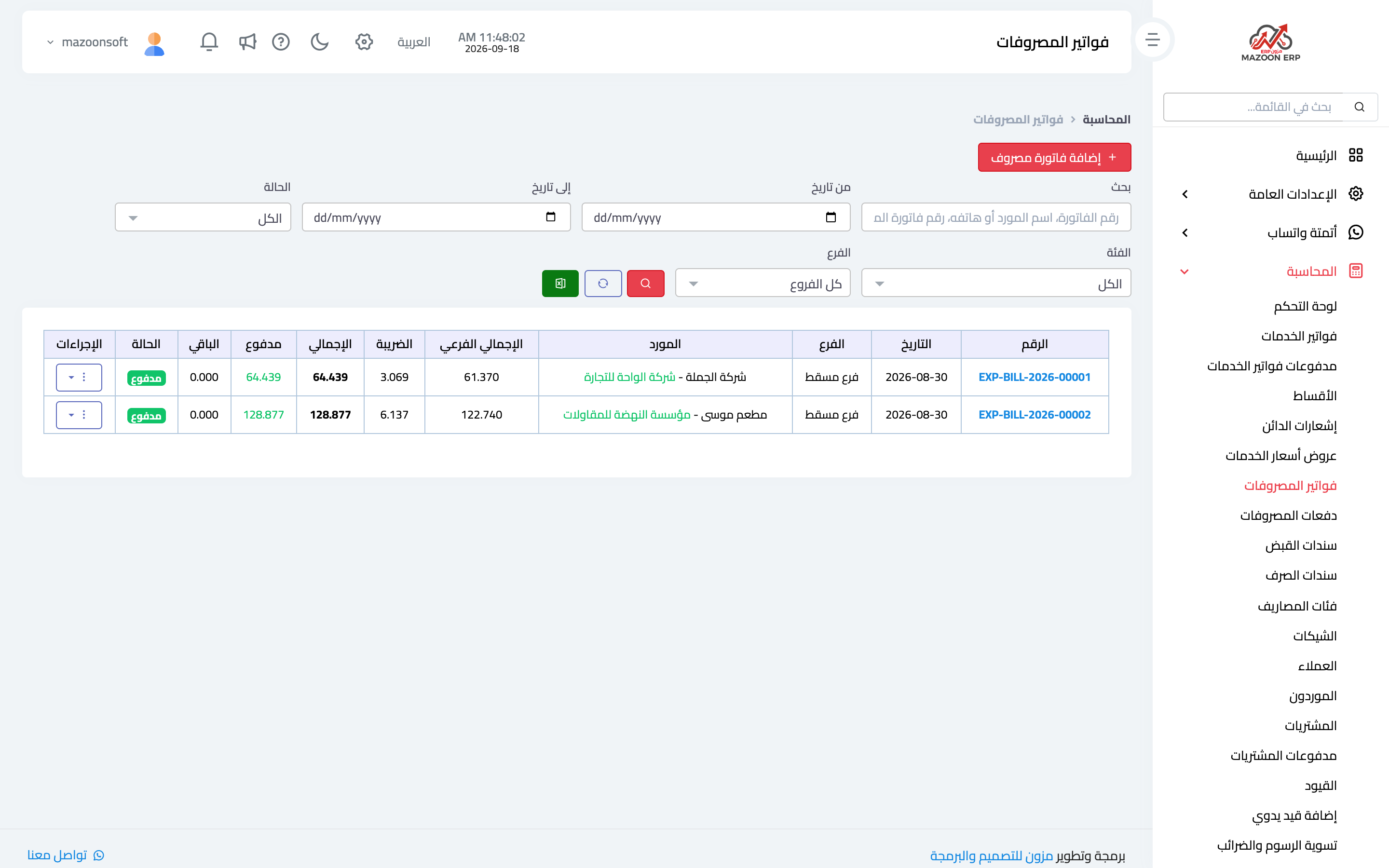
From the Accounting panel open the Expense Bills card. The list appears as in image 1 with bill numbers, suppliers, amounts and payment status, plus search, filters and export.
Recording an expense bill
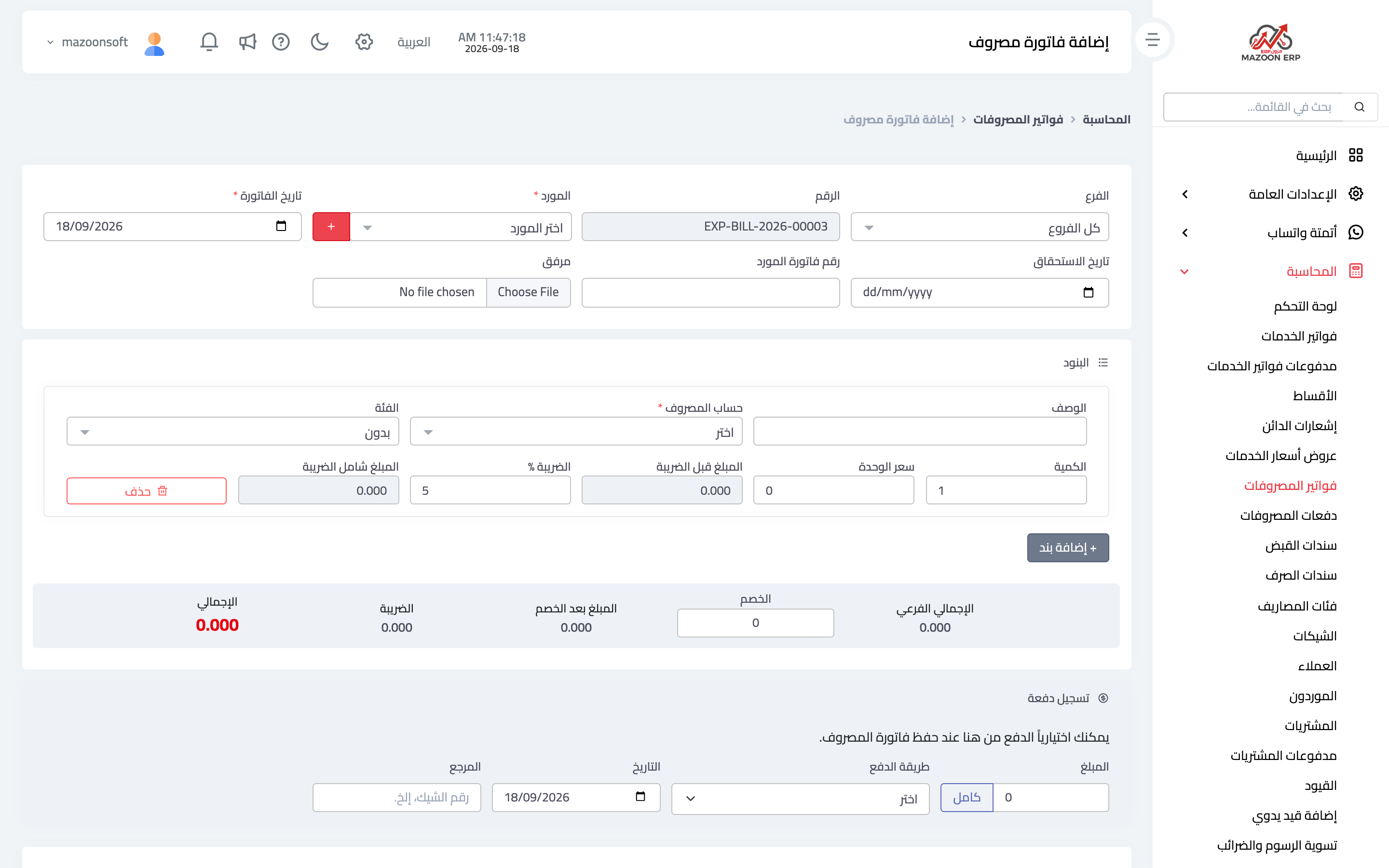
Press Add Expense Bill to open the page in image 2:
The header
- Branch — the branch the expense belongs to.
- Number — generated automatically as
EXP-BILL-year-number. - Supplier — from the list, or add one with the "+" button without leaving the page.
- Bill date and due date — its date and when it must be paid.
- Supplier invoice number — the number printed on the supplier's own invoice. Always record it; it is what you refer back to in any dispute or audit.
- Attachment — upload a scan or file of the bill. The attachment saves you digging through paper later.
Lines
Each line has a description, the expense account it posts to from the chart of accounts, a category, quantity and unit price, then a tax rate. Totals appear below the lines along with a discount field.
Choosing the right expense account is the most important step on this screen; your profit and loss statement is built from it.
Paying with the bill
If you are paying immediately, record the payment in the last section: the amount — the Full button fills the whole bill value — the payment method, date and an optional reference such as a cheque number. If payment comes later, leave the section empty and record it when it happens from the Expense Payments card.
Expense categories
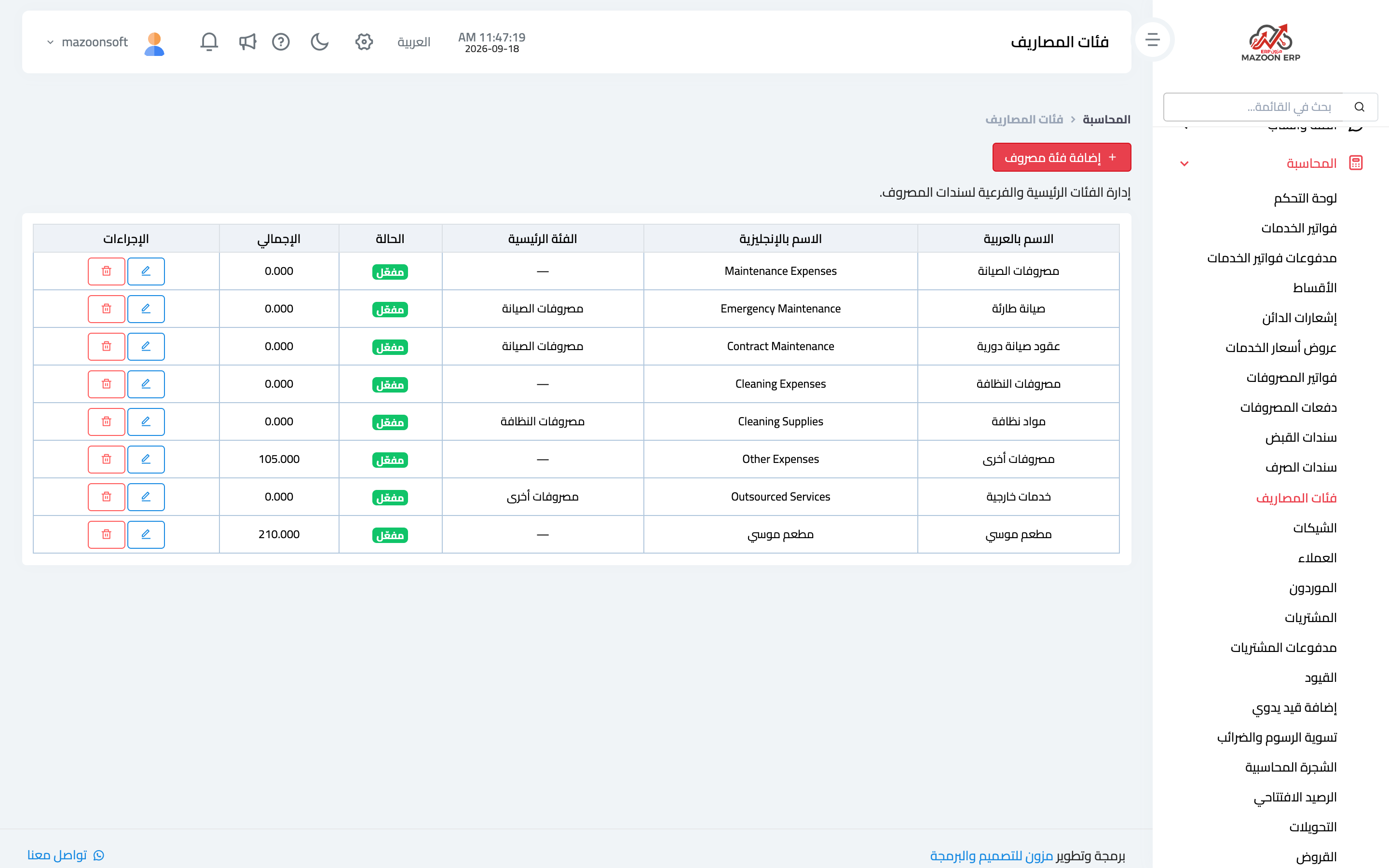
The Expense Categories card defines a classification on top of the accounting accounts; a category can be a main one or a sub-category under another. Each has an Arabic and English name and an active status.
The practical benefit: the accounting account stays few and disciplined (operating expenses, say), while categories give you analytical detail — fuel, hospitality, stationery — without inflating the chart of accounts with dozens of accounts.
Expense bill versus payment voucher
A frequent question:
- An expense bill is recorded when the liability arises: the invoice reached you, and payment may come later.
- A payment voucher is recorded when money actually leaves.
For a small cash expense with no supplier invoice, a payment voucher on its own is enough.
When cost centers are switched on, a Cost center field appears, filled in with the vehicle's center when you choose a vehicle.
Screenshots
Try what you just read on your own data
Open a free 7-day trial — no credit card, with your own company link in minutes.