
Fiscal periods and closing them
A fiscal period is one financial month. Closing it is what protects your figures once you have signed them off: as soon as a month is closed, nobody can record an entry dated inside it — deliberately or by accident.
The page
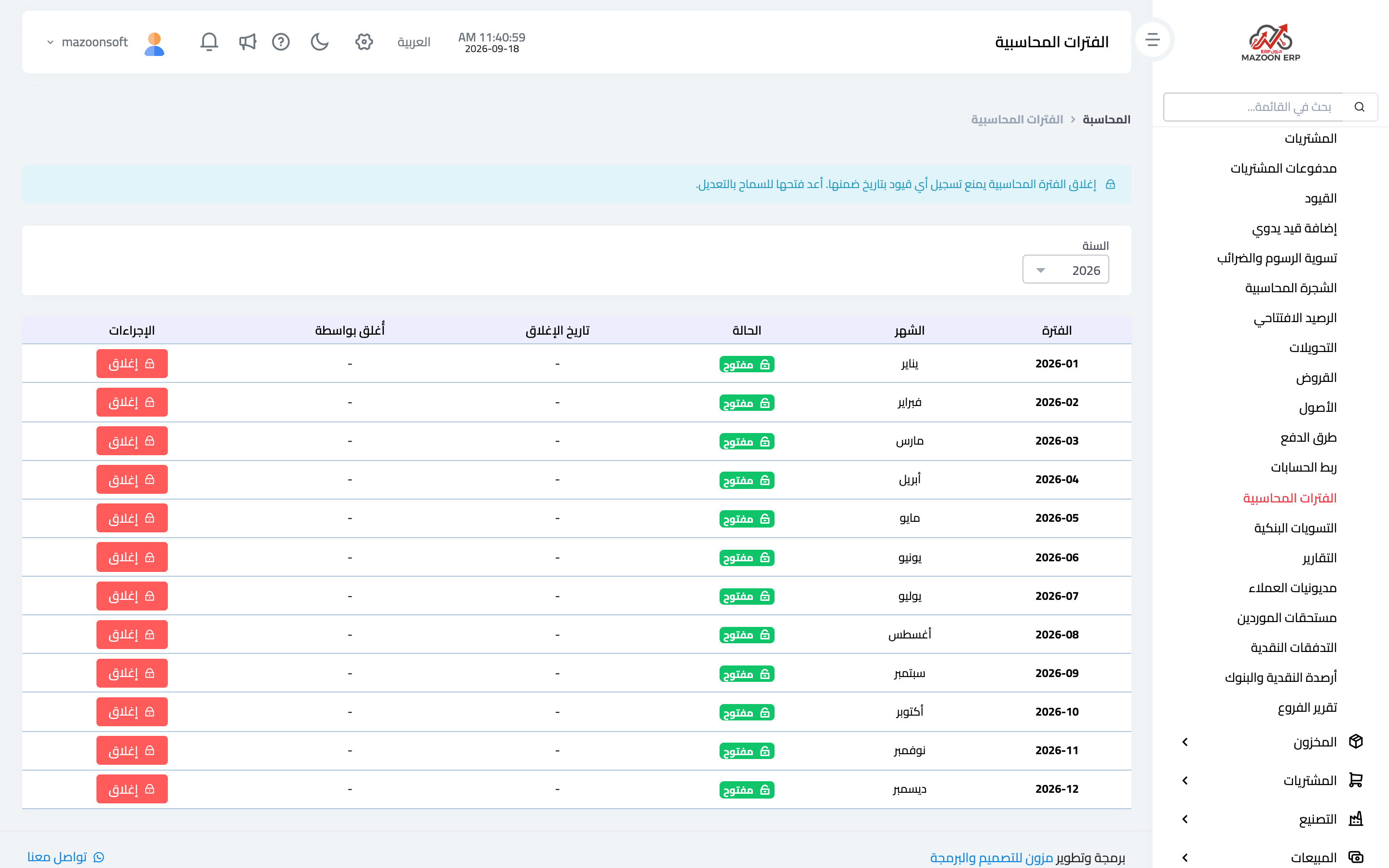
From the Accounting panel open the Fiscal Periods card. The months of the year appear as in image 1. Pick the year from the selector above the table; each month shows its period code, month name, status (open or closed), the closing date, who closed it, and a Close or Open button.
Recording who closed a period and when is not a formality: it is what later answers "who closed March before I entered my invoice?".
What closing does
Any attempt to record an entry dated inside a closed period is rejected with a clear message naming that period. This includes automatic entries: an invoice or voucher back-dated into a closed month will not save.
Closing is reversible: press Open to allow entries again, then close it once more when you are done.
When to close a month
Once you have finished:
- Recording all the month's invoices, expenses and vouchers.
- Matching bank balances through bank reconciliation.
- Reviewing the trial balance and the profit and loss statement for the month.
Then close it. From that point the month's reports stay fixed instead of shifting every time someone opens the system.
Year-end
At the end of the financial year, once its months are closed, produce the final trial balance, then record an opening balance for the new year using the closing balances of the year just ended. The new year then starts exactly where the previous one stopped.
A tip
Make closing a monthly habit rather than an annual task. A month left open for six months collects late entries that change reports you already signed off, and you find the discrepancy far too late.
Screenshots
Try what you just read on your own data
Open a free 7-day trial — no credit card, with your own company link in minutes.