
How do I correct a fixed asset, and what happens when I delete it?
When you save an asset its purchase entry is posted immediately. That's why some of its details can be changed at any time, while others are locked after saving so the asset never drifts from your books.
What you can change
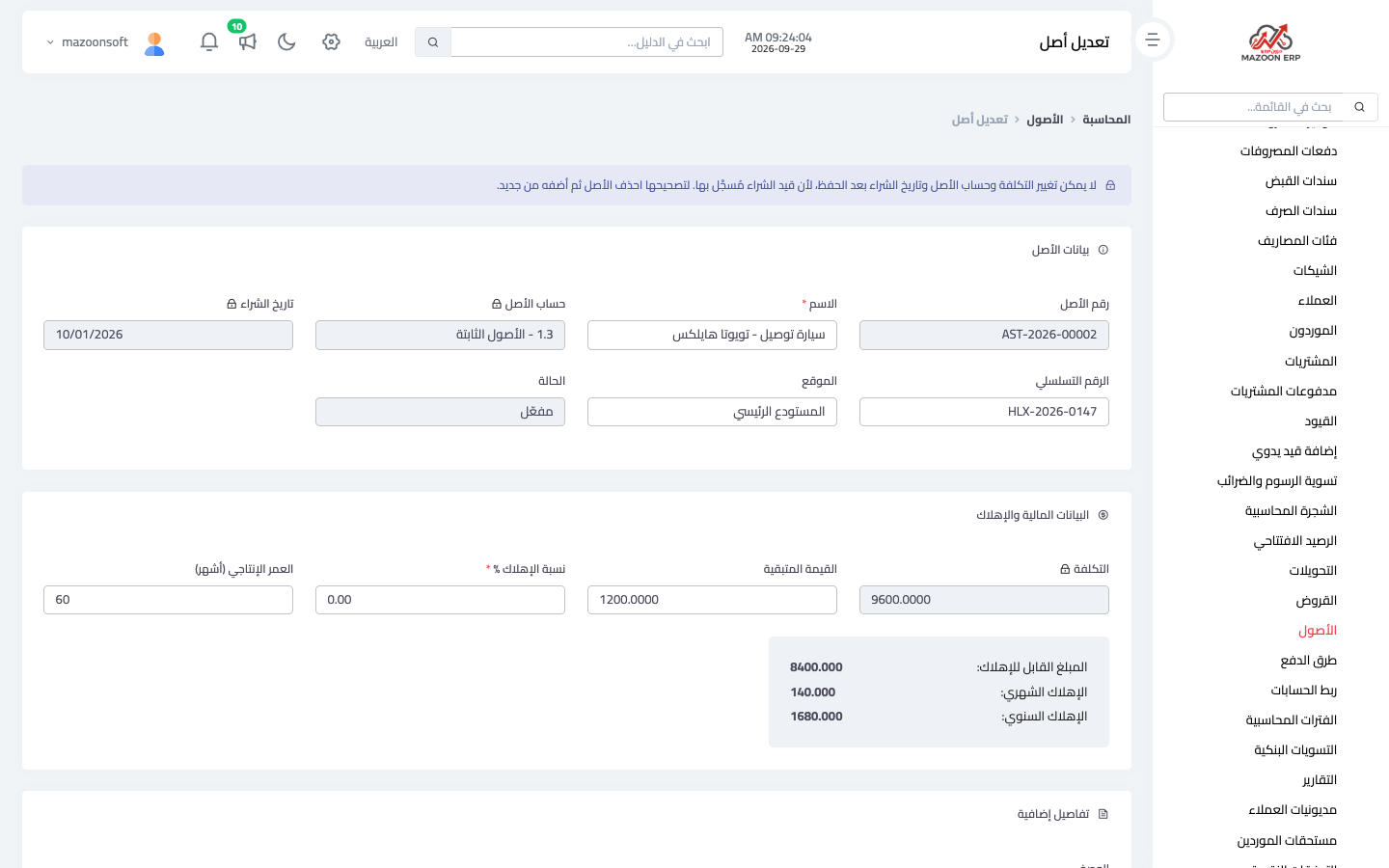
With the Edit button on the asset page — Figure 1 — you can change the name, serial number, location, description, residual value, useful life and depreciation rate. Changing the depreciation details affects the coming months only; what was already recorded stays as it is.
What you can't change
The cost, the asset account and the purchase date are locked after saving, because the purchase entry was posted with them. Changing them without the entry would make the asset's value differ from its account balance, and show a wrong gain or loss on the day it is sold.
How do I correct a wrong cost or account?
- Delete the asset with the delete button on the assets list.
- Add it again with the correct details, then run depreciation for the past months if it had any.
What happens when you delete
- Entries are not erased: a reversing entry dated the day of deletion is posted for each one (the purchase and every depreciation), so every account balance returns to what it was and the trail stays visible in the journal.
- A disposed asset can't be deleted. If the sale was recorded wrongly, ask your accountant to correct it with a manual entry.
- Deletion is refused when today falls in a closed fiscal period, because the reversing entries are dated today.
Note
Editing, deleting, running depreciation and disposing need the Edit assets and Delete assets permissions. Users without them see the assets but not the buttons that change them.
Screenshots
Try what you just read on your own data
Open a free 7-day trial — no credit card, with your own company link in minutes.