
Cost centers: what they are, when you need them, and how to switch them on
The income statement tells you the profit of the whole business, but not which car makes money and which loses it, or which branch, project or department carries the costs. A cost center answers that: it is a tag placed on the revenue and expense lines of journal entries, so a report can add up, for each center, its revenue, expenses, profit and what was collected.
What a cost center does, and what it does not
- It is placed on revenue and expense lines only; cash, banks, customers, suppliers and tax carry no center.
- It never changes an amount, an account or a balance. The trial balance, income statement and VAT return are exactly the same whether cost centers are on or off.
- The cost center report adds up to the income statement for the same period, because it is the same lines grouped another way.
When do you need them?
When you want the profit of each unit on its own: each rental car, property unit, hall, project or farm, or each branch or department. If the profit of the whole business is enough for you, you do not need them, and they stay off without any effect.
Two kinds of centers
- Automatic centers: the system creates one for every unit in the activities you use — each rental car, property unit, hall, project, car-dealer car, farm, school grade, trip and HR department. The center's name and branch follow the unit, and its revenue and expenses land on it without you choosing anything. (Details in Cost centers in each activity.)
- Manual centers: you add them, such as "Head office", "Marketing" or "Sohar branch", and choose them on documents, or make one the default cost center of its branch, so the branch's documents with no center chosen land on it.
Switching them on
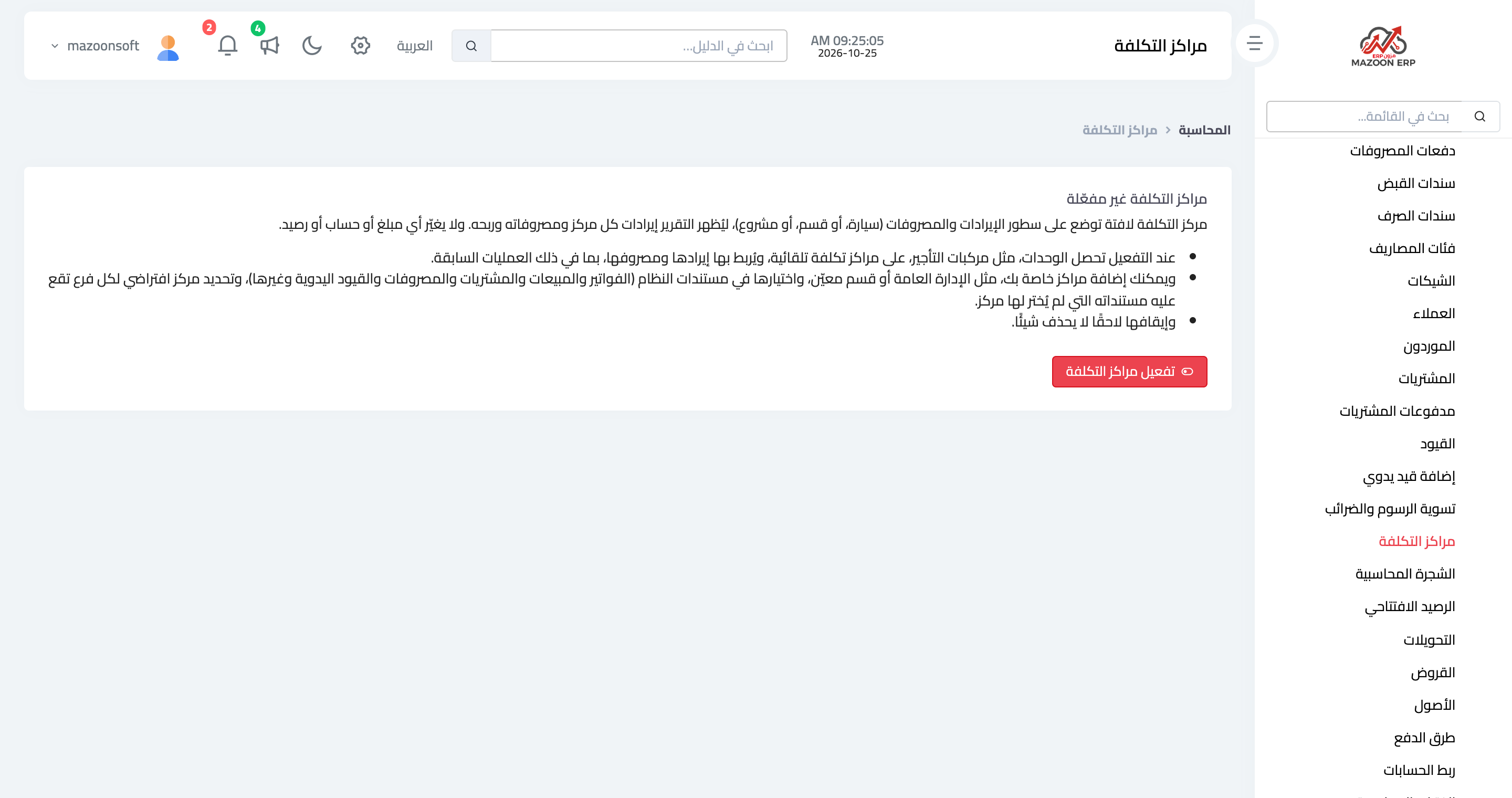
The feature is off by default; its fields on documents and its report do not appear until you switch it on:
- From the accounting dashboard open Cost Centers (from the side menu or its button on the accounting dashboard).
- Read the short explanation on the page, then press Enable cost centers.
- The system creates the automatic centers for your units and links your past transactions to them too (old contracts, invoices and expenses). A message shows how many automatic centers there are and how many lines were linked.
Switching them on applies to the whole business, so only a user who is not restricted to a branch and may edit cost centers can do it.
Switching them off
The Disable cost centers button on the same page hides the fields and the report and deletes nothing: the centers and the centers chosen on entries stay as they are, and everything comes back when you switch them on again.
Permissions
Four permissions under Accounting: view, add, edit (which also switches the feature on and off) and delete cost centers. They are given automatically to the roles that manage journal entries (such as manager and accountant), and you can change them from the roles screen.
Screenshots
Try what you just read on your own data
Open a free 7-day trial — no credit card, with your own company link in minutes.