
Supplier payments, purchase returns and reports
The last two links in the buying cycle: paying whoever is due, and returning what is not fit — then reading the result in the reports.
Supplier payments
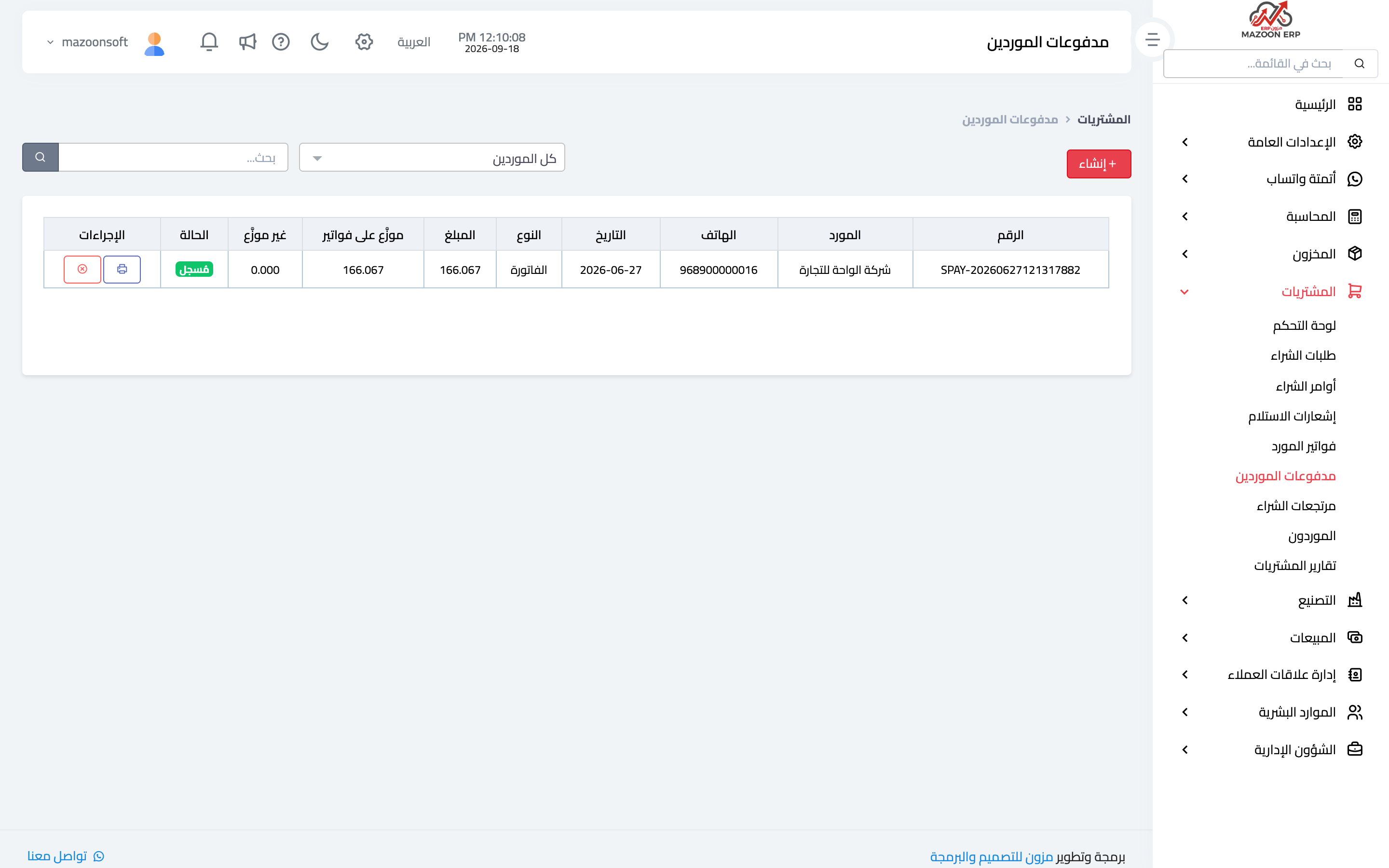
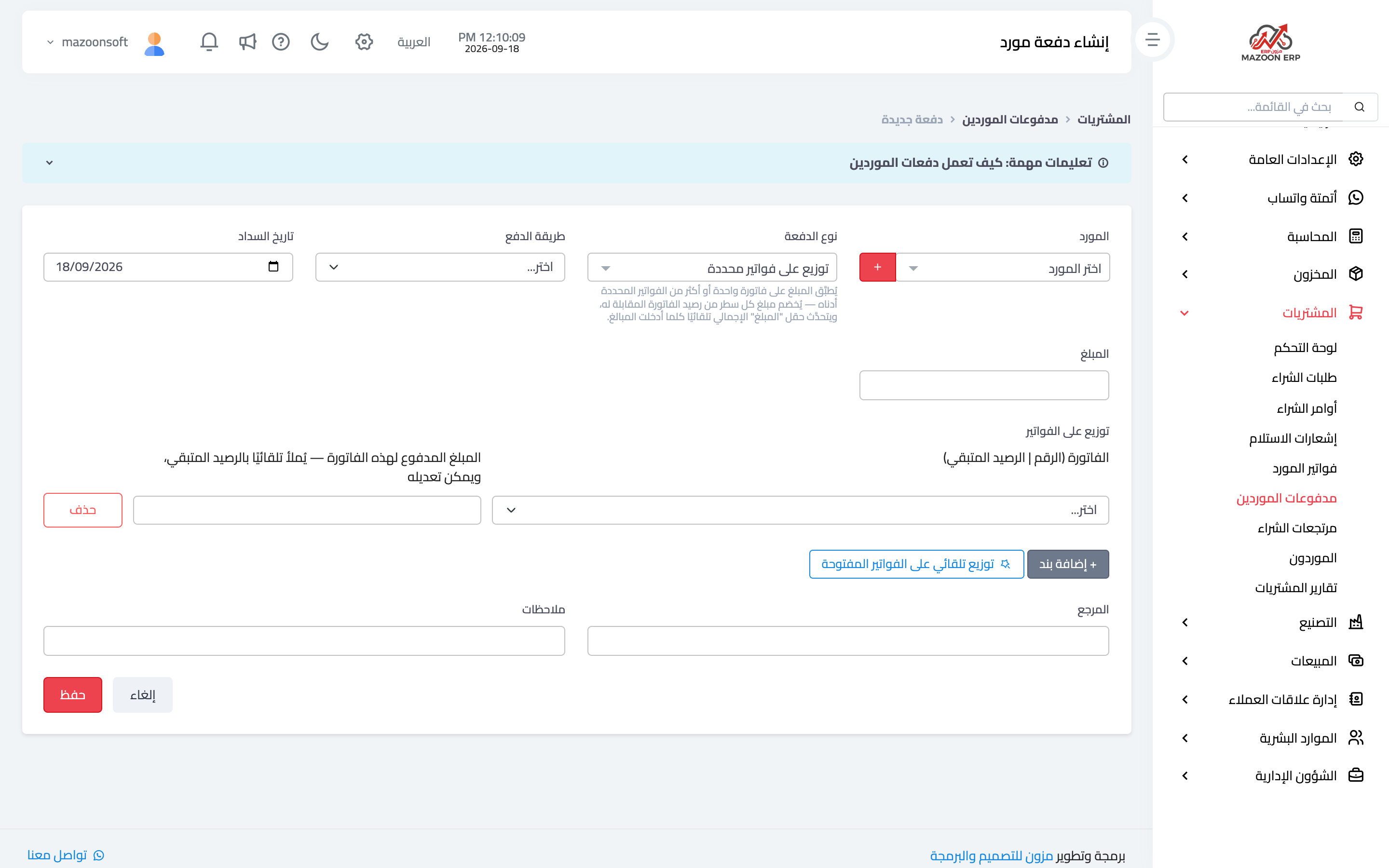
From the purchasing dashboard open the Supplier Payments card — image 1 — to see what you paid and to whom. To record a payment press Add as in image 2:
- Supplier — their unpaid bills appear.
- Amount, payment method and date.
- Allocation across bills — state which bill this money settles, and by how much.
- An optional reference such as a transfer or cheque number.
Allocating a payment to its bills is not a formality: it is what keeps payables aging correct and stops a bill showing as unpaid when its value was covered inside a lump-sum payment.
Purchase returns
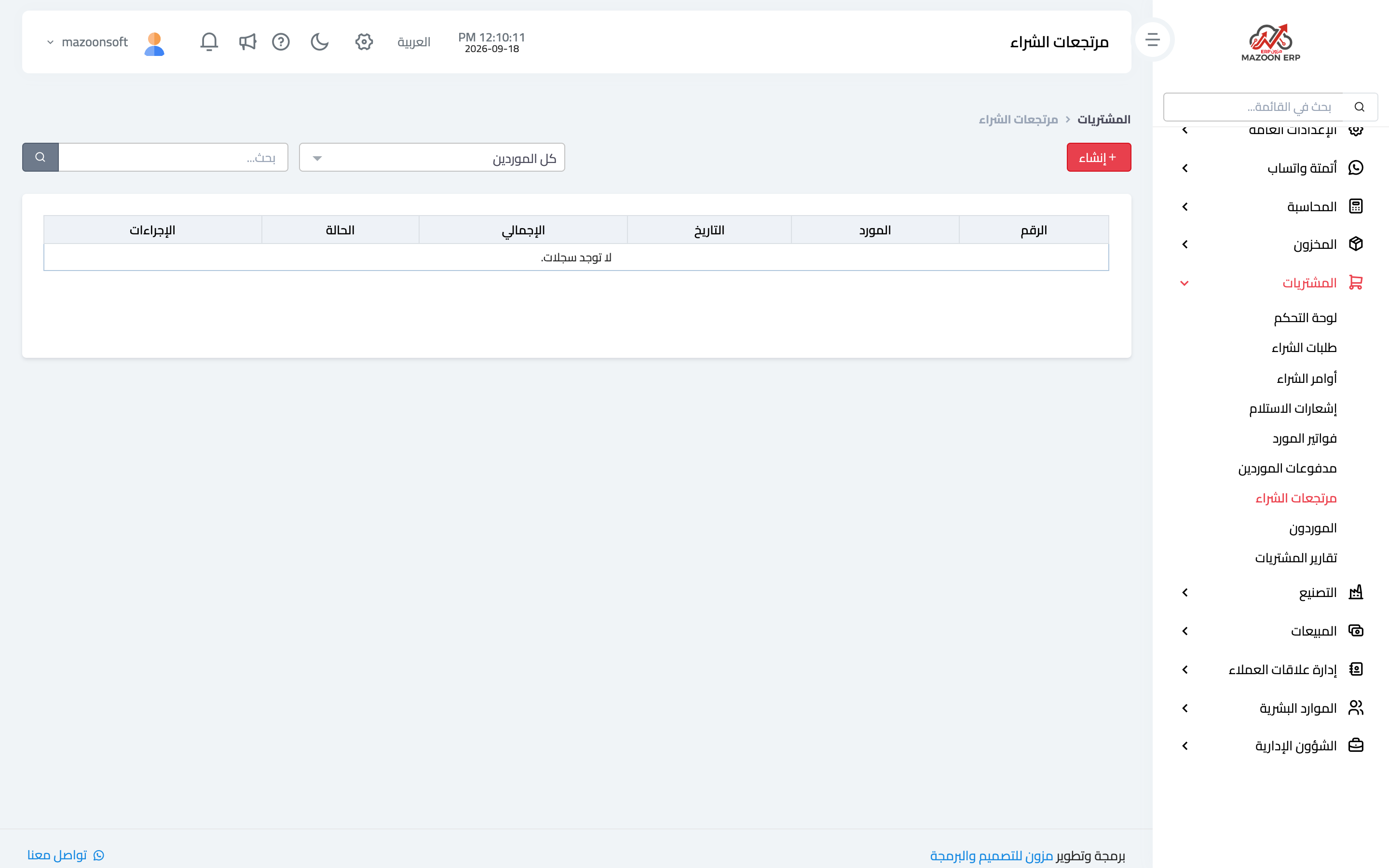
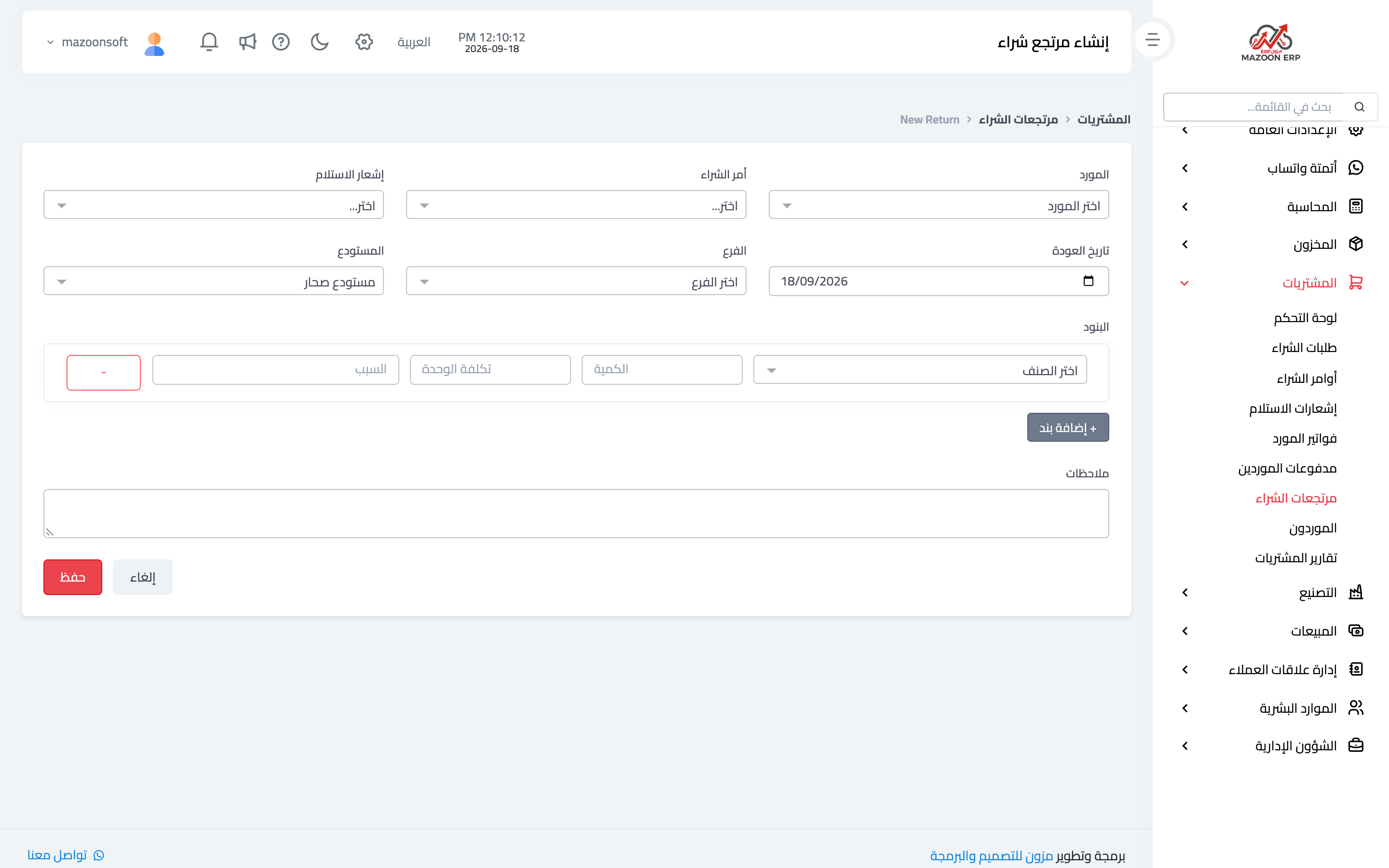
When goods go back to the supplier — faulty, surplus or off-specification — record a purchase return. From the Purchase Returns card — image 3 — press Add as in image 4: supplier, the related bill or receipt, the items and quantities returned, and the reason.
On approval, stock falls by the returned quantity and your liability to the supplier falls by its value. This is why returns are never handled with a stock adjustment: an adjustment fixes the balance only and leaves the supplier account untouched, so you appear to owe for goods you sent back.
Purchasing reports
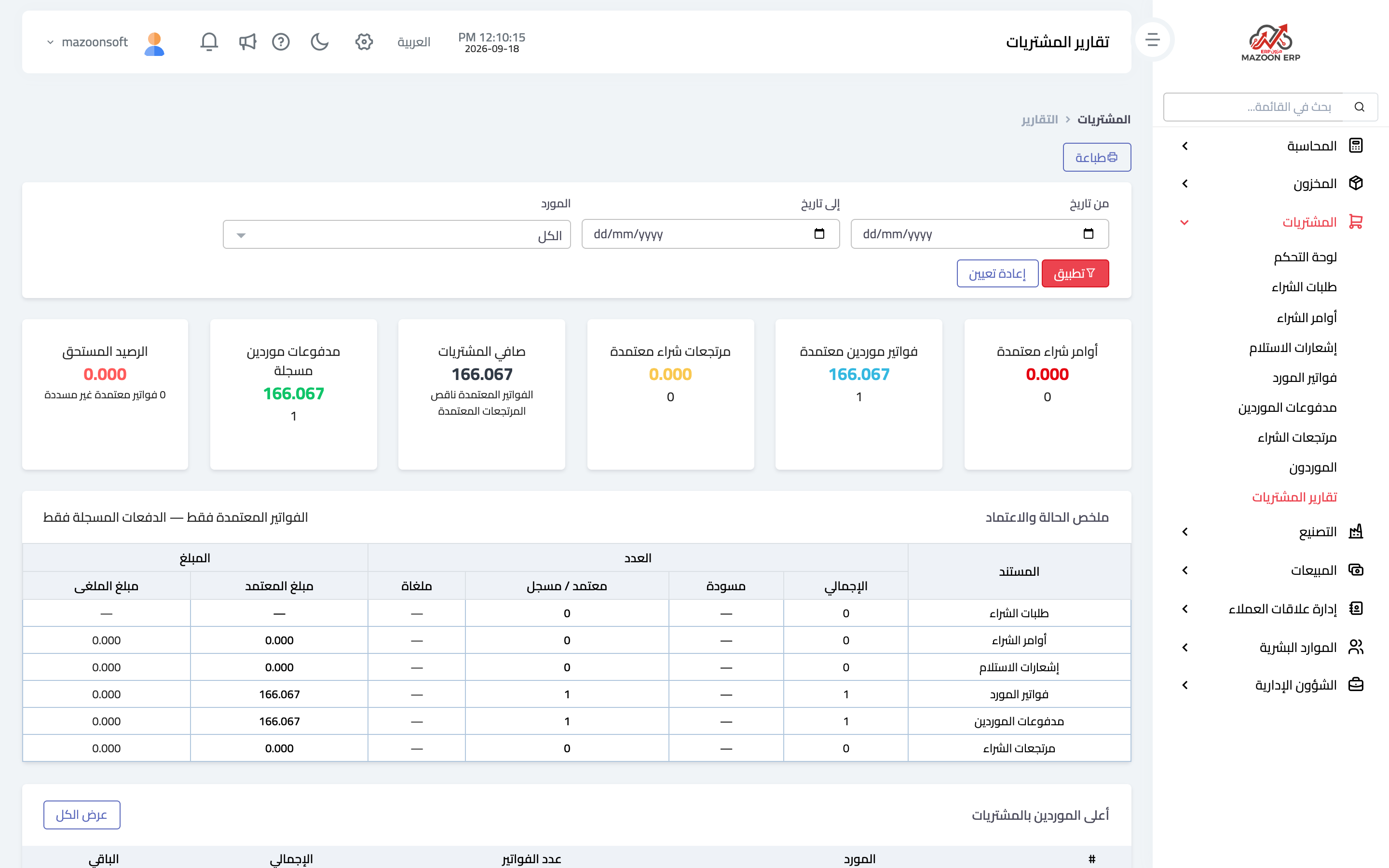
The Purchasing Reports card — image 5 — brings together on one page: the full purchasing reports, draft and unapproved documents, and the financial summaries.
Read these regularly:
- Unapproved documents — orders, receipts or bills stuck in draft; every stuck document means a missing number somewhere.
- Purchases by supplier — where do you actually buy from? A useful answer when negotiating prices.
- Unpaid bills — what is coming due, in step with the payables aging report in Accounting.
A suggested weekly routine
- Review open orders and chase the late ones with suppliers.
- Match this week's bills against their orders and receipts before approving them.
- Record the week's payments and allocate them to their bills.
- Close draft documents that are no longer needed.
Screenshots
Try what you just read on your own data
Open a free 7-day trial — no credit card, with your own company link in minutes.