
Why was my supplier bill rejected? The duplicate invoice number
You try to save a supplier bill and a message stops you, naming another document. This guard was added after a real incident: one supplier invoice booked twice, and paid twice.
The message and what it means
"Supplier invoice number X is already booked for this supplier on bill Y (status). Cancel that bill first if this is a correction."
There is an existing bill for the same supplier with the same supplier invoice number. Cancelled bills are ignored, so the number becomes available again once one is cancelled.
What to do
- Open the bill named in the message first — its number is right there. Usually you or a colleague booked it yesterday.
- If it is the same invoice, create nothing; close the screen.
- If it was a mistake you want to correct, cancel the old one and create the new one with the same number.
- If the supplier genuinely sent two invoices under one number — it happens — call them and ask for a correct number; do not invent one.
Why the guard matters
- A duplicate bill means a doubled payable, and possibly two payments to the same supplier.
- You find it late, reconciling the supplier statement, after the money has gone.
- The check ignores spacing and formatting differences, so "INV-100" and "inv 100" do not slip past it.
Notes
- The field is optional to the system and mandatory to good practice. Leave it empty and the whole guard falls away for that bill.
- The check is per supplier; "INV-100" from two different suppliers is perfectly fine.
- The check lives in code rather than a database constraint, so two simultaneous submissions from different users could in rare cases both slip through — review the bills list after a bulk entry session.
- Make entering the supplier invoice number a habit on every bill, including the one auto-generated from a goods receipt — image 1.
Screenshots
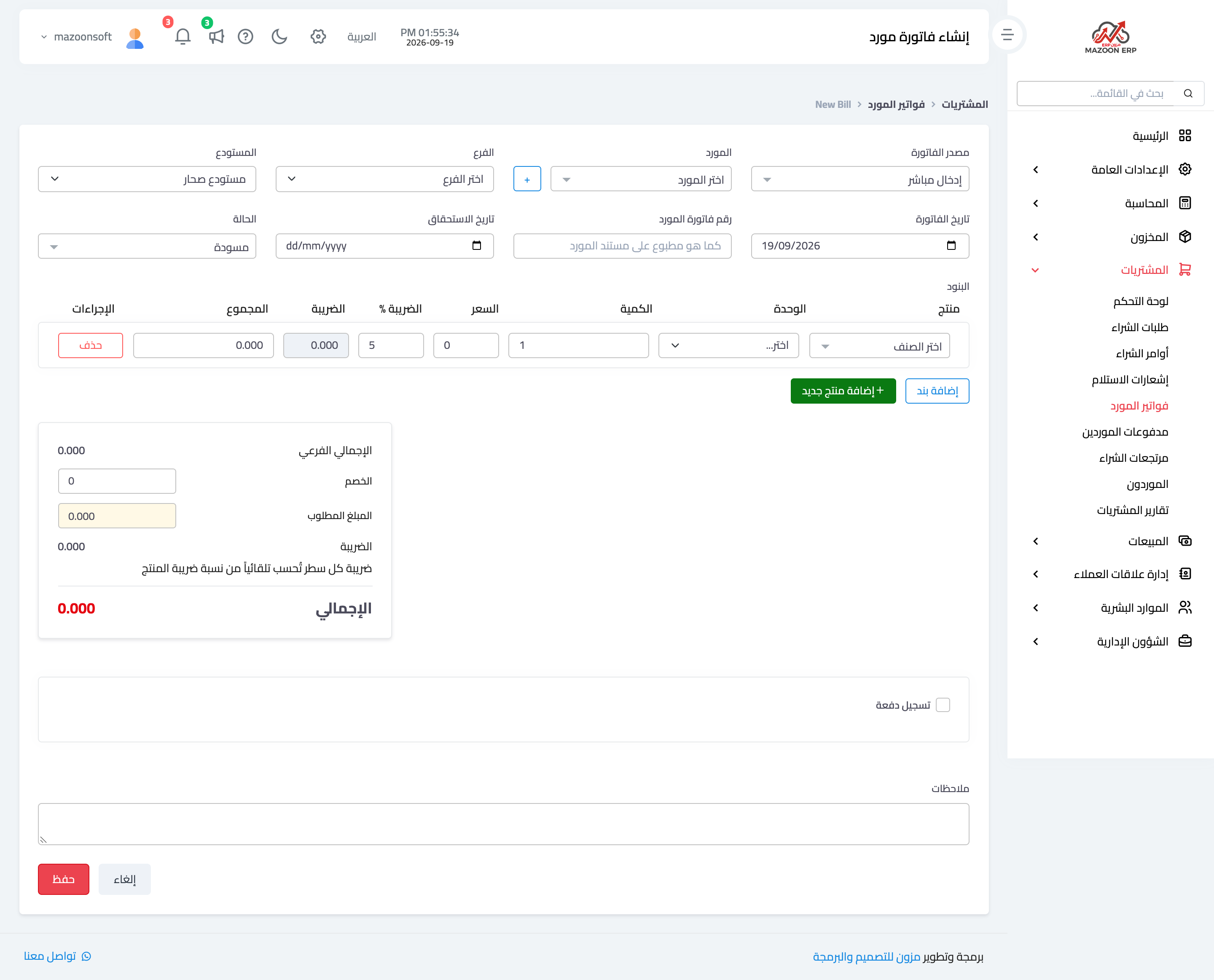
Figure 1
Try what you just read on your own data
Open a free 7-day trial — no credit card, with your own company link in minutes.