
Recording lot numbers and expiry dates when receiving goods
The goods receipt is the only place in the system where stock batches are created. Leave the two fields empty and the goods enter without a batch, and you will never know afterwards which shipment expires when.
Steps
- Open Purchasing → Goods Receipts and create a receipt — image 1.
- On each line, beside the qty received, you will find two fields:
- Lot Number (optional) — enter it as printed on the pack or the supplier's note.
- Expiry Date — the expiry of this particular shipment.
- Approve the receipt.
On approval the system creates a batch automatically with its quantity, cost and dates, and it appears immediately under Inventory → Batches.
What this unlocks
- Expiry monitoring — the batches screen shows the time remaining in words and colours what is close.
- A daily alert for items expiring within thirty days.
- The "expiring within 30 days" card on the Inventory dashboard, with its own tab for batches.
- Traceability when something goes wrong — a complaint about a faulty shipment tells you which batch, which supplier and which date.
Notes
- A batch is unique by four things: product, branch, warehouse and lot number. The same number in another warehouse is a different batch.
- A later receipt with the same number in the same warehouse is added to the existing batch rather than creating a new one.
- The fields really are optional — do not force them onto screws and cables. Use them for food, feed, medicines and chemicals.
- Make filling the lot number a standing rule for the goods that need it, or the batches screen stays empty while the stock is real.
- An expiry on the batch is more precise than one on the item, because each shipment carries its own.
- Note the column currently appears on some screens labelled "agency expiry date"; what is meant is the shipment's expiry.
Screenshots
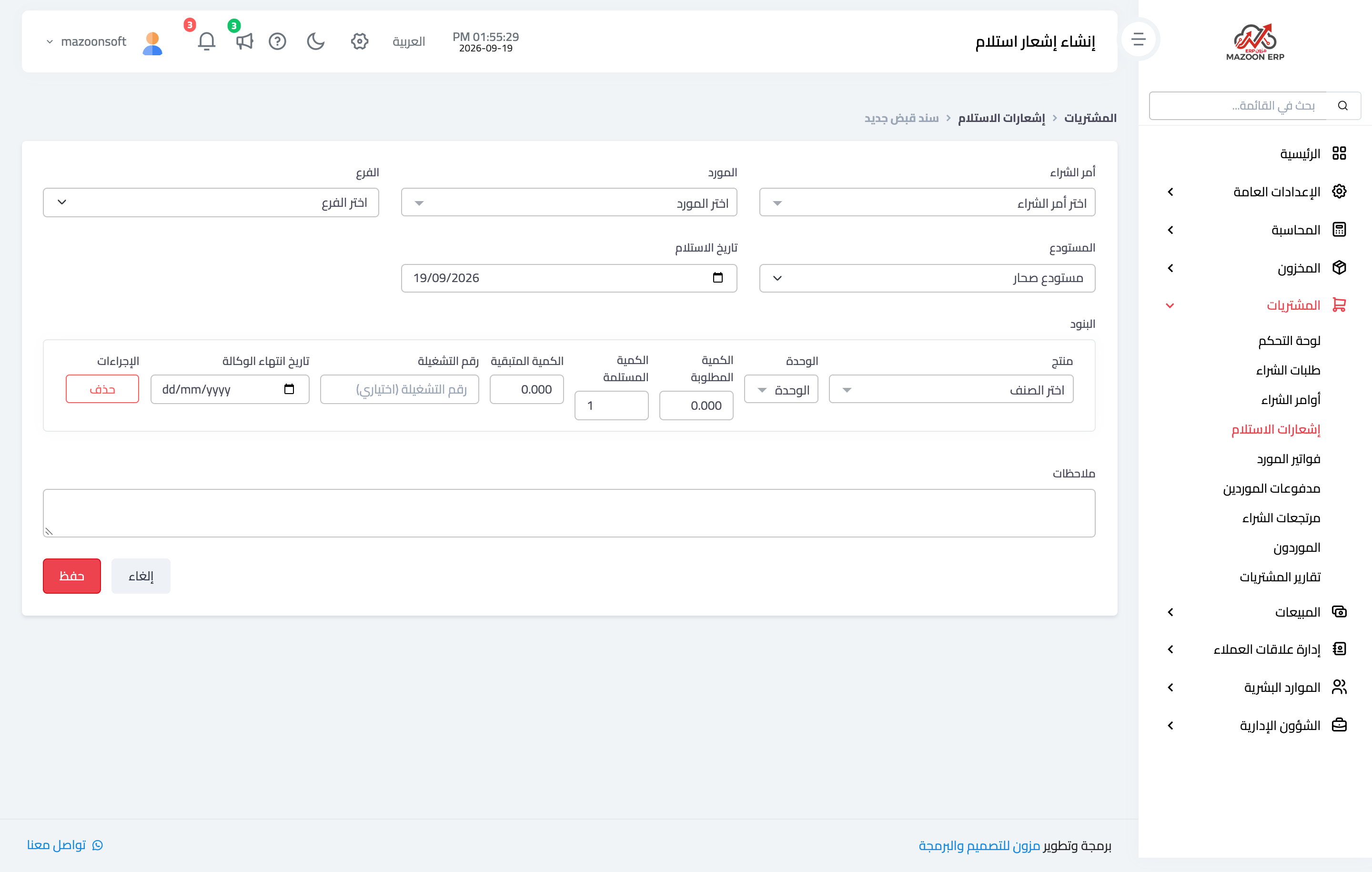
Figure 1
Try what you just read on your own data
Open a free 7-day trial — no credit card, with your own company link in minutes.