
Goods receipts: partial receiving and how the order status updates
The goods have arrived. The goods receipt is what actually brings them into stock, and the document by which you measure supplier reliability.
Steps
- Open Purchasing → Goods Receipts and press + Create — image 1. Or open the purchase order and create the receipt from there, pre-filled.
- Pick the purchase order; the supplier fills in automatically.
- Check the branch and the warehouse the goods really went into.
- Set the receipt date to the actual day of arrival.
- On each line the system shows the ordered qty and the remaining qty; you enter the qty received.
- Enter a lot number and an expiry date where the goods need batch tracking.
- Save, then open the receipt and press Approve — image 2.
Partial receiving
You are not obliged to receive the full quantity. Enter what actually arrived and the system does the rest:
- It increases the received quantity on the purchase order line.
- It moves the order to partial, or to completed once the quantities are full.
- It shows the correct remaining quantity on the next receipt, so you never calculate it yourself.
Try to receive more than remains and the system refuses with "Received quantity exceeds remaining PO quantity" — a guard against double receiving.
What approval does
- The quantities enter stock and an inbound movement is written to the ledger.
- A goods-receipt journal entry is created.
- The purchase order's status updates automatically.
- A draft supplier bill is created automatically at the receipt's value — see the next article.
Notes
- An approved receipt cannot be edited, only a draft. Cancelling reverses the movement and reduces the order's received quantity.
- The unit cost on the receipt is what feeds the item's average cost — check it before approving.
- Approve on the day the goods arrived, not the day you type it in, so stock keeps matching the shelf.
- You cannot receive against a draft or cancelled order.
Screenshots
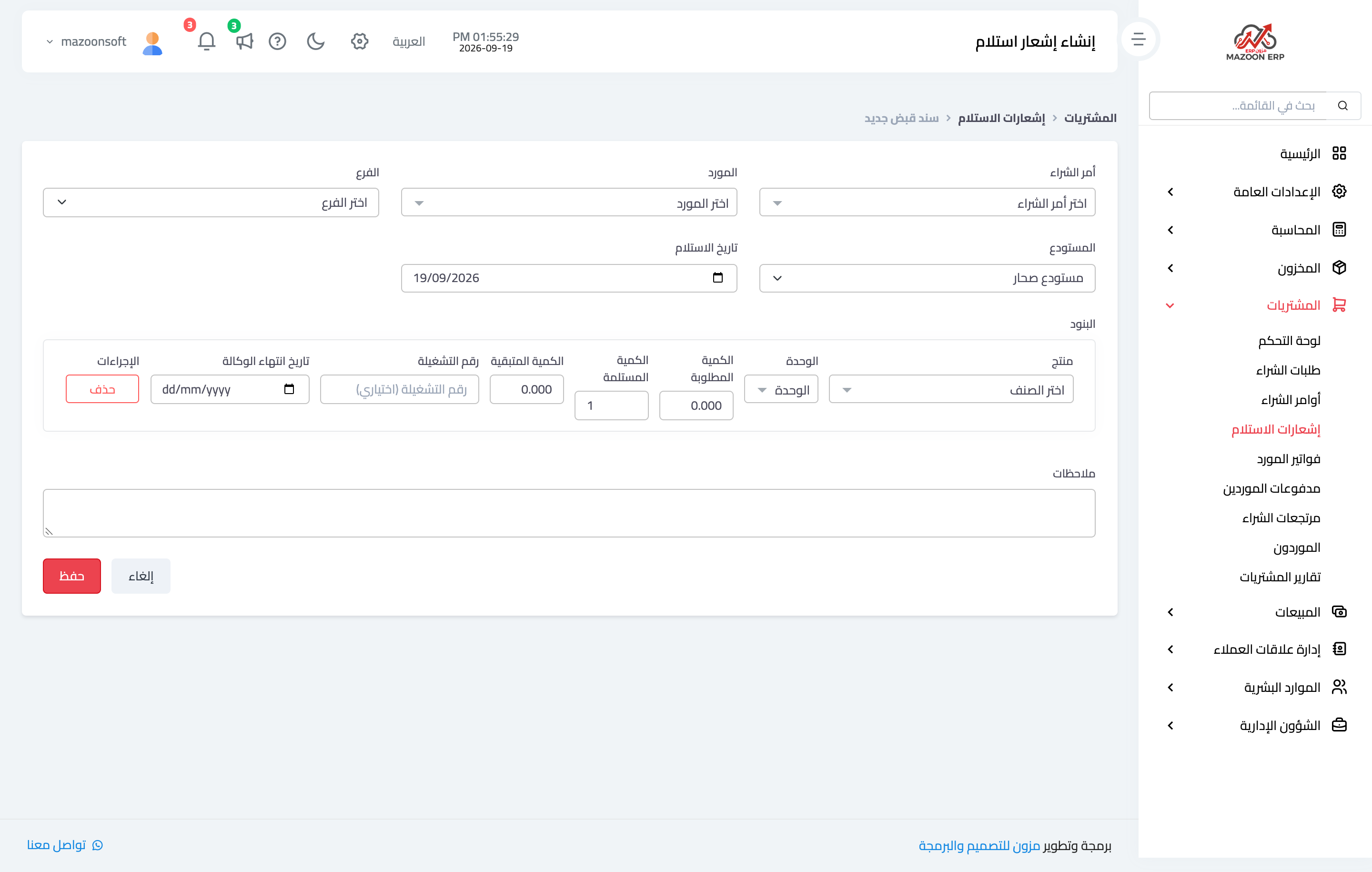
Figure 1
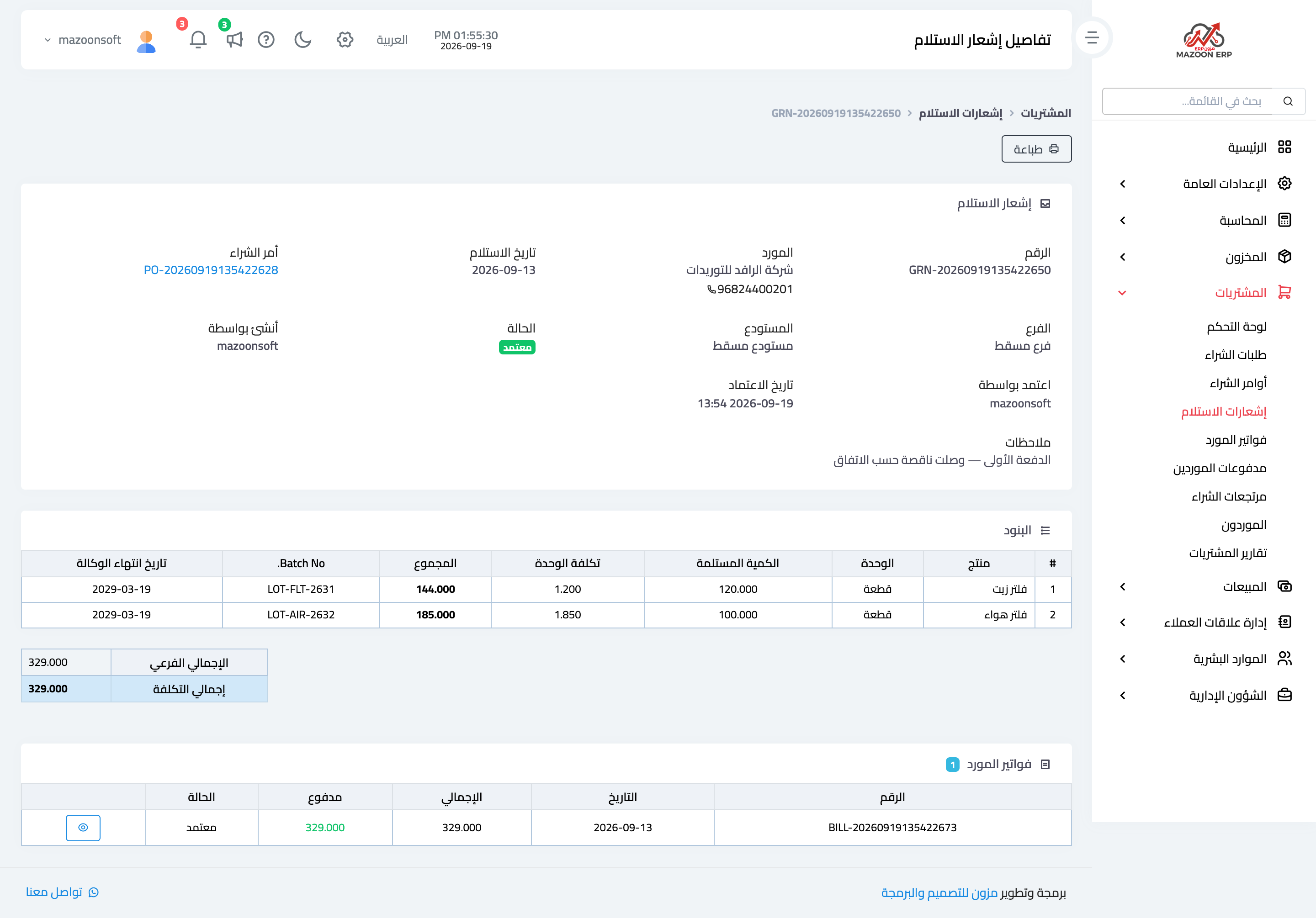
Figure 2
Try what you just read on your own data
Open a free 7-day trial — no credit card, with your own company link in minutes.