
The suppliers screen and the supplier statement
The question "how much do I owe this supplier?" has one answer in Mazoon: the Suppliers screen, and from there a full statement for each one.
The suppliers list
Open Purchasing → Suppliers — image 1. Each row shows the name, phone, bills count, total, paid, remaining and advance balance, with a totals row underneath.
A Pay button beside each supplier takes you straight to a payment screen made out to them.
The supplier statement
Press View to open the supplier's page — image 2. It contains:
- Four cards: bills count, total, paid and remaining. Under the remaining figure sits the net due — remaining minus advance payments.
- An unallocated advance bar where one exists, with a caution beside it: "not included in totals".
- The supplier bills table: number, date, total, paid, remaining, document status and payment status, with a Pay button on every unpaid bill.
- The supplier payments table: number, date, type, amount, allocated, unallocated and status.
The Print button at the top issues the statement on your letterhead, to send the supplier when reconciling.
Notes
- Open the statement before any reconciliation call with a supplier; every figure is on one page.
- Net due is the real amount you will pay, not "remaining" — remaining does not deduct what you already paid in advance.
- A large, old advance balance is your money sitting with the supplier; ask for it to be settled or deducted from the next invoice.
- The default figures count approved bills and posted payments only — see the next article on the filters.
- Click any bill or payment number in either table to jump straight to it.
Screenshots
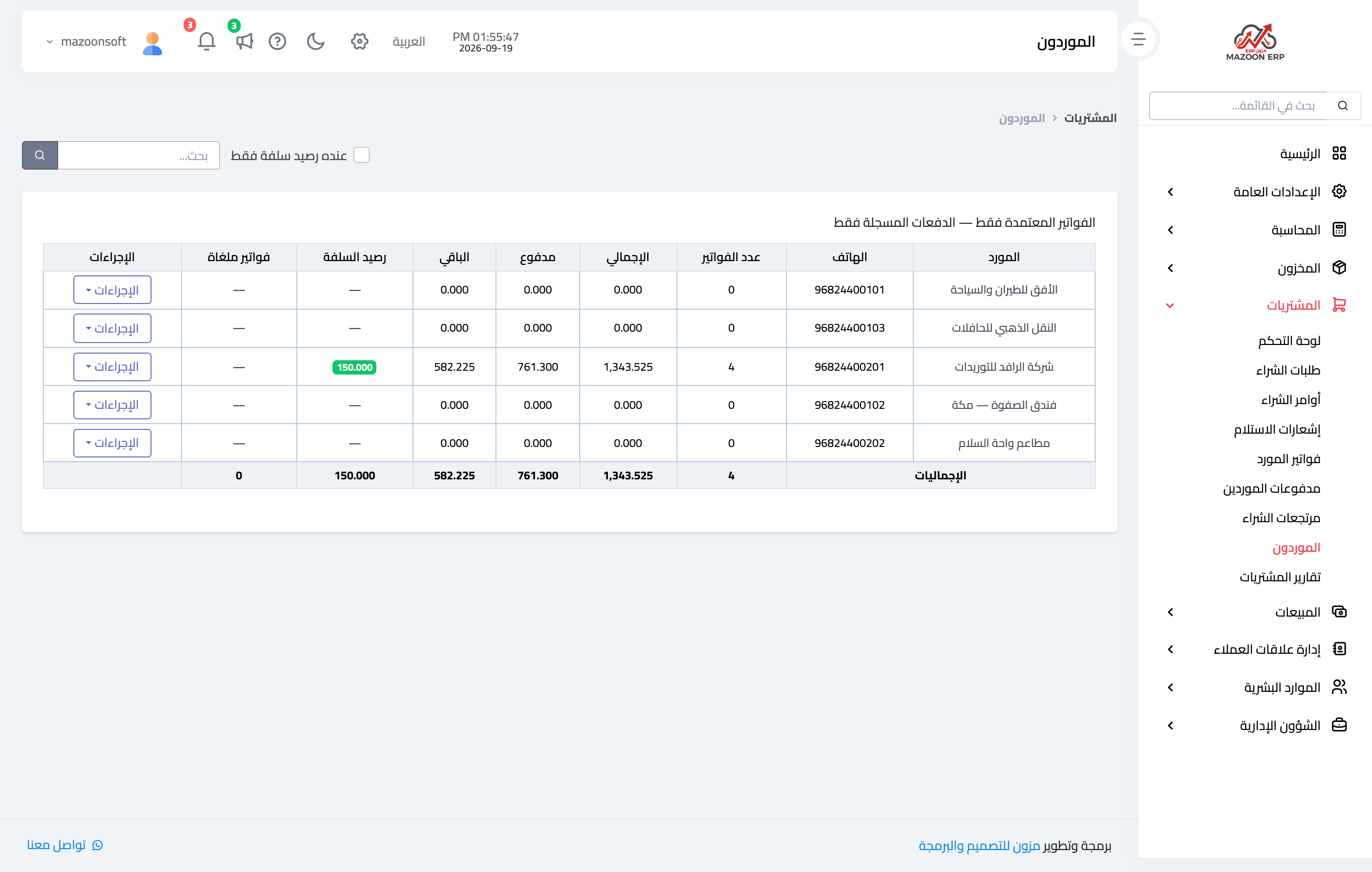
Figure 1
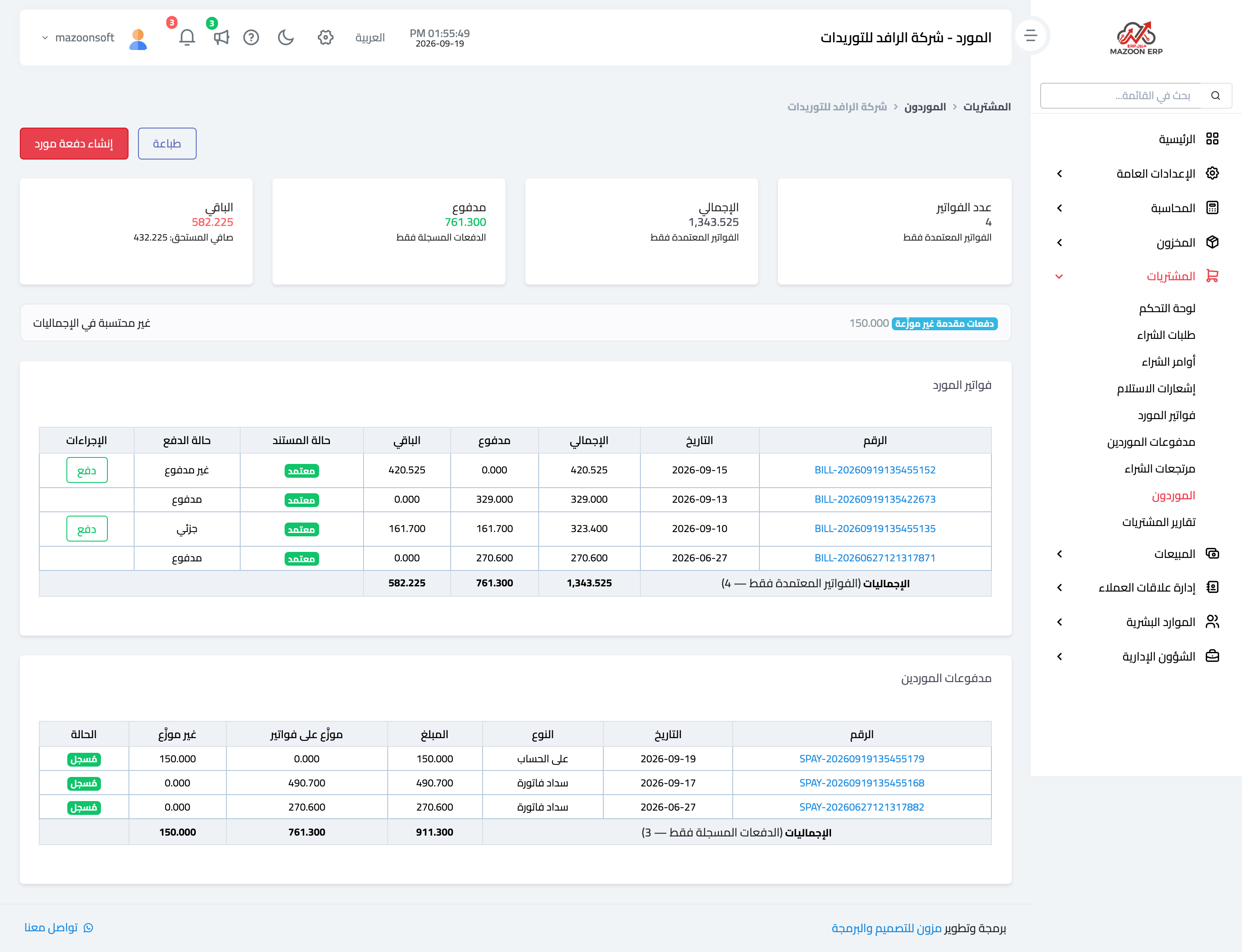
Figure 2
Try what you just read on your own data
Open a free 7-day trial — no credit card, with your own company link in minutes.