
The full purchasing cycle: which document do I need, and when?
Six documents in the Purchasing menu, and how many you need depends on the size of your business. Only the supplier bill is essential; the rest add discipline where you want it — image 1.
The full chain
- Purchase request — an internal department asking for items. No supplier, no binding price, no financial effect.
- Purchase order — what you send the supplier: agreed items, quantities and prices.
- Goods receipt — the goods arrived. This is where stock really enters.
- Supplier bill — the supplier's financial claim. Approving it books the payable.
- Supplier payment — you paid. The payable drops and cash goes out.
- Purchase return — goods sent back to the supplier.
Which path fits you?
- A small business — a supplier bill and then a payment. No request, no order.
- A business holding stock — order → goods receipt → bill → payment. This is the common path.
- A business with departments and budgets — put a purchase request in front, so the approval is documented before you commit to a supplier.
What moves stock and accounts?
| Document | Stock | Accounting |
|---|---|---|
| Purchase request | nothing | nothing |
| Purchase order (approved) | nothing | nothing |
| Goods receipt (approved) | real inbound | a receipt entry |
| Supplier bill (approved) | — | payable and tax |
| Supplier payment | nothing | settlement entry |
| Purchase return (approved) | outbound | reversing entry |
Notes
- A draft does nothing; every document is saved as a draft and no stock or account moves until you press Approve.
- Approving a goods receipt creates a draft supplier bill automatically — a welcome surprise that saves re-typing.
- One-button conversion between documents: request to order, order to receipt, receipt to bill.
- A purchase order tracks received and billed quantities per line, so it moves to partial and then completed on its own.
- Do not create a document you do not need; start simple and add a link when the work demands it.
Screenshots
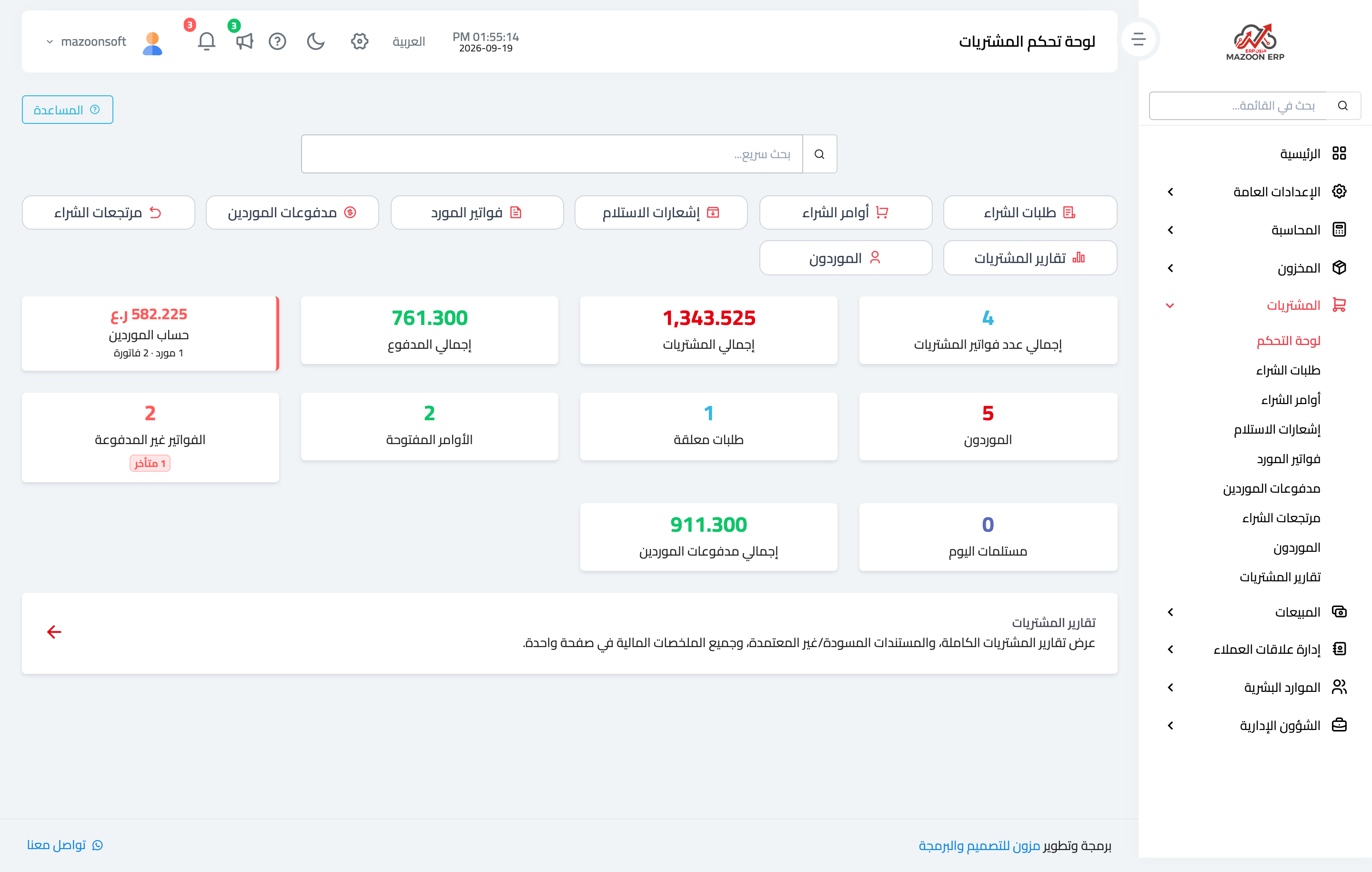
Figure 1
Try what you just read on your own data
Open a free 7-day trial — no credit card, with your own company link in minutes.