
Why is my supplier missing from the picker?
You try to create a purchase order or a bill and the supplier is not in the list, though you are sure they exist. In almost every case the reason is the same: the contact does not hold the "supplier" role.
Why it happens
Contacts in Mazoon are one record serving every module, and each contact's part is decided by the roles assigned to it: customer, supplier, or others. Purchasing screens show suppliers only, exactly as sales screens show customers only.
So a contact added from a sales screen or at the till gets the customer role alone, and will never appear in Purchasing.
The fix
- Open General Settings → Contacts.
- Find the contact and press Edit.
- Tick the supplier role — one contact can hold both, so a company you buy from and sell to is a customer and a supplier at once.
- Save and go back to the purchasing screen; the name appears immediately.
A quicker route
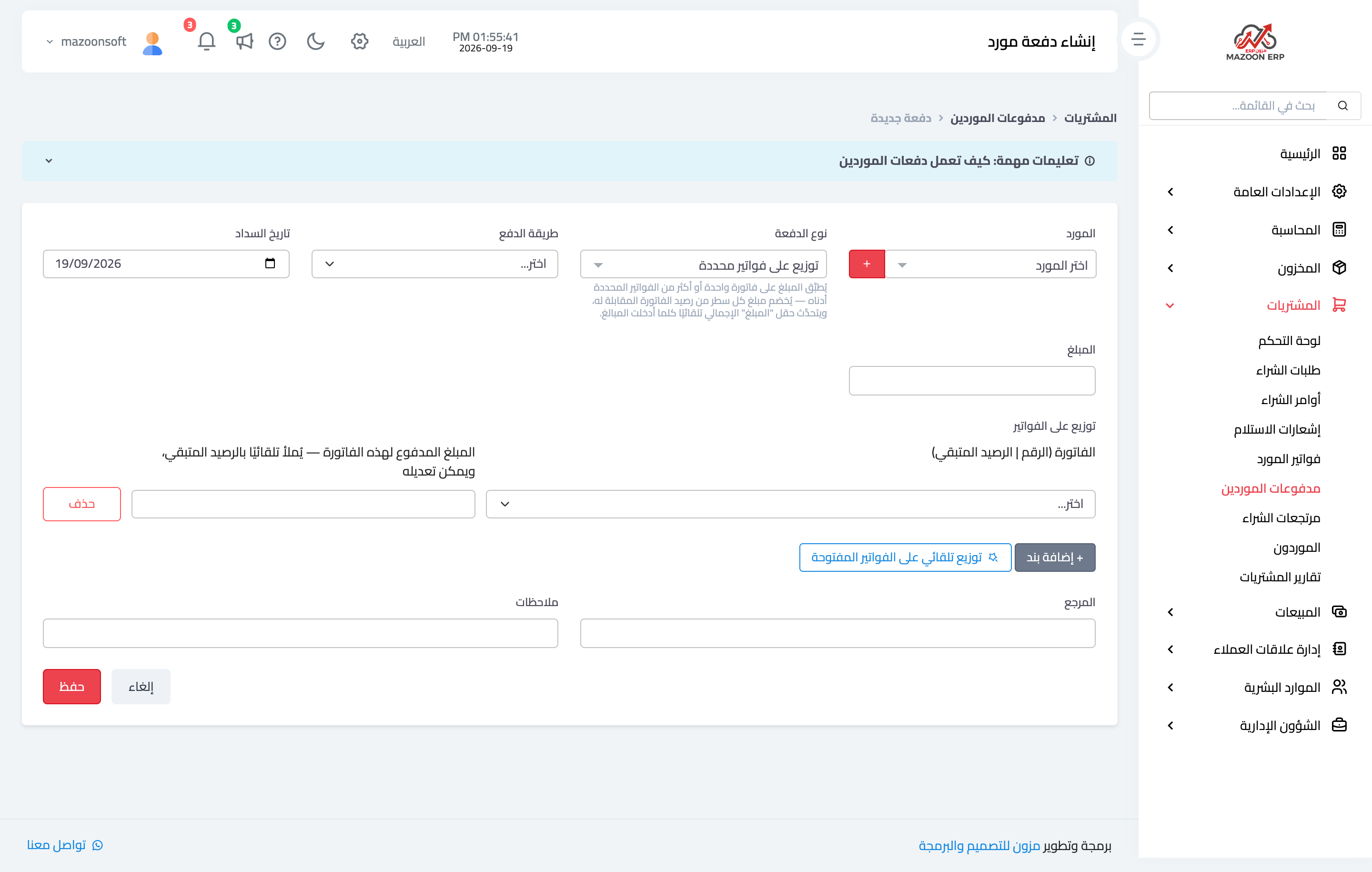
The create supplier payment screen has an add new supplier button that creates the contact with the supplier role without leaving the page — image 1.
Notes
- The message you may see on a direct submission: "Selected contact is not assigned to supplier role."
- Do not create a second contact record for the same company — add the role to the existing one, or its account splits across two records.
- Roles are defined under General Settings → Contact Roles, and customer and supplier ship ready.
- If the supplier appears but the warehouse or branch is missing, that is a different problem — see the branches and warehouses article in the Inventory guide.
Screenshots
Try what you just read on your own data
Open a free 7-day trial — no credit card, with your own company link in minutes.