
Overview of the Purchasing module
The Purchasing module turns buying into a documented chain instead of WhatsApp messages and verbal agreements: who asked, who approved, what actually arrived, what we were billed, and when we paid.
The purchasing dashboard
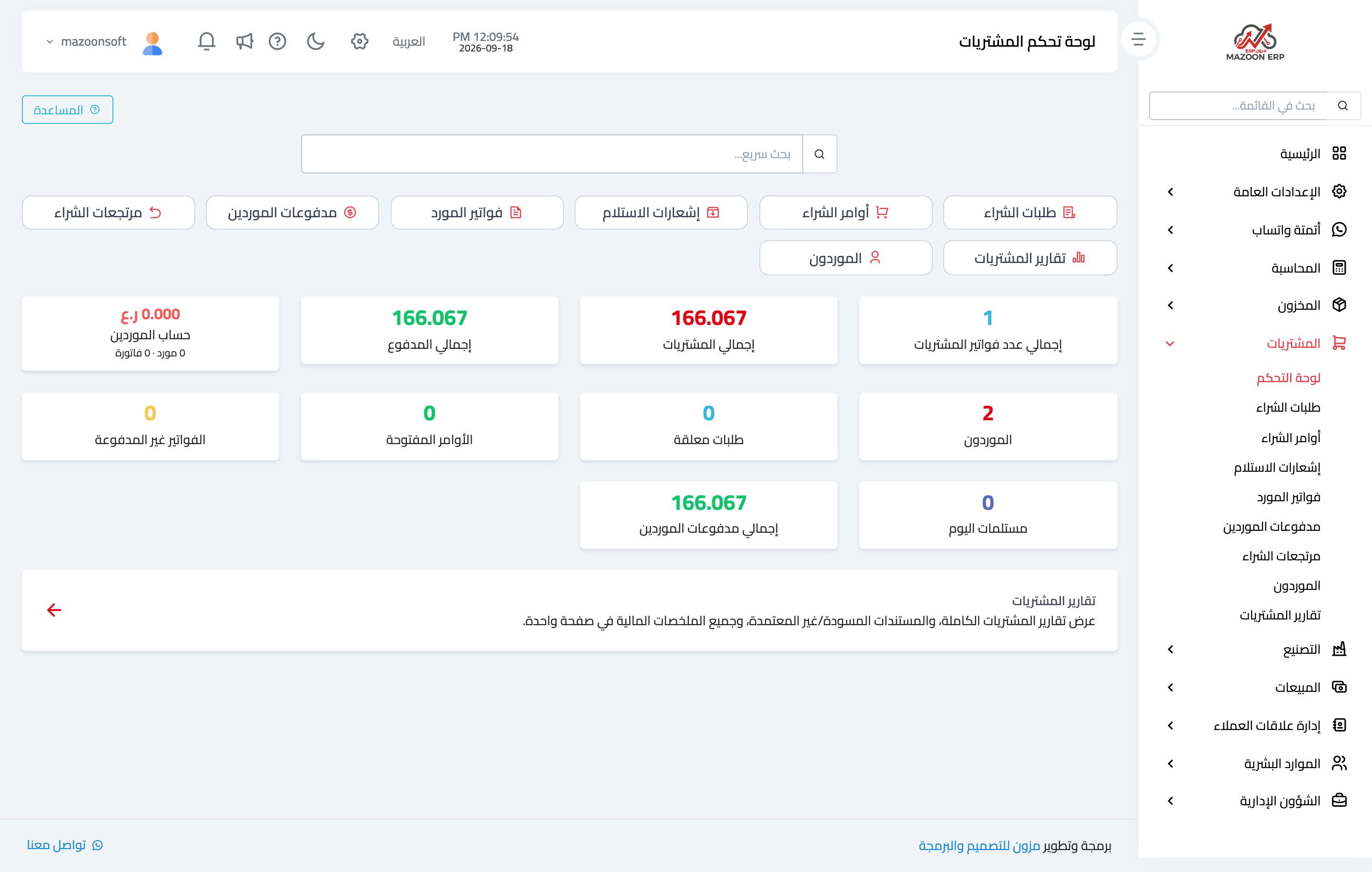
In the sidebar choose Purchasing, then Dashboard. The page appears as in image 1: screen cards at the top and live indicators below — total purchases, total paid, the suppliers balance, unpaid bills, open orders, pending requests and today's receipts.
The full cycle
- Purchase request — a department states what it needs. No price or supplier yet, just a documented need awaiting approval.
- Purchase order — once approved, with a supplier and a price, the order goes to the supplier. This is the binding document.
- Goods receipt — when the goods arrive, the quantities actually received are recorded and stock increases.
- Supplier bill — the supplier's financial claim, matched against what was received.
- Payment — full or partial, reducing the supplier's balance.
- Return — when a faulty or surplus item goes back.
You do not have to use every step: a small business may be content with a supplier bill and its payment. But the larger the buying, the more valuable the separation between "what was ordered", "what arrived" and "what was billed" — that separation is what exposes shortfalls and differences before anything is paid.
How this differs from Purchases in Accounting
The Purchases screen in Accounting records a purchase bill directly, with its accounting effect only. This module adds the operational cycle: request, order, a receipt that touches stock, and matching. Choose one path per kind of buying and never record the same bill in both.
Recommended order for getting started
- Define your suppliers (contacts with the supplier role).
- Make sure items, units and warehouses exist in Inventory.
- Run one full cycle on a small order: request → order → receipt → bill → payment.
- Then read the purchasing reports to see the cycle's effect on the numbers.
Screenshots
Try what you just read on your own data
Open a free 7-day trial — no credit card, with your own company link in minutes.