
How do I pay a supplier and allocate the payment across bills?
You transfer the supplier an amount covering several bills. The screen is built to do the splitting for you, and carries a built-in explanation you can open from Important: how supplier payments work — image 1.
Steps
- Open Purchasing → Supplier Payments and press + Create.
- Pick the supplier, or add a new one with the button beside it.
- Choose the payment type: distribute across bills or general payment (on account).
- Choose the payment method and set the payment date.
- Under allocate to bills: pick a bill from the list — it shows the number and remaining balance — and the amount pre-fills with that balance; edit it for a part payment.
- Press + Add line for each further bill.
- Write the reference — the transfer or cheque number — and the notes, then Save.
The amount field updates itself
Do not add it up yourself: every time you type an amount on a line, the total amount field updates automatically. If you want a total larger than the allocations, type it after allocating — the difference becomes an advance credit with the supplier, as the next article explains.
Notes
- A payment cannot be allocated to a draft or cancelled bill; the list hides them and the system refuses even a direct request — a draft was never posted and a cancelled one had its entry reversed, so paying either would unbalance the supplier ledger.
- No bill can be allocated more than its remaining balance.
- One supplier's bill cannot be allocated to another supplier's payment; the check is automatic.
- Always write the reference — it is what ties the payment to the bank statement at reconciliation.
- The payment date is the day the money actually left, not the day you typed it in.
- Each payment has a Print button to issue a payment voucher for the supplier.
Screenshots
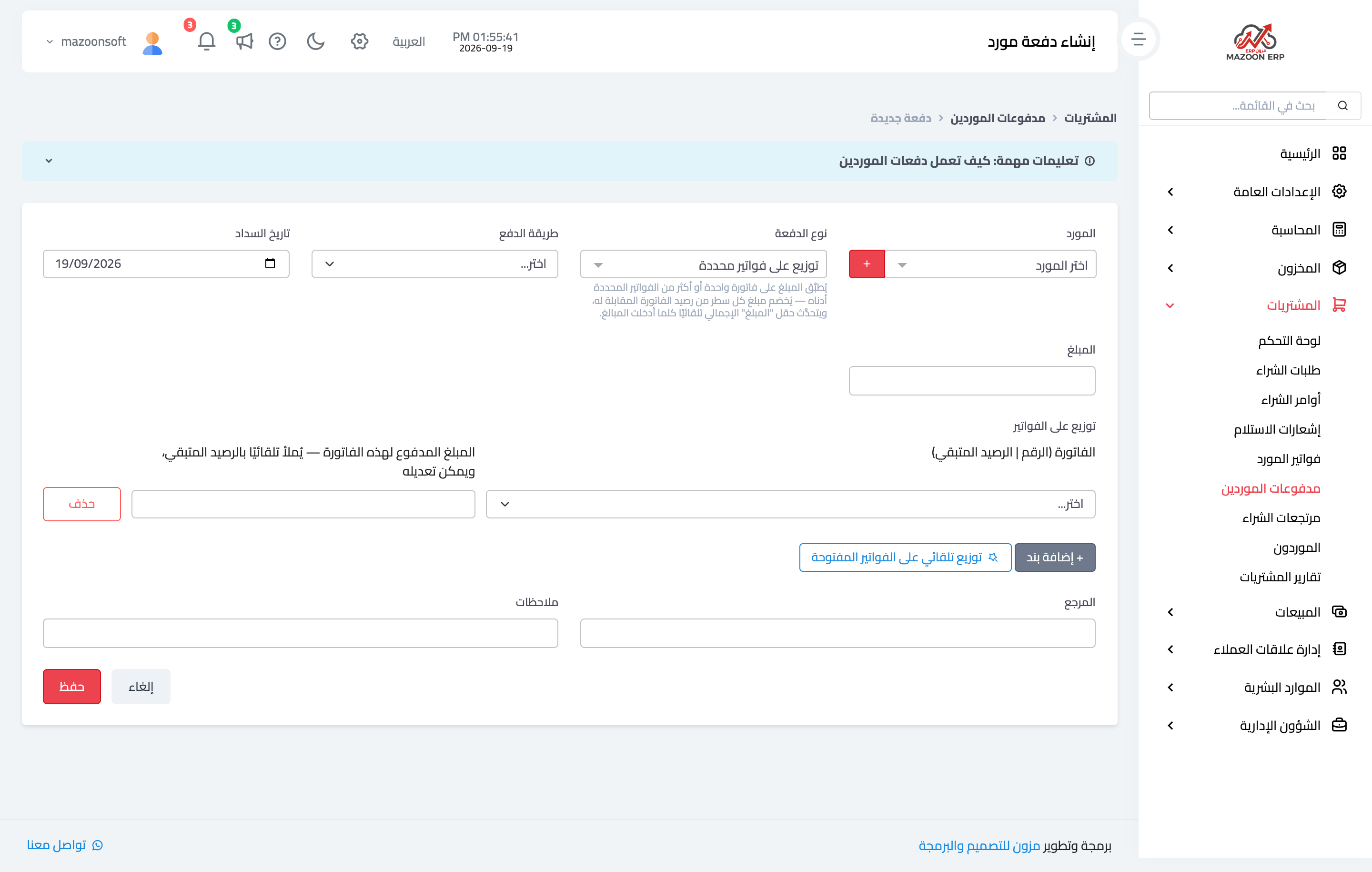
Figure 1
Try what you just read on your own data
Open a free 7-day trial — no credit card, with your own company link in minutes.