
Paying a supplier by cheque: where to record the cheque number
You pay a supplier by cheque and want to know later which cheque settled which bill. Here is the practical way today.
Steps
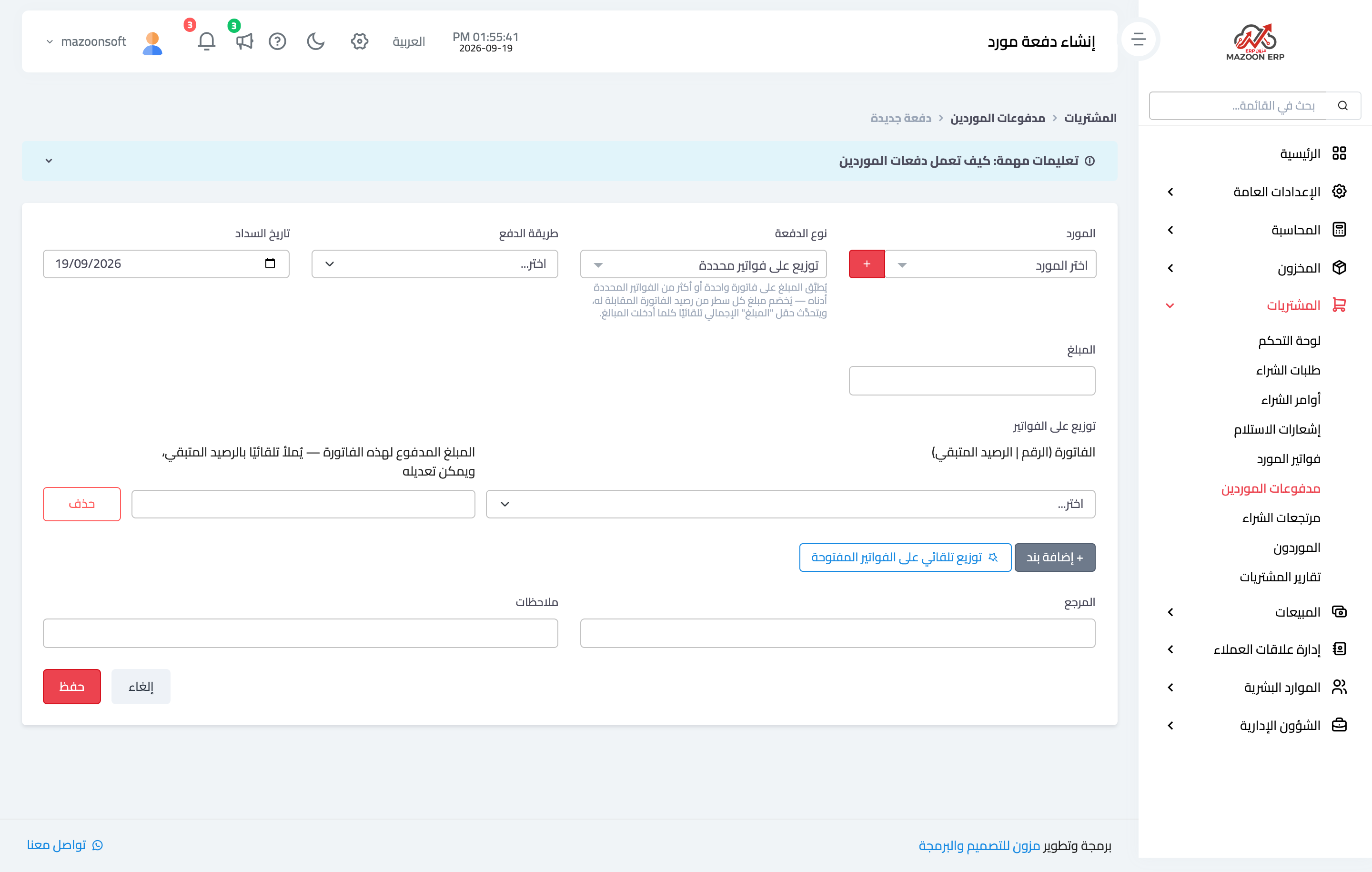
- Open Purchasing → Supplier Payments and press + Create — image 1.
- Pick the supplier, the payment type and a cheque-type payment method.
- Put the cheque number in the "reference" field — that is the field which is saved, shows in the payments list, and prints on the payment voucher.
- Set the payment date to the day the cheque was handed over.
- Use the notes for the cheque's due date and the drawing bank.
- Allocate the amount across the bills and Save.
An important caveat
Extra cheque fields (number, date, status) appear on the screen when a cheque-type method is selected. These are not currently saved with a supplier payment, so do not rely on them for tracking — use the reference and notes as above.
Note too that the payment posts straight to the payment method's account on the payment date, with no "cheques issued" stage. If you write many post-dated cheques, set the payment date to the expected clearing date rather than the writing date, so the bank balance in the system stays close to reality.
Notes
- The reference is what ties the payment to the bank statement at reconciliation — never leave it empty on a cheque.
- Cheque-type payment methods are defined once under Accounting → Payment Methods.
- The printed voucher shows the reference; hand it to the supplier with the cheque.
- Check the supplier statement after the cheque clears to confirm the intended bills closed.
- On the sales side, cheques received from customers are recorded with their full fields and a clearing status — see the Sales guide.
Screenshots
Try what you just read on your own data
Open a free 7-day trial — no credit card, with your own company link in minutes.