
Editing, cancelling and deleting purchasing documents: what is allowed, and when
One rule governs all of Purchasing: a draft is free, an approved document is protected. Once something is posted, you correct it with an opposite action, never by erasing it.
The general rule
| Status | Edit | Cancel | Delete |
|---|---|---|---|
| Draft | yes | — | yes |
| Approved / posted | no | yes | no |
| Cancelled | no | — | no |
What cancelling reverses
- Goods receipt — the quantities leave stock, and the received quantity on the purchase order drops, so its status returns to match what remains.
- Supplier bill — its journal entry is reversed.
- Purchase return — the quantities go back into stock and the entry is reversed.
- Supplier payment — its entry is reversed and the bills' balances return.
The barriers you will meet
- A bill with payments cannot be cancelled. The message: "Cannot cancel a bill that has payments recorded. Reverse all payments first." — delete the payments, then cancel the bill.
- No receiving against a draft order. Approve the order first.
- No payment against a draft or cancelled bill.
- No receiving beyond what remains on the purchase order.
- One bill per goods receipt, no more.
The right order to unwind
To correct something posted, walk backwards: delete the payment first, then cancel the bill, then the goods receipt, then the purchase order if you must. The other direction is impossible, and the system will stop you at every step.
Notes
- Review a document while it is a draft; that is the last moment you can edit freely — image 1.
- Numbers are never reused; a cancelled document keeps its own, deliberately.
- A cancelled document stays visible in the lists with its badge and is excluded from every total.
- If the mistake is a quantity or an item after receiving, a purchase return is cleaner than a long chain of cancellations.
Screenshots
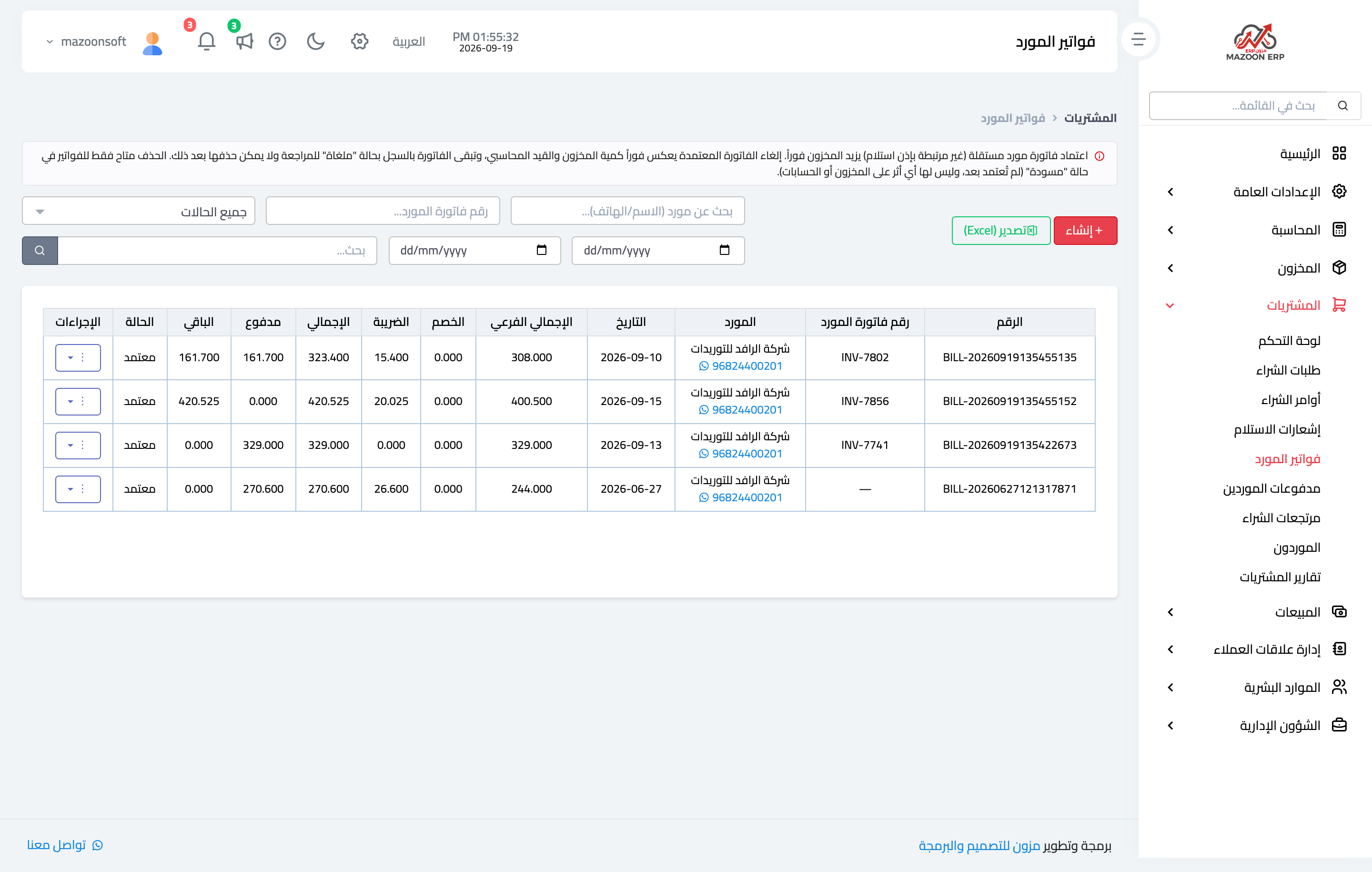
Figure 1
Try what you just read on your own data
Open a free 7-day trial — no credit card, with your own company link in minutes.