
HR setup: departments, job titles, salary components and leave
Before entering your first employee, set up the tables everything else is built on. It is a one-off step, and skipping it means editing every employee file later, one by one.
Departments
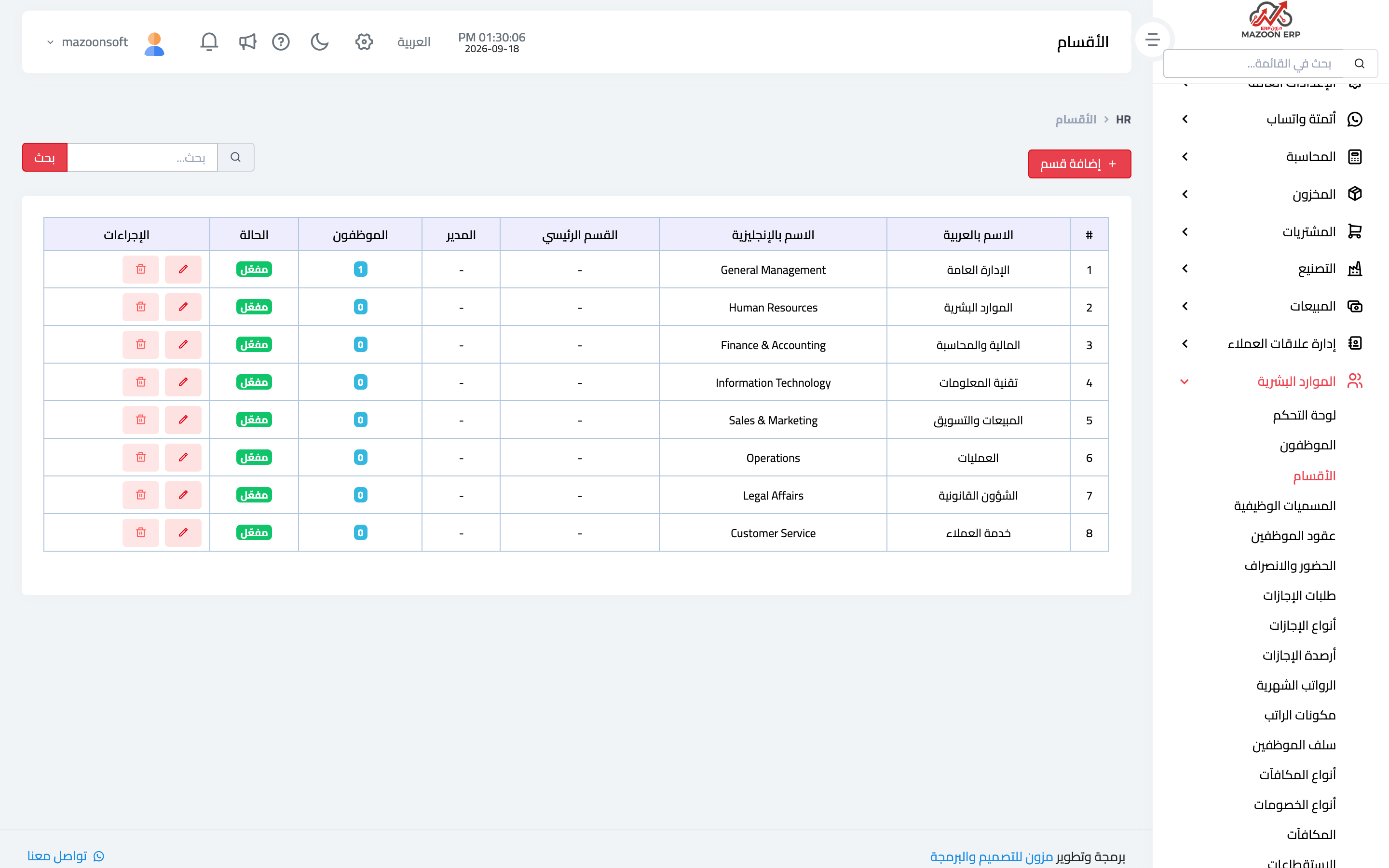
The Departments card — image 1 — defines your structure: administration, sales, accounting, maintenance… each with a name and status. Departments drive view permissions, distribution reports and the organisation chart.
Job titles
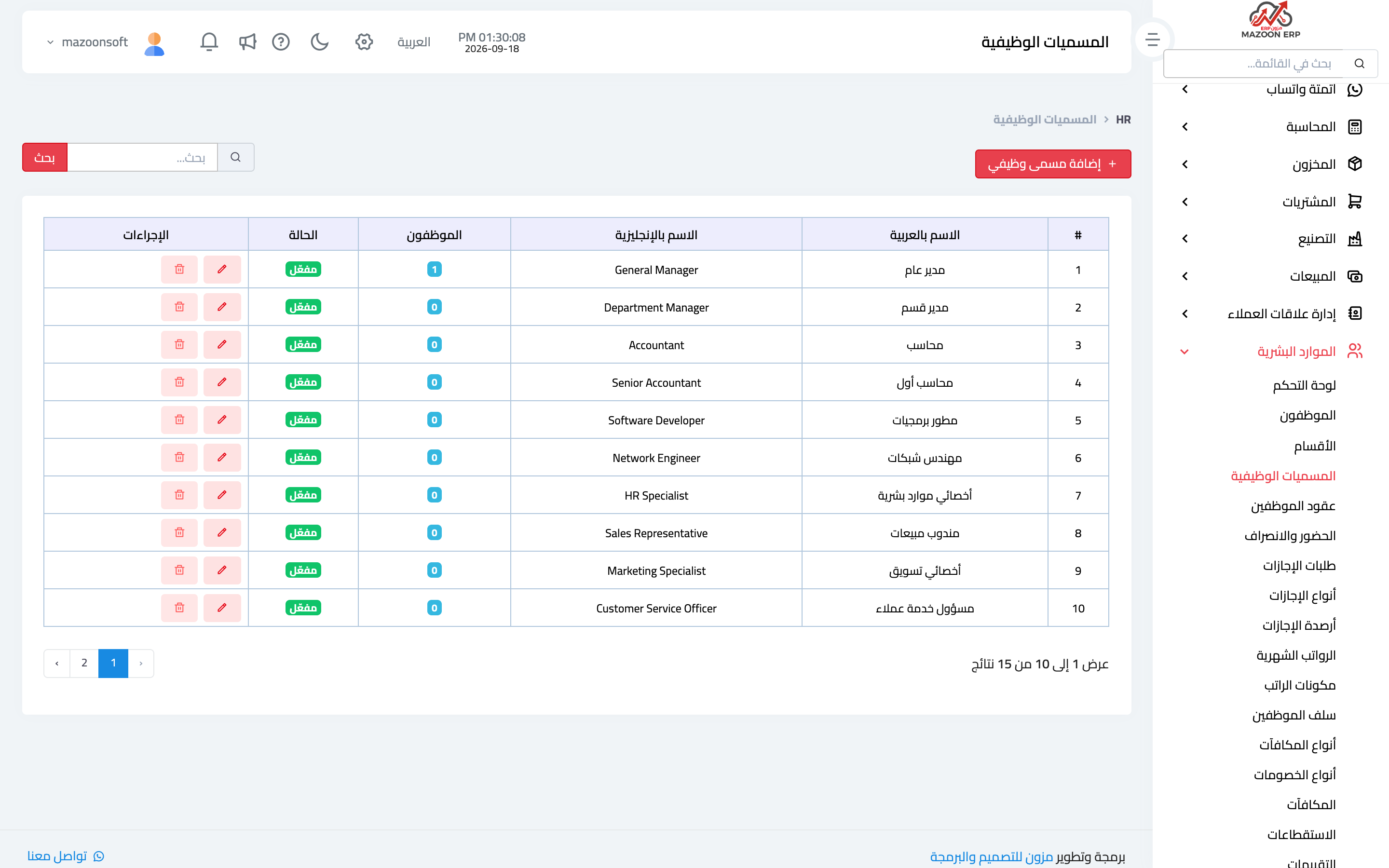
The Job Titles card — image 2 — defines the roles: accountant, technician, sales representative, supervisor. A title describes the job, not the person, and is used on the contract and in reports.
Always keep department (where they work) separate from job title (what they do); merging them into one field loses your ability to analyse either.
Salary components
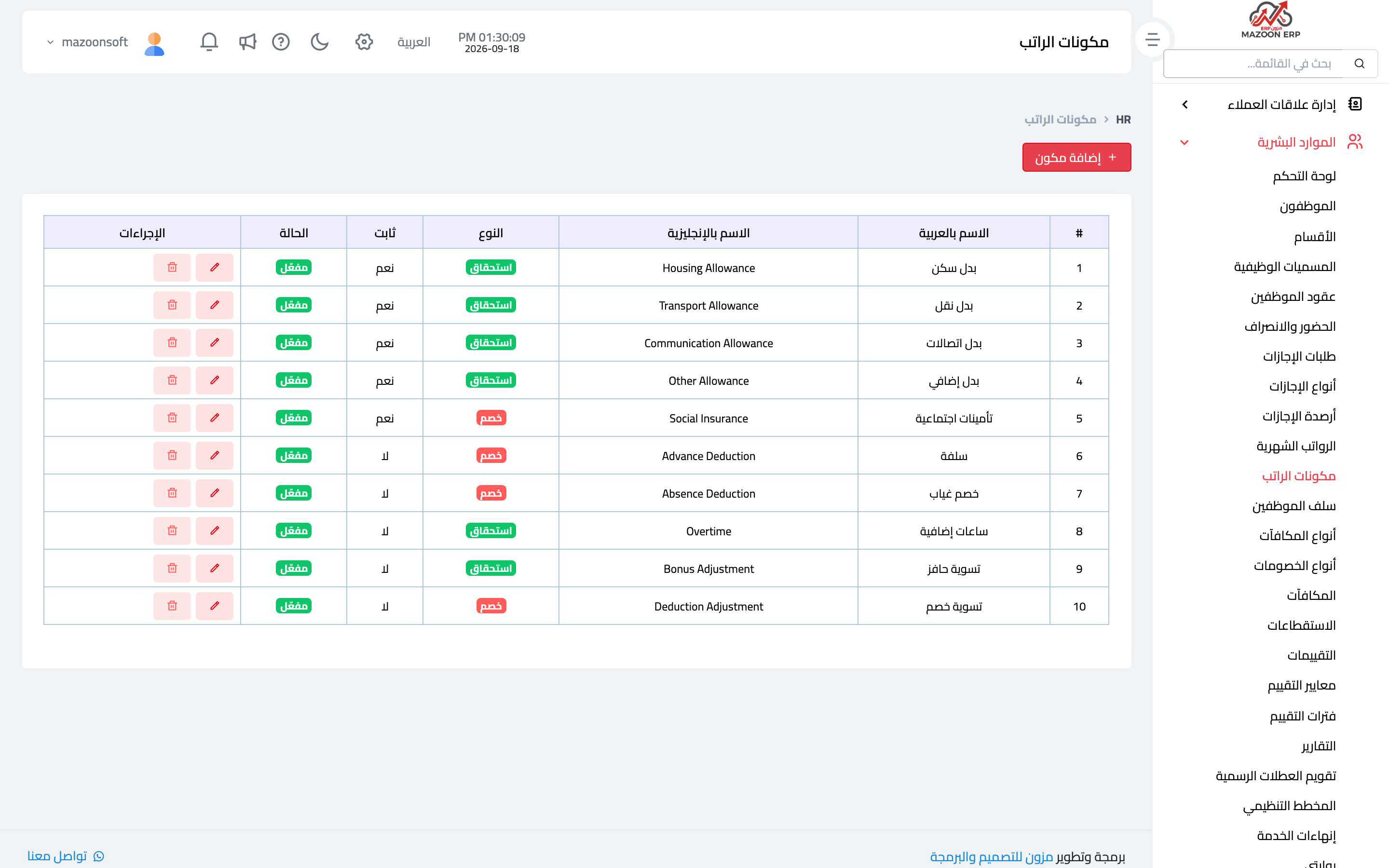
The Salary Components card — image 3 — defines the parts of pay: basic, housing allowance, transport allowance, phone allowance, and fixed deductions such as social insurance.
Define each component once here, then assign its values per employee in their contract. That is what lets payroll calculate itself instead of you typing numbers every month.
Leave types
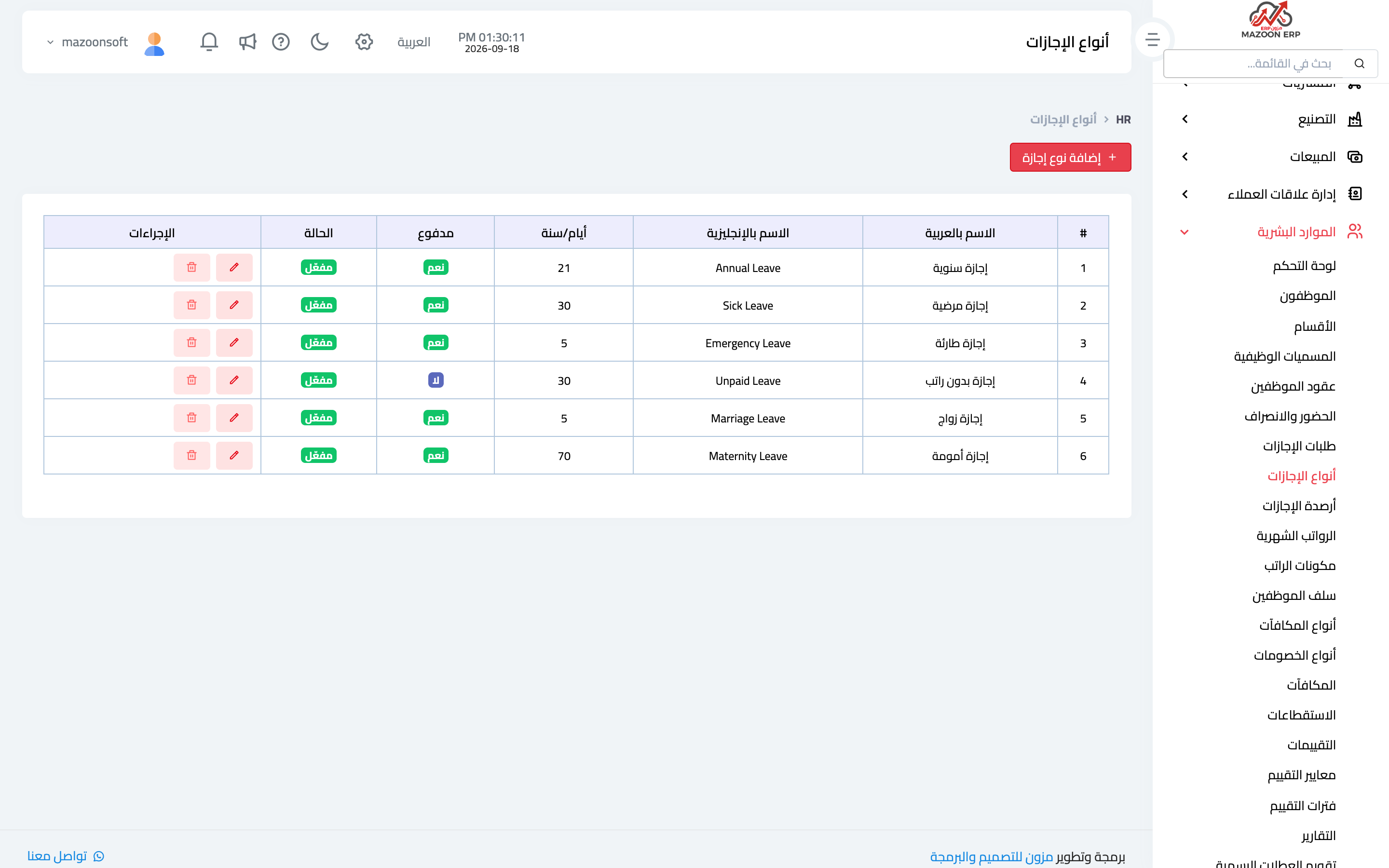
The Leave Types card — image 4 — defines annual, sick, emergency, unpaid and whatever else your policy includes, with the yearly entitlement and whether it is paid.
These definitions build each employee's leave balance and govern how the balance is reduced when a request is approved.
Bonus and deduction types
The Bonus Types and Deduction Types cards define recurring items that are not fixed in the contract: a performance bonus, overtime, an absence deduction, a lateness deduction. Their amounts are recorded monthly on the bonuses and deductions screens and flow into payroll.
Public holiday calendar
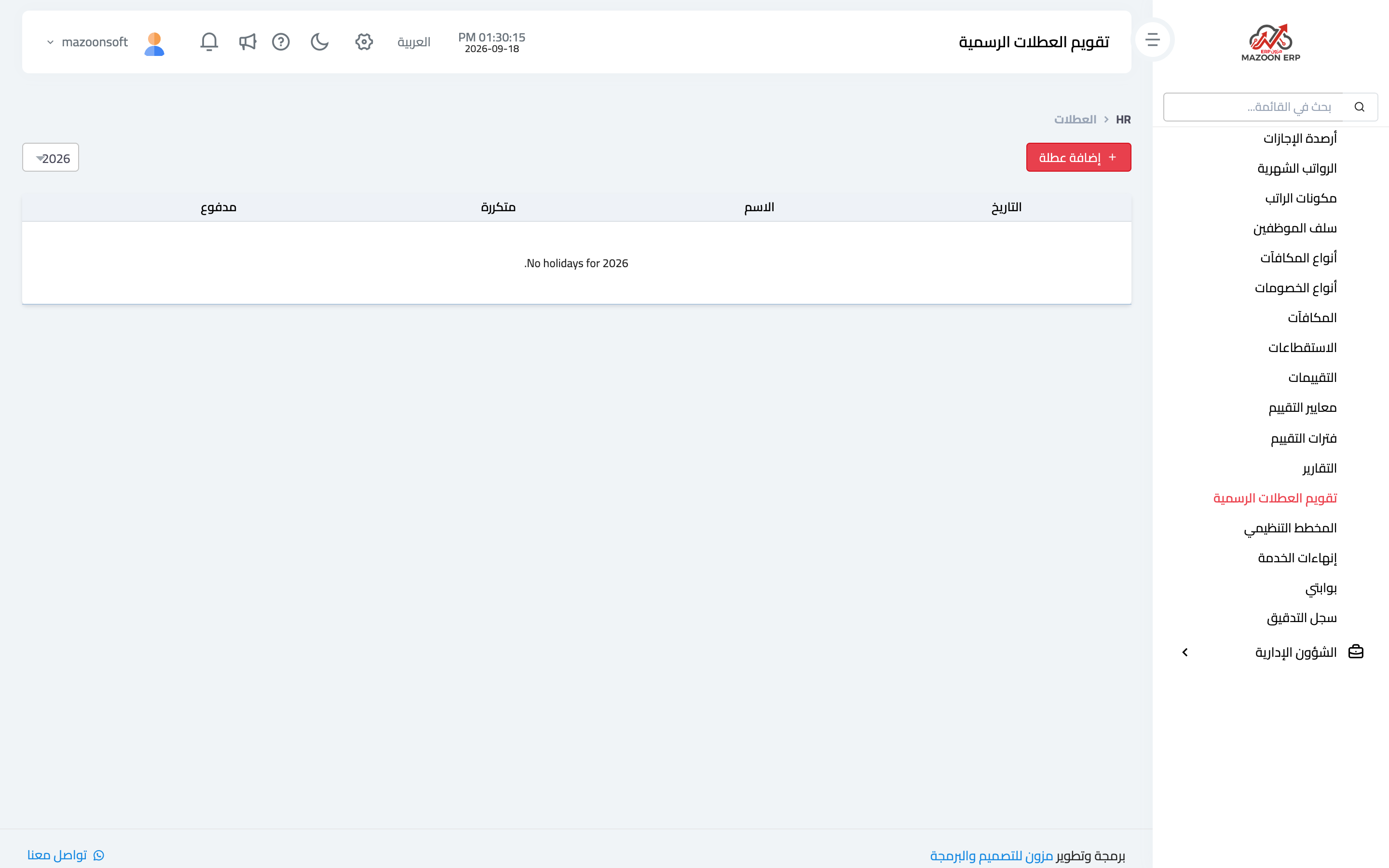
The Public Holidays card — image 5 — records official holidays with their dates. The benefit is practical: holidays are not counted against requested leave days, and they are not treated as absence in attendance reports.
Enter the whole year's holidays at the start of it; adding them retroactively after attendance has been calculated means manual corrections.
Checklist before entering employees
- Are departments and job titles complete?
- Do salary components cover every allowance and deduction you use?
- Are leave types and their yearly entitlements set?
- Are bonus and deduction types defined?
- Are this year's public holidays recorded?
Screenshots
Try what you just read on your own data
Open a free 7-day trial — no credit card, with your own company link in minutes.