
Leave types, balances, and initializing the year
Before anyone can request leave, the system needs to know your leave types and how many days each carries. This is a once-a-year setup.
Leave types
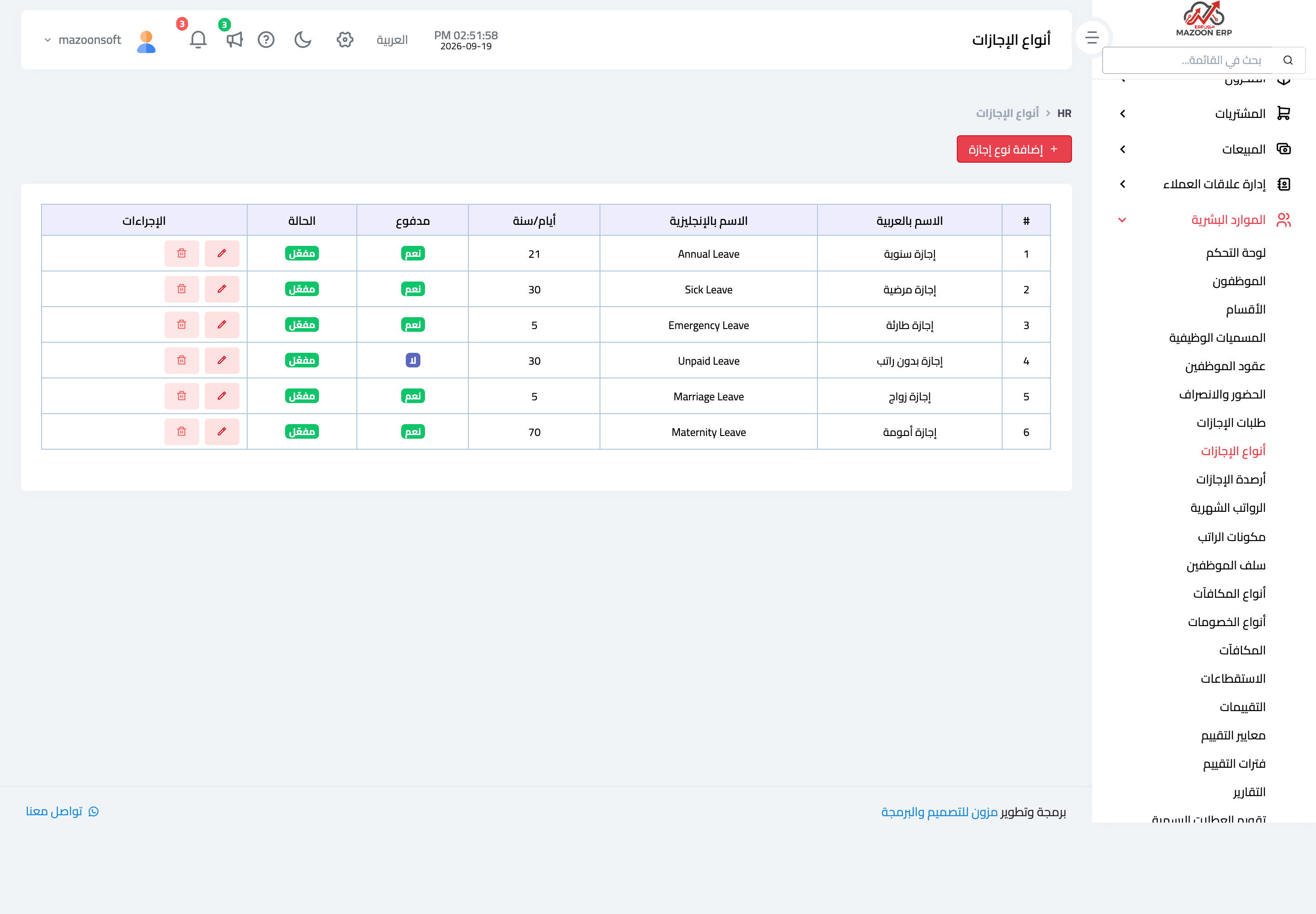
- Open HR → Leave Types and press + Create — image 1.
- Enter the Arabic name and the English name.
- Set the days per year — the annual entitlement for this type.
- Tick paid for paid leave, and leave it off for unpaid.
- Save.
Common types: annual, sick, emergency, maternity, unpaid.
Leave balances
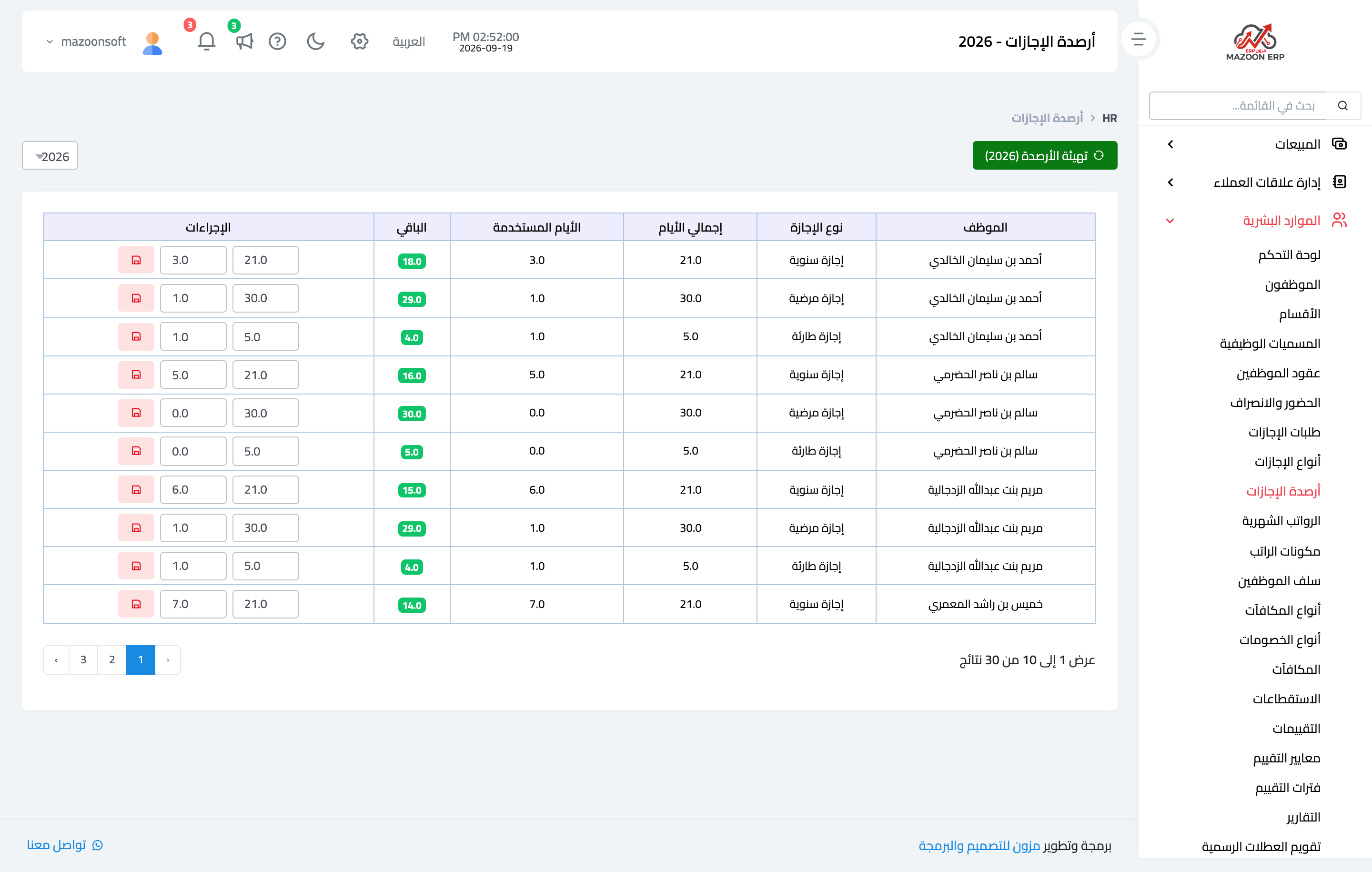
HR → Leave Balances shows three figures per employee, per type, per year — image 2:
- Total days — the entitlement.
- Used days — consumed by approved leave.
- Remaining days — the difference, and what every new request is checked against.
Initializing the year's balances
Do not enter balances by hand for every employee. Press Initialize Balances and pick the year, and the system generates a balance for every active employee in every active leave type, at the full entitlement on the type.
Initialization is safe to repeat: it never touches an existing balance or resets what has been used; it only creates what is missing. Run it once at the start of the year, and again whenever you add an employee or a leave type.
Notes
- An employee with no balance cannot request that type of leave — the balance check simply fails when no record exists.
- Initialization covers active employees only.
- Remaining days are not carried forward automatically to the next year — if your policy allows carry-over, adjust the new year's balance by hand after initializing.
- Changing days per year on a type does not change balances already generated; it applies to what is generated afterwards.
- Employees see their own balance in My Portal, which cuts questions to HR.
Screenshots
Try what you just read on your own data
Open a free 7-day trial — no credit card, with your own company link in minutes.