
Employee evaluations: criteria, weights and the final grade
An evaluation here is not a single field; it is scores against criteria, each with a weight, which the system combines into an overall score and a grade.
One-time setup
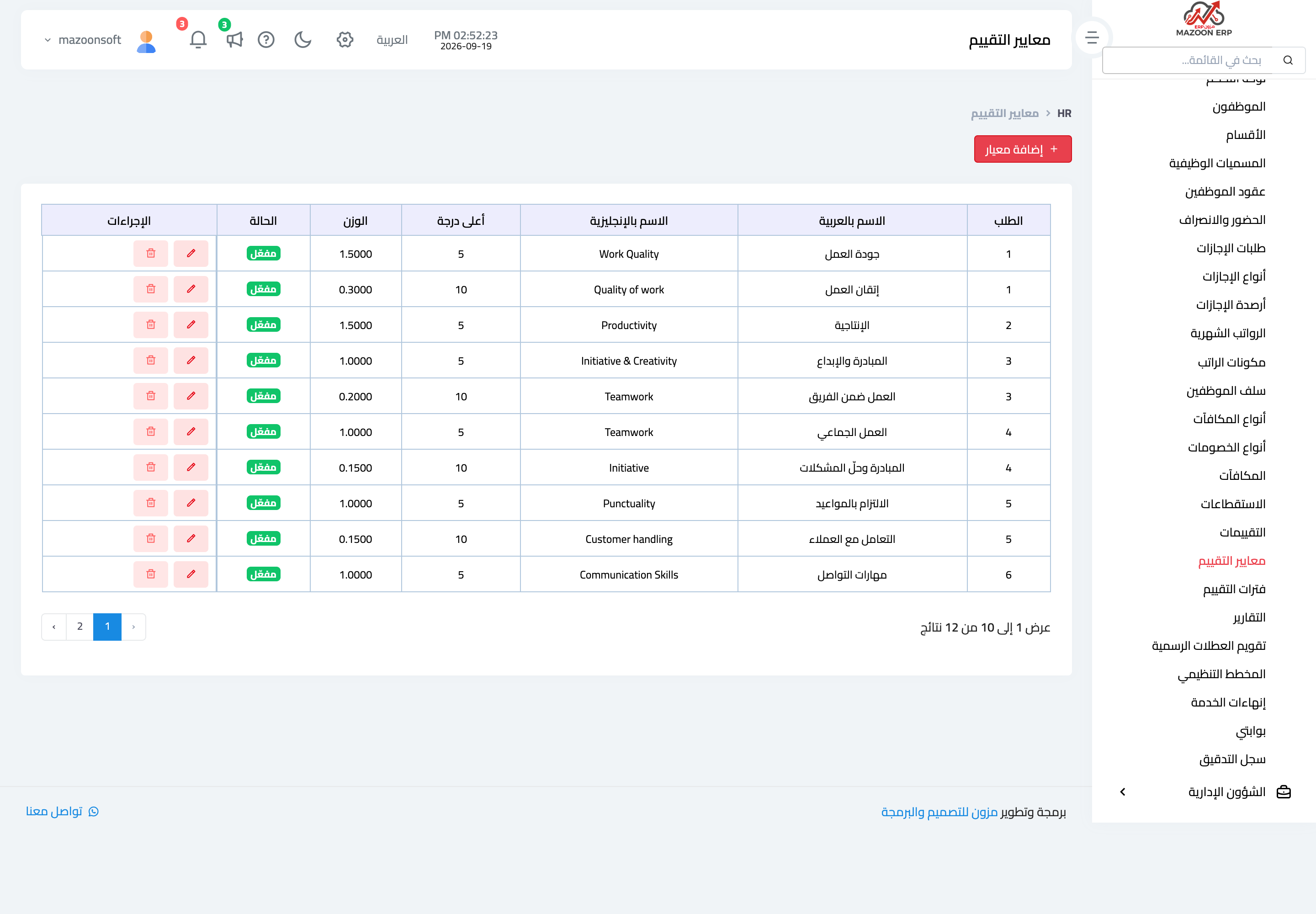
- Evaluation criteria — image 1 — define each criterion with a max score and a weight. For example: quality of work with a max of 10 and weight 3, punctuality with a max of 5 and weight 1.
- Evaluation periods — define the period with a name and start and end dates. Only draft or active periods are offered when evaluating.
You cannot create any evaluation before at least one active criterion exists.
Creating an evaluation
- Open HR → Employee Evaluations and press Add Evaluation.
- Pick the employee and the evaluation period.
- Enter a score for each criterion, with a comment where useful.
- Write the strengths, weaknesses and recommendations.
- Save. The evaluation starts as a draft.
How the score is calculated
For each criterion the score is converted to a five-point scale (score ÷ max × 5), multiplied by its weight, and the total is divided by the sum of the weights.
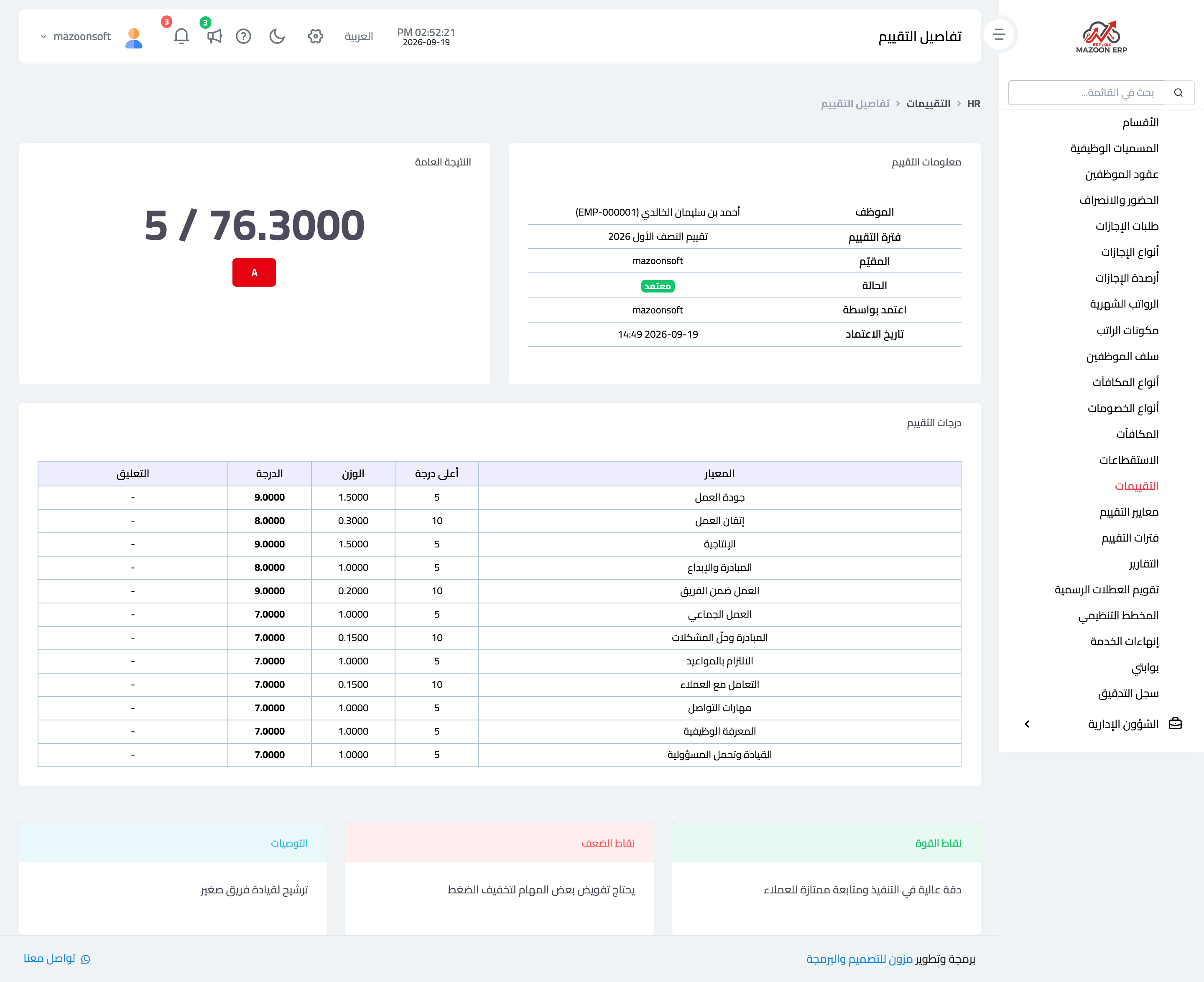
The evaluation page — image 2 — shows the criteria scores, the overall score and the grade together.
The result is then translated into a grade: excellent from 4.5, very good from 3.5, good from 2.5, acceptable from 1.5, and weak below that.
Normalising to five is what lets a criterion out of 10 and one out of 5 be added together, so weight alone decides what counts more.
The approval path
Draft → submitted → approved.
- Submitting works from draft only.
- Approving works from submitted only, and records who approved and when.
- An approved evaluation cannot be edited or deleted — which is what makes it a document you can rely on for a promotion or a raise.
Practical limits
- The system refuses two evaluations for the same employee in the same period.
- A score may not exceed the criterion's defined maximum, or the save is rejected with an explicit message.
- Editing a draft evaluation rebuilds its scores entirely, so review every criterion, not only the one you changed.
Screenshots
Try what you just read on your own data
Open a free 7-day trial — no credit card, with your own company link in minutes.