
Approving and paying the payroll, and downloading payslips
After reviewing the run and its adjustments, two steps remain: approve and then mark paid — and they are not the same thing.
Approving
On the payroll page press Approve. This locks the figures, records who approved and when, and creates the accrual entry in accounting: salary expense against amounts due to employees.
From that moment the monthly adjustments panel is closed and the payroll can no longer be deleted.
Paying
Press Mark Paid and enter the payment method, payment date, reference and notes.
This step alone is what:
- creates the disbursement entry from the bank or cash account;
- moves bonuses and deductions linked to the run from approved to paid;
- applies the advance instalment deduction for every employee in the run.
So approving without paying leaves advances untouched and their balances unchanged.
The real payment date
Enter the actual payment date, not today's date; the entry and the cash reports follow that date, and it may differ from the payroll month.
Closed fiscal periods
Before both approving and paying, the system checks that the fiscal period is open. If the payroll month is closed, an explicit message appears and the action stops — reopen the period in Accounting or review the payment date.
Changing the payment method
The change payment method button only changes where the payroll will be paid from. It does not record a payment and creates no entry — the entry is created when the payroll is marked paid.
Payslips
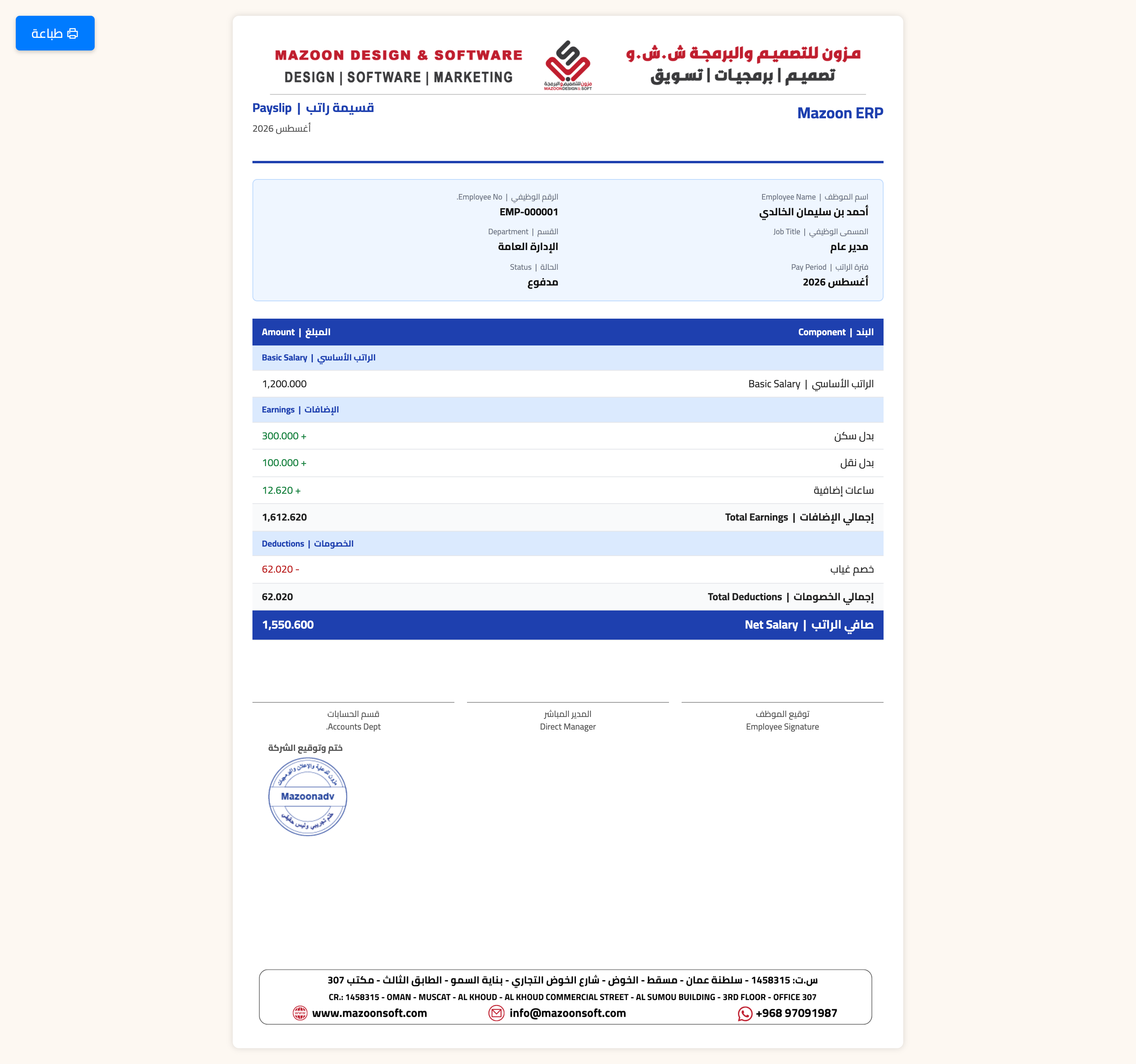
Every employee row in the run has a download payslip button — image 1 — producing a file that shows basic pay, allowances, earnings, deductions and the net. Employees with a user account can see their own payslip in My Portal.
Screenshots
Try what you just read on your own data
Open a free 7-day trial — no credit card, with your own company link in minutes.