
Departments, job titles and the organization chart
These two tables are your organizational structure, and reports, permissions and the org chart are all built on them. Five minutes here saves a reshuffle later.
Departments
- Open HR → Departments and press + Create — image 1.
- Enter the Arabic name and the English name.
- Pick a parent department for a sub-department, or leave it empty for a top-level one.
- Set the department manager if you know them — you can come back after entering employees.
- Save.
Job titles
Open HR → Job Titles — image 2. Each title has an Arabic and English name and a short description. A title is independent of a department: "accountant" may exist in more than one.
The organization chart
HR → Organization Chart draws the structure automatically from the departments, their managers and the employees attached to them — image 3. It is not entered by hand; it mirrors what you entered, so a gap in the chart is a gap in the department or employee data.
Notes
- Do not over-nest. Two levels suit most businesses, and the chart becomes unreadable past three.
- Department and title are effectively required on an employee: without them they do not appear in the chart or the demographics report.
- A department or title linked to employees cannot be deleted; move them first.
- Shape departments the way you want to read your numbers, since HR reports group by them.
- Rename a department freely; links are by id, not by name.
Screenshots
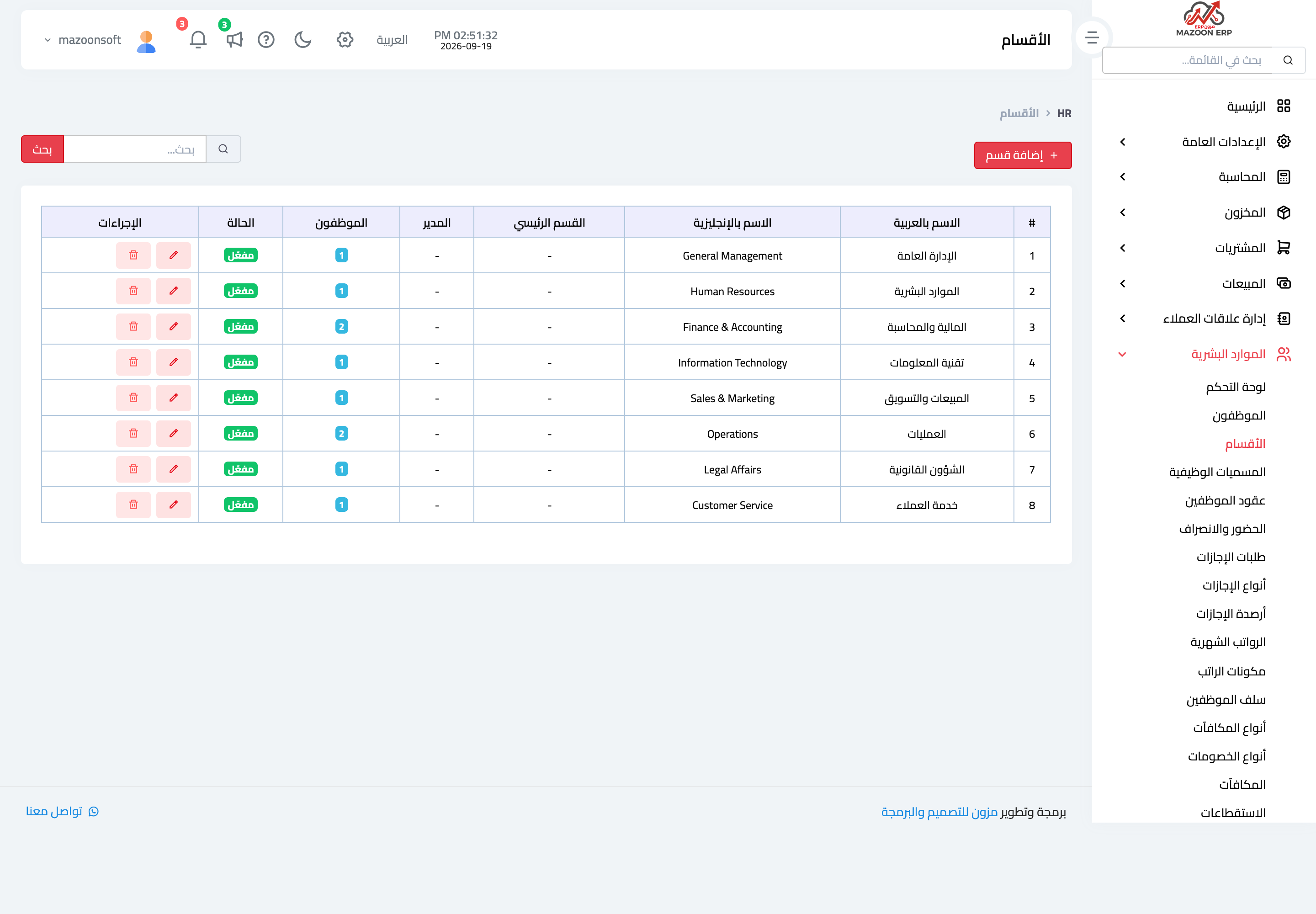
Figure 1
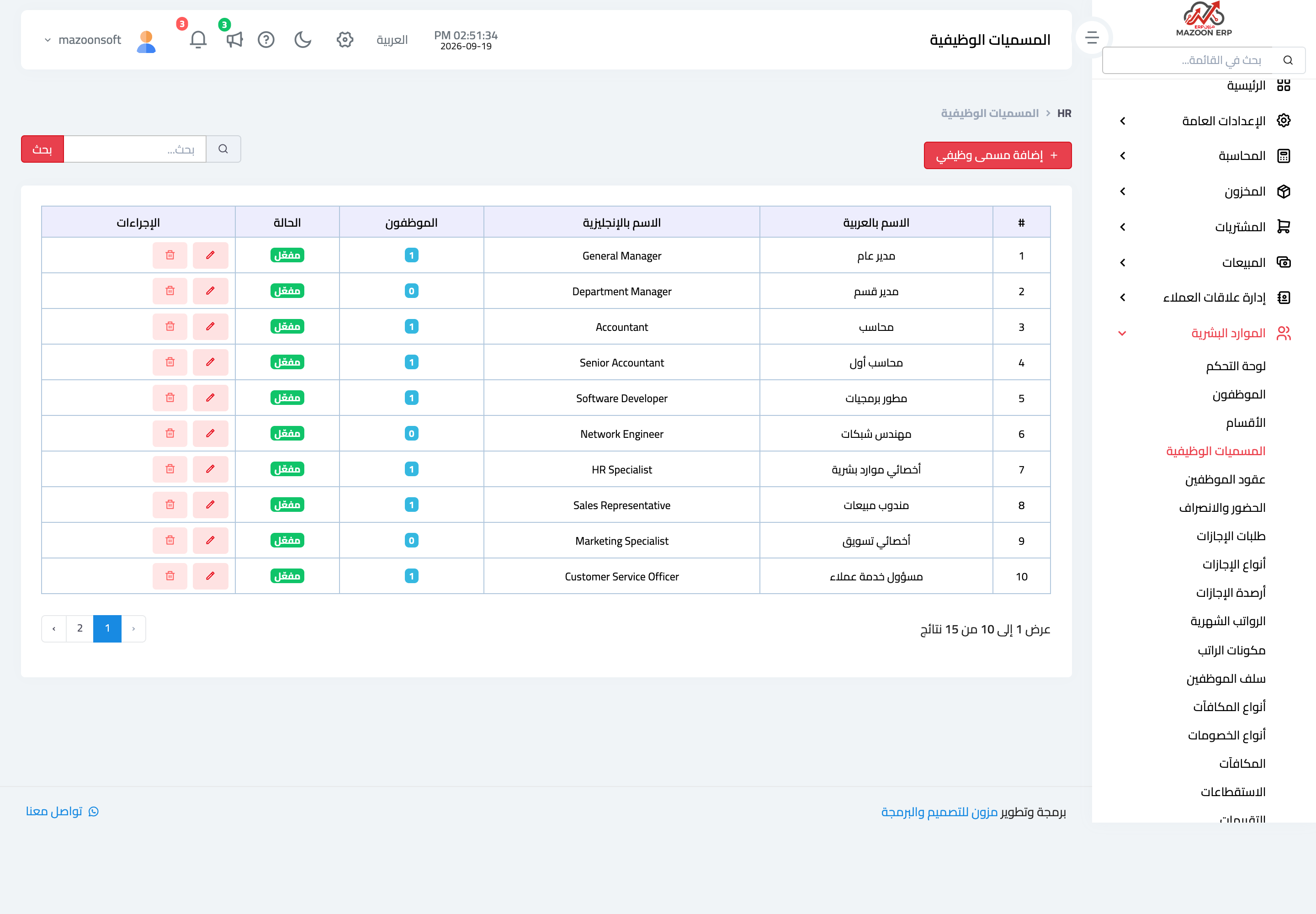
Figure 2
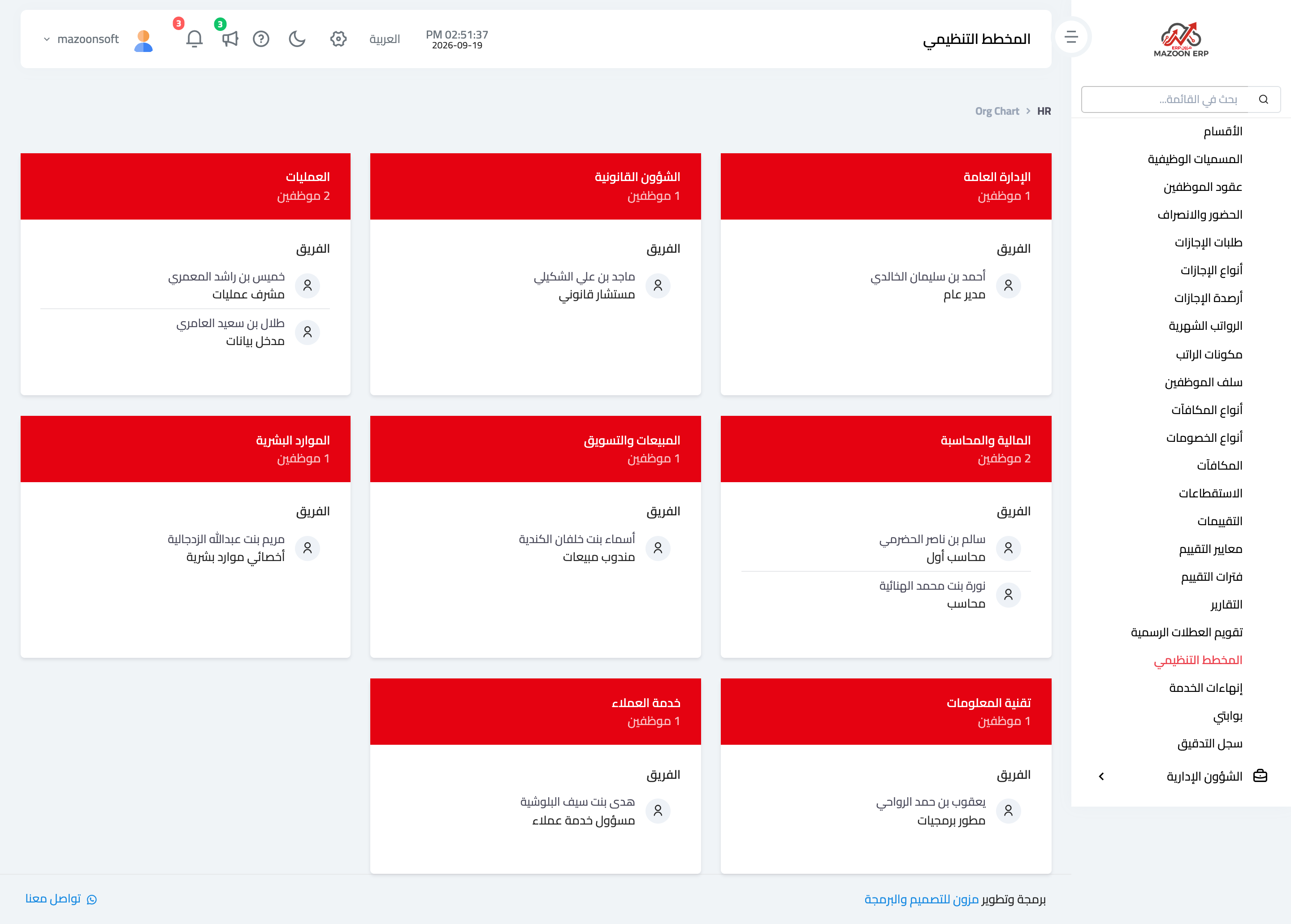
Figure 3
Try what you just read on your own data
Open a free 7-day trial — no credit card, with your own company link in minutes.