
Employees, contracts and the organisation chart
The employee file is the centre of the module: contracts, payroll, leave and appraisals are all built from it. Everything entered here shows up later on other screens, so accuracy at this step saves a lot of correction.
The employee list
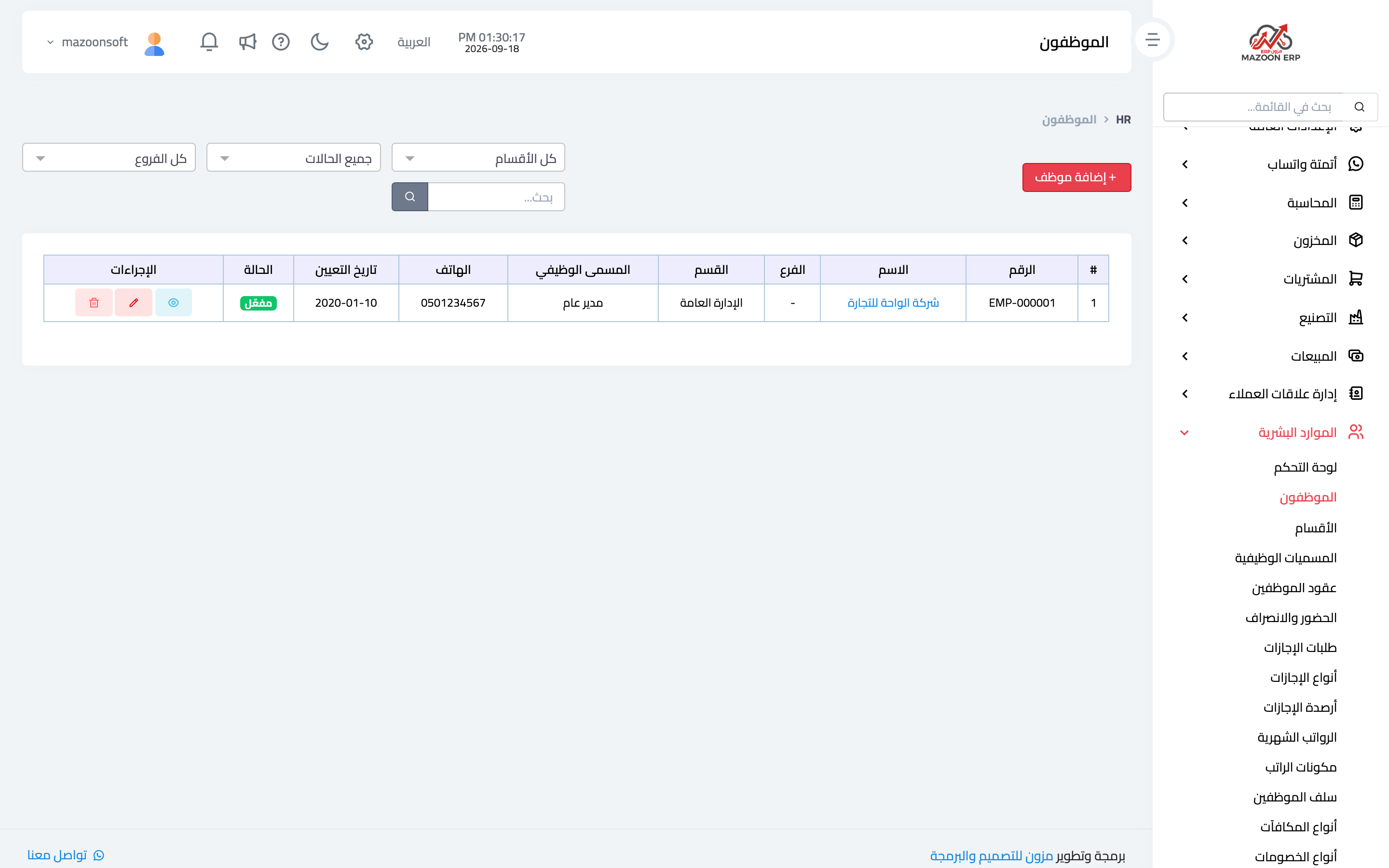
From the HR dashboard open the Employees card — image 1: name, employee number, department, job title, hire date and status, with search and filters.
Adding an employee
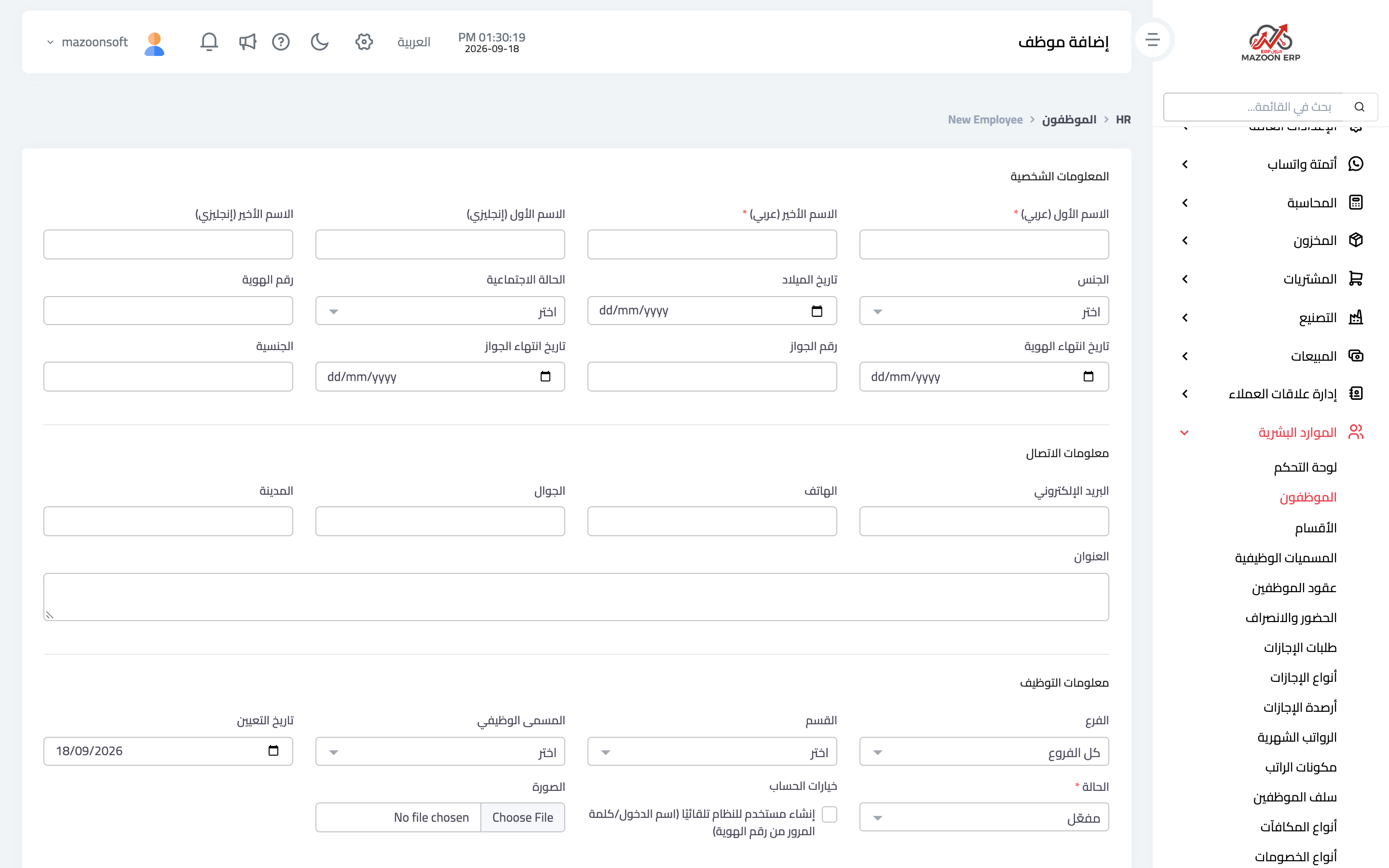
Press Add Employee — image 2 — the form is grouped into:
- Personal details — first and last name in Arabic and English, date of birth, gender, marital status.
- Contact information — phone, email, address and city.
- Employment information — department, job title, hire date and status.
- Account options — create a system user automatically, with username and password derived from the national ID, so the employee can reach their own portal.
- Custom fields — any fields you added to the employee entity (see the custom fields article).
From the employee file you also upload documents: ID, passport, certificates, the signed contract. The ID and passport expiry dates are what feed the HR dashboard alerts — enter them rather than leaving them blank.
Contracts
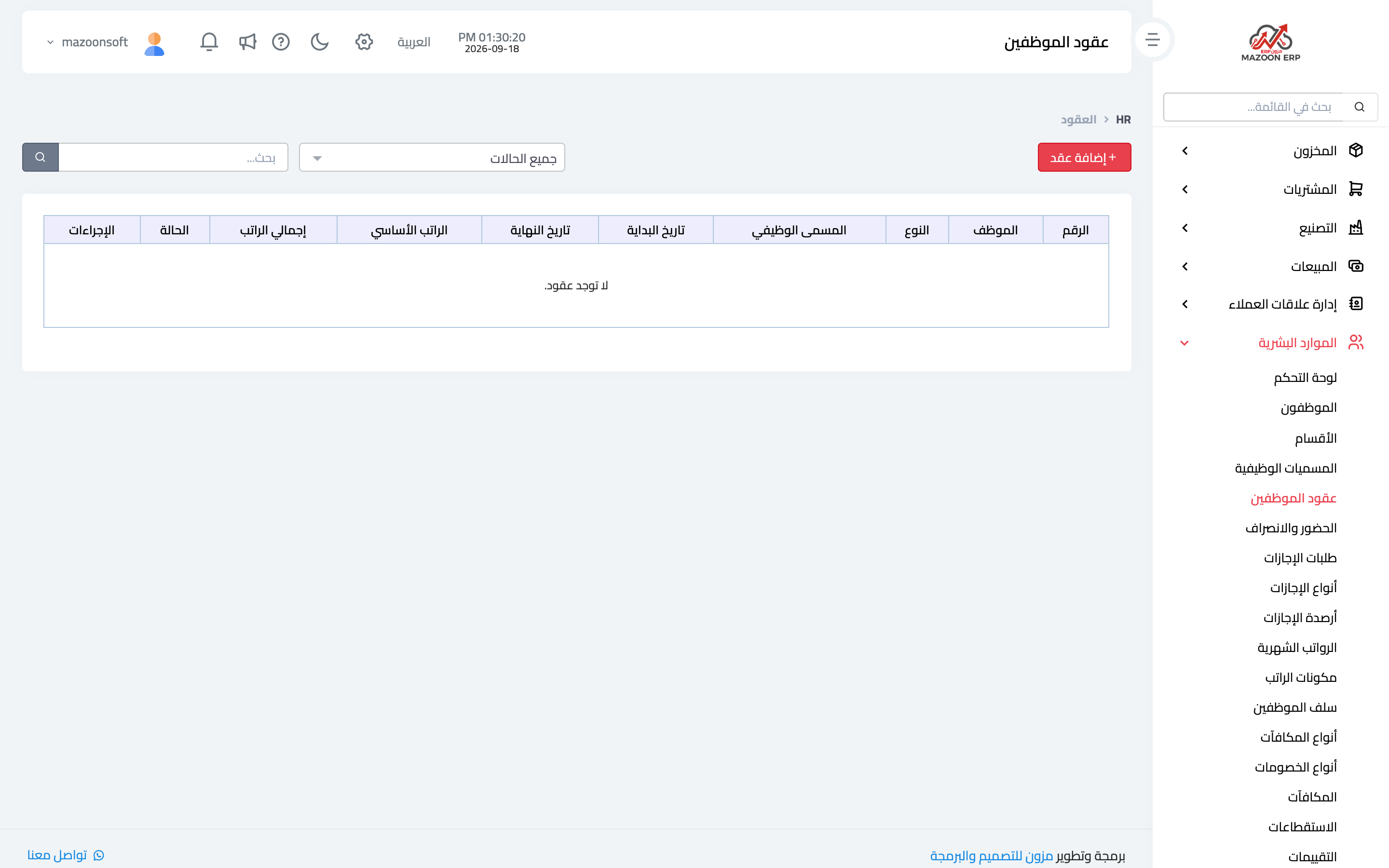
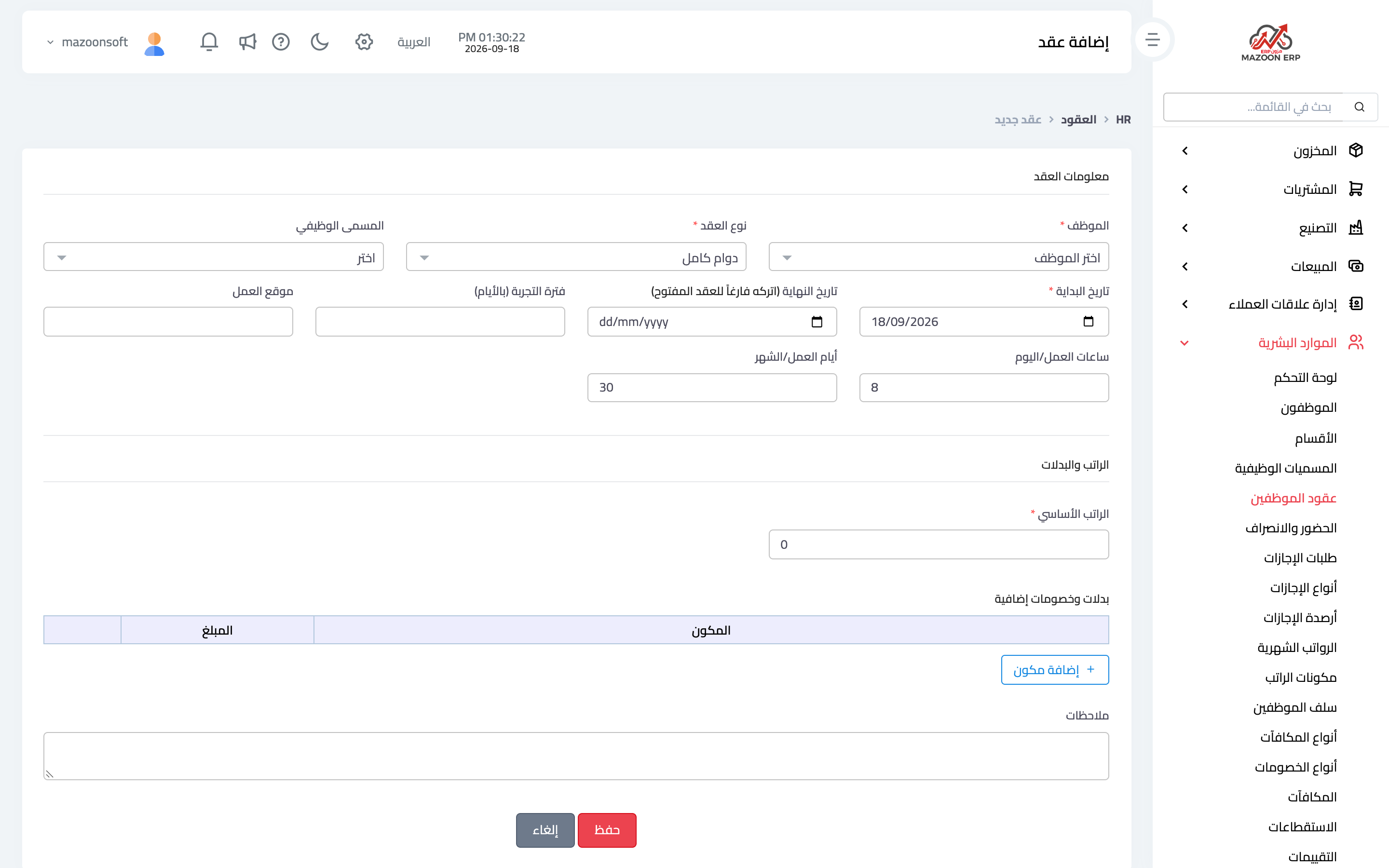
The contract is what actually sets the pay; an employee without a valid contract does not enter the payroll run. From the Employee Contracts card — image 3 — press Add Contract as in image 4:
- Employee, job title and work location.
- Contract type — full time, part time or temporary.
- Start date and end date — leave the end date empty for an open-ended contract.
- Probation period in days.
- Basic salary, then additional allowances and deductions: add a line per salary component with its value for this employee.
- Shifts and notes.
Renew, do not overwrite
When a contract is renewed or pay changes, create a new contract starting on that date rather than editing the old one. That keeps the employee's financial history complete: what they earned and when it changed — exactly what you need when calculating end-of-service or during any review.
The organisation chart
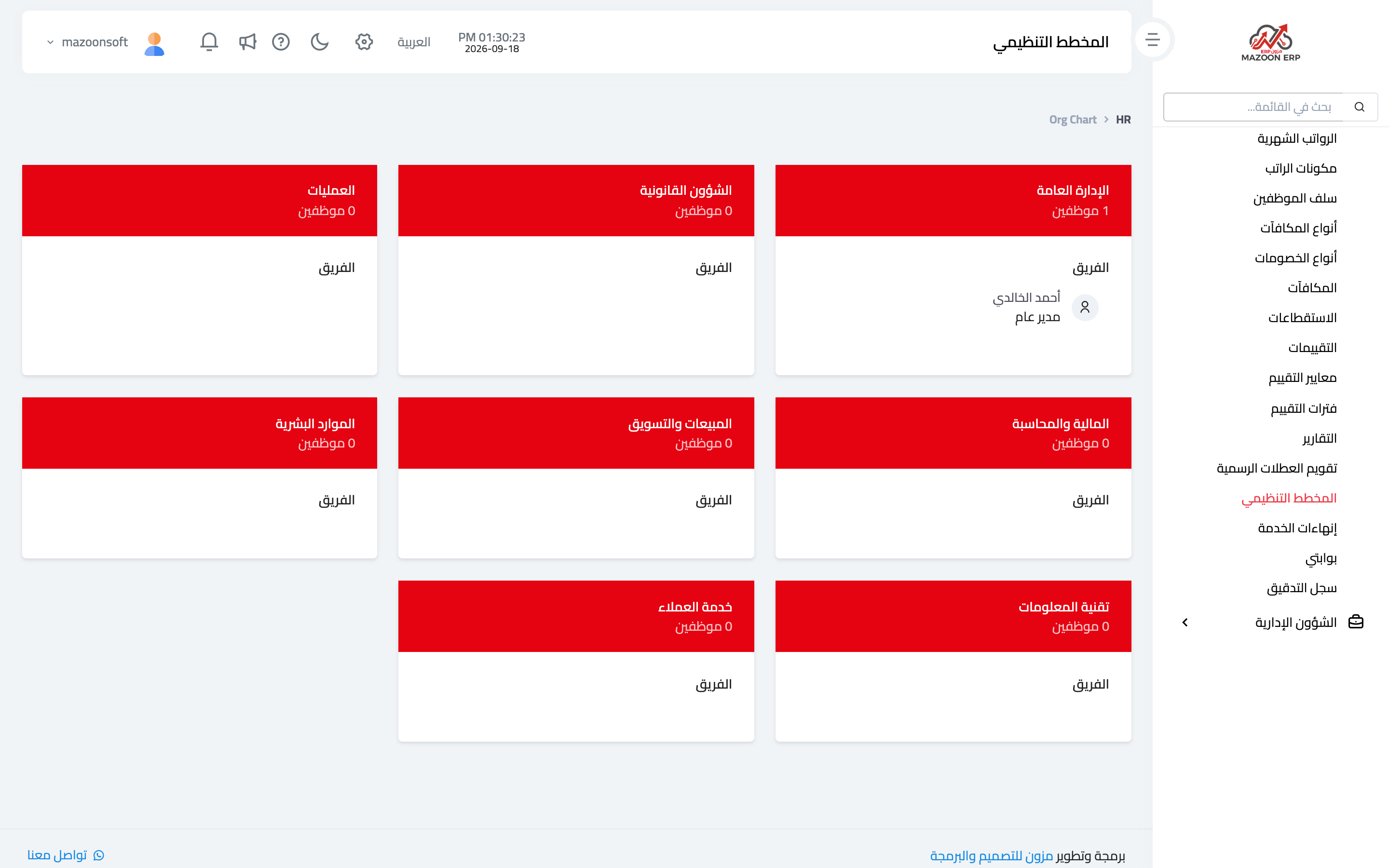
The Organisation Chart card — image 5 — draws the structure from departments and the employees assigned to them. It is a fast way to spot problems: a department with no staff, an employee with no department, or a department that quietly grew out of proportion.
Common mistakes
- Entering an employee without a contract, then wondering why they are missing from payroll.
- Leaving ID and passport expiry dates empty, which wastes the alerts.
- Editing the old contract instead of creating a new one when pay rises.
- Deleting an employee who left instead of offboarding them — see the offboarding article.
Screenshots
Try what you just read on your own data
Open a free 7-day trial — no credit card, with your own company link in minutes.