
Employee contracts and allowances: what payroll is built on
The contract is what payroll reads. An employee with no active contract never enters a payroll run, however complete their card is.
Creating a contract
- Open HR → Employee Contracts and press Add Contract — image 1.
- Pick the employee and the job title.
- Enter the contract number and the contract type — full time, part time or temporary.
- Set the start date, and an end date for a fixed-term contract — leave it empty for open-ended.
- Enter the basic salary; the daily salary is derived from it.
- Under allowances and deductions press Add Component for each one: pick the component, the amount and whether it is an earning or a deduction.
- Save.
Salary components
HR → Salary Components is the dictionary allowances are built from — image 2. Each has an Arabic and English name, a type (earning or deduction) and a fixed or variable flag.
- Fixed — an amount that does not change monthly: housing, transport. Entered on the contract once and repeated every month.
- Variable — changes by month: overtime, commission. It enters payroll from its own source, not the contract.
Notes
- One active contract per employee. On renewal or a salary change, end the old contract and create a new one so the salary history stays right.
- An expired contract shows as expired and drops the employee out of payroll — watch the contract-expiry report so it does not surprise you.
- The basic salary is also the base for the end-of-service benefit, not the gross.
- Check the ready-made salary components before adding a new one; duplicates fragment your reports.
- Allowances entered on the contract appear automatically in every payroll run with no re-entry.
Screenshots
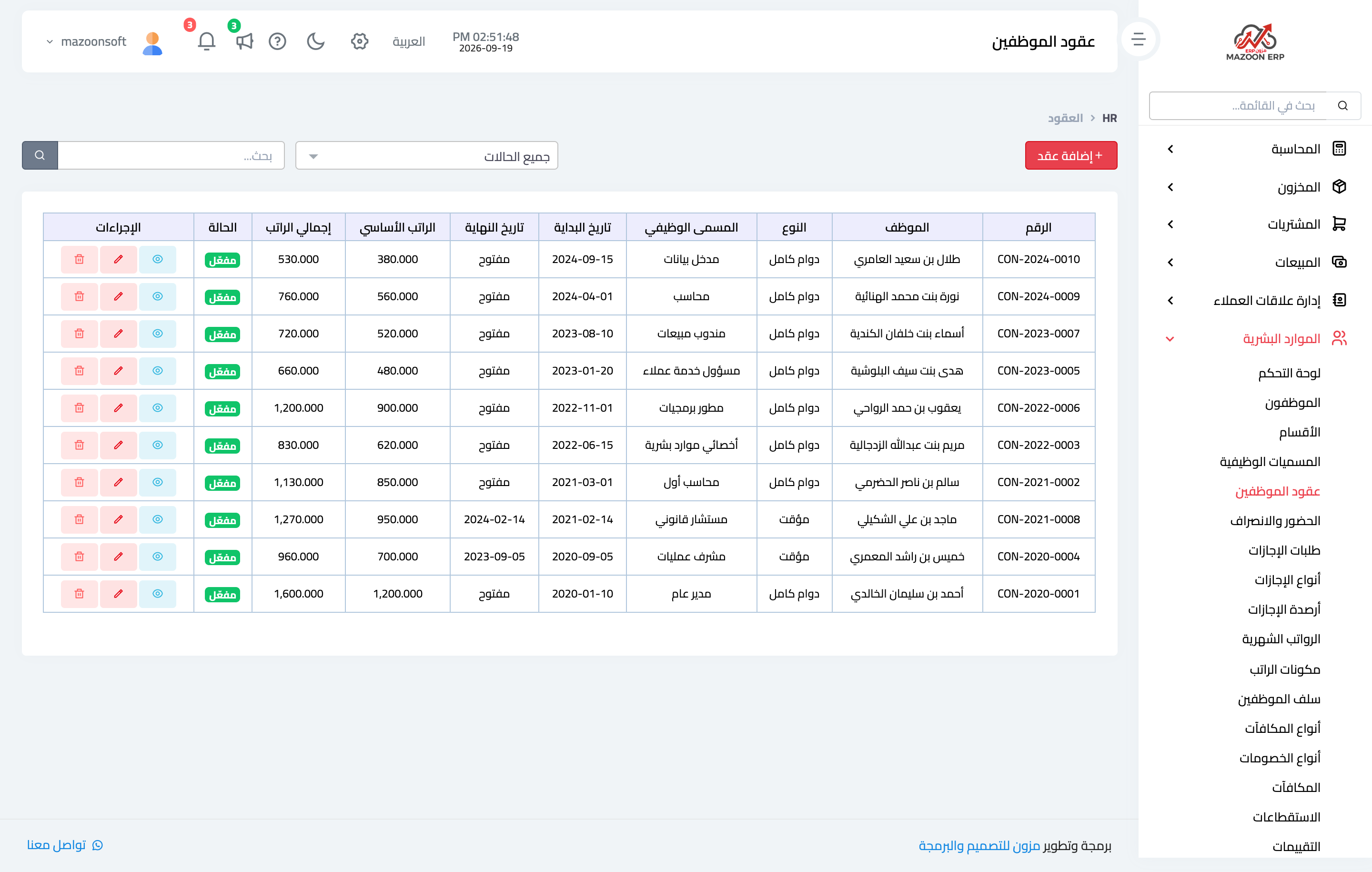
Figure 1
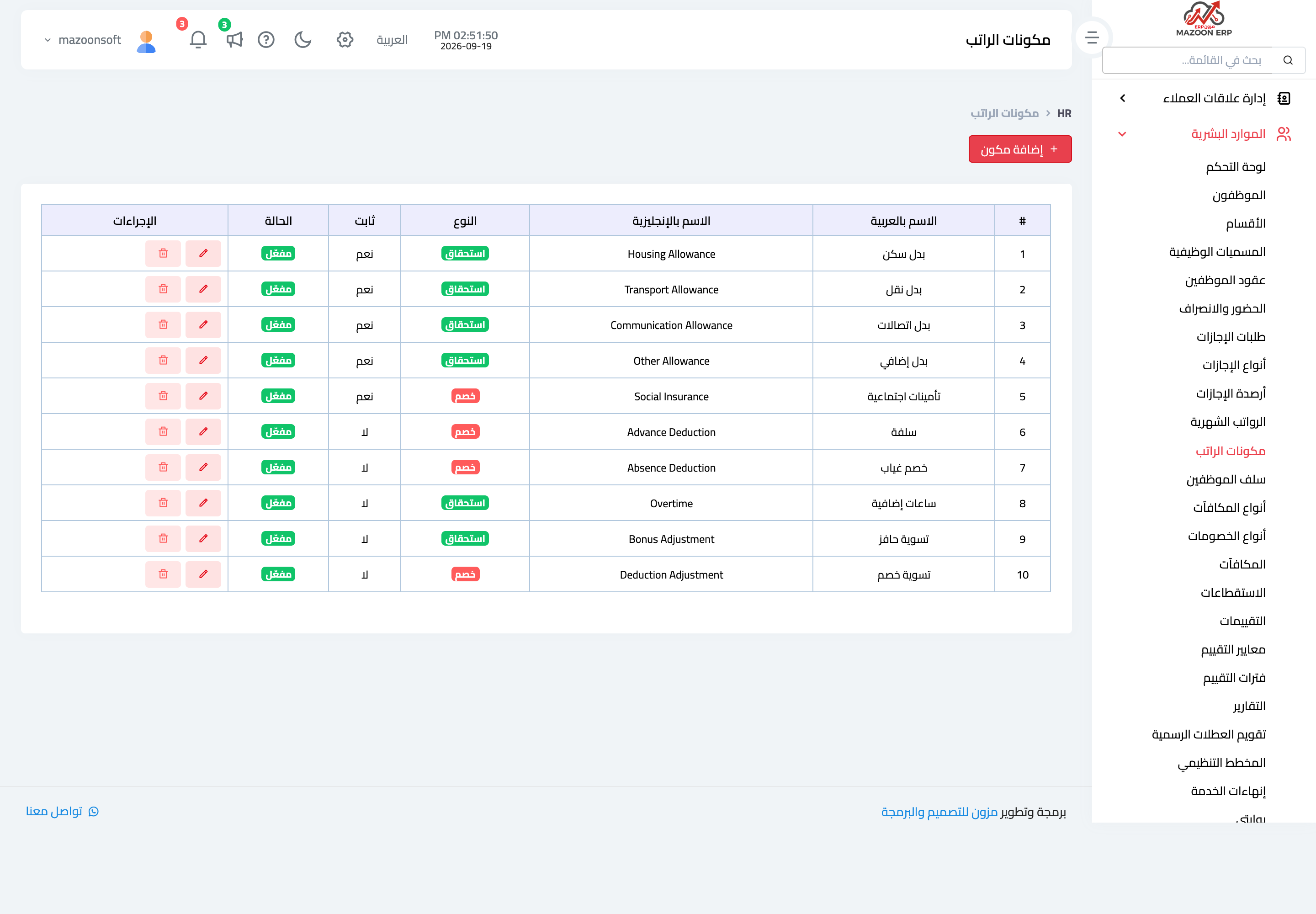
Figure 2
Try what you just read on your own data
Open a free 7-day trial — no credit card, with your own company link in minutes.