
Employee advances: request, disbursement and monthly deduction
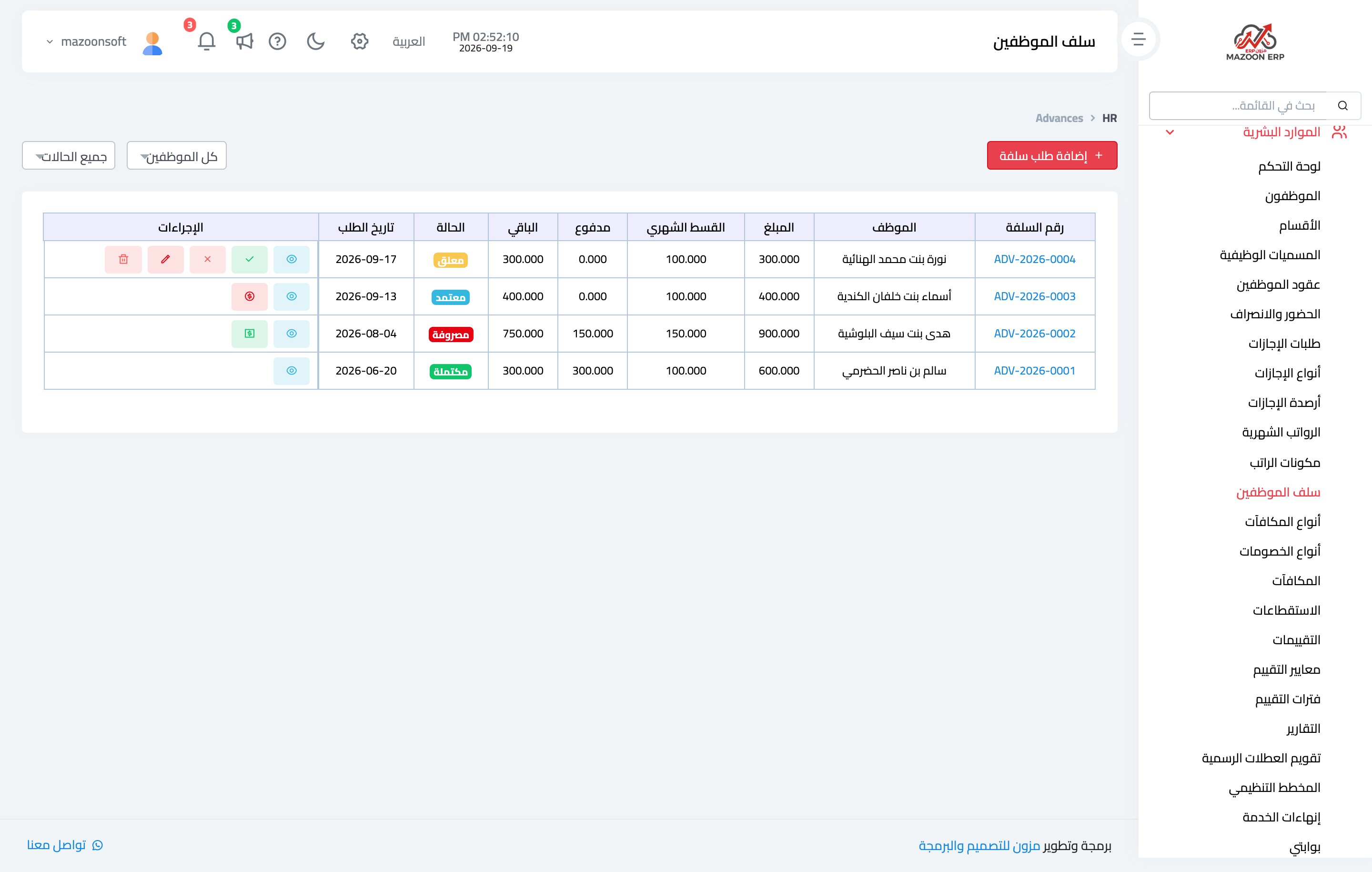
An advance is a short loan against salary: paid out once, then deducted automatically in instalments from later payrolls. It lives in HR → Employee Advances — image 1.
Creating the request
- Press Add Advance Request.
- Pick the employee and enter the amount, request date and reason.
- Enter the number of instalments; the system derives the monthly deduction from it.
- Save. The advance starts as pending.
Approval and disbursement
From the advance page: Approve or Reject. Once approved, Disburse appears; you enter the disbursement date and payment method, the system creates the journal entry, and the advance becomes disbursed.
Deduction only starts from that moment — a pending or approved-but-undisbursed advance never touches a salary.
The monthly deduction
When a payroll is marked paid, the system walks every employee and deducts from each disbursed advance with a remaining balance: it takes the lower of the monthly deduction and the remaining amount, so the final instalment never over-deducts.
When the remaining amount reaches zero the advance becomes completed and deductions stop.
Repayment outside payroll
If the employee repays in cash or by transfer, use Record Payment on the advance page: the remaining amount drops immediately, the entry appears in the payment history, and the record closes itself if the payment covers the whole remainder. Any amount above the remainder is recorded as the remainder only.
Notes
- Payment progress on the page shows total paid against remaining at a glance.
- Do not also record the advance instalment as a manual deduction — it would be taken twice.
- Several advances for one employee are all deducted in the same month; check their net salary before approving.
Screenshots
Try what you just read on your own data
Open a free 7-day trial — no credit card, with your own company link in minutes.