
Owner accounts, commissions, expenses, and reports
What separates a property management office from an owner running their own building is this part: knowing at any moment how much you collected for each owner, how much you deducted, and how much of theirs is still with you.
The owner account
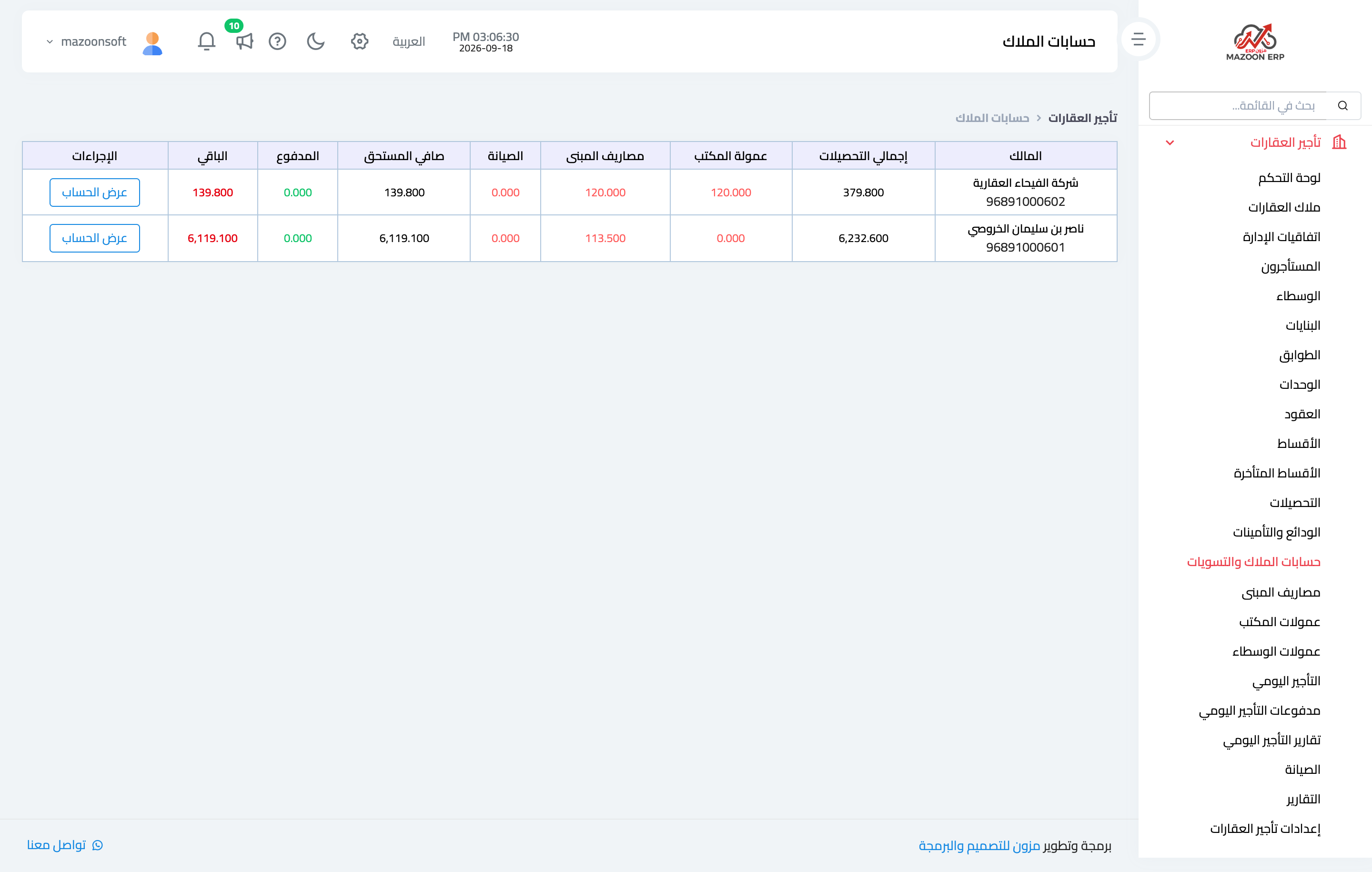
The Owner accounts screen — Figure 1 — shows each owner with the rent collected on their properties, less the office commission and any expenses deducted, less what has actually been paid out to them — the result is their balance with you.
Opening a particular owner’s account shows a detailed statement of every movement with its date and source, so no side ledger is needed.
Building expenses
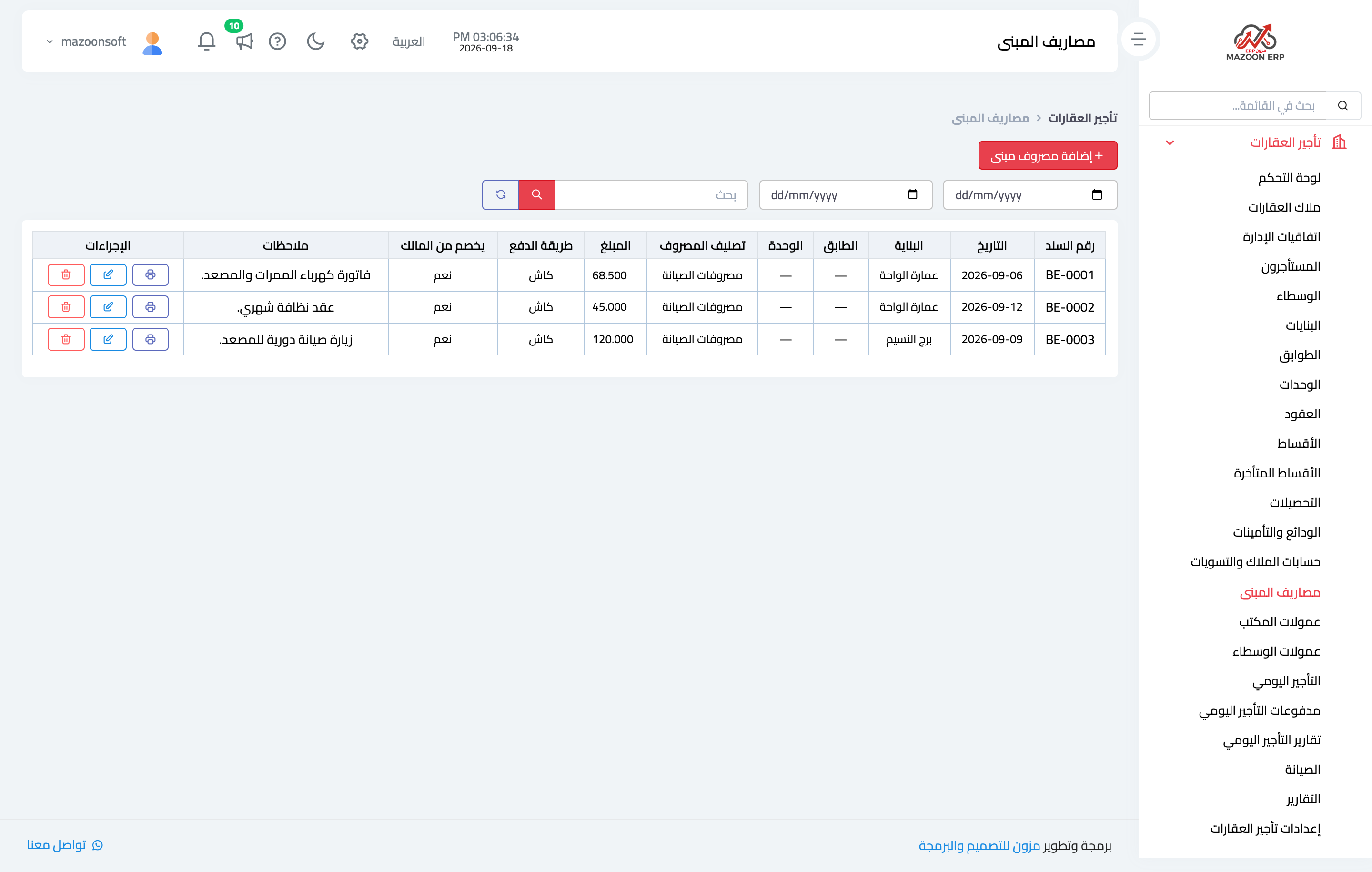
Building expenses — Figure 2 — records common-area costs: corridor electricity, cleaning, lift servicing, and the like. Each expense has a voucher number, date, category, amount, and payment method.
Its most important field is deduct from owner: if set, the expense lands in the owner’s account and reduces what they are owed; if not, the office bears it. That is governed by the expense policy in the management agreement.
Office and broker commissions
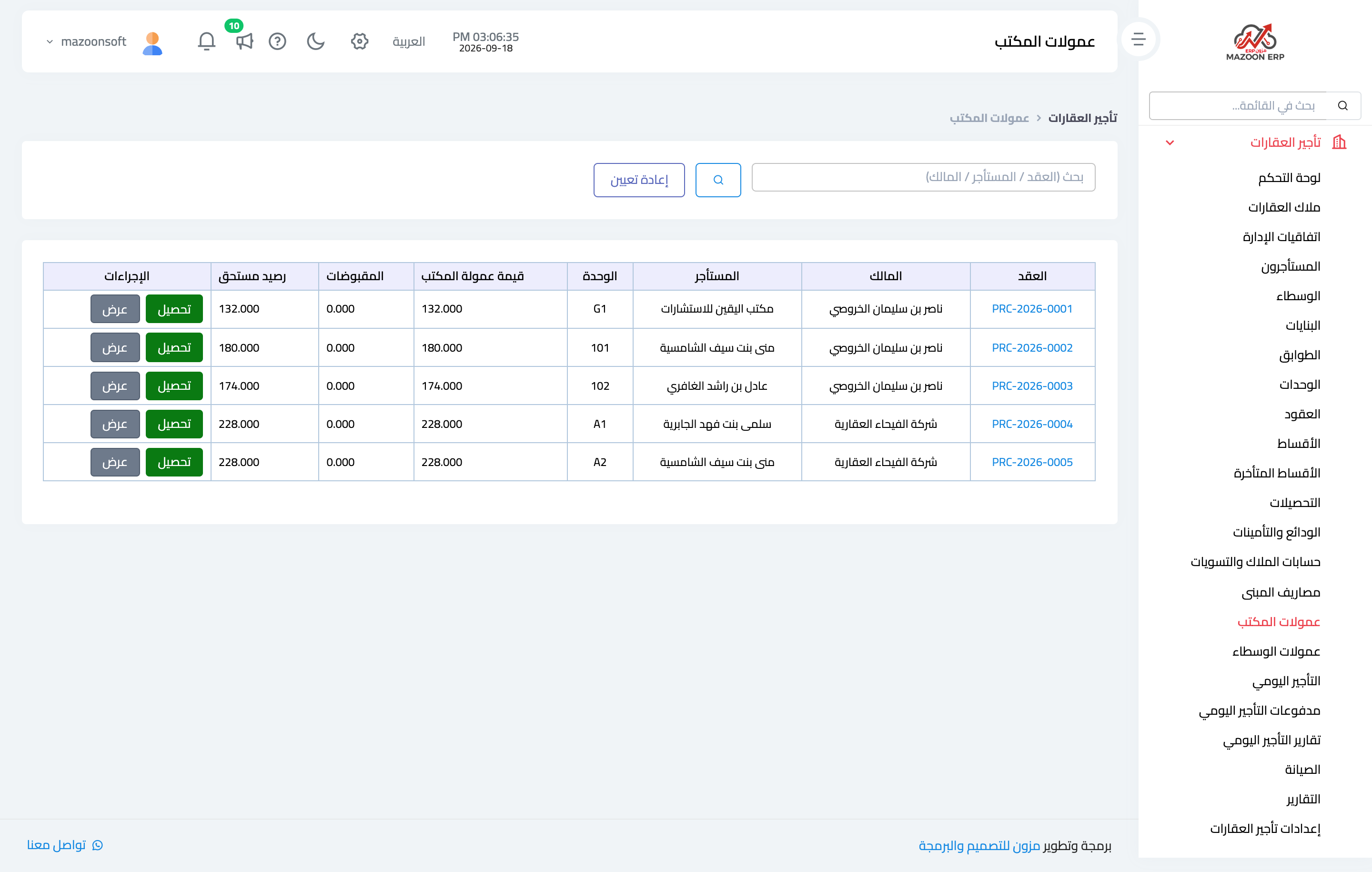
The Office commissions screen — Figure 3 — shows the commission on each contract and whether it has been collected; it is the office’s own revenue, not the owner’s money.
Broker commissions are for whoever introduced the tenant: the broker is attached to the contract at creation, and their commission and its payout are tracked on their own screen.
Owner settlements
A settlement is what happens at month end: you pick the owner and the period, and the system gathers the rent collected on their units, deducts the office commission and the building expenses charged to them, and arrives at a net paid over to them and documented with a payout voucher.
Its value is that it turns a recurring monthly argument into one signed sheet, kept in the system for reference.
Maintenance
A tenant raises a maintenance request from their portal, or a clerk records it for them, and it appears on the maintenance screen as open, then in progress, then closed, with the administration’s reply and the date of that reply.
Alongside it sit maintenance contracts and periodic maintenance schedules for what recurs on a known cycle, such as lifts and air conditioning.
Reports
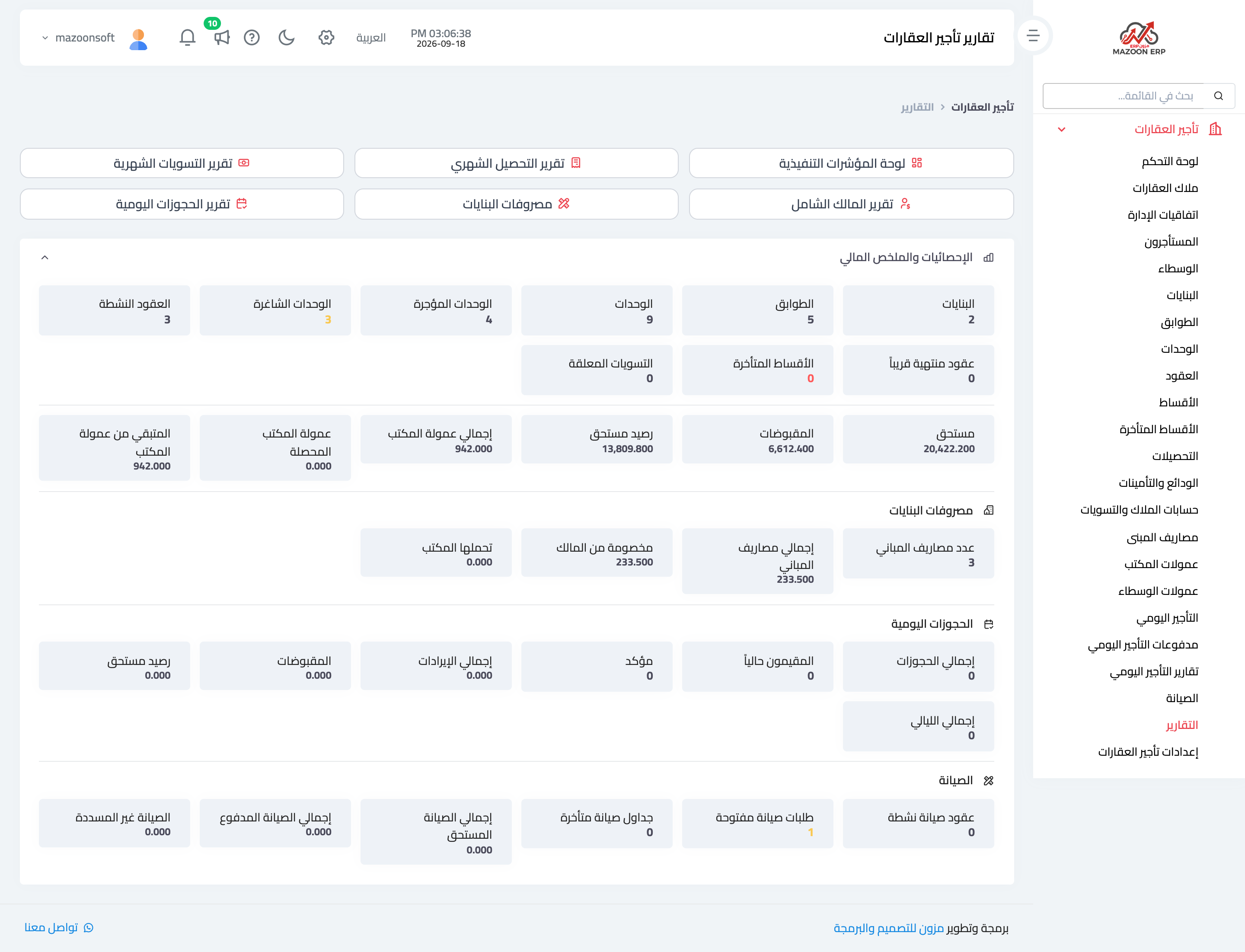
The Reports screen — Figure 4 — gathers what the office needs:
- Owner statement — for a chosen period, fit to print and send.
- Monthly collections — what actually came in each month.
- Monthly settlements — what was paid out to owners.
- Plus occupancy indicators and contracts expiring soon.
Daily rental
Beside annual leases, the module supports daily rental for furnished units and serviced apartments: a booking with check-in and check-out dates, signatures from both parties, and its own payments and reports, with overlapping bookings on the same unit blocked.
Notes
- Set deduct from owner when you record the expense, not at settlement time; correcting it afterwards is confusing.
- Issue a monthly settlement even when the net is zero; the document is what you refer back to, not memory.
- Review contracts expiring soon a month ahead; renewing is cheaper than finding a new tenant.
Screenshots
Try what you just read on your own data
Open a free 7-day trial — no credit card, with your own company link in minutes.