
How do I create a recurring maintenance contract and schedule its instalments?
Some maintenance does not arrive as a request but as a standing contract: lifts, central air conditioning, cleaning, pest control. These have their own contracts and schedules.
Creating the contract
- Open Maintenance → Maintenance contracts — Figure 1 — then a new contract — Figure 2.
- Enter the contract number and title, and pick the supplier and the building (or unit).
- Set the start and end dates, the billing cycle and the contract amount.
- Turn on deduct from owner if the cost is charged to the owner rather than to you.
Scheduling and payment
- In Maintenance schedules — Figure 3 — you see each period with its due date, its amount and what has been paid.
- Record payment from Maintenance payments and print the voucher for the supplier.
- A period unpaid past its date shows as overdue, which warns you before the supplier calls.
Notes
- A maintenance contract is a recurring, known cost; putting it in the system is what makes the building’s budget honest.
- The deduct from owner option is what moves the cost automatically into their settlement, so agree it with the owner before switching it on.
- Do not renew a maintenance contract without reviewing the building’s maintenance requests; they show whether the supplier was actually worth it.
Screenshots
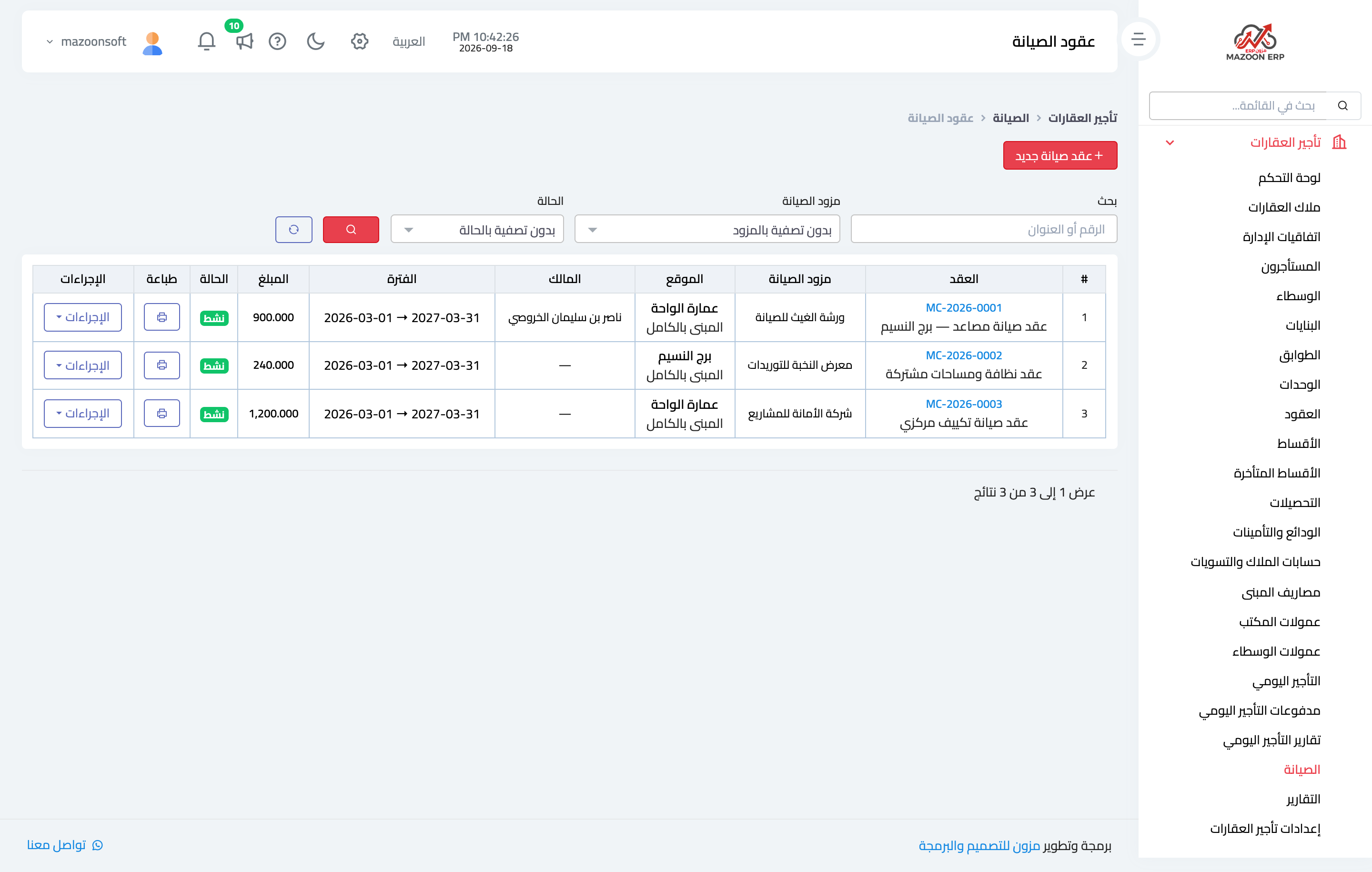
Figure 1
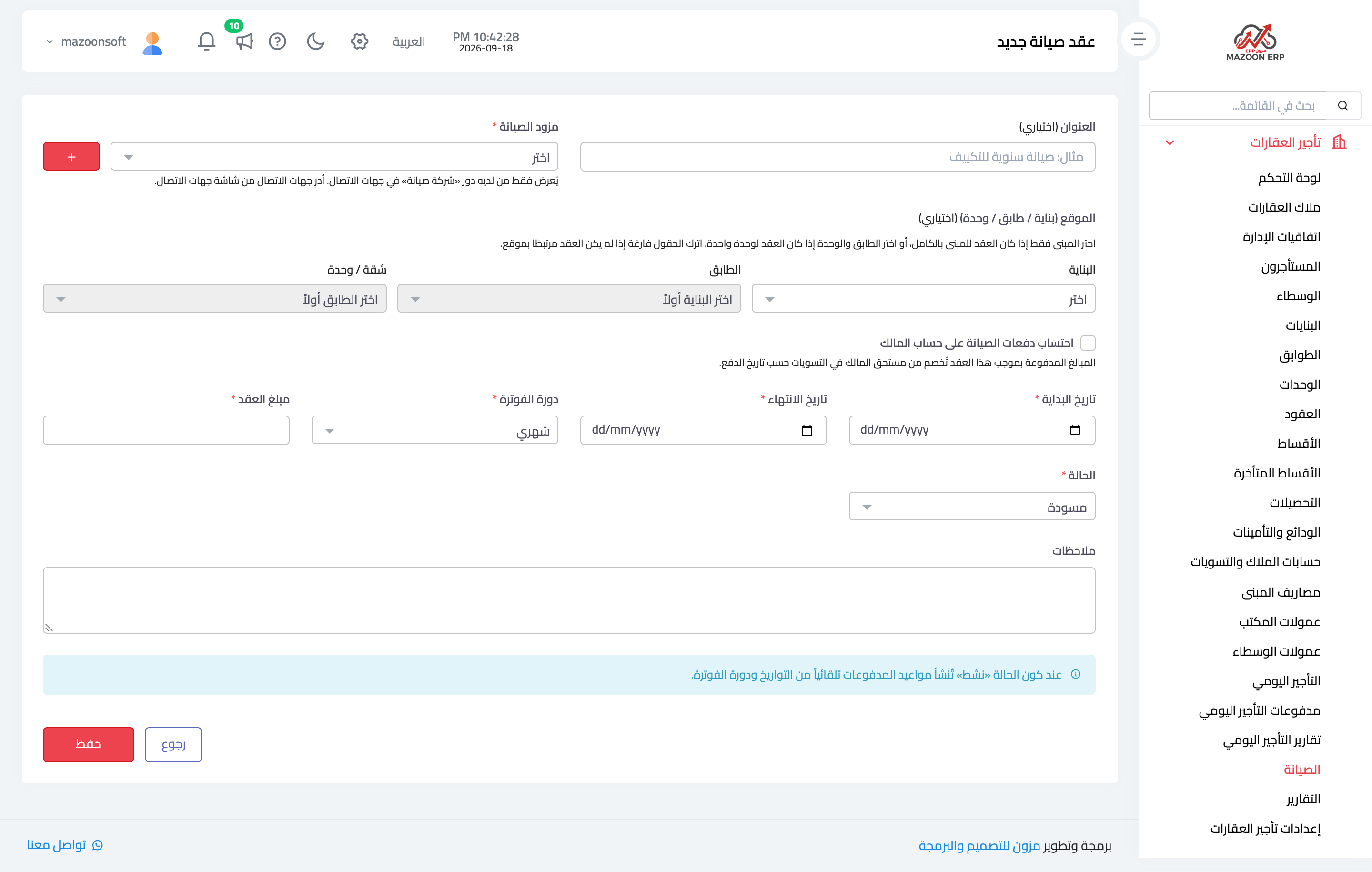
Figure 2
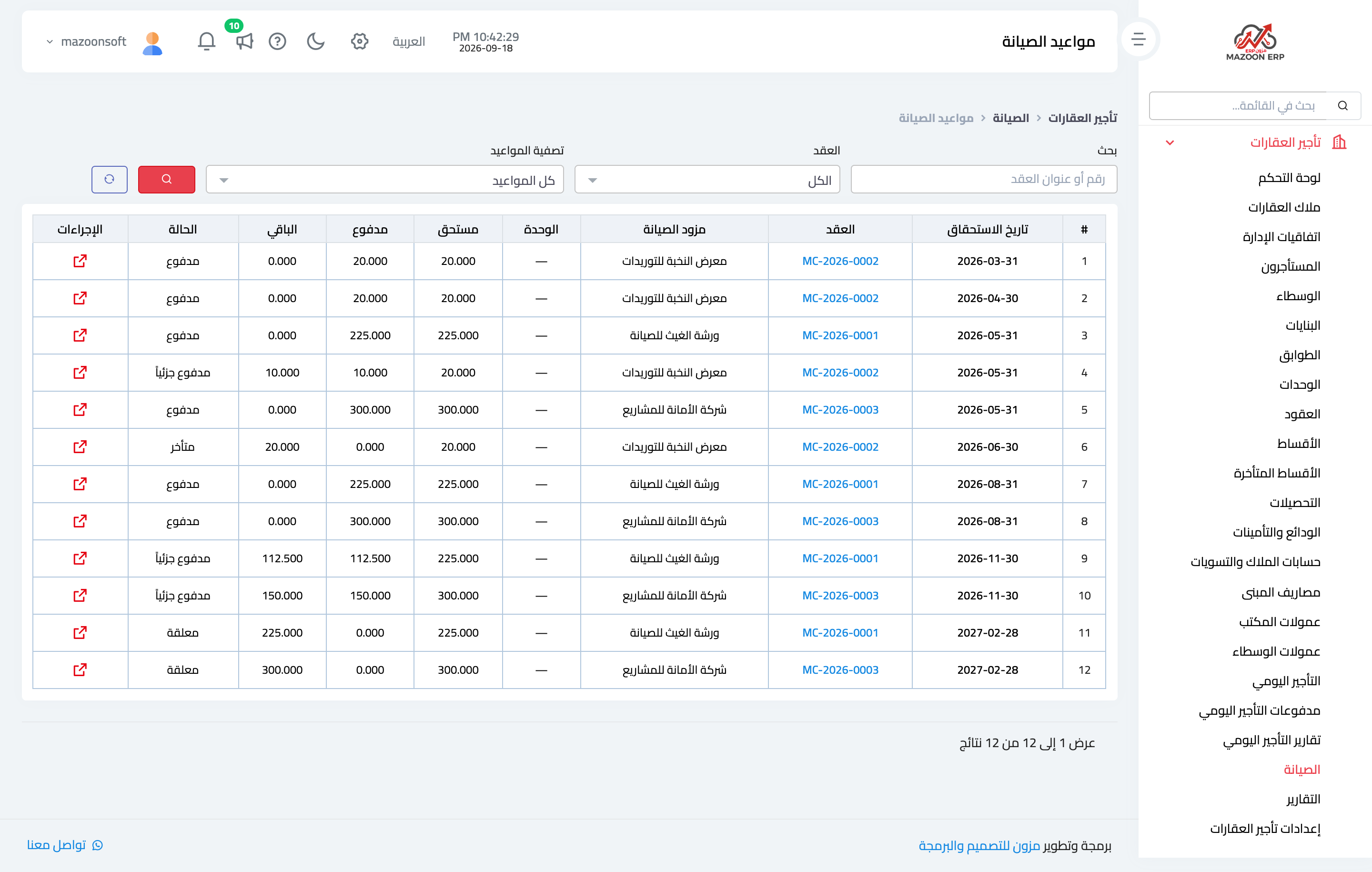
Figure 3
Try what you just read on your own data
Open a free 7-day trial — no credit card, with your own company link in minutes.