
How do I configure the property rental settings?
Settings you configure once at go-live, and that save you daily repetition for the rest of the year.
Steps
- Open Property Rental → Settings — Figure 1.
- Set the default office commission rate suggested whenever a contract is created.
- Set the default payment cycle you most often work with.
- Write the terms and conditions in Arabic and English; they print with the contract.
- Configure the daily letting and accounting links if present, then save.
Notes
- A default is a suggestion, not a rule; you can change it on any individual contract.
- Write the terms once here rather than repeating them on every contract; later changes then happen in one place.
- Have your lawyer review the terms once; they print on every contract that leaves your office.
Screenshots
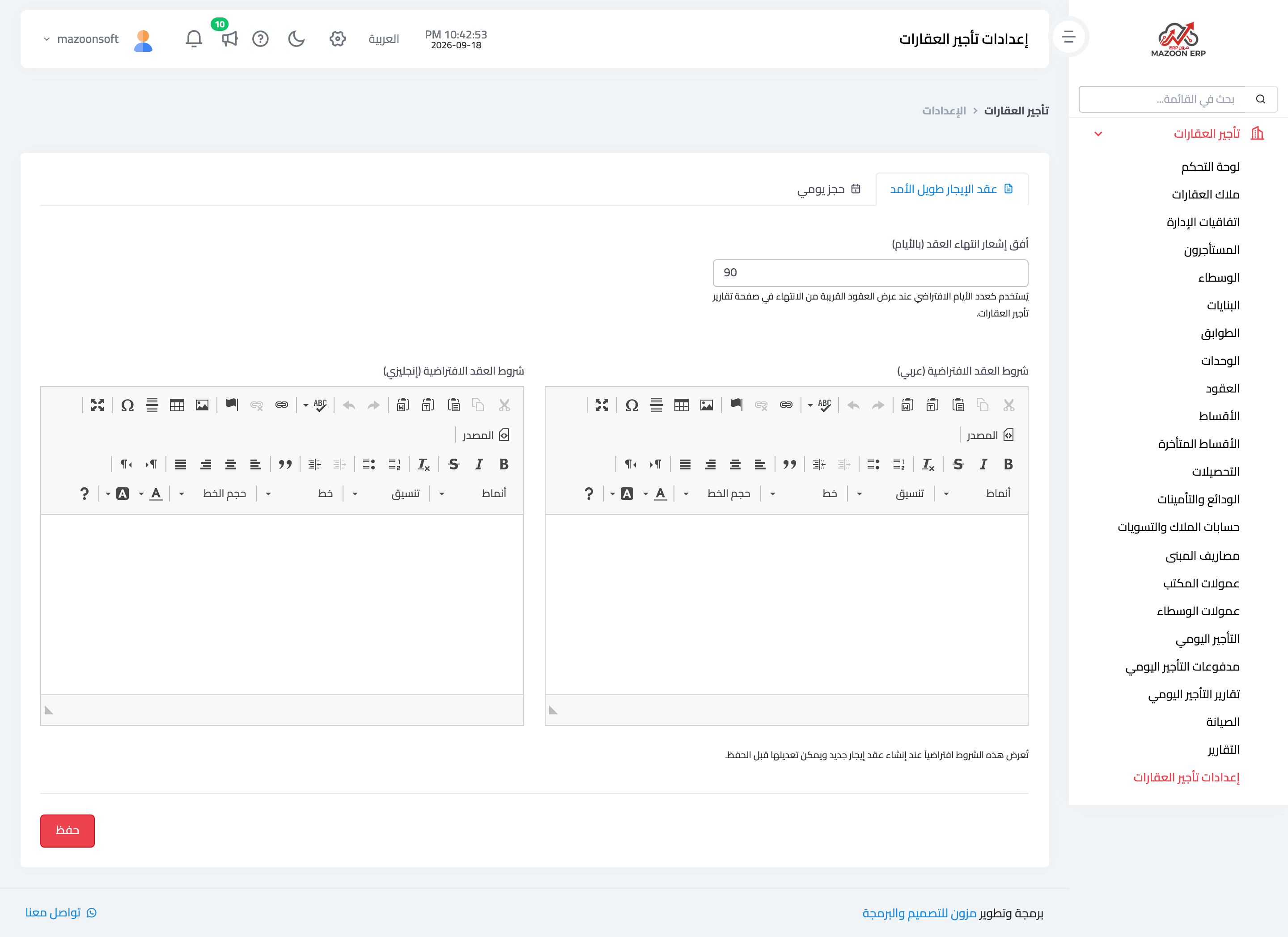
Figure 1
Try what you just read on your own data
Open a free 7-day trial — no credit card, with your own company link in minutes.